Power Harvesting Challenge: Scavenge Some Power, Win Prizes

It’s a brand new day as the Power Harvesting Challenge begins. This is the newest part of the 2018 Hackaday Prize and we’re looking for 20 entries who will each receive $1,000 and move onto the finals to compete for the top five spots, scoring cash prizes of $50k, $25k, $15k, $10k, and $5k.

Put simply, Power Harvesting is anything you can do that will pull some of the energy you need from a source other than wall-power or traditional battery tech. The most obvious power harvesting technologies are solar and wind. Ditch the battery in your doorbell for a solar panel, or turn your time-lapse camera rig into one that tops its battery with a tiny wind turbine. On the other end of the spectrum you could go nuts with chemistry and develop your own take on harvesting power from saltwater, or sip off the ambient RF waves all around us.

Every Idea Matters

We live in an amazing time as chip manufacturers have squeezed every low power trick out of their silicon dies that they possibly can. The Power Harvesting Challenge is the complement to those achievements: can we now squeeze as much energy out of non-traditional sources as possible to further reduce our energy footprints?

Continue reading “Power Harvesting Challenge: Scavenge Some Power, Win Prizes”
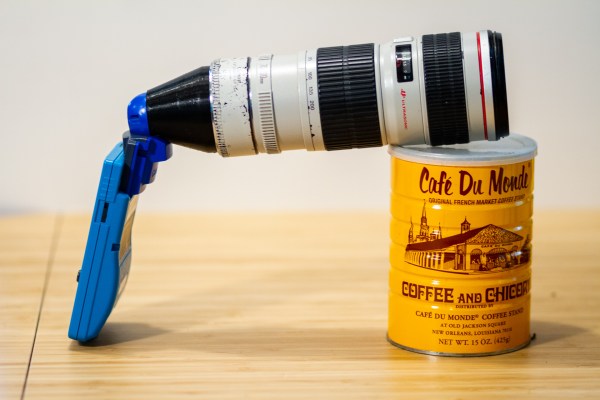
Game Boy Camera mounted to Canon Lens using EF Mount

A Canon Lens Adapter For The Game Boy Camera

Released in 1998, the Game Boy camera was a bit ahead of its time. This specialized Game Boy cartridge featured a 128×128 pixel CMOS sensor and took 4-color greyscale photos. The camera even rotated, allowing for selfies years before that word existed.

The fixed lens on this camera meant no zoom was possible. [Bastiaan] decided to address this shortcoming by building a Canon EF Lens Mount. The resulting build looks hilarious, but actually takes some interesting photos.

[Bastiaan] designed the mount using Rhino 3D, and printed it out on a Monoprice 3D printer. After some light disassembly, the mount can be screwed onto the Game Boy Camera. With the massive 70-200 f4 lens and 1.4x extender shown here, the camera gets a max focal distance of just over 3000 mm.

One issue with the Game Boy Camera was the limited options for doing anything with the photos. They could be transferred to other Game Boy Camera cartridges, or printed using the Game Boy Printer. Fortunately, [Brian Khuu] has a modern day solution that emulates the Game Boy Printer using an Arduino. This lets you get PNG files out of the device.

A 100th Birthday Celebration For The Flip Flop

It’s easy to get caught up in the excitement of creation as we’re building our latest widget. By the same token, it’s sometimes difficult to fully appreciate just how old some of the circuits we use are. Even the simplest of projects might make use of elements that were once a mess on some physicist’s or engineer’s lab bench, with components screwed to literal breadboards and power supplied by banks of wet-cell batteries.

One such circuit turns 100 years old in June, which is surprising because it literally is the building block of every computer. It’s the flip-flop, and while its inventors likely couldn’t have imagined what they were starting, their innovation became the basic storage system for the ones and zeros of the digital age.

Continue reading “A 100th Birthday Celebration For The Flip Flop”

Teddy Ruxpin: Navigate To 143 Main Street

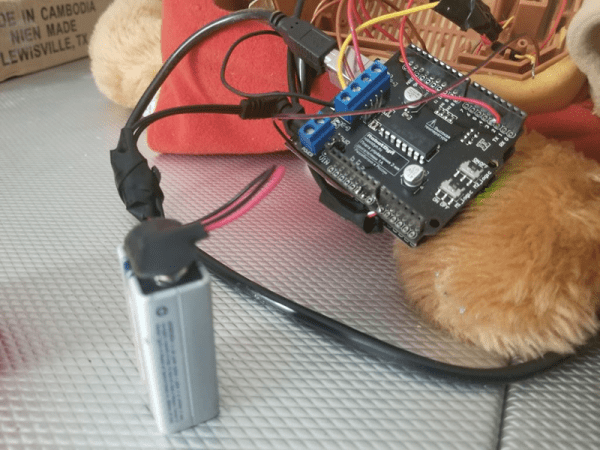
In the United States, TV and radio stations have to give the opportunity of equal airtime to all candidates. In that spirit, we thought we should show you [Jayden17’s] hack that puts Google Assistant into a Teddy Ruxpin. You can see the hacked bear do its thing in the video below.

Teddy was the best-selling toy for 1985 and 1986, and is still available, so over 30 years there are a lot of these hanging around. If you never looked at how they work, the original ones were quite simple. A cassette player routed one stereo channel to a speaker and used the other channel to control servo motors to move the mouth and eyes. The cassette was eventually replaced with a digital cartridge, and newer versions of Teddy only use two motors instead of the three in the original.

Continue reading “Teddy Ruxpin: Navigate To 143 Main Street”

Deploying A Turnkey Raspberry Pi System

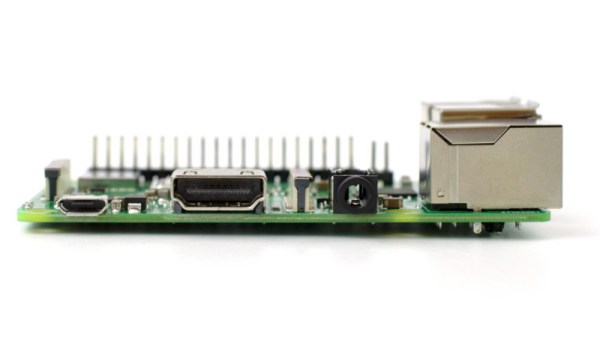
If you only do projects for yourself, you are spoiled. After all, you know your environment better than anyone. You know what power you’ll have, the temperature range, and how your network is configured. This last part is especially problematic if you are trying to deploy something that connects to a wireless LAN. How can you configure, say, a Raspberry Pi so that it can connect to an unknown user’s WiFi network? Fixing that problem is the goal of [schollz’s] Raspberry Pi Turnkey project.

The idea is simple. A Raspberry Pi image boots up for the first time and offers a WiFi hotspot itself called ConnectToConnect. The WiFi password is also ConnectToConnect. Once connected, you get configuration options that allow you to tailor the system to your network. Sure, you could have people log in and reconfigure via a serial terminal, wired ethernet (which isn’t always set up right, either), or a USB keyboard But that’s not a great out-of-the-box experience for most customers.

Continue reading “Deploying A Turnkey Raspberry Pi System”

Slow Cooking Filament

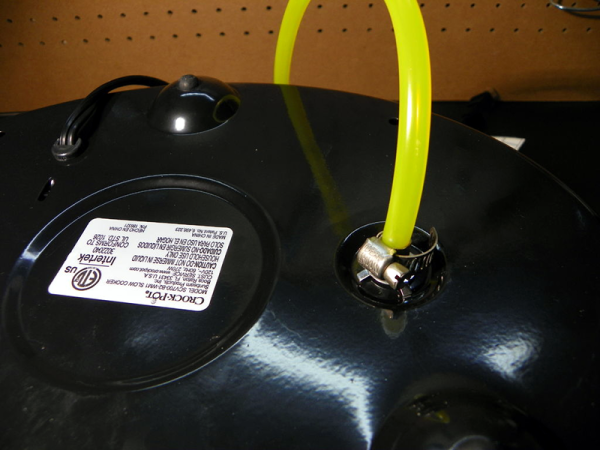
Getting good results from a 3D printer is like Goldilocks’ porridge. There are a lot of things that have to be just right. One common thing that gives people poor results is damp filament. This is especially insidious because the printer will work fine and then after some period time results degrade but it is no fault of the printer mechanics or electronics. There are many ways to attempt to dry filament, but [HydeTheJekyll] prefers using a slow cooker modified to operate with low air pressure.

We assume this works because the low pressure reduces the boiling point of water, allowing the water to boil off at temperatures that won’t distort the filament. The modifications aren’t very severe. You’ll need some hose and a pump along with some silicone caulk and petroleum jelly.

Continue reading “Slow Cooking Filament”

It’s UNIX. On A Microcontroller.

It’s difficult to convey in an era when a UNIX-like operating system sits in your pocket, how there was once a time when the mere word was enough to convey an aura of immense computing power. If you ran UNIX, your computer probably filled a room, and you used it for Serious Stuff rather than just checking your Twitter feed. UNIX machines may still perform high-end tasks, but Moore’s Law has in the intervening years delivered upon its promise, and your phone with its UNIX-like OS is far more powerful than that room-sized minicomputer of the 1970s. A single chip for a few cents can do that job, which begs the question: just how little do we need to run UNIX today? It’s something [Joerg Wolfram] could advise you upon, because he’s got a functional UNIX running on a microcontroller.

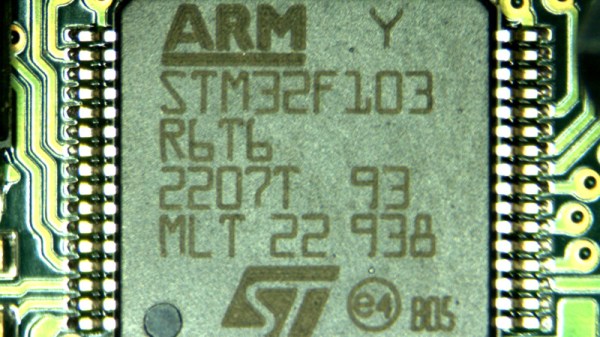
Of course, the UNIX in question is not exactly the same as the one you’d find on a supercomputer, either in the 1970s or now. Mini UNIX is a minimalist version of the operating system developed by [Heinz Lycklama] at Bell Labs four decades ago. It gives you a complete UNIX V6 system for the DEC PDP-11, but which needs only 56K of RAM, and no MMU. Emulating a PDP-11 on an STM32 microcontroller allows it to run happily, and while it’s not the most minimalist of microcontrollers it’s still a pretty cheap part upon which to run UNIX.

It’s doubtful whether a 1970s version of an operating system on a commodity microcontroller will take the world by storm, but that’s hardly the point of such a neat hack. It’s certainly not the first time we’ve seen similar work, though this PIC32 offering has a little more in the way of resources to offer.

Header image: Golonlutoj [CC BY-SA 3.0].