Hackaday Podcast Episode 350: Damnation For Spreadsheets, Praise For Haiku, And Admiration For The Hacks In Between

This week’s Hackaday Podcast sees Elliot Williams joined by Jenny List for an all-European take on the week, and have we got some hacks for you!

In the news this week is NASA’s Maven Mars Orbiter, which may sadly have been lost. A sad day for study of the red planet, but at the same time a chance to look back at what has been a long and successful mission.

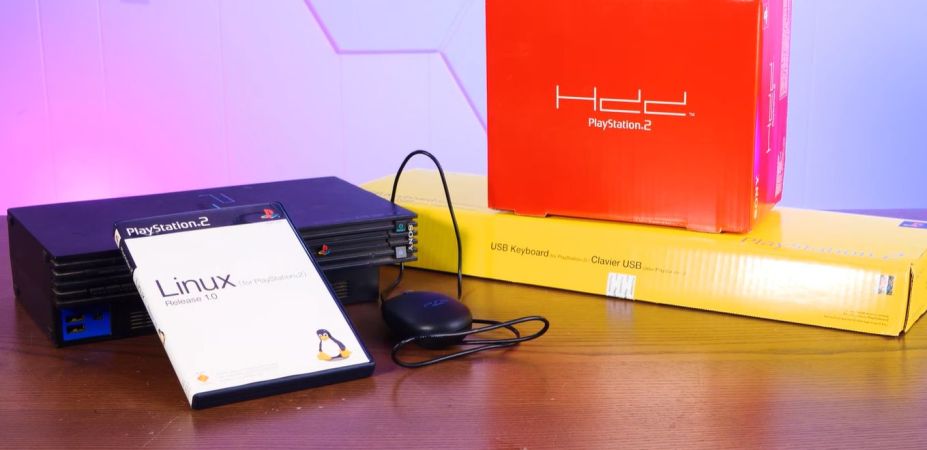
In the hacks of the week, we have a lo-fi camera, a very refined Commodore 64 laptop, and a MIDI slapophone to entertain you, as well as taking a detailed look at neutrino detectors. Then CYMK printing with laser cut stencils draws our attention, as well as the arrival of stable GPIB support for Linux. Finally both staffers let loose; Elliot with an epic rant about spreadsheets, and Jenny enthusiastically describing the Haiku operating system.

Check out the links below if you want to follow along, and as always, tell us what you think about this episode in the comments!

It’s dangerous to go alone. Here, take this MP3.

Continue reading “Hackaday Podcast Episode 350: Damnation For Spreadsheets, Praise For Haiku, And Admiration For The Hacks In Between”

Attach A Full Size Lens To A Tiny Camera

The Kodak Charmera is a tiny keychain camera produced by licencing out the name of the famous film manufacturer, and it’s the current must-have cool trinket among photo nerds. Inside is a tiny sensor and a fixed-focus M7 lens, and unlike many toy cameras it has better quality than its tiny package might lead you to expect. There will always be those who wish to push the envelope though, and [微攝 Macrodeon] is here to fit a lens mount for full-size lenses (Chinese language, subtitle translation available).

The hack involves cracking the camera open and separating the lens mount from the sensor. This is something we’re familiar with from other cameras, and it’s a fiddly process which requires a lot of care. A C-mount is then glued to the front, from which all manner of other lenses can be attached using a range of adapters. The focus requires a bit of effort to set up and we’re guessing that every lens becomes extreme telephoto due to the tiny sensor, but we’re sure hours of fun could be had.

The Charmera is almost constantly sold out, but you should be able to place a preorder for about $30 USD if you want one. If waiting months for delivery isn’t your bag, there are other cameras you can upgrade to C-mount.

Continue reading “Attach A Full Size Lens To A Tiny Camera”

This Week In Security: PostHog, Project Zero Refresh, And Thanks For All The Fish

There’s something immensely satisfying about taking a series of low impact CVEs, and stringing them together into a full exploit. That’s the story we have from [Mehmet Ince] of Prodraft, who found a handful of issues in the default PostHog install instructions, and managed to turn it into a full RCE, though only accessible as a user with some configuration permissions.

As one might expect, it all starts with a Server Side Request Forgery (SSRF). That’s a flaw where sending traffic to a server can manipulate something on the server side to send a request somewhere else. The trick here is that a webhook worker can be primed to point at localhost by sending a request directly to a system API.

One of the systems that powers a PostHog install is the Clickhouse database server. This project had a problem in how it sanitized SQL requests, namely attempting to escape a single quote via a backslash symbol. In many SQL servers, a backslash would properly escape a single quote, but Clickhouse and other Postgresql servers don’t support that, and treat a backslash as a regular character. And with this, a read-only SQL API is vulnerable to SQL injection.

These vulnerabilities together just allow for injecting an SQL string to create and run a shell command from within the database, giving an RCE and remote shell. The vulnerabilities were reported through ZDI, and things were fixed earlier this year. Continue reading “This Week In Security: PostHog, Project Zero Refresh, And Thanks For All The Fish”

ABB arm printing a vase

Surplus Industrial Robot Becomes Two-ton 3D Printer

As the saying goes — when life gives you lemons, you make lemonade. When life gives you a two-ton surplus industrial robot arm, if you’re [Brian Brocken], you apparently make a massive 3D printer.

The arm in question is an ABB IRB6400, a serious machine that can sling 100 to 200 kilograms depending on configuration. Compared to that, the beefiest 3D printhead is effectively weightless, and the Creality Sprite unit he’s using isn’t all that beefy. Getting the new hardware attached uses (ironically) a 3D printed mount, which is an easy enough hack. The hard work, as you might imagine, is in software.

As it turns out, there’s no profile in Klipper for this bad boy. It’s 26-year-old controller doesn’t even speak G-code, requiring [Brian] to feed the arm controller the “ABB RAPID” dialect it expects line-by-line, while simultaneously feeding G-code to the RAMPS board controlling the extruder. If you happen to have the same arm, he’s selling the software that does this. Getting that synchronized reliably was the biggest challenge [Brian] faced. Unfortunately that means things are slowed down compared to what the arm would otherwise be able to do, with a lot of stop-and-start on complex models, which compromises print quality. Check the build page above for more pictures, or the video embedded below.

[Brian] hopes to fix that by making better use of the ABB arm’s controller, since it does have enough memory for a small buffer, if not a full print. Still, even if it’s rough right now, it does print, which is not something the engineers at ABB probably ever planned for back before Y2K. [Brian]’s last use of the arm, carving a DeLorean out of styrofoam, might be closer to the original design brief.

Usually we see people using 3D printers to build robot arms, so this is a nice inversion, though not the first.

Continue reading “Surplus Industrial Robot Becomes Two-ton 3D Printer”

Windmill Desk Lamp Is Beautifully Soothing

Typically, lamps provide a stationary source of light to illuminate a given area and help us see what we’re doing. However, they can also be a little more artistic and eye-catching, like this windmill lamp from [Huy Vector].

It’s somewhat of a charming desk toy, constructed out of copper wire soldered into the form of a traditional windmill. At its base, lives a simple motor speed controller, while up top, a brushed DC gearmotor is responsible for turning the blades. As you might imagine, it’s a little tricky to get power to flow to the LED filaments installed on those blades while they happen to be rotating. That’s where the build gets tricky, using the output shaft of the motor’s gear drive and a custom slip ring to pass power to the LEDs. That power comes courtesy of a pair of 16340 lithium-ion cells, which can be juiced up with the aid of a USB-C charger board.

It’s an elegant build, and rather charming to watch in motion to boot. We love a good lamp build here at Hackaday, particularly when they’re aesthetically beautiful.

Continue reading “Windmill Desk Lamp Is Beautifully Soothing”

The Miracle Of Color TV

We’ve often said that some technological advancements seemed like alien technology for their time. Sometimes we look back and think something would be easy until we realize they didn’t have the tools we have today. One of the biggest examples of this is how, in the 1950s, engineers created a color image that still plays on a black-and-white set, with the color sets also able to receive the old signals. [Electromagnetic Videos] tells the tale. The video below simulates various video artifacts, so you not only learn about the details of NTSC video, but also see some of the discussed effects in real time.

Creating a black-and-white signal was already a big deal, with the video and sync presented in an analog AM signal with the sound superimposed with FM. People had demonstrated color earlier, but it wasn’t practical for several reasons. Sending, for example, separate red, blue, and green signals would require wider channels and more complex receivers, and would be incompatible with older sets.

Continue reading “The Miracle Of Color TV”

Automatically Remove AI Features From Windows 11

It seems like a fair assessment to state that the many ‘AI’ features that Microsoft added to Windows 11 are at least somewhat controversial. Unsurprisingly, this has led many to wonder about disabling or outright removing these features, with [zoicware]’s ‘Remove Windows AI’ project on GitHub trying to automate this process as much as reasonably possible.

All you need to use it is your Windows 11-afflicted system running at least 25H2 and the PowerShell script. The script is naturally run with Administrator privileges as it has to do some manipulating of the Windows Registry and prevent Windows Update from undoing many of the changes. There is also a GUI for those who prefer to just flick a few switches in a UI instead of running console commands.

Among the things that can be disabled automatically are the disabling of Copilot, Recall, AI Actions, and other integrations in applications like Edge, Paint, etc. The reinstallation of removed packages is inhibited by a custom package. For the ‘features’ that cannot be disabled automatically, there is a list of where to toggle those to ‘off’.

Naturally, since Windows 11 is a moving target, it can be rough to keep a script like this up to date, but it seems to be a good start at least for anyone who finds themselves stuck on Windows 11 with no love for Microsoft’s ‘AI’ adventures. For the other features, there are also Winaero Tweaker and Open-Shell, with the latter in particular bringing back the much more usable Windows 2000-style start menu, free of ads and other nonsense.