Retrotechtacular: Bleeding-Edge Memory Devices Of 1959

Although digital computers are – much like their human computer counterparts – about performing calculations, another crucial element is that of memory. After all, you need to fetch values from somewhere and store them afterwards. Sometimes values need to be stored for long periods of time, making memory one of the most important elements, yet also one of the most difficult ones. Back in the 1950s the storage options were especially limited, with a 1959 Bell Labs film reel that [Connections Museum] digitized running through the bleeding edge of 1950s storage technology.

After running through the basics of binary representation and the difference between sequential and random access methods, we’re first taking a look at punch cards, which can be read at a blistering 200 cards/minute, before moving onto punched tape, which comes in a variety of shapes to fit different applications.

Electromechanical storage in the form of relays are popular in e.g. telephone exchanges, as they’re very fast. These use two-out-of-five code to represent the phone numbers and corresponding five relay packs, allowing the crossbar switch to be properly configured.

Continue reading “Retrotechtacular: Bleeding-Edge Memory Devices Of 1959”

In Praise Of The Proof Of Concept

Your project doesn’t necessarily have to be a refined masterpiece to have an impact on the global hacker hivemind. Case in point: this great demo of using a 64-point time-of-flight ranging sensor. [Henrique] took three modules, plugged them into a breadboard, and wrote some very interactive Python code that let him put them all through their paces. The result? I now absolutely want to set up a similar rig and expand on it.

That’s the power of a strong proof of concept, and maybe a nice video presentation of it in action. What in particular makes [Henrique]’s POC work is that he’s written the software to give him a number of sliders, switches, and interaction that let him tweak things in real time and explore some of the possibilities. This exploratory software not only helped him map out what directions to go, but they also work in demo mode, when he’s showing us what he has learned.

But the other thing that [Henrique]’s video does nicely is to point out the limitations of his current POC. Instantly, the hacker mind goes “I could work that out”. Was it strategic incompleteness? Either way, I’ve been nerd-sniped.

So are those the features of a good POC? It’s the bare minimum to convey the idea, presented in a way that demonstrates a wide range of possibilities, and leaving that last little bit tantalizingly on the table?

Love Complex Automata? Don’t Miss The Archer

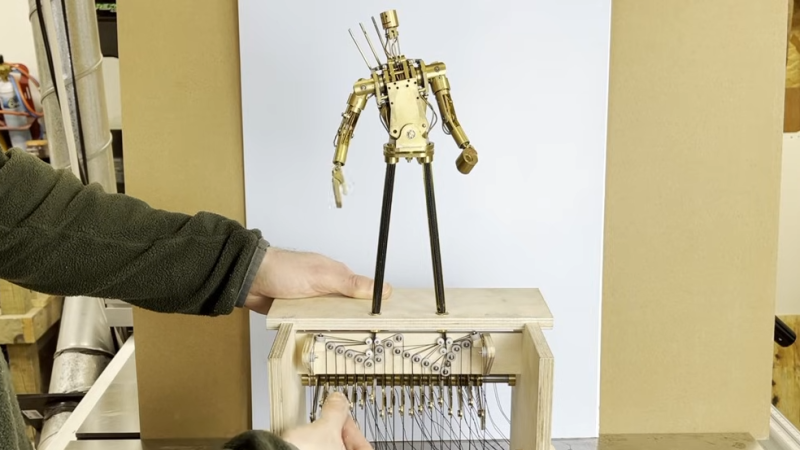
[Oliver Pett] loves creating automata; pieces of art whose physicality and motion come together to deliver something unique. [Oliver] also has a mission, and that mission is to complete the most complex automata he has ever attempted: The Archer. This automaton is a fully articulated figure designed to draw arrows from a quiver, nock them in a bow, draw back, and fire — all with recognizable technique and believable motions. Shoot for the moon, we say!

He’s documenting the process of creating The Archer in a series of videos, the latest of which dives deep into just how intricate and complex of a challenge it truly is as he designs the intricate cams required.

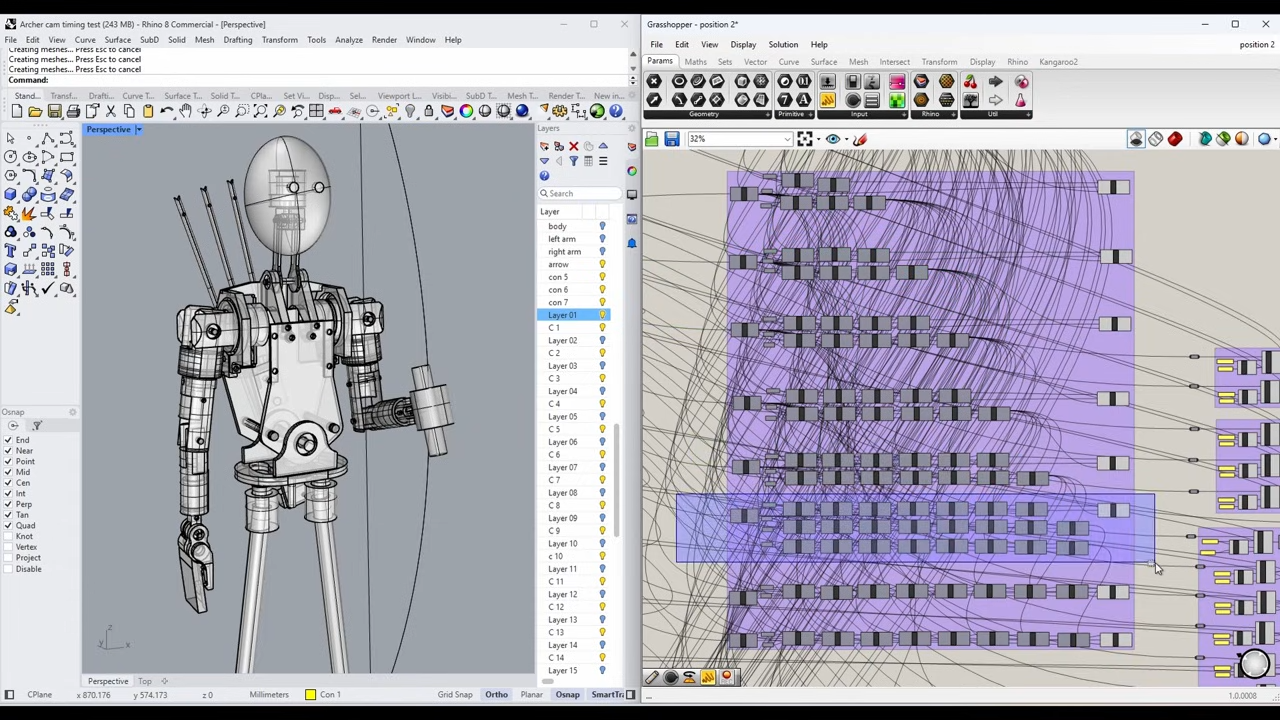
A digital, kinematic twin in Rhino 3D helps [Oliver] to choose key points and determine the cam profiles required to effect them smoothly.
In simple automata rotational movement can be converted by linkages to create the required motions. But for more complicated automata (like the pen-wielding Maillardet Automaton), cams provide a way to turn rotational movement into something much more nuanced. While creating the automaton and designing appropriate joints and actuators is one thing, designing the cams — never mind coordinating them with one another — is quite another. It’s a task that rapidly cascades in complexity, especially in something as intricate as this.

[Oliver] turned to modern CAD software and after making a digital twin of The Archer he’s been using it to mathematically generate the cam paths required to create the desired movements and transitions, instead of relying on trial and error. This also lets him identify potential collisions or other errors before any metal is cut. The cams are aluminum, so the fewer false starts and dead ends, the better!

Not only is The Archer itself a beautiful piece of work-in-progress, seeing an automaton’s movements planned out in this way is a pretty interesting way to tackle the problem. We can’t wait to see the final result.

Thanks [Stephen] for the tip!

MicroGPT Lets You Peek With Your Browser

Regardless of what you think of GPT and the associated AI hype, you have to admit that it is probably here to stay, at least in some form. But how, exactly, does it work? Well, MicroGPT will show you a very stripped-down model in your browser. But it isn’t just another chatbot, it exposes all of its internal computations as it works.

The whole thing, of course, is highly simplified since you don’t want billions of parameters in your browser’s user interface. There is a tutorial, and we’d suggest starting with that. The output resembles names by understanding things like common starting letters and consonant-vowel alternation.

At the start of the tutorial, the GPT spits out random characters. Then you click the train button. You’ll see a step counter go towards 500, and the loss drops as the model learns. After 500 or so passes, the results are somewhat less random. You can click on any block in the right pane to see an explanation of how it works and its current state. You can also adjust parameters such as the number of layers and other settings.

Of course, the more training you do, the better the results, but you might also want to adjust the parameters to see how things get better or worse. The main page also proposes questions such as “What does a cell in the weight heatmap mean?” If you open the question, you’ll see the answer.

Overall, this is a great study aid. If you want a deeper dive than the normal hand-waving about how GPTs work, we still like the paper from [Stephen Wolfram], which is detailed enough to be worth reading, but not so detailed that you have to commit a few years to studying it.

We’ve seen a fairly complex GPT in a spreadsheet, if that is better for you.