Benchmarking USB Transfer Speeds

boards

[Paul Stoffregen], creator of the Teensy series of microcontroller dev boards, noticed a lot of project driving huge LED arrays recently and decided to look into how fast microcontroller dev boards can receive data from a computer. More bits per second means more glowey LEDs, of course, so his benchmarking efforts are sure to be a hit with anyone planning some large-scale microcontroller projects.

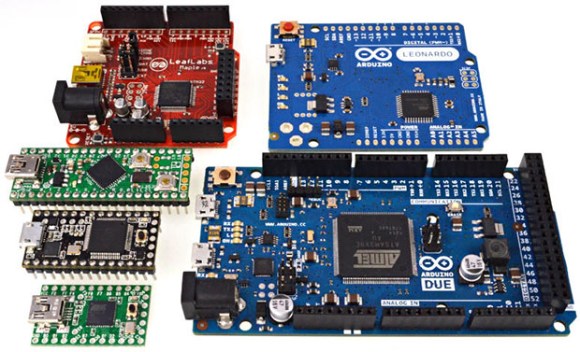
The microcontrollers [Paul] tested included the Teensy 2.0, Teensy 3.0, the Leonardo and Due Arduinos, and the Fubarino Mini and Leaflabs Maple. These were tested in Linux ( Ubuntu 12.04 live CD ), OSX Lion, and Windows 7, all running on a 2012 MacBook Pro. When not considering the Teensy 2.0 and 3.0, the results of the tests were what you would expect: faster devices were able to receive more bytes per second.  When the Teensys were thrown into the mix, though, the results changed drastically. The Teensy 2.0, with the same microcontroller as the Arduino Leonardo, was able to outperform every board except for the Teensy 3.0.

[Paul] also took the effort to benchmark the different operating systems he used. Bottom line, if you’re transferring a lot of bytes at once, it really doesn’t matter which OS you’re using. For transferring small amounts of data, you may want to go with OS X. Windows is terrible for transferring single bytes; at one byte per transfer, Windows only manages 4kBps. With the same task, Linux and OS X manage about 53 and 860 (!) kBps, respectively.

So there you go. If you’re building a huge LED array, use a Teensy 3.0 with a MacBook. Of course [Paul] made all the code for his benchmarks open source, so feel free to replicate this experiment.
A Black Box For A Motorcycle

ecu

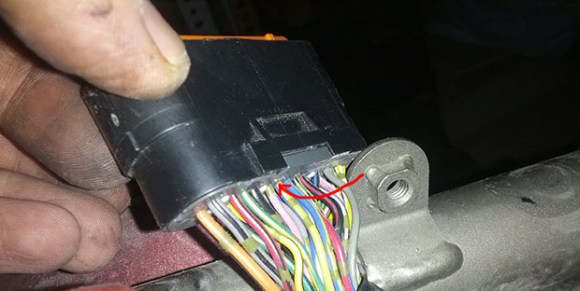
[Lukusz] has a new motorcycle – a Yamaha XJ6SA – and since it hasn’t been in an accident yet, he thought building a black box to record telemetry from the last 30 minutes of riding would be a good idea. While the project isn’t complete yet, he’s already reading data coming straight from the engine control unit.

After figuring out most of the pinout for his bike’s ECU connector, [Lukasz] found one wire that didn’t actually do anything. This was his ECU’s K line, a serial output that is able to relay the state of the gauges to external devices. The electronic spec of the K line is a bit weird, though, but luckily after finding a chip to convert the signal into something a logic analyzer can understand.

With a logic analyzer connected to the K line – and setting it to receive on at 16064 baud – [Lukasz] was able to get a whole lot of data directly from his bike. In the future he plans to pass data such as speed, indicator lights, RPMs, and the current gear to a Raspberry Pi for logging.

Building A Miniature X-ray Tube

tube

We’ve seen homemade x-ray devices and we’ve seen people making vacuum tubes at home. We’ve never seen anyone make their own x-ray tube, though, and it’s doubtful we’ll ever see the skill and craftsmanship that went into this build again.

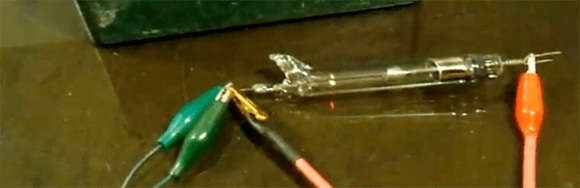
An x-ray tube is a simple device; a cathode emits electrons that strike a tungsten anode that emits x-rays. Most x-ray tubes, though, are relatively large with low-power mammography tubes being a few inches in diameter and about 6 inches long. In his amazing 45-minute-long video, [glasslinger] shows us how to make a miniature vacuum tube, a half-inch in diameter and only about four inches long.

For those of you who love glass lathes, tiny handheld spot welders and induction heaters, but don’t want your workshop bathed in x-rays, [glasslinger] has also built a  few other vacuum tubes, including a winking cat Nixie tube. This alternate cat’s eye tube was actually sealed with JB Weld, an interesting technique if you’d ever like to make a real home made tube amp.

Off The Shelf EEG Hardware Records Your Dreams

band

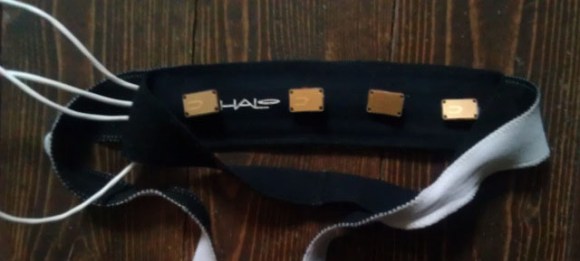
Over the past few years, we’ve seen [Michael]’s adventures in electronics and lucid dreaming. With commercial EEG hardware, [Michael] is able to communicate from inside his dreams with Morse code and record his rhythmic blinking for data analysis when he wakes up. His project is called Lucid Scribe, and now it’s open to just about everyone – including brain experimenters with OpenEEG hardware.

OpenEEG is a project that aims to reduce the cost of EEG hardware by providing the hardware, electrodes, software, and documentation to build your own EEG headset. It’s a great tool in the field of biofeedback, but [Michael] is going one step further; he’s busy writing an algorithm that will detect REM sleep and play an audio track while he’s in a dream state to trigger a lucid dream.

[Michael] points out that anyone with OpenEEG hardware including the DIY Olmex board can contribute to his Lucid Scribe database. You might also get some lucid dreaming time in, but then you’ll have to wake to the crushing reality of real life.

Arduino-compatible, Quad-core ARM Dev Board

The Advent of the Raspberry Pi has seen an explosion in the market for ARM dev boards, sometimes even with pinouts for Arduino shields. The UDOO, though, takes those boards and ramps up the processing power for some very, very interesting builds.

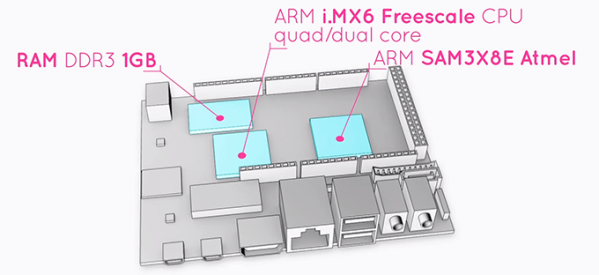
The UDOO comes equipped with a dual or quad-core ARM CPU running at 1GHz with 1 GB of RAM. Also on board is the Atmel SAM3X8E – the same chip in the new Arduino DUE – and has pinouts for all those Arduino shields you have lying around.

In addition to serving your next project as a souped-up Raspberry Pi, UDOO also includes 78 (!) GPIO pins, Gigabit Ethernet, a camera connector, one SATA port (on the quad-core version), and an LVDS header for attaching LCD monitors. Basically, the UDOO is the motherboard of an ARM-powered laptop with the pinouts to handle Arduino shields. It’s just like [Bunnie]’s laptop, only this time you can actually buy it.

The UDOO doesn’t come cheap, though: on the UDOO Kickstarter, the dual-core version is going for $150 while the quad-core is priced at $170. Still, if you need the power to run a pair of Kinects or want to build an awesome torrent box, you’d be hard pressed to find a more powerful board.

[Jeri] Spills The Beans On Her AR Glasses

AR

In the last year, [Jeri Ellsworth] has been very busy. She was hired by Valve, started development of an augmented reality system, fired by Valve, and started a new company with [Rick Johnson] to bring her augmented reality glasses to the market. On the last Amp Hour podcast she spilled the beans on what went down at Valve, how her glasses work, and what her plans for the future are.

[Jeri] and [Rick]’s castAR glasses aren’t virtual reality glasses like the Oculus Rift or other virtual reality glasses that cut you off from the real world. The castAR glasses preserve your peripheral vision by projecting images and objects onto a gray retro-reflective mat and allows you to interact with a virtual environment with an electronic wand. So far, there are a few demos for the castAR system; a Jenga clone, and a game of battle chess called Team For Chess, a wonderful reference to Valve’s hat simulator.

The electronics inside the castAR glasses are fairly impressive; new frames are drawn on the retro-reflective surface at 100 Hz, positioning accuracy is in the sub-millimeter range, and thanks to [Jeri]’s clever engineering the entire system should be priced at about $200. Not too bad for an awesome device that can be used not only for D&D and Warhammer, but also for some very cool practical applications like visualizing engineering models of 3D prints before they’re printed.

Giving The Nexus 4 A Serial Port

Having a serial port on any Linux box is always useful, but with the tiny computers we’re carrying around in our pockets now, that isn’t always an option. Some of the more advanced phones out there break out a UART on their USB OTG port, but the designers of the Nexus 4 decided to do things differently. They chose to put the Nexus 4’s serial port on the mic and headphone input, and [Ryan] and [Josh] figured out how to access this port.

Basically, the Nexus 4 has a tiny bit of circuitry attached to the microphone input. If the Nexus detects more than 2.8 Volts on the mic, it switches over to a hardware UART, allowing everything from an Arduino to an old dumb terminal to access the port.

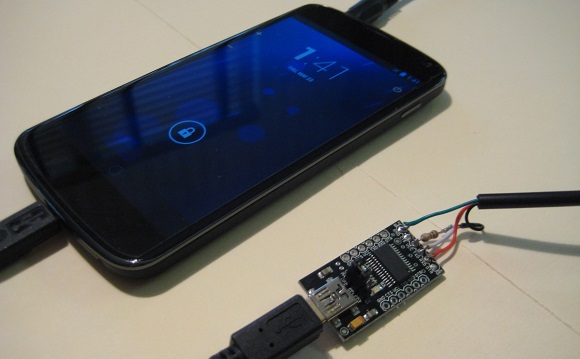
The guys used a USB to serial FTDI board wired up to a 3.5 mm jack with a few resistors to enable the hardware UART on their phone. With a small enclosure, they had a reasonably inexpensive way to enable a hardware serial port on a mobile device with GPS, cellular, a camera, and a whole bunch of other sensors that any portable project would love.

EDIT: An anonymous little bird told us this: “You should add a note to the Nexus 4 serial cable post that TX and RX need to be 1.8V.  If you use 3.3V USB cables, you will likely eventually fry something.  FTDI makes 1.8V IO cables that work – you just need to make the trigger voltage for the mic line.” Take that for what you will.