E-Ink Laptop, First Steps

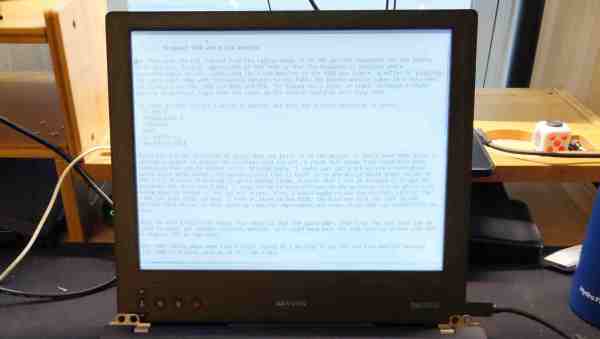
[Alexander Soto] prefers the reduced eye-strain of an e-ink display, but he doesn’t have a portable solution to use at different work stations. The solution? Make your own e-ink laptop. Once you see his plan, it’s not as crazy as it sounds.

[Alexander] got his inspiration from an earlier Dasung Paperlike Pro teardown that we covered back in 2018. His plan is to shoehorn the e-ink panel into a “headless” Thinkpad T480 laptop. This particular model ES133TT3 display is 13.3 inches (about 40 cm) with a much-better-than-normal laptop resolution of 2200 x 1650 pixels. It is driven over HDMI and is perfect fit for the Thinkpad enclosure.

Unfortunately, these displays haven’t gone down in price since 2018. They’re still in the $1000+ price range, more expensive than many laptops. But if you really want the reduced eye-strain of e-ink in a laptop format, you’re going to have to shell out for it.

It’s a pretty ambitious project. We’re looking forward to following his progress and see how the finished laptop goes together. Do check out the extensive list of e-ink references on his project page, too. If you want to experiment with a less expensive e-ink project, have a look at the PaperTTY project for your Raspberry Pi.


Rex Wasn’t Really A PDA, It Was The First Great Digital Rolodex

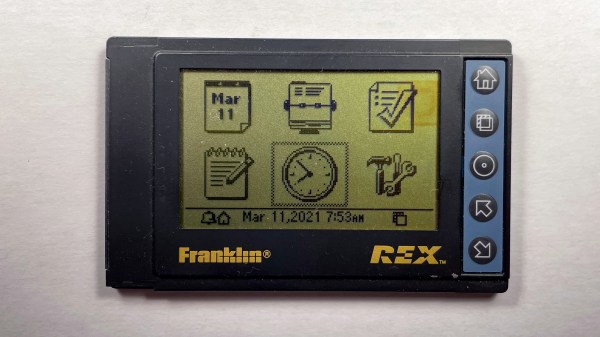
Back in the 1990s I was fascinated with small computers. I used the HP200LX palmtop computer for almost ten years, which I wrote about back in December. Naturally, the Franklin Rex 3 PCMCIA-sized organizer caught my attention when it was released in 1997. Here was a Personal Digital Assistant (PDA) the size of a credit card that could fit not just in your pocket, but in your shirt pocket.

Viewed today, it was an interesting paradigm. The screen takes up almost the entire front face of the device with a few buttons for navigation. But isn’t it a deal-breaker that you can’t enter or edit contact info on the device itself? This was long before cellphones were pervasive, and if you had the option to connect to the internet a telephone or Ethernet cable was involved. The ability to have a large data set in your pocket viewable without slapping a brick-like laptop on a table was pretty huge.

I think the killer feature was the PCMCIA interface. I challenged myself to reverse engineer the API so that I could sync data outside of the

Continue reading “Rex Wasn’t Really A PDA, It Was The First Great Digital Rolodex”

A Soyuz Space Clock Replica

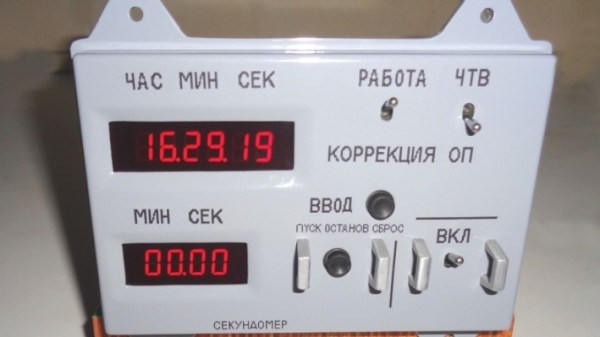
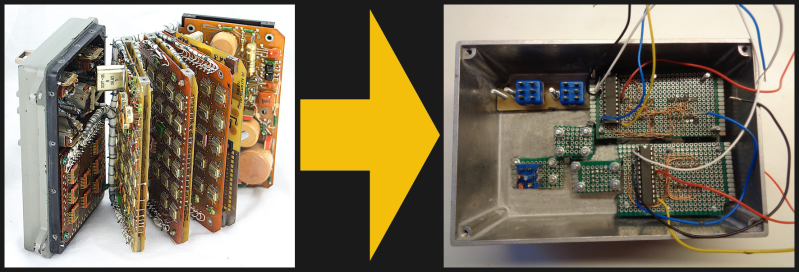
If you like the retro look of old Soviet space hardware, then this replica of the model 774H Soyuz digital clock by [David Whitty] might be the perfect accessory for your desk. Forgoing the original stack of ten jam-packed circuit boards, [David] used an Arduino, a GPS receiver, and a handful of other common parts to create a convincing reproduction.

Out with the old, in with the new

He also made some functional changes to make it better suited as an ordinary clock for us earthbound folk. If you want to take on this project yourself, be prepared for some real metalwork. No 3D printing filament was harmed in building this project. It’s based on a pair of heavily modified Hammond cast aluminum enclosures, with over 1 kg of lead ballast added to give it the appropriate heft of the original. The GPS patch antenna is cleverly hidden on the rear interface connector, but a discrete hole for a USB connector gives away the secret that this isn’t an original. The software (free for non-commercial use) and build notes are available on his GitHub repository.

We covered [Ken Shirriff]’s fascinating dive into the guts of a real Soyuz digital clock back in January. If old space hardware is your thing, you should definitely check out this teardown by [CuriousMarc] of the 653B, the 1960s-era electro-mechanical predecessor to the 774H. Thanks to [CuriousMarc] for bringing this project to our attention.

Continue reading “A Soyuz Space Clock Replica”

Internet Of Clams

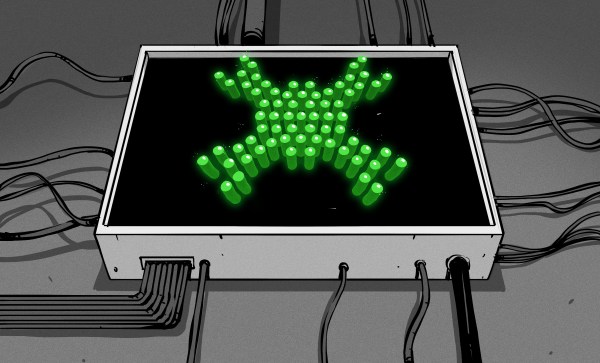
Sensors aren’t just limited to the electrical, mechanical, or chemical realm. Up until 1986, canaries were used as Carbon Monoxide detectors, and food tasters are still used by some heads of state. These so-called sentinel species have been known and used for decades if not centuries. But recent projects using clams to detect water pollution are providing real-time electronic feedback. They are using the species Actinonaias ligamentina, which, as you no doubt recall, was declared “Mussel of the Month” by the University of Wisconsin’s MUSSEL Project back in January 2010. They are more commonly known as mucket clams or mucket mussels, and are particularly sensitive to water pollution — they will clam-up, so to speak, in the presence of contaminated water.

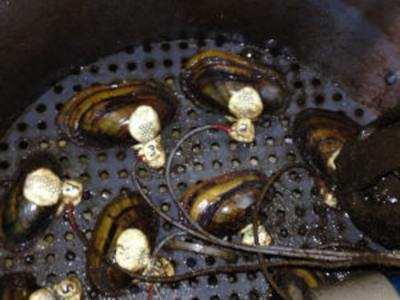
Clam Sensor Wiring Mississippi River Project

Several municipalities along the Mississippi River installed clam-based sensors back in 2015, and another system was installed in the Anacostia River Estuary in 2011. Polish director Julia Pekla produced a documentary about the clam-based sensors installed at the Dębiec Water Treatment Plant on the Wisła River near Warsaw which has been in operation since 1994. Her documentary is titled “Gruba Kaśka (Fat Kathy)” and won the In Vivo Award at the 2020 Imagine Science Film’s 13th annual film festival (see trailer below).

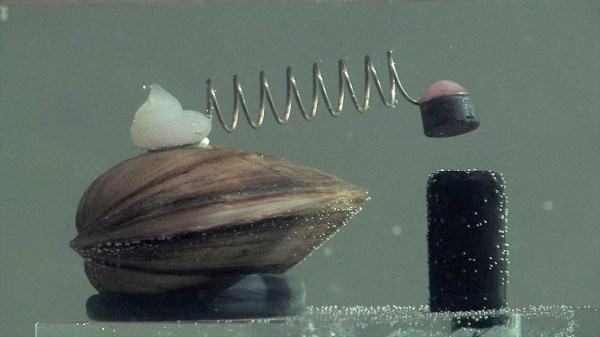
As shown in the lead photo, a simple electrical contact is mounted on each clam, which closes a circuit with the base contact when the shell is clamped shut. The systems along the Mississippi River use multiple clams, 11 in Minneapolis Minnesota and 16 in Moline Illinois. The system in Poland uses eight clams — when four or more clams are in agreement the system automatically shuts down and alerts the operators. These clams only work for three months, after which they are put into retirement with a mark so they won’t be required to serve again.

We’ve written about a clam-shaped underwater sensor before, and also reported on the potential of using clams as batteries. This biological sensing technique came to our attention via [Embedded FM podcast #357].

Continue reading “Internet Of Clams”

Minimal MQTT With Micropython

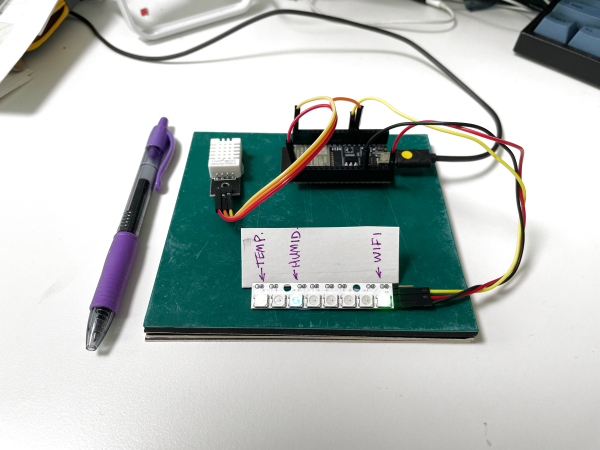
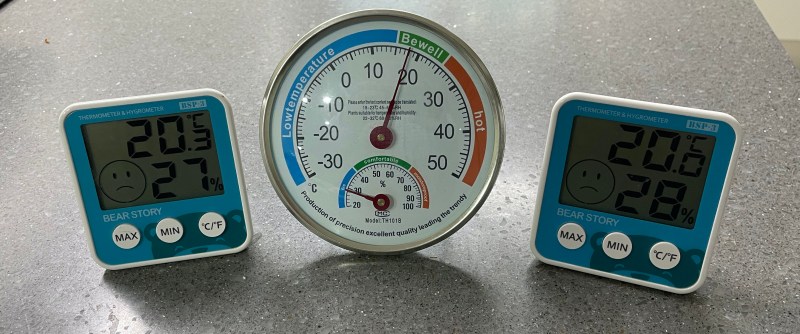
I have been meaning to play around with MQTT for some time now, and finally decided to take the plunge one evening last week. I had three cheap home temperature and humidity sensors, and was bothered that they often didn’t agree. Surprisingly, while the analog one had a calibration adjustment in the back, I have no idea how to calibrate the two digital ones. I took this as a sign that it was time to learn MQTT and be able to install my own, accurate sensors. Of course, I began by ordering the cheapest sensors I could find, but I can always upgrade later on.

Three Cheap Sensors

While we have written quite a bit about MQTT in Hackaday, I had to go all the way back to 2016 to find this introductory four-part series by Elliot Williams. Five years is a long time in the tech world, but I decided to give it a try anyway. Continue reading “Minimal MQTT With Micropython”

The Modding, Restoration, And Demise Of A $3M Analog Computer

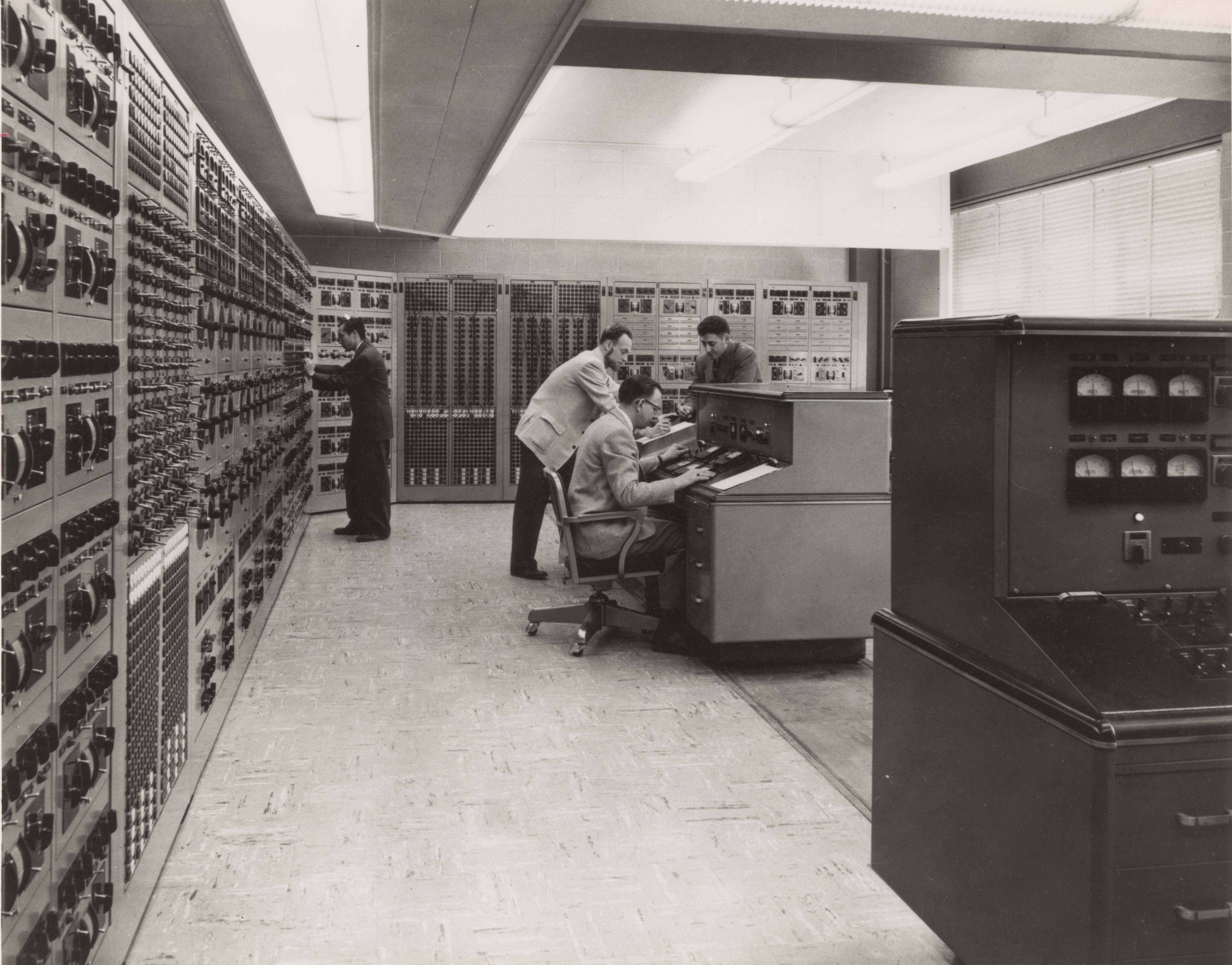
How do you rapidly record the output from your three million dollar analog computer in the 1940s when the results are only available on analog meters? The team responsible for the Westinghouse 1947 AC Network Calculator at Georgia Tech was faced with just this problem and came up with a nifty solution — hack the control panel and wire in a special-purpose drafting table.

What Is It?

What is this beast of a computer? Machines of this type were developed during and after World War 2, and strictly speaking, belong in the category of scale models rather than true computers. Although these machines were very flexible, they were primarily designed to simulate power distribution grids. There is a lot of theory under the hood, but basically a real world, multi-phase distribution system would be scaled to single-phase at 400 Hz for modeling.

The engineers would “program” the machine by connecting together the appropriate circuit elements (like capacitors, inductors, transmission lines, generators, etc.) on big patch panels. Thus programmed, a 10 kW motor-generator located in the basement would be started up and the simulation was underway. Continue reading “The Modding, Restoration, And Demise Of A $3M Analog Computer”

This Isn’t Your Father’s Yellow Card

As the global vaccination effort rolls out in many countries, people will increasingly be required to provide evidence for various reasons, especially travelers. Earlier this month a coalition which includes Microsoft, the Mayo Clinic, Oracle, MITRE, and others announced an effort to establish digital vaccination records called the Vaccination Credential Initiative (VCI). This isn’t going to be a brand new thing, but rather an initiative to provide digital proof-of-vaccination to people who want it, using existing open standards:

  • Verifiable Credentials, per World Wide Web Consortium Recommendation (VC Data Model 1.0)
  • Industry standard format and security, per the Health Level Seven International (HL7) FHIR standard

In addition, the World Health Organization formed the Smart Vaccination Certificate Working Group in December. Various other countries and organizations also have technical solutions in the works or already deployed. If a consensus doesn’t form soon, we can see this quickly becoming a can of worms. Imagine having to obtain multiple certifications of your vaccination because of non-uniform requirements between countries, organizations, and/or purposes.

Older readers and international travelers may be wondering, “don’t we already have a vaccination card system?” Indeed we do: the Carte Jaune or Yellow Card. The concept of a “vaccination passport” was conceived and agreed upon at the International Sanitary Convention for Aerial Navigation in 1933. Over the years the names and diseases of interest have changed, but since 2007 it has been formally called the International Certificate of Vaccination or Prophylaxis (ICVP). In recent times, yellow fever was the only vaccination of interest to travelers, but other vaccinations or booster shots can be recorded as well. One problem with the paper Yellow Card is that it is ridiculously easy to forge. Nefarious or lazy travelers could download it from the WHO site, print it on appropriate yellow card stock, and forge a doctor’s signature. The push for a more secure ICVP is not completely unreasonable.

Reading the instructions on the Yellow Card brings up a couple of interesting points:

  • This certificate is valid only if the vaccine or prophylaxis used has been approved by the World Health Organization — Currently the Pfizer vaccine is the only one to be approved by WHO, and even that is only an emergency approval. If you receive a non-Pfizer vaccination, what then?
  • The only disease specifically designated in the International Health Regulations (2005) for which proof of vaccination or prophylaxis may be required as a condition of entry to a State Party, is yellow fever — This one is interesting, and suggests that member states cannot require proof of Covid19 vaccination as an entry requirement, a situation that will no doubt be quickly revised or ignored.

Note: This writeup is about vaccinations, not about immunity. While immunity certificates have been used from time to time throughout modern history, the concept of an international immunity passport is not well established like the ICVP.