FreeCAD Vs SolveSpace

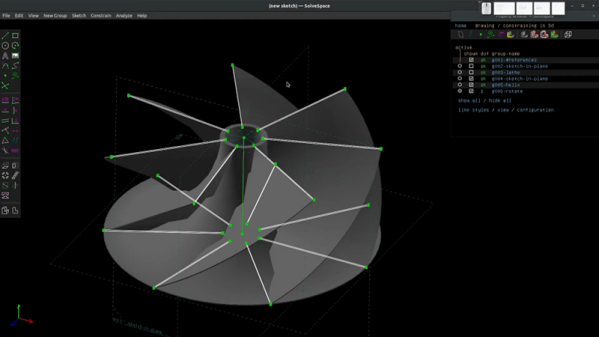
When you are ready to design real things, you’ll find simple CAD programs can be pretty limiting. Serious modern designs tend to use parametric modeling where you don’t necessarily set dimensions and positions of everything but instead constrain the design by describing the relationship between different elements. For example, you can create a vertical line and constrain other lines to be parallel, perpendicular, or form a given angle with that line. There are many tools that can do that, including FreeCAD and SolveSpace, two programs that [Joko Engineeringhelp] uses to create a complex compressor blade and it really shows the differences and similarities between the two tools.

You probably don’t need this particular design, but watching over someone’s shoulder while they do a complex design can be very valuable. Being able to see the differences between the two tools might convince you to learn one or the other or maybe even switch.
Continue reading “FreeCAD Vs SolveSpace”

Soviet Core Memory Experiments

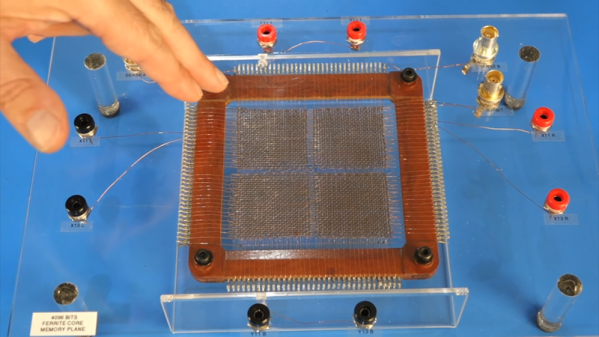
What do you do when you’ve bought some old Soviet core memory modules on eBay? If you are [CuriousMarc], you wire it up to some test connectors and use your test bench to see if the core memory still works. Spoiler alert: it does.

While it seems crude by today’s standard, there was a time when these memory modules would have been the amazing miniature tech of their day. Each little magnetic torus represents a bit and the modules have 1,024 and 4,096 tiny little donuts strung together in a grid.

Continue reading “Soviet Core Memory Experiments”

Surgery On The Arduino IDE Makes Bigger Serial Buffers

It is pretty well-known that I’m not a big fan of the Arduino infrastructure. Granted, these days you have more options with the pro IDE and Platform IO, for example. But the original IDE always gives me heartburn. I realized just how much heartburn the other day when I wanted to something very simple: increase the receive buffer on an ATmega32 serial port. The solution I arrived at might help you do some other things, so even if you don’t need that exact feature, you still might find it useful to see what I did.

Following this experience I am genuinely torn. On the one hand, I despise the lackluster editor for hiding too much detail from me and providing little in the way of useful tools. On the other hand, I was impressed with how extensible it was if you can dig out the details of how it works internally.

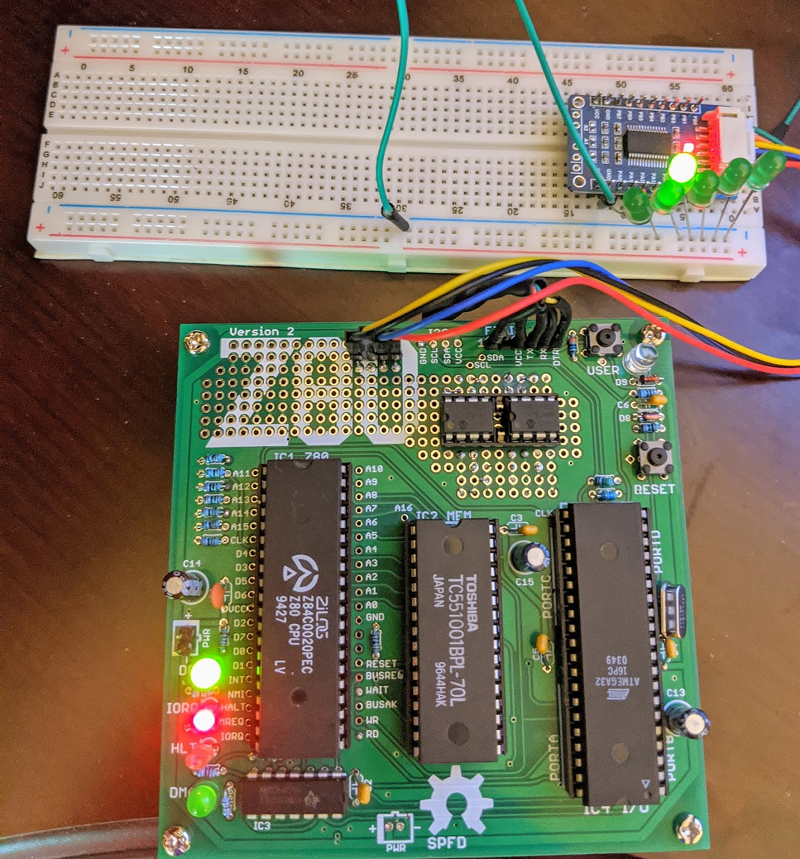
First, you might wonder why I use the IDE. The short answer is I don’t. But when you produce things for other people to use, you almost can’t ignore it. No matter how you craft your personal environment, the minute your code hits the Internet, someone will try to use it in the IDE. A while back I’d written about the $4 Z80 computer by [Just4Fun]. I rarely have time to build things I write about, but I really wanted to try this little computer. The parts sat partially assembled for a while and then a PCB came out for it. I got the PCB and — you guessed it — it sat some more, partially assembled. But I finally found time to finish it and had CP/M booted up.

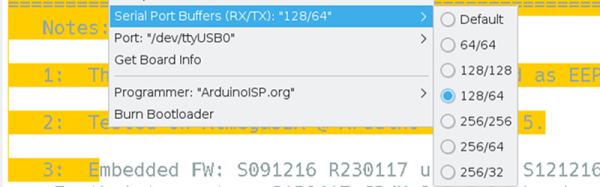
The only problem was there were not many good options for transferring data back and forth to the PC. It looked like the best bet was to do Intel hex files and transfer them copy and paste across the terminal. I wanted better, and that sent me down a Saturday morning rabbit hole. What I ended up with is a way to make your own menus in the Arduino IDE to set compiler options based on the target hardware for the project. It’s a trick worth knowing as it will come in handy beyond this single problem.

Continue reading “Surgery On The Arduino IDE Makes Bigger Serial Buffers”

(Re)Making A ColecoVision

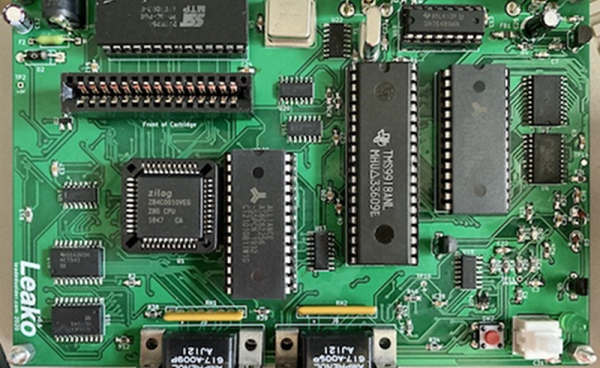
[Leaded Solder] found some ColecoVision game cartridges at a flea market, and like most of us would, thought, “I’ll build a ColecoVision console from scratch to play them!” Well, maybe most of us would think of that, but not actually do it. He did and you can read about the results in great detail since he wrote up two posts, one covering the design and one covering the construction.

The ColecoVision was a game console that famously could be expanded into a nice — for its day — personal computer. It even had a daisy wheel printer in that configuration. However, in either configuration, the game console was the brains of the operation. According to [Leaded Solder] the price of a unit in working order is high even though over 2 million were made because of several design problems that make them less likely to survive the decades. Rather than repair and modify an original unit, it was cheaper and much more educational to build new.

Continue reading “(Re)Making A ColecoVision”

Making Smalltalk On A Raspberry Pi

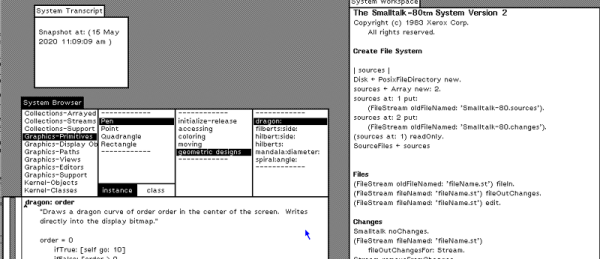
Today, you probably don’t think much about object-oriented programming, it’s just part of the landscape. But decades ago, it was strange and obscure technology. While there were several languages that led up to the current object-oriented tools we use today, one of the most influential was Xerox PARC’s Smalltalk language. [Michael Engel] took a C++ implementation of the Smalltalk VM, some byte code for a complete Smalltalk system, a Raspberry Pi “bare metal” library, and produced a Smalltalk workstation running on a bare Raspberry Pi — even a Pi Zero. The code is on GitHub and is admittedly a work in progress.

Smalltalk was interesting — and sometimes annoying — because everything was an object. Literally everything. The system took over the entire machine. It provided the GUI, the compiler, and the run time libraries. That’s probably why it was easy for [Michael] to forego the usual Linux OS for his project.

Continue reading “Making Smalltalk On A Raspberry Pi”

SoftCore CPU Comparison

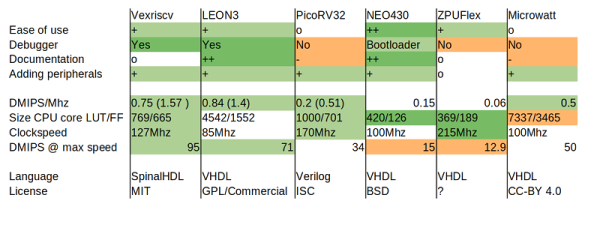
Monty Python once did a sketch where people tried to summarize Proust in fifteen seconds. Although summarizing eight FPGA-based CPUs is almost as daunting, [jaeblog] does a nice job of giving a quick sketch of how the CPUs work with the Xilinx Vivado toolchain and the Digilent Arty board.

The eight CPUs are:   VexRiscv, LEON3, PicoRV32, Neo430, ZPU, Microwatt, S1 Core, and Swerv EH1.

The comparison criteria were very practical: A C compiler (gcc or llvm) for each CPU and no CPUs that were tied to a particular FPGA. Two of the CPUs didn’t fit on the Arty board, so their comparisons are a bit more theoretical.  There were other considerations such as speed, documentation, debugging support, and others.

It was interesting to see the various CPUs ranging from some very mature processors to some new kids on the block, and while the evaluations were somewhat subjective, they seemed fair and representative of the things you’d look for yourself. You can also get the test code if you want to try things for yourself.

The winner? The post identifies three CPUs that were probably the top choices, although none were just perfect. Of course, your experience may vary.

If you want an easy introduction to adding things to a soft CPU, this RISC-V project is approachable. Or if you prefer SPARC, check out this project.

Aerodynamics For Dummies

We don’t know if aerodynamics is really a subject for dummies, per se, but if you are interested in flying or building drones and model aircraft, [Jenny Ma’s] new video that you can see below will help you get an easy introduction to some key concepts. (Embedded below.)

The show starts with coverage of lift, thrust, and drag, but moves on to topics such as stalling and coffin corners. If you have a pilot ticket, you might not learn a lot of new things, but for the rest of us, there are some interesting nuggets that you might not have known or might have forgotten from your physics classes in high school.

Continue reading “Aerodynamics For Dummies”