What do you program the Arduino in? C? Actually, the Arduino’s byzantine build processes uses C++. All the features you get from the normal libraries are actually C++ classes. The problem is many people write C and ignore the C++ features other than using object already made for them. Just like traders often used pidgin English as a simplified language to talk to non-English speakers, many Arduino coders use pidgin C++ to effectively code C in a C++ environment. [Bert Hubert] has a two-part post that isn’t about the Arduino in particular, but is about moving from C to a more modern C++.
Author: Al Williams4504 Articles
Your Own Sinclair Scientific Calculator
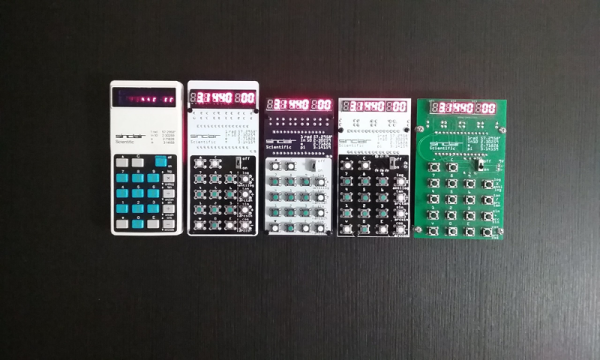
We’ve talked about the Sinclair scientific calculator before many times, and for some of us it was our first scientific calculator. If you can’t find yours or you never had one, now you can build your own using — what else — an Arduino thanks to [Arduino Enigma]. There’s a video, below and the project’s homepage on Hackaday.io describes it all perfectly:
The original chip inside the Sinclair Scientific Calculator was reverse engineered by Ken Shirriff, its 320 instruction program extracted and an online emulator written. This project ports that emulator, written in Javascript, to the Arduino Nano and interfaces it to a custom PCB. The result is an object that behaves like the original calculator, with its idiosyncrasies and problems. Calculating PI as arctan(1)*4 yields a value of 3.1440.
Special care was taken in the design of the emulator to match the execution speed of the
original calculator, which varies from acceptable to atrocious for trigonometric functions involving small angles.
Linux Fu: The Great Power Of Make
Over the years, Linux (well, the operating system that is commonly known as Linux which is the Linux kernel and the GNU tools) has become much more complicated than its Unix roots. That’s inevitable, of course. However, it means old-timers get to slowly grow into new features while new people have to learn all in one gulp. A good example of this is how software is typically built on a Linux system. Fundamentally, most projects use make — a program that tries to be smart about running compiles. This was especially important when your 100 MHz CPU connected to a very slow disk drive would take a day to build a significant piece of software. On the face of it, make is pretty simple. But today, looking at a typical makefile will give you a headache, and many projects use an abstraction over make that further obscures things.
In this article, I want to show you how simple a makefile can be. If you can build a simple makefile, you’ll find they have more uses than you might think. I’m going to focus on C, but only because that’s sort of the least common denominator. A make file can build just about anything from a shell prompt.
Computers Go Hollywood
Have you ever been watching a TV show or a movie and spotted a familiar computer? [James Carter] did and he created a website to help you identify which old computers appear in TV shows and movies. We came across this when researching another post about an old computer and wondered if it was any old movies. It wasn’t.
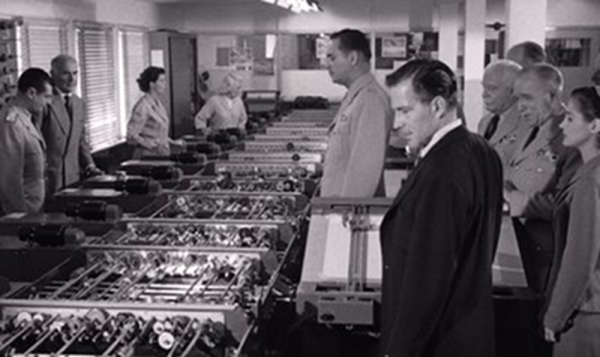
You can search by computer or by title. There are also ratings about how visible, realistic, and important the computer is for each item. The database only contains fictional works, not commercials or documentaries. The oldest entry we could find was 1950’s Destination Moon which starred a GE Differential Analyzer. Well, also John Archer, we suppose. We assume GE had a good agent as the same computer showed up in Earth vs. the Flying Saucers (1956) and When Worlds Collide (1951). You can see a clip of the computer’s appearance in Earth vs. the Flying Saucers, below.
Learn Something About Phase Locked Loops
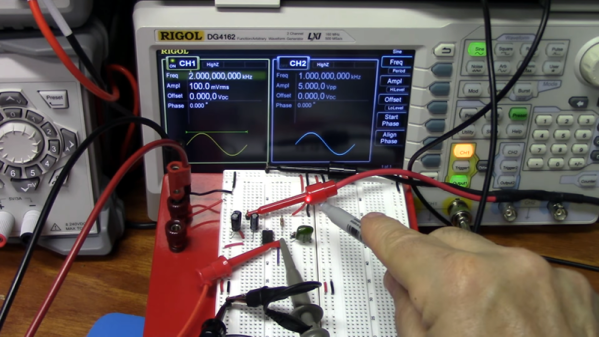
The phase locked loop, or PLL, is a real workhorse of circuit design. It is a classic feedback loop where the phase of an oscillator is locked to the phase of a reference signal using an error signal in the same basic way that perhaps a controller would hold a temperature or flow rate in a physical system. That is, a big error will induce a big change and little errors induce little changes until the output is just right. [The Offset Volt] has a few videos on PLLs that will help you understand their basic operation, how they can multiply frequencies (paradoxically, by dividing), and even demodulate FM radio signals. You can see the videos below.
The clever part of a PLL can be found in how it looks at the phase of two signals. For signals to be totally in phase, they must be at the same frequency and also must ebb and peak at the same point. It should be clear that if the frequency isn’t the same the ebbs and peaks can’t line up for any length of time. By detecting how much the signals don’t line up, an error voltage can be generated. That error voltage is used to adjust the output oscillator so that it matches the reference oscillator.
Of course, it wouldn’t be very interesting if the output frequency had to be the same as the reference frequency. The clever trick comes by dividing the output frequency. For example, a 100 MHz crystal oscillator is difficult to design. But taking a voltage-controlled oscillator at 100 MHz (nominal) and dividing its output by 100 will give you a signal you can lock to a 1 MHz crystal oscillator which is, of course, trivial to build.
Analog Discovery 2 As A Vector Network Analyzer
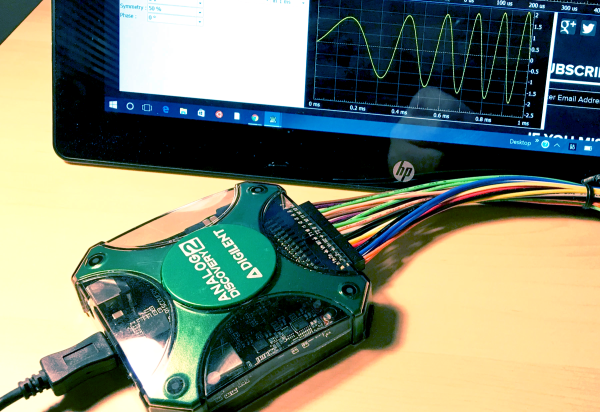
A while back, I posted a review of the Analog Discovery 2, which is one of those USB “do everything” instruments. You might recall I generally liked it, although I wasn’t crazy about the price and the fact that the BNC connectors were an extra item. However, in that same post, I mentioned I’d look at the device’s capabilities as a network analyzer (NA) sometime in the future. The future, as they say, is now.
What’s an NA?
In its simplest form, there’s not much to an NA. You sweep a frequency generator across some range of frequencies. You feed that into some component or network of components and then you measure the power you get out compared to the power you put in. Fancy instruments can do some other measurements, but that’s really the heart of it.
The output is usually in two parts. You see a scope-like graph that has the frequency as the X-axis and some sort of magnitude as the Y-axis. Often the magnitude will be the ratio of the output power to the input power as a decibel. In addition, another scope-like output will show the phase shift through the network (Y-axis) vs frequency (X-axis). The Discovery 2 has these outputs and you can add custom displays, too.
Why do you care? An NA can help you understand tuned circuits, antennas, or anything else that has a frequency response, even an active filter or the feedback network of an oscillator. Could you do the same measurements manually? Of course you could. But taking hundreds of measurements per octave would be tedious and error-prone.
Continue reading “Analog Discovery 2 As A Vector Network Analyzer”
Calm Down: It’s Only Assembly Language
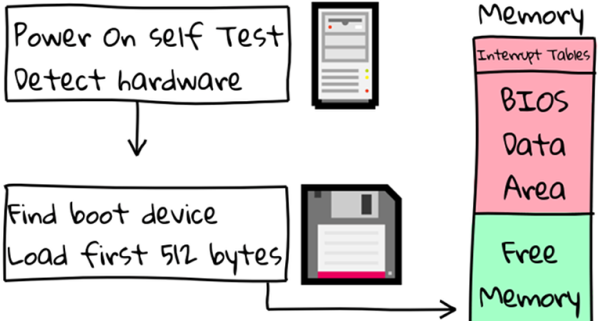
Based on [Ben Jojo’s] title — x86 Assembly Doesn’t have to be Scary — we assume that normal programmers fear assembly. Most hackers don’t mind it, but we also don’t often have an excuse to program assembly for desktop computers.
In fact, the post is really well suited for the typical hacker because it focuses the on real mode of an x86 processor after it boots. What makes this tutorial a little more interesting than the usual lecture is that it has interactive areas, where a VM runs your code in the browser after assembling with NASM.