TMS9900 Retro Build

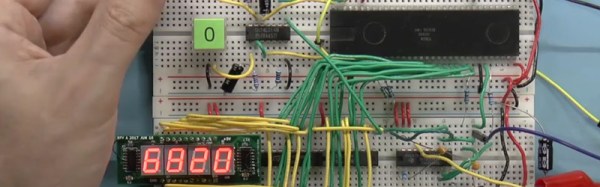
[Robert Baruch] found a TMS9900 CPU from 1983 in a surplus store. If that name doesn’t ring a bell, the TMS9900 was an early 16-bit CPU from Texas Instruments. He found that, unlike modern CPUs, the chip took several voltages and a four-phase twelve-volt clock. He decided to fire it up and — of course — one thing led to another and he wound up with a system on a breadboard. You can see one of the videos he made about the machine below.

This CPU had some odd features, most notably that it stored its registers in off-chip memory and can switch contexts by changing where the registers reside. That was a novel idea when the memory and the CPU were similar in speed. In a modern computer, the memory is much slower than the CPU and this would be a major bottleneck for program execution. The only onboard registers were the program counter, the status register, and a pointer to the general-purpose registers in memory.
Continue reading “TMS9900 Retro Build”

Arduino Does Hard Science

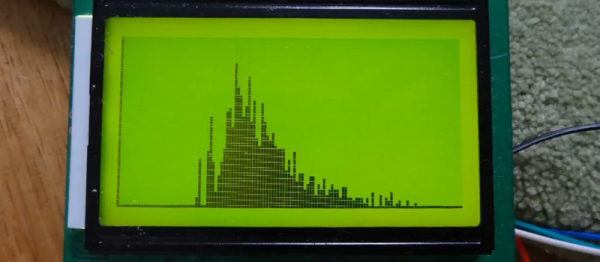
We don’t know why [stoppi71] needs to do gamma spectroscopy. We only know that he has made one, including a high-voltage power supply, a photomultiplier tube, and–what else–an Arduino. You also need a scintillation crystal to convert the gamma rays to visible light for the tube to pick up.

He started out using an open source multichannel analyzer (MCA) called Theremino. This connects through a sound card and runs on a PC. However, he wanted to roll his own and did so with some simple circuitry and an Arduino.

Continue reading “Arduino Does Hard Science”

Machine Learning IDE In Alpha

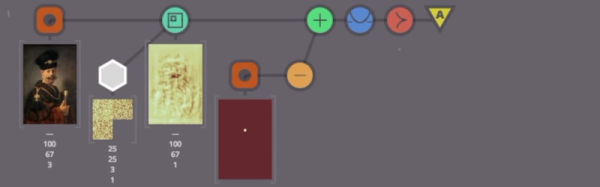
Machine is an IDE for building machine learning systems using TensorFlow. You can sign up for the alpha, but first, have a look at the video below to see what it is all about.

You’ll see in the video, that you can import data for a model and then do training (in this case, to find a mustache in an image). You’ll see the IDE invites an iterative approach to development since you can alter parameters, run experiments, and see the results.

The IDE syncs with “the cloud” so you can work on it from multiple computers and roll back to previous results easily. We don’t know when the IDE will leave alpha status (or beta, for that matter), but the team’s goal is to release a free version of Machine to encourage widespread adoption.

If you want to learn more about TensorFlow, you are in the right place. We’ve also covered a bare-bones project if you’d rather get started that way. You can also find some good background material going all the way back to the early perceptron-based neural networks.

An Hour To Surface Mount

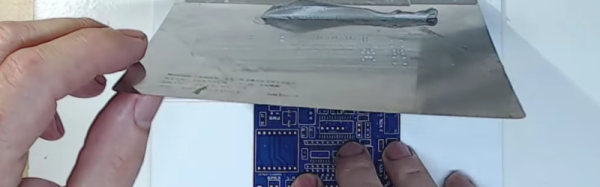
Most of us have made the transition from through hole parts to surface mount. There are lots of scattered tutorials, but if you want to learn some techniques or compare your technique to someone else’s, you might enjoy [Moto Geek’s] hour-long video on how he does surface mount with reflow soldering. You can see the video below.

What makes the video interesting is that it is an hour long and covers the gamut from where to get cheap PCBs, to a homebrew pick and place pencil. [Moto Geek] uses a stencil with solder paste, and he provides links to the materials he uses. Continue reading “An Hour To Surface Mount”

A Crash Course In Thingiverse Customizer

OpenSCAD is a great way to create objects for 3D printing (or other purposes), especially if you are already used to programming. For things like front panels, it is great because you can easily make modifications and — if you wrote your code correctly–everything will just adjust itself to new positions.

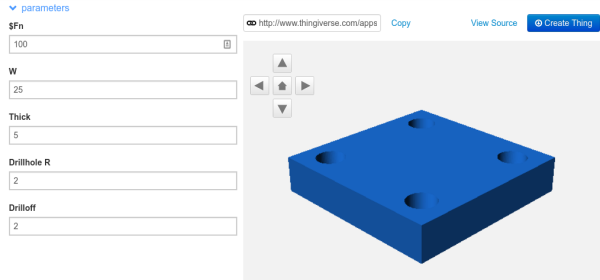
However, what if you have a general-purpose piece of code, and you want people to have the ability to customize it? For example, consider this code:
$fn=100;
difference()
{
  cube([25,25,5]);
  translate([4,4,-1]) cylinder(h=7,r=2);
  translate([25-4,4,-1]) cylinder(h=7,r=2);
  translate([4,25-4,-1]) cylinder(h=7,r=2);
  translate([25-4,25-4,-1]) cylinder(h=7,r=2);
}

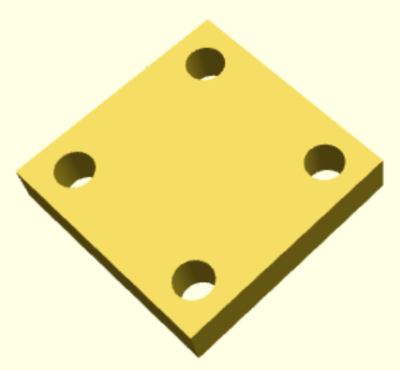
That creates the plate with four drill holes you see on the right.

Continue reading “A Crash Course In Thingiverse Customizer”

Simple Wave Generation In Python (and SciPy)

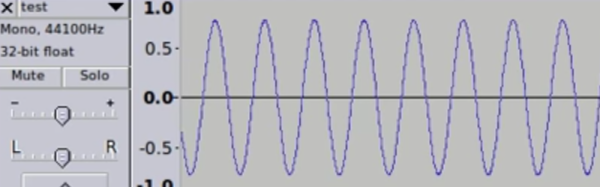
[153Armstrong] did a short post on how easy it is to generate waveforms using Python. We agree it is simple, but actually, it isn’t so much Python per se, it is some pretty cool libraries (SciPy, in particular) that do all the hard work. That may be splitting hairs, but it is worth nothing that SciPy (pronounced “Sigh Pie”) also does other handy tricks like Fourier transforms, too. You can see a video of his results, below.

The code is simple and one of the commenters pointed out an even more efficient way to write the data to a WAV file. The basic idea is to create an array of samples in a buffer using some features of SciPy’s NumPy component.

Continue reading “Simple Wave Generation In Python (and SciPy)”

MEMS: The Biggest Word In Small

What’s tiny and on track to be worth $22 billion dollars by 2018? MEMS (Micro Electrical Mechanical Systems). That’s a catch-all phrase for microscopic devices that have moving parts. Usually, the component sizes range from 0.1 mm to 0.001 mm, which is tiny, indeed. There are some researchers working with even smaller components, sometimes referenced as NEMS (Nano Electrical Mechanical Systems).

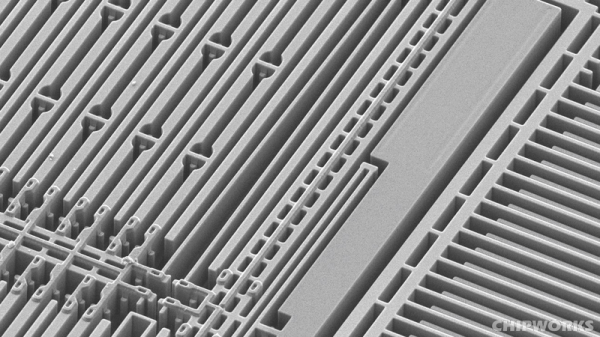
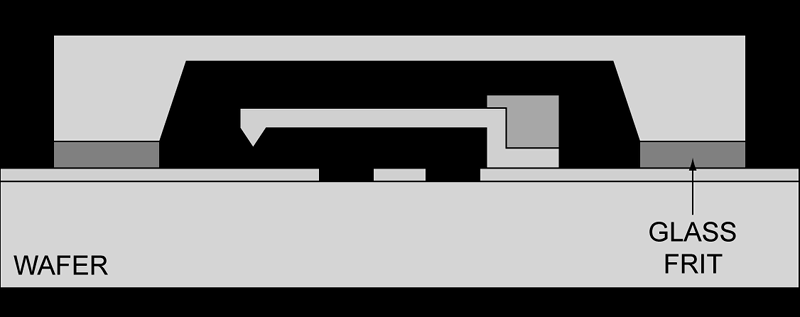
Resonant Cantilever by [Pcflet01], CC BY-SA 3.0
MEMS have a wide range of applications including ink jet printers, accelerometers, gyroscopes, microphones, pressure sensors, displays, and more. Many of the sensors in a typical cell phone would not be possible without MEMS. There are many ways that MEMS devices are built, but just to get a flavor, consider the cantilever (see right), one of the most common MEMS constructions.

Continue reading “MEMS: The Biggest Word In Small”