Hack Your Own Lisp Language Using… Well… Anything

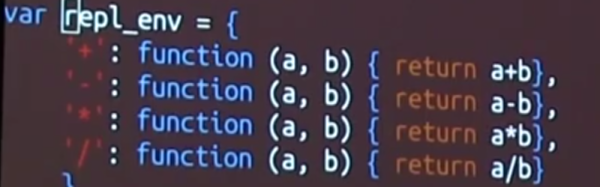
Lisp is one of those interesting computer languages that you either love or hate. But it has certainly stood the test of time. Of all the ancient languages that are still in practical use, only FORTRAN is older, and only by one year. If you ever wanted to learn Lisp, [Kanaka] has an interesting approach: Study how to build your own Lisp in your favorite language.

What if your favorite language is something obscure? [Kanaka’s] GitHub page has no fewer than 64 different implementations of Mal (Make a Lisp), each in a different language. Unsurprisingly, C and Python are on the list. However, so is Forth and Go and Awk. Not strange enough for you? How about Make? Yes, Make, like you use to build programs. Bash, Postscript, and even VHDL have entries, although–surprisingly–no Verilog; we don’t know why.

Each implementation of Mal is separated into eleven incremental, self-contained, and testable steps that demonstrate core concepts of Lisp. The last step can actually run a copy of itself–typical for a mind-bending language like Lisp. There is a guide to help you navigate through the process in the language of your choice. The suggestion is to not look at the code in the repository until after you’ve written it yourself. You can see [Kanaka] (also known as [Joel Martin]) giving a recent talk about the Mal process in the videos below.

Continue reading “Hack Your Own Lisp Language Using… Well… Anything”
The $2 32-Bit Arduino (with Debugging)

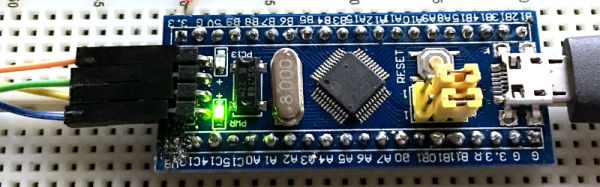
I have a bit of a love/hate relationship with the Arduino. But if I had two serious gripes about the original offering it was the 8-bit CPU and the lack of proper debugging support. Now there’s plenty of 32-bit support in the Arduino IDE, so that takes care of the first big issue. Taking care of having a real debugger, though, is a bit trickier. I recently set out to use one of the cheap “blue pill” STM32 ARM boards. These are available for just a few bucks from the usual Chinese sources. I picked mine up for about $6 because I wanted it in a week instead of a month. That’s still pretty inexpensive. The chip has a lot of great debugging features. Can we unlock them? You can, if you have the right approach.

The Part

For a few bucks, you can’t complain about the hardware. The STM32F103C8T6 onboard is a Cortex-M3 processor that runs at 72 MHz. There’s 64K of flash and 20K of RAM. There’s a minimicro-USB that can act as a programming port (but not at first). There’s also many 5 V-tolerant pins, even though this a 3.3 V part.

You can find a lot more information on this wiki. The board is a clone–more or less–of a Maple Mini. In fact, that’s one way you can use these. You can use the serial or ST-Link port to program the Maple bootloader (all open source) and use it like a Maple. That is, you can program it via the USB cable.

From my point of view, though, I don’t want to try to debugging over the serial port and if I have the ST-Link port already set up, I don’t care about a bootloader. You can get hardware that acts as a USB to ST-Link device inexpensively, but I happen to have an STM32VLDISCOVER board hanging around. Most of the STM32 demo boards have an ST-Link programmer onboard that is made to use without the original target hardware. On some of the older boards, you had to cut traces, but most of the new ones just have two jumpers you remove when you want to use the programmer to drive another device.

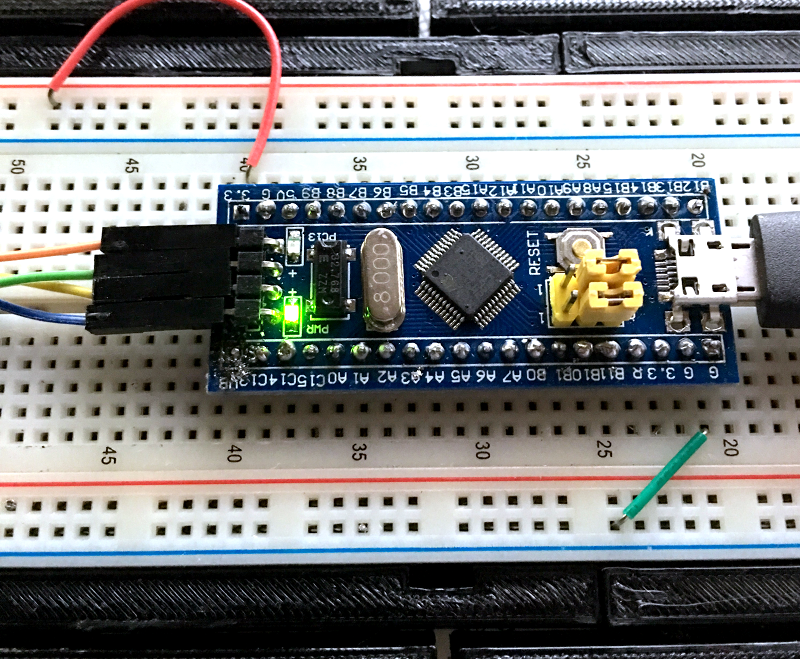
The “blue pill” designation is just a common nickname referring to the Matrix, not the pharmaceuticals you see on TV ads. The board has four pins at one edge to accommodate the ST-Link interface. The pin ordering didn’t match up with the four pins on the STM32VLDISCOVER, so you can’t just use a straight four-pin cable. You also need to bring power over to the board since it will have to power the programmer, too. I took the power from the STM32VLDISCOVER board (which is getting its power from USB) and jumpered it to my breadboard since that was handy.

Continue reading “The $2 32-Bit Arduino (with Debugging)”

Lint For Shell Scripters

It used to be one of the joys of writing embedded software was never having to deploy shell scripts. But now with platforms like the Raspberry Pi becoming very common, Linux shell scripts can be a big part of a system–even the whole system, in some cases. How do you know your shell script is error-free before you deploy it? Of course, nothing can catch all errors, but you might try ShellCheck.

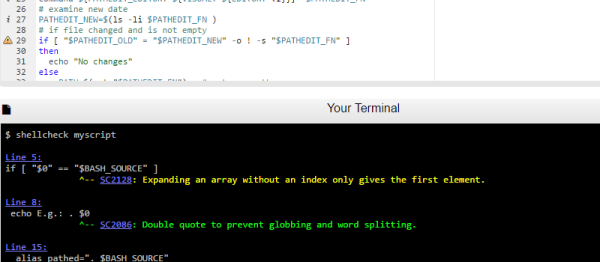
When you compile a C program, the compiler usually catches most of your gross errors. The shell, though, doesn’t look at everything until it runs which means you might have an error just waiting for the right path of an if statement or the wrong file name to occur. ShellCheck can help you identify those issues before deployment.

If you don’t like pasting your script into a Web page, you can install the checker locally by visiting GitHub. The readme file there also explains what kind of things the tool can catch. It can even integrate with common editors (as seen in the video below).

Continue reading “Lint For Shell Scripters”

Swan: Better Linux On Windows

If you are a Linux user that has to use Windows — or even a Windows user that needs some Linux support — Cygwin has long been a great tool for getting things done. It provides a nearly complete Linux toolset. It also provides almost the entire Linux API, so that anything it doesn’t supply can probably be built from source. You can even write code on Windows, compile and test it and (usually) port it over to Linux painlessly.

However, Cygwin’s package management is a little clunky and setting up the GUI environment has always been tricky, especially for new users. A project called Swan aims to make a full-featured X11 Linux environment easy to install on Windows.

The project uses Cygwin along with Xfce for its desktop. Cygwin provides pretty good Windows integration, but Swan also includes extra features. For example, you can make your default browser the Windows browser with a single click. It also includes spm — a package manager for Cygwin that is somewhat easier to use, although it still launches the default package manager to do the work (this isn’t a new idea, by the way).

Continue reading “Swan: Better Linux On Windows”

Retrotechtacular: Stereo Records

The 20th century saw some amazing technological developments. We went from airplanes to the moon. We went from slide rules to digital computers. Crank telephones to cell phones. But two of the most amazing feats of that era were ones that non-technical people probably hardly think about. The transformation of radio and TV from mono and black and white, to stereo and color. What was interesting about both of these is that engineers managed to find a way to push the new better result into the same form as the old version and — this is the amazing part — do it in such a way that the old technology still worked. Maybe it is the rate that new technology moves today, but we aren’t doing that today. Digital TV required all-new everything: transmitters, receivers, frequencies, and recording gear. Good luck trying to play the latest video game on your 25-year-old PC.

It is hard to remember when stores were full of all sorts of audio and video media. We’ve noticed that all forms of media are starting to vanish. Everything audio and video are all streamed or downloaded these days. Records, 8-tracks, cassettes, and even CDs and DVDs are vanishing. However, vinyl records have made a come back in the last few years for their novelty or nostalgic value.

Continue reading “Retrotechtacular: Stereo Records”

Ten Minute TensorFlow Speech Recognition

Like a lot of people, we’ve been pretty interested in TensorFlow, the Google neural network software. If you want to experiment with using it for speech recognition, you’ll want to check out [Silicon Valley Data Science’s] GitHub repository which promises you a fast setup for a speech recognition demo. It even covers which items you need to install if you are using a CUDA GPU to accelerate processing or if you aren’t.

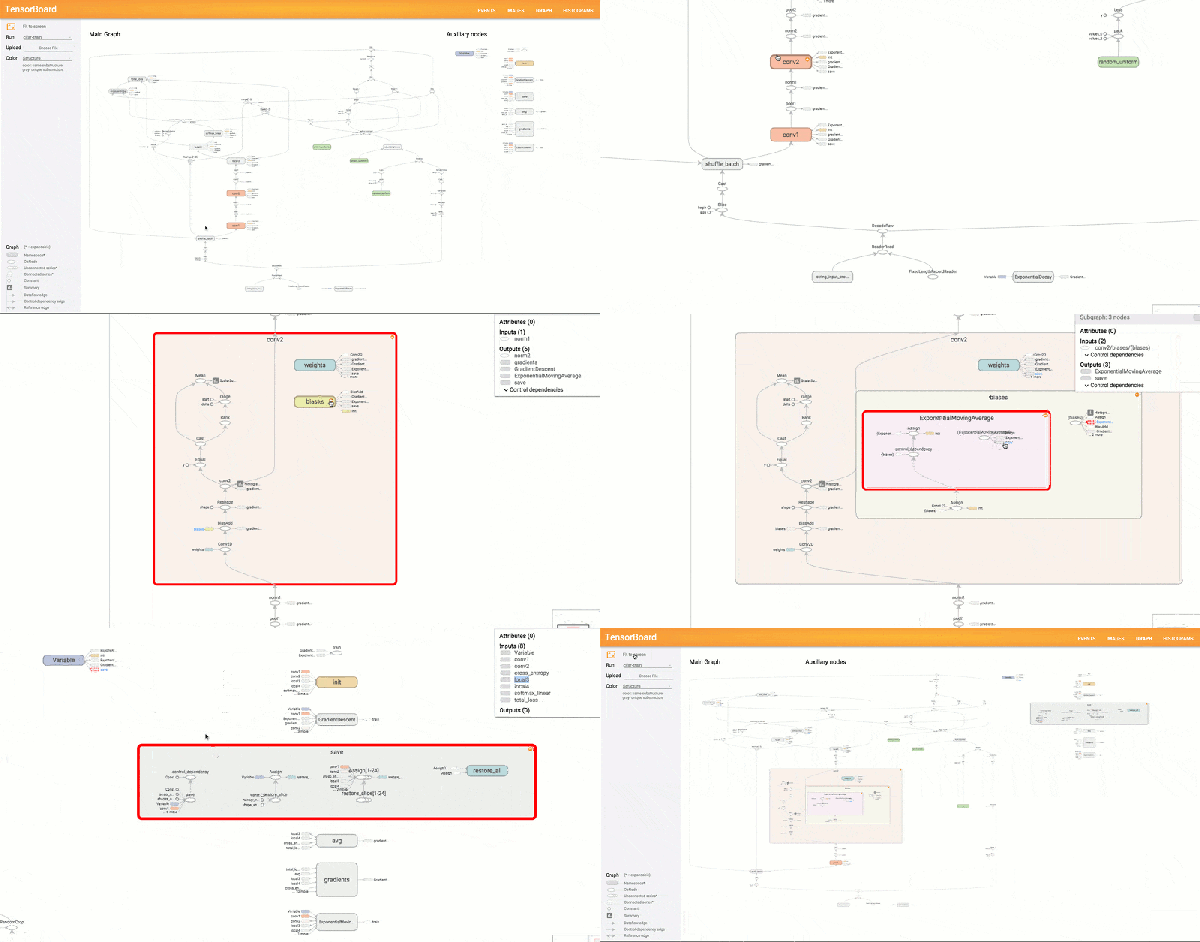
Another interesting thing is the use of TensorBoard to visualize the resulting neural network. This tool offers up a page in your browser that lets you visualize what’s really going on inside the neural network. There’s also speech data in the repository, so it is practically a one-stop shop for getting started. If you haven’t seen TensorBoard in action, you might enjoy the video from Google, below.

Continue reading “Ten Minute TensorFlow Speech Recognition”

Half-Baked Idea: Put Your PLA In The Oven

[Thomas] wanted to try baking some carbon fiber 3D printing filament because the vendor had promised higher strength and rigidity after the parts were annealed in the oven. Being of a scientific mindset, he did some controls and found that annealing parts printed with the carbon fiber-bearing filament didn’t benefit much from the treatment. However, parts printed with standard PLA became quite a bit stronger and more rigid.

The downside? The parts (regardless of material) tend to shrink a bit in the X and Y axis. They also tend to expand in the Z direction. However, the dimension changes were not that much. The test parts shrunk by about 5% and grew by 2%. He didn’t mention if this was repeatable, which is a shame because if it is repeatable, it isn’t a big deal to adjust part dimensions before printing. Of course, if it isn’t repeatable, it will be difficult to get a particular finished size after the annealing process.

Continue reading “Half-Baked Idea: Put Your PLA In The Oven”