STM32 JavaScript Peeks And Pokes

A lot of people find scripting languages very productive and we’ve seen quite a few chips now supporting what you normally think of as a scripting language. These high-level abstraction languages are great, until they aren’t. When you need to go under the abstraction and do something complex or you need every cycle of performance, you might have to break your normal tools.

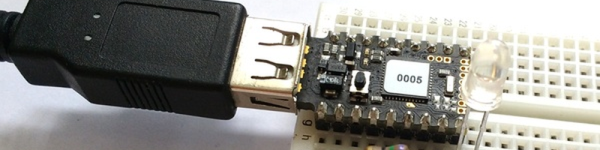
The Espruino is an ARM processor (an STM32) that has JavaScript on board. However, [Gordon Williams] shows how you can use peeks and pokes to access the hardware directly when the need arises. The names derive from another popular abstraction’s escape hatch. The old BASIC languages allowed direct memory access using keywords peek and poke. [Gordon] shows some examples of accessing the timer for PWM, and even looks at the STM32 reference manual to show how he knew where to peek and poke to begin with.

Continue reading “STM32 JavaScript Peeks And Pokes”

Mid-Priced Hardware Gets Serious About Software Defined Radio

Regular Hackaday readers are used to seeing the hacks that use a cheap USB TV dongle as a software defined radio (SDR). There’s plenty of software that will work with them including the excellent GNU Radio software. However, the hardware is pretty bare-bones. Without modifications, the USB dongle won’t get lower frequencies.

There’s been plenty of other SDR radios available but they’ve had a much heftier price tag. But we recently noticed the SDRPlay RSP, and they now have US distribution. The manufacturer says it will receive signals with 12-bits of resolution over the range of 100 kHz to 2 GHz with an 8MHz bandwidth. The USB cable supplies power and a connection to the PC. The best part? An open API that supports Windows, Linux, Mac, Android, and will even work on a Raspberry Pi (and has GNU Radio support, too).

Continue reading “Mid-Priced Hardware Gets Serious About Software Defined Radio”

Arduino Teaches Morse Code

You may wonder why anyone would want to learn Morse code. You don’t need it for a ham license anymore. There are, however, at least three reasons you might want to learn it anyway. First, some people actually enjoy it either for the nostalgia or the challenge of it. Another reason is that Morse code can often get through when other human-readable schemes fail. Morse code can be sent using low power, equipment built from simple materials or even using mirrors or flashlights. Finally, Morse code is a very simple way to do covert communications. If you know Morse code, you could privately talk to a concealed computer on just two I/O lines. We’ll let you imagine the uses for that.

In the old days, you usually learned Morse code from an experienced sender, by listening to the radio, or from an audio tape. The state of the art today employs a computer to randomly generate practice text. [M0TGN] wanted a device to generate practice code, so he built it around an Arduino. The device acts like an old commercial model, the Datong D70, although it can optionally accept an LCD screen, something the D70 didn’t have.

You can see the project in operation in the video below. Once you learn how to read Morse code, you might want to teach your Arduino to understand it, too. Or, you can check out some other Morse-based projects.

Continue reading “Arduino Teaches Morse Code”

Learn Flip Flops With (More) Simulation

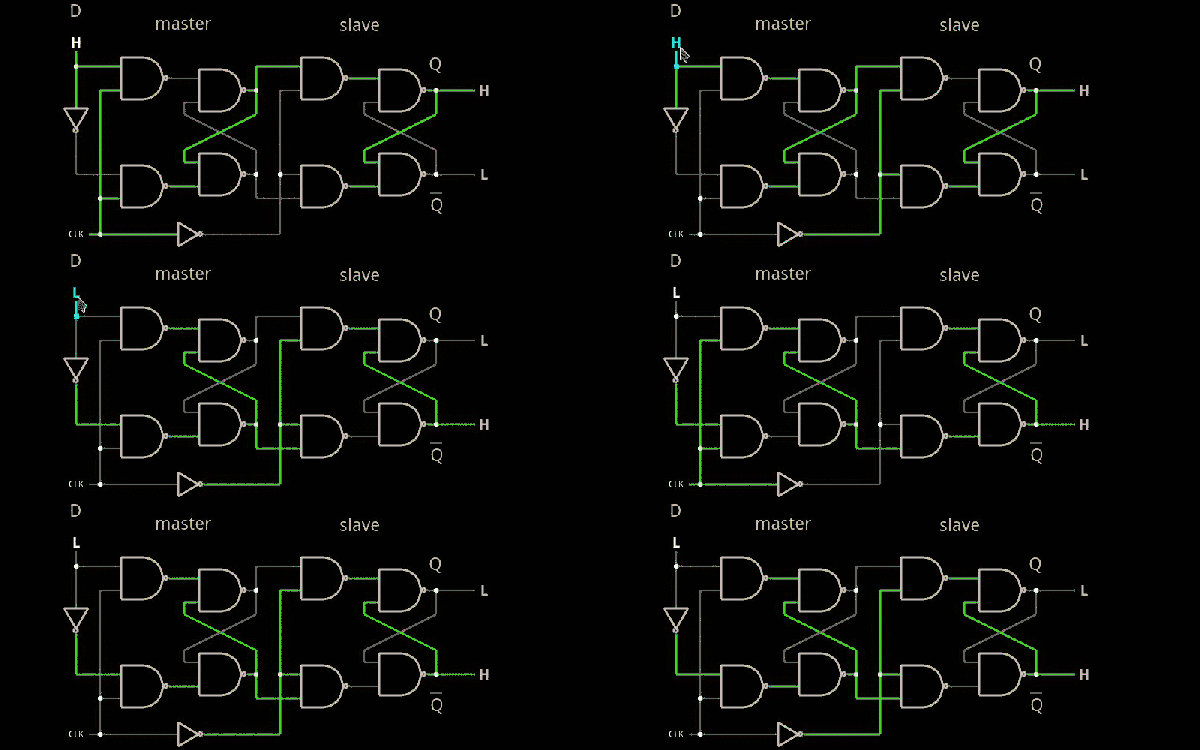
In the previous installment, we talked about why flip flops are such an important part of digital design. We also looked at some latch circuits. This time, I want to look at some actual flip flops–that is circuit elements that hold their state based on some clock signal.

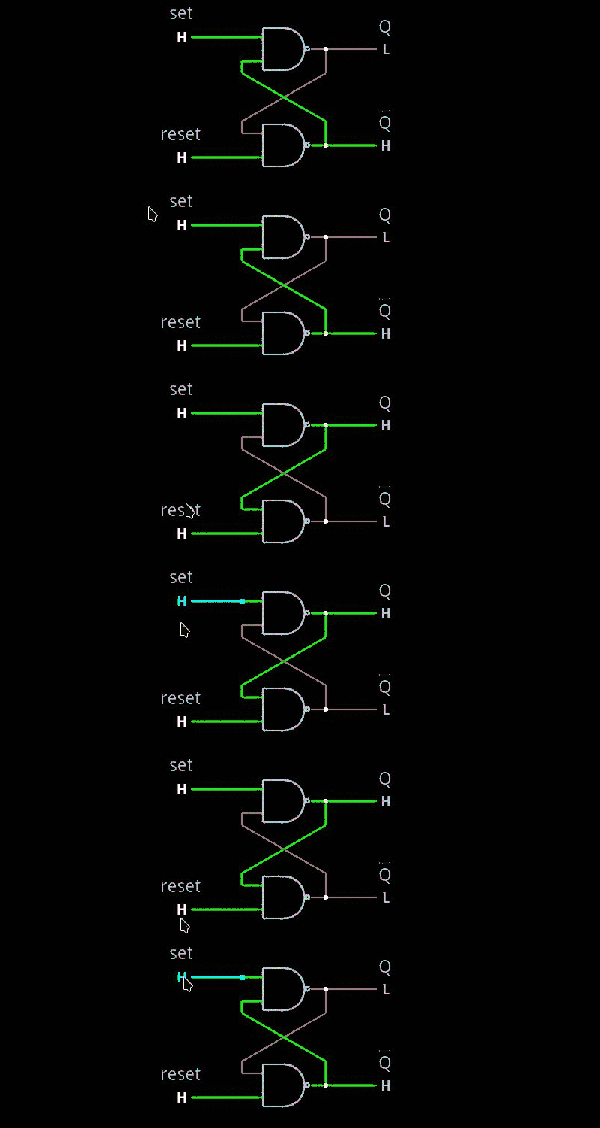
Just like last time, I want to look at sequential building blocks in three different ways: at the abstraction level, at the gate level, and then using Verilog and two online tools that you can also use to simulate the circuits. Remember the SR latch? It takes two inputs, one to set the Q output and the other to reset it. This unassuming building block is at the heart of many other logic circuits.

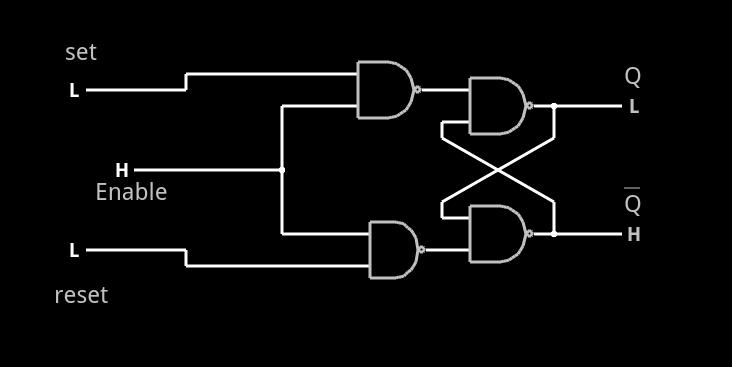
circ5A common enhancement to the SR latch is to include an enable signal. This precludes the output from changing when the enable signal is not asserted. The implementation is simple. You only need to put an additional gate on each input so that the output of the gate can’t assert unless the other input (the enable) is asserted. The schematic appears on the right.

In the case of this simulation (or the Verilog equivalent), the SR inputs become active high because of the inversion in the input NAND gates. If the enable input is low, nothing will change. If it is high, then asserted inputs on the S or R inputs will cause the latch to set or reset. Don’t set both high at the same time when the enable is high (or, go ahead–it is a simulation, so you can’t burn anything up).(Note: If you can’t see the entire circuit or you see nothing in the circuit simulator, try selecting Edit | Centre Circuit from the main menu.)

Continue reading “Learn Flip Flops With (More) Simulation”

Buttons, Sliders, And Touchpads All 3D Printed With PrintPut

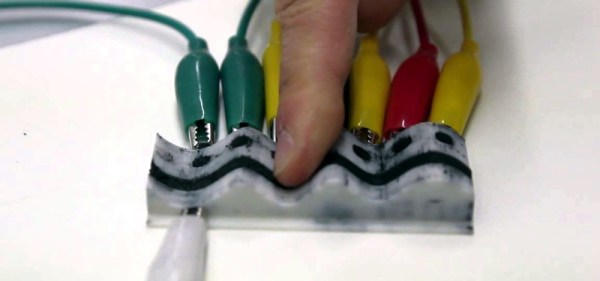
[Jesse Burstyn] and some colleagues at Queen’s University and Carleton University (both in Canada) are delivering a paper at the INTERACT 2015 about PrintPut, their system for printing sensors directly into 3D printed objects. Using a printer with dual extrusion and conductive ABS filament, they have successfully formed capacitive touch sensors, digital resistive sensors, and analog resistive sensors.

In practice, this means they can print buttons, sliders, and even touch pads directly into objects. They also have a design for several pressure sensors and a flex sensor. The system includes scripts for the Rhinoceros 3D CAD package. Designers can create a model in any CAD package they want (including Rhinoceros) and then use these scripts to define the interactive areas.

Continue reading “Buttons, Sliders, And Touchpads All 3D Printed With PrintPut”

DisplayPort With An FPGA

One of the challenges with display technology is the huge increase in bandwidth that has occurred since LCD panels took over from Cathode Ray Tubes. Low end laptops have a million pixels, UHD (“4K”) displays
have 8 million and the latest Full Ultra HD (“8k”) displays have over 33 million pixels. Updating all those pixels takes a lot of bandwidth – to update a 4k display at 60 Hz refresh rates takes close to a gigabyte per second. 8 billion bits – that is a lot of bits! That’s why VGA ports and even DVI ports are starting to vanish in favor of standards like HDMI and DisplayPort.

The current release of HDMI is 2.0, and is tightly licensed with NDAs and licensing fees. VESA, who created the DisplayPort standard, states the standard is royalty-free to implement, but since January 2010, all new DisplayPort related standards issued by VESA are no longer available to non-members.

So after receiving a new Digilent Nexys Video FPGA development board, Hackaday regular [Hamster] purchased a UHD monitor, scoured the internet for an old DisplayPort 1.1 standard, and started hacking.

A couple of months and 10,000 lines of VHDL code later what may be the first working Open Source DisplayPort
implementation is available. The design includes a 16-bit scrambler, an 8b/10b encoder, and multichannel support.

Continue reading “DisplayPort With An FPGA”

Learn Flip Flops With Simulation

Digital design with combinatorial gates like AND, OR, and NOT gates is relatively straightforward. In particular, when you use these gates to form combinatorial logic, the outputs only depend on the inputs. The previous state of the outputs isn’t important in combinatorial logic. While this is simple, it also prevents you from building things like state machines, counters, and even CPUs.

Circuits that use their own outputs as inputs are known as sequential circuits. It is true that at the fundamental level, sequential circuits use conventional logic gates. However, you usually won’t deal with them as gates, but will deal with abstractions like latches, flip flops, and even higher level constructs. Learning about these higher level constructs will allow you to make more advanced digital designs that are robust. In fact, if you are using an FPGA, building blocks like flip flops are essential since a large portion of the chip will be made up of some kind of flip flop.

Continue reading “Learn Flip Flops With Simulation”