Supercon 2023: The Road To Writing Great Step-by-Step Instructions

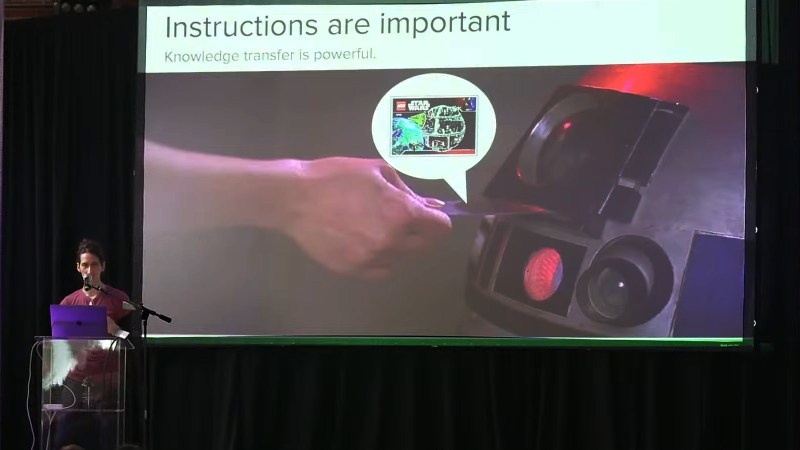
IKEA is known as a purveyor of build-it-yourself flatpack furniture. LEGO is known as a purveyor of build-it-yourself toys. Both are known for their instructions. The latter’s are considered incredibly clear and useful, while the former’s are often derided as arcane and confusing—though the major difference between the two is color printing.

These two companies are great examples of why instructions are important. Indeed, Sonya Vasquez has learned this lesson well, and came down to Supercon 2023 to tell us all about it. Prepare to learn all about how to write great step-by-step instructions that enable greatness and never frustrate the end user.

Continue reading “Supercon 2023: The Road To Writing Great Step-by-Step Instructions” →
Pulling Apart An Old Satellite Truck Tracker

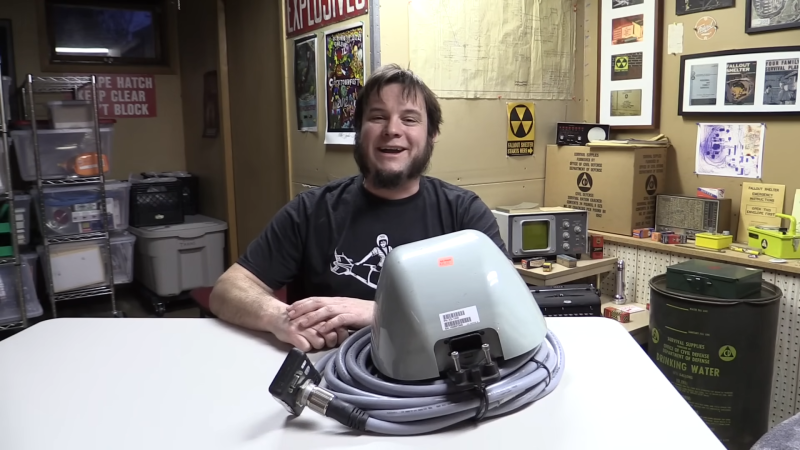
Sometimes there’s nothing more rewarding than pulling apart an old piece of hardware of mysterious origin. [saveitforparts] does just that, and recently came across a curious satellite system from a surplus store. What else could he do, other than tear it down and try to get it humming? 

The device appeared to be satellite communication device for a tracking unit of some sort, complete with a long, thick proprietary cable. That led to a junction box with a serial port and an RJ45 port, along with some other interfaces. Disassembly of the unit revealed it contained a great deal of smarts onboard, including some kind of single-board computer. Comms-wise, it featured a cellular GPRS interface as well as an Orbcomm satellite modem. It also packed in GPS, WiFi, Xbee, Ethernet, and serial interfaces. It ultimately turned out to be a Digi ConnectPort X5 device, used as a satellite tracking system for commercial trucks.

What’s cool is that the video doesn’t just cover pulling it apart. It also dives into communicating with the unit. [saveitforparts] was able to power it up and, using the manufacturer’s software, actually talk to the device. He even found the web interface and tested the satellite modem.

Ultimately, this is the kind of obscure industry hardware that most of us would never come into contact with during our regular lives. It’s neat when these things show up on the secondary market so hackers can pull them apart and see what makes them tick. Video after the break.

Continue reading “Pulling Apart An Old Satellite Truck Tracker” →

2024 Tiny Games Contest: Neat PCB Business Card Was Inspired By The Arduboy

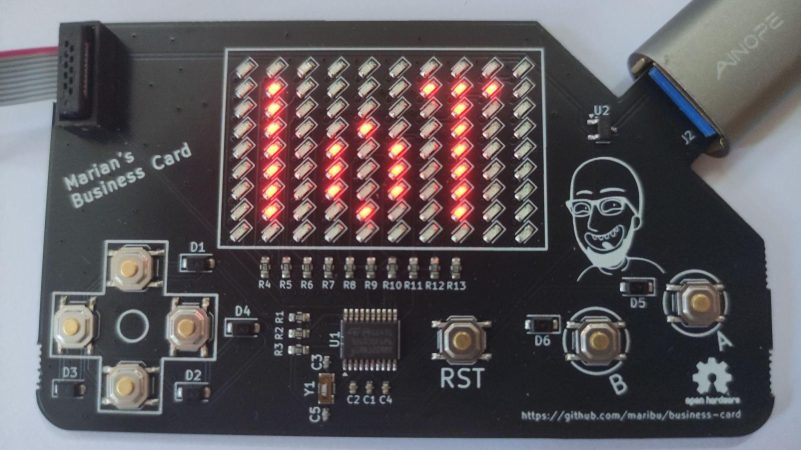
The humble business card is usually a small slip of cardboard with some basic contact details on it — but as hackers know, it can be so much more. [Marian] has provided us a great example in the form of his own digital business card, which doubles as a handheld game!

Wanting to make his business card more interesting for better engagement, [Marian] was inspired by the Arduboy to give it some interactivity. He chose the STM32G030F6 microcontroller as a cheap and reliable option to run his business card. He then created a 10×9 LED matrix display using Charlieplexing to minimize the amount of I/O pins required. For controls, he went with the usual directional cross plus two action buttons. He implemented a variety of games on the card—including a Flappy Bird clone and a game similar to the classic Simon toy.

Files are on GitHub for the curious. We’ve featured some other great business cards this year, too. Indeed, we ran a whole challenge! If you’re cooking up your own exemplary little PCB to hand out at conferences, don’t hesitate to let us know!

Doing MIDI With Discrete Logic Is Neat, If Not Particularly Useful

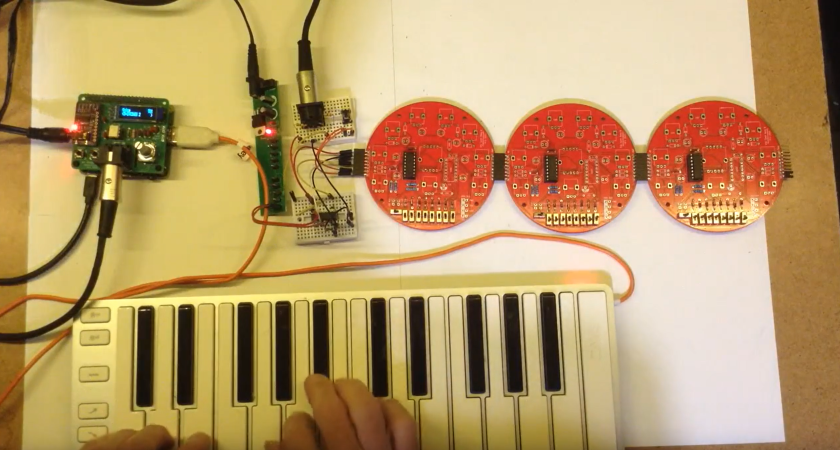
MIDI is normally baked into the chipset of a synthesizer, or something you use a microcontroller to handle. But that’s not the only way to speak the language! [Kevin] decided to have some fun doing MIDI with discrete logic instead, with some pretty neat results.

[Kevin] had previously built a control voltage step sequencer called the Baby8, which relied on 4017 counter ICs. He later realized he could repurpose three of his old Baby8 PCBs to create something that could generate MIDI using nothing more than discrete logic. The stack of three boards generate a simple MIDI message—in this case, a two-byte Program Change command. At 8 bits per byte, plus a start and stop bit, that comes out to 20 bits in total. The bits to be sent are configured via the switches on the PCBs, and clocked out through the counter ICs via a clock running at the MIDI baud rate of 31,250 Hz.

Obviously, it’s not very practical to code your MIDI commands manually via DIP switches and then clock them out in this fashion. But—it does work, and you can do it! If you wanted to build an old-school logic circuit that just spits out simple short MIDI commands, this is one way to go about it.

We’ve seen [Kevin]’s work before, too, like this neat musical rotary phone build.

Continue reading “Doing MIDI With Discrete Logic Is Neat, If Not Particularly Useful” →

Simple PCB Agitator Gets The Job Done

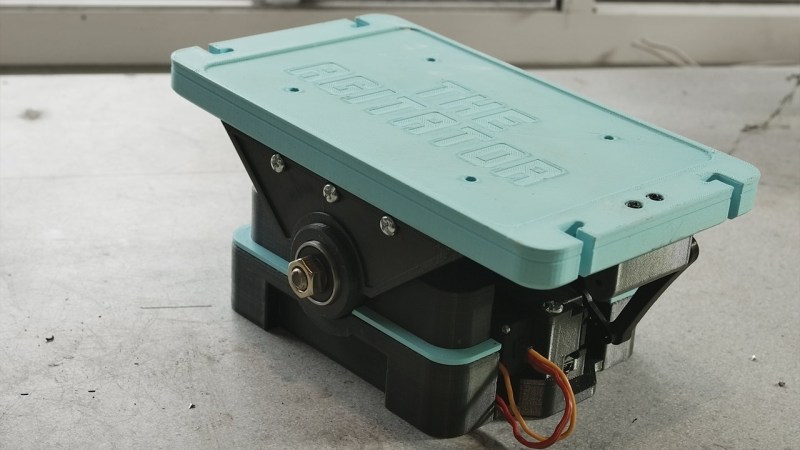
These days, PCB fab houses are just about everywhere, and you can’t go buy a taco without walking past eight of them. Still, some out there still like to etch their PCBs at home. If that sounds like you, you might see some value in [Chris Borge]’s PCB agitator. 

The design mostly relies on 3D printed parts, including the main body. It has a heavy base which is filled with concrete to keep it nicely weighed down on the table. A table for holding a PCB and fluid tank is then installed on top, via a bearing which allows it to pivot in one axis. An Arduino Nano commands the agitation of the table top, and hence the PCB etching tank, with a servo used to actually shift the table back and forth.

It’s a simple design — far simpler than some of the advanced coffee-making hardware we’ve seen recently. Regardless, it gets the job done, and done well! In testing, it accelerated [Chris]’s etching jobs significantly, we’re talking hours here. Meanwhile, if you don’t have a 3D printer on hand, you could always try building one out of junk instead!

Continue reading “Simple PCB Agitator Gets The Job Done” →

There’s Already A Nixie Addon For The 2024 Supercon Badge

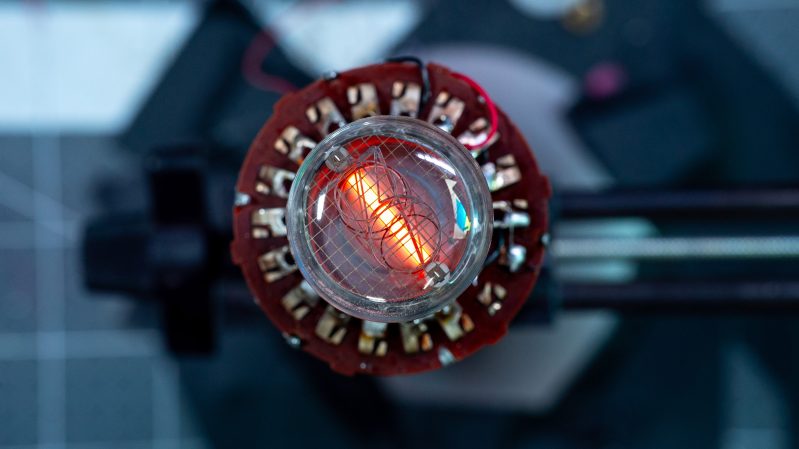
Nixie tubes are cool, and hackers like them. Perhaps for those reasons more than any other, [Kevin Santo Cappuccio] has developed a very particular Simple Add-On for the 2024 Hackaday Supercon badge.

Rad, no?

The build began with a Burroughs 122P224 Nixie tube, and a HV8200 power supply. The latter component is key—it’s capable of turning voltages as low as 3 V into the 180V needed to power a Nixie. Then, an 18-position selector switch was pulled out of a resistance substitution box, and [Kevin] whipped up a basic DIY slip ring using some raw copper clad board.

Smoosh it all together, and what do you get? It’s a Nixie tube you can spin to change the number it displays. Useful? Hardly, unless you want to display varying glowing numbers to people at unreadable angles. Neat? Very. Just don’t touch any of the pins carrying 180 V, that’ll sting. Still, [Kevin] told us it’s pretty tucked away. “I’m totally comfortable touching it, but also would get sued into oblivion selling these on Amazon,” he says.

As [Kevin] notes in his post, the 2024 badge is all about the add-ons— and there’s actually a contest! We suspect [Kevin] will have a strong chance of taking out the Least Manufacturable title.

If you need more information about the Simple Add-On (SAO) interface, [Brian Benchoff] posted the V1.69bis standard on these very pages back in 2019. Apparently the S used to stand for something else. Video after the break.

Continue reading “There’s Already A Nixie Addon For The 2024 Supercon Badge” →

Back Up Your Data On Paper With Lots Of QR Codes

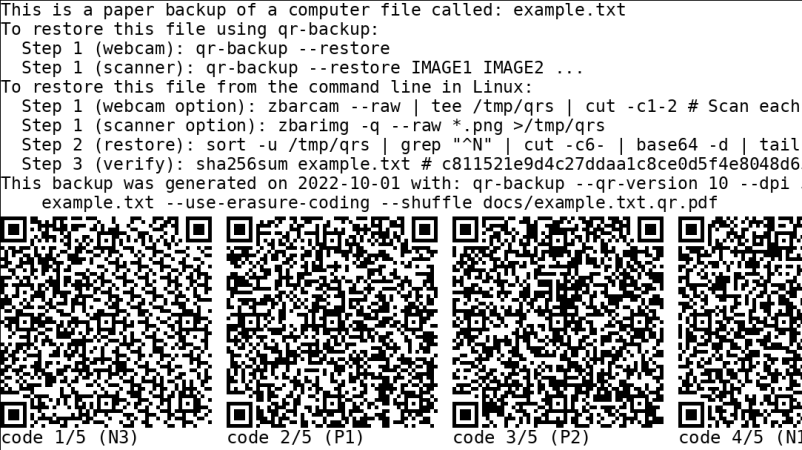
QR codes are used just about everywhere now, for checking into venues, ordering food, or just plain old advertising. But what about data storage? It’s hardly efficient, but if you want to store your files in a ridiculous paper format—there’s a way to do that, too!

QR-Backup was developed by [za3k], and is currently available as a command-line Linux tool only. It takes a file or files, and turns them into a “paper backup”—a black-and white PDF file full of QR codes that’s ready to print. That’s legitimately the whole deal—you run the code, generate the PDF, then print the file. That piece of paper is now your backup. Naturally, qr-backup works in reverse, too. You can use a scanner or webcam to recover your files from the printed page.

Currently, it achieves a storage density of 3KB/page, and [za3k] says backups of text in the single-digit megabyte range are “practical.” You can alternatively print smaller, denser codes for up to 130 KB/page.

Is it something you’ll ever likely need? No. Is it super neat and kind of funny? Yes, very much so.

We’ve seen some other neat uses for QR codes before, too—like this printer that turns digital menus into paper ones. If you’ve got your own nifty uses for these attractive squares, let us know!