ATTiny85 as fan controller

An ATTiny GPU Fan Controller That Sticks

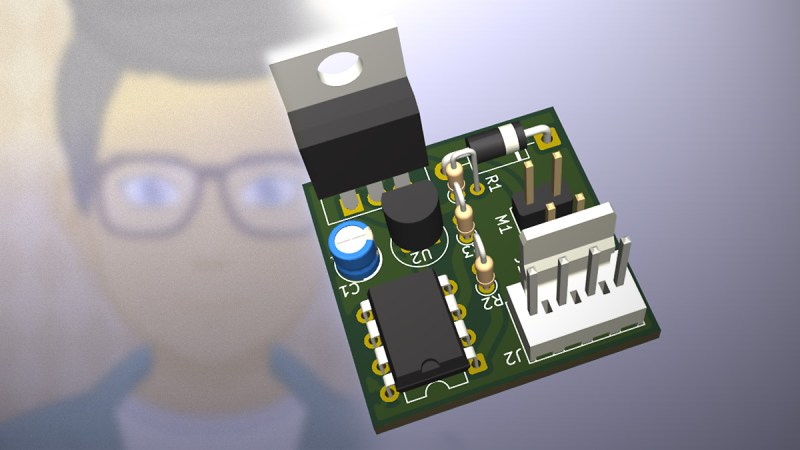
When your GPU fan goes rogue with an unholy screech, you either shell out for a new one or you go full hacker mode. Well, [ashafq] did the latter. The result is a delightfully nerdy fan controller powered by an ATTiny85 and governed by a DS18B20 temperature sensor. We all know a silent workstation is golden, and there’s no fun in throwing money at an off-the-shelf solution. [ashafq]’s custom build transforms a whiny Radeon RX 550 into a cool, quiet operator. Best of all: it’s built from bits likely already in your junk drawer.

To challenge himself a bit, [ashafq] rolled his own temperature-triggered PWM logic using 1-wire protocol on an ATtiny85, all without libraries or bloated firmware. The fan’s speed only ramps up when the GPU gets toasty, just like it should. It’s efficient and clever, and that makes it a fine hack. The entire system runs off a scavenged 12V fan. He could have used a 3D printer, but decided to stick onto the card with double-sided tape. McGyver would approve.

The results don’t lie: idle temps at 40 °C, load peaking at 60 °C. Quieter than stock, smarter than stock, and way cheaper too. The double-sided tape may not last, but that leaves room for improvement. In case you want to start on it yourself, read the full write-up and feel inspired to build your own. Hackaday.io is ready for the documentation of your take on it.

Modifying fans is a tradition around here. Does it always take a processor? Nope.

Network Infrastructure And Demon-Slaying: Virtualization Expands What A Desktop Can Do

The original DOOM is famously portable — any computer made within at least the last two decades, including those in printers, heart monitors, passenger vehicles, and routers is almost guaranteed to have a port of the iconic 1993 shooter. The more modern iterations in the series are a little trickier to port, though. Multi-core processors, discrete graphics cards, and gigabytes of memory are generally needed, and it’ll be a long time before something like an off-the-shelf router has all of these components.

But with a specialized distribution of Debian Linux called Proxmox and a healthy amount of configuration it’s possible to flip this idea on its head: getting a desktop computer capable of playing modern video games to take over the network infrastructure for a LAN instead, all with minimal impact to the overall desktop experience. In effect, it’s possible to have a router that can not only play DOOM but play 2020’s DOOM Eternal, likely with hardware most of us already have on hand.

The key that makes a setup like this work is virtualization. Although modern software makes it seem otherwise, not every piece of software needs an eight-core processor and 32 GB of memory. With that in mind, virtualization software splits modern multi-core processors into groups which can act as if they are independent computers. These virtual computers or virtual machines (VMs) can directly utilize not only groups or single processor cores independently, but reserved portions of memory as well as other hardware like peripherals and disk drives.

Proxmox itself is a version of Debian with a number of tools available that streamline this process, and it installs on PCs in essentially the same way as any other Linux distribution would. Once installed, tools like LXC for containerization, KVM for full-fledged virtual machines, and an intuitive web interface are easily accessed by the user to allow containers and VMs to be quickly set up, deployed, backed up, removed, and even sent to other Proxmox installations. Continue reading “Network Infrastructure And Demon-Slaying: Virtualization Expands What A Desktop Can Do”

A Handheld Gaming PC With Steam Deck Vibes

Since its inception, the Steam Deck has been a bit of a game changer in the PC gaming world. The goal of the handheld console was to make PC gaming as easy and straightforward as a walled-garden proprietary console like a Switch or Playstation but still allow for the more open gaming experience of a PC. At its core, though, it’s essentially a standard PC with the parts reorganized into handheld form, and there’s no reason any other small-form-factor PC can’t be made into a similar system. [CNCDan] has the skills and tools needed to do this and shows us how it’s done.

The build is based around a NUC, a small form factor computer that typically uses the same low-power mobile processors and graphics cards found in laptops but without the built-in battery or screen. This one has an AMD Ryzen 7 processor with Radeon graphics, making it reasonably high-performing for its size. After measuring out the dimensions of the small computer and preparing for other components like the battery, joysticks, buttons, and even a trackpad, it was time to create the case. Instead of turning to a 3D printer, this one is instead milled on a CNC machine. Something tells us that [CNCDan] prefers subtractive manufacturing in general.

With all the parts assembled in the case, the build turns into a faithful Steam Deck replica with a few bonuses, like an exposed Ethernet port and the knowledge that everything can easily be fixed since it was built from the ground up in the first place. The other great thing about builds like these is they don’t need an obscure NUC for the hardware; you can always grab your old Framework mainboard for handheld gaming instead. Reminded us of the NucDeck.

Continue reading “A Handheld Gaming PC With Steam Deck Vibes”

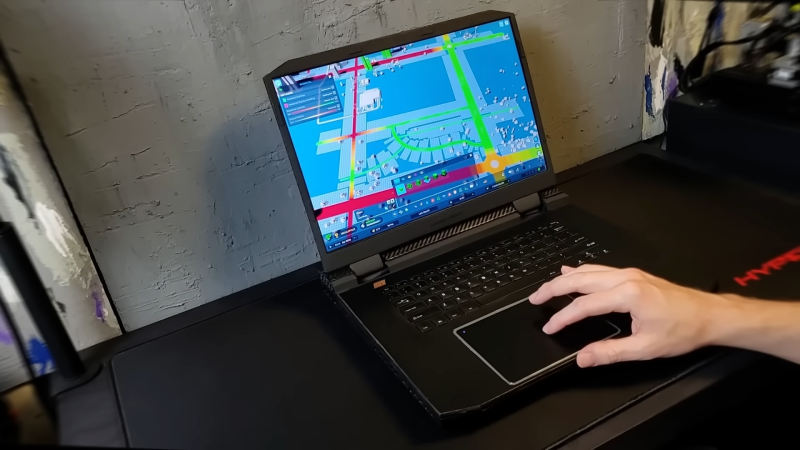
DIY Gaming Laptop Built Entirely With Desktop Parts

Gaming laptops often tend towards implementing more desktop-like hardware in the pursuit of pure grunt. But what if you were to simply buy desktop hardware yourself, and build your own gaming laptop? That would be very cool, as [Socket Science] demonstrates for us all.

The project began with lofty goals. The plan wasn’t to build something rough and vaguely laptop-like. [Socket Science] wanted to build something of genuine quality, that for all intents and purposes, looked and worked like a proper commercial-grade laptop. Getting to that point took a full 14 months, but the final results are impressive.

Under the hood lies an AMD Ryzen 5 5600X and a XFX Radeon RX6600, hooked into an ITX motherboard with some low-profile RAM sticks. Those components were paired with a thin keyboard, a touchpad, and a portable gaming monitor. Getting all that into a thin laptop case, even a custom one, was no mean feat. Ports had to be cut down to size, weird ribbon cables had to be employed, and heatsinks and coolers had to be rearranged. To say nothing of all the work to 3D print a case that was strong and actually worked!

The full journey is quite the ride. If you want to go right back to the start, you can find part one here.

We’ve seen some builds along these lines before, but seldom few that get anywhere near this level of fit and finish. Oftentimes, it’s that kind of physical polish that is most difficult to achieve. All we can say is “Bravo!” Oh, and… video after the break.

Continue reading “DIY Gaming Laptop Built Entirely With Desktop Parts”

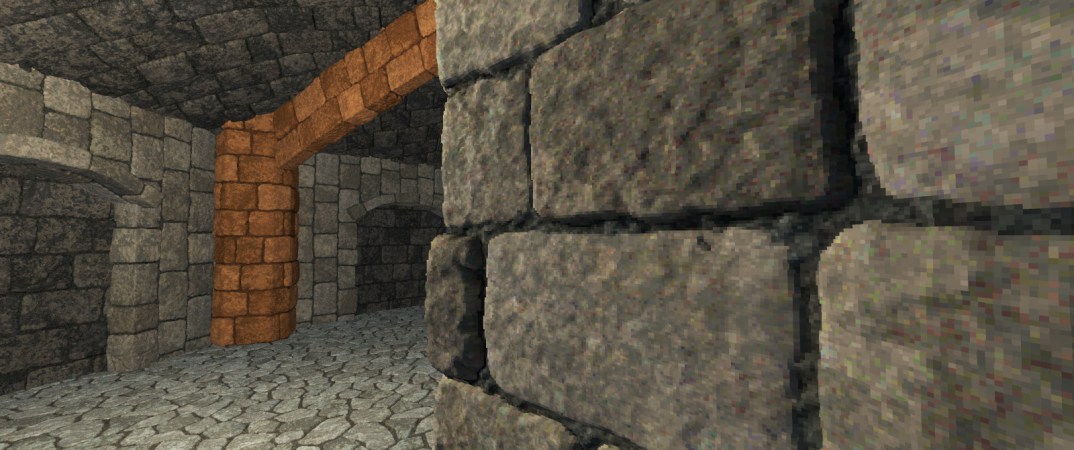
Easy Retro 3D Look With Voxel Displacement Renderer

Voxels are effectively like 3D pixels, and they form an integral part of what is commonly referred to as a ‘retro 3D’ look, with pixelated edges sharp enough to cut your retinas on. The problems with modeling a scene using voxels come in the form of creating the geometry and somehow making a physics engine work with voxels rather than conventional triangular (or quad) meshes.

The same scene in Blender (above) and in the voxel-based renderer (below). (Credit: Daniel Schroeder)

The approach demonstrated by [Daniel Schroeder] comes in the form of a Voxel Displacement Renderer implemented in C++ and using the Vulkan API. Best part of it? It only requires standard meshes along with albedo and displacement maps.

These inputs are processed by the C++-based tools, which generate the voxels that should be rendered and their properties, while the GLSL-based shader handles the GPU-based rendering step. The pre-processing steps required make it a good idea to bake these resources rather than try to process it in real-time. With that done, [Daniel]’s demo was able to sustain a solid 100+ FPS on a Radeon RX 5700 XT GPU at 1440p, and 60+ FPS on a Steam Deck OLED.

In a second blog post [Daniel] goes through his motivations for this project, with it originally having been intended as a showpiece for his resume, but he can imagine it being integrated into a game engine.

There are still questions to be resolved, such as how to integrate this technique for in-scene characters and other dynamic elements (i.e. non-static scenery), but in terms of easing voxel-based rendering by supporting a standard mesh-based workflow it’s an intriguing demonstration.

Continue reading “Easy Retro 3D Look With Voxel Displacement Renderer”

Gaming On A TP-Link TL-WDR4900 Wireless Router

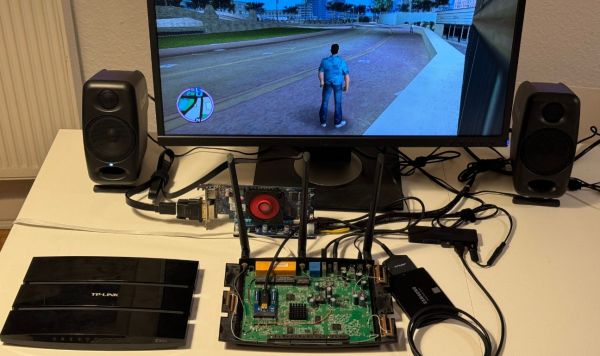
When you look at your home router, the first thought that comes to mind probably isn’t about playing games on it. But that doesn’t stop [Manawyrm] and [tSYS] from taking on the task of turning the 2013-era TP-Link TL-WDR4900 router into a proper gaming machine using an external GPU. This is made possible by the PCIe lanes on the mainboard, courtesy of the PowerPC-based SoC (NXP QorIQ P1014) and remappable Base Address Registers (BARs). This router has been an OpenWRT-favorite for years due to its powerful hardware and feature set.

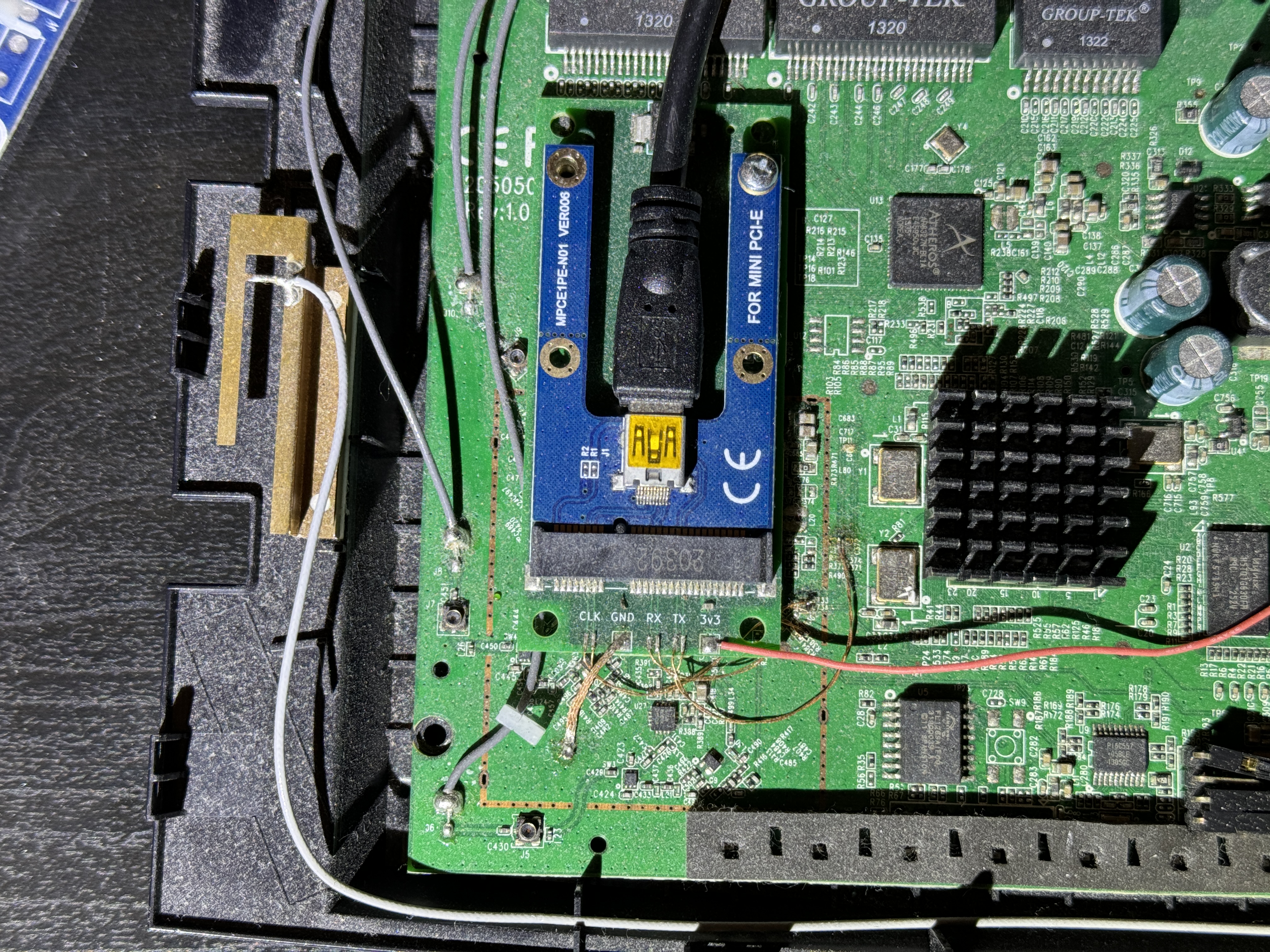
This mod required a custom miniPCIe PCB that got connected to the PCIe traces (after cutting the connection with the Atheros WiFi chipset). This allowed an external AMD Radeon HD 7470 GPU to be connected to the system, which showed up in OpenWRT. To make full use of this hardware by gaining access to the AMD GPU driver, full Debian Linux was needed. Fortunately, the distro had a special PowerPCSPE port that supports the e500v2 CPU core in the SoC. After this it was found that the amdgpu driver has issues on 32-bit platforms, for which an issue ticket got filed.

Using the legacy Radeon driver helped to overcome this issue, but then it was found that the big endian nature of the CPU tripped up the Grand Theft Auto: Vice City game code which has not been written with BE in mind. This took a lot of code patching to help fix this, but eventually the game was up and running, albeit with glitches. Whatever the cause of these graphical glitches was will remain unknown, as after updating everything things began to work normally.

So now it’s possible to convert a 2013-era router into a gaming console after patching in an external GPU, which actually could be useful in keeping more potential e-waste out of landfills.

Continue reading “Gaming On A TP-Link TL-WDR4900 Wireless Router”

The IMac GPU Becomes Upgradeable, With PCIe

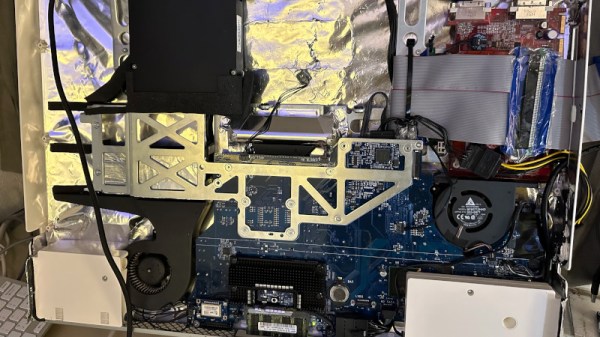
Over its long lifetime, the Apple iMac all-in-one computer has morphed from the early CRT models through those odd table-lamp machines into today’s beautiful sleek affairs. They look pretty, but is there anything that can be done to upgrade them? Maybe not today’s ones, but the models from the mid-2000s can be given some surprising new life. [LowEndMac] have featured a 2006 24″ model that’s received a much more powerful GPU, something we’d have thought to be impossible.

The iMacs from that era resemble a monitor with a slightly chunkier back, in which resides the guts of the computer. By then the company was producing machines with an x86 processor, and their internals share a lot of similarities with a laptop of the period. The card is a Mac Radeon model newer than the machine would ever be used with, and it sits in a chain of mini PCIe to PCIe adapters. Even then it can’t drive the original screen, so a replacement panel and power supply are taken from another monitor and grafted into the iMac case. This along with a RAM and SSD upgrade makes this about the most upgraded a 2006 iMac could be.

Of course, another approach is to simply replace the whole lot with an Intel NUC.