High-Speed Reservoir Computing With Integrated Laser Graded Artificial Neurons

So-called neuromorphic computing involves the use of physical artificial neurons to do computing in a way that is inspired by the human brain. With photonic neuromorphic computing these artificial neurons generally use laser sources and structures such as micro-ring resonators and resonant tunneling diodes to inject photons and modulate them akin to biological neurons.

General reservoir computing with laser graded neuron. (Credit: Yikun Nie et al., 2024, Optica)

One limitation of photonic artificial neurons was that these have a binary response and a refractory period, making them unlike the more versatile graded neurons. This has now been addressed by [Yikun Nie] et al. with their research published in Optica.

The main advantage of graded neurons is that they are capable of analog graded responses, combined with no refractory period in which the neuron is unresponsive. For the photonic version, a quantum dot (QD) based gain section was constructed, with the input pulses determining the (analog) output.

Multiple of these neurons were then combined on a single die, for use in a reservoir computing configuration. This was used with a range of tests, including arrhythmia detection (98% accuracy) and handwriting classification (92% accuracy). By having the lasers integrated and the input pulses being electrical in nature, this should make it quite low-power, as well as fast, featuring 100 GHz QD lasers.

Sony Vaio Revived: Power, The Second 80%

A bit ago, I’ve told you about how the Sony Vaio motherboard replacement started, and all the tricks I used to make it succeed on the first try. How do you plan out the board, what are good things to keep in mind while you’re sourcing parts, and how do you ensure you finish the design? This time, I want to tell you my insights about what it takes for your new board revision to stay on your desk until completion, whether it’s helping it not burn up, or making sure the bringup process is doable.

Uninterrupted, Granular Power

Power was generally comfortable to design, but I did have to keep some power budgets in mind. A good exercise for safeguarding your regulators is keeping a .txt file where you log consumers and their expected current consumption on each board power rail, making sure all of your power regulators, connectors, and tracks, can handle quite a bit more than that current. Guideline: increase current by 20%-50% when figuring out the specs for switching regulators and inductors, and, multiply by 10-20% when figuring out conversion losses going between downstream and upstream rails.

I did have a blunder in this department – not accounting for track current early on enough. I laid out the board using 0.5mm wide tracks for power – it looked spacious enough. Then, I put “0.5mm” into a track current calculator and saw a harrowing temperature increase for the currents I was expecting. At that point in routing, it took some time to shift tracks around to accomodate the trace width I actually needed, which is to say, I should’ve calculated it all way way earlier. Thankfully, things went well in the end.

Continue reading “Sony Vaio Revived: Power, The Second 80%”

NASA Announces New Trials For In-Space Laser Welding

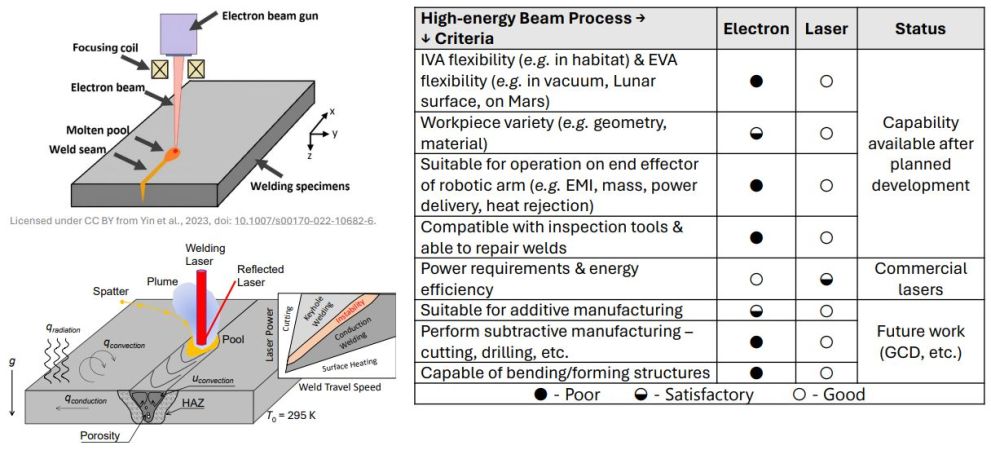
In-space manufacturing is a big challenge, even with many of the same manufacturing methods being available as on the ground. These methods include rivets, bolts, but also welding, the latter of which was first attempted fifty years ago by Soviet cosmonauts. In-space welding is the subject of a recently announced NASA collaboration. The main aspects to investigate are the effects of reduced gravity and varying amounts of atmosphere on welds.

The Soviets took the lead in space welding when they first performed the feat during the Soyuz-6 mission in 1969. NASA conducted their own welding experiments aboard Skylab in 1973, and in 1984, the first (and last) welds were made in open space during an EVA on the Salyut-7 mission. This time around, NASA wants to investigate fiber laser-based welding, as laid out in these presentation slides. The first set of tests during parabolic flight maneuvers were performed in August of 2024 already, with further testing in space to follow.

Back in 1996 NASA collaborated with the E.O. Paton Welding Institute in Kyiv, Ukraine, on in-space welding as part of the ISWE project which would have been tested on the Mir space station, but manifesting issues ended up killing this project. Most recently ESA has tested in-space welding using the same electron-beam welding (EBW) approach used by the 1969 Soyuz-6 experiment. Electron beam welding has the advantage of providing great control over the weld in a high-vacuum environment such as found in space.

So why use laser beam welding (LBW) rather than EBW? EBW obviously doesn’t work too well when there is some level of atmosphere, is more limited with materials and has as only major advantage that it uses less power than LBW. As these LBW trials move to space, they may offer new ways to create structure and habitats not only in space, but also on the lunar and Martian surface.


Featured image: comparing laser beam welding with electron beam welding in space. (Source: E. Choi et al., OSU, NASA)

Most Powerful Laser Diodes, Now More Powerful

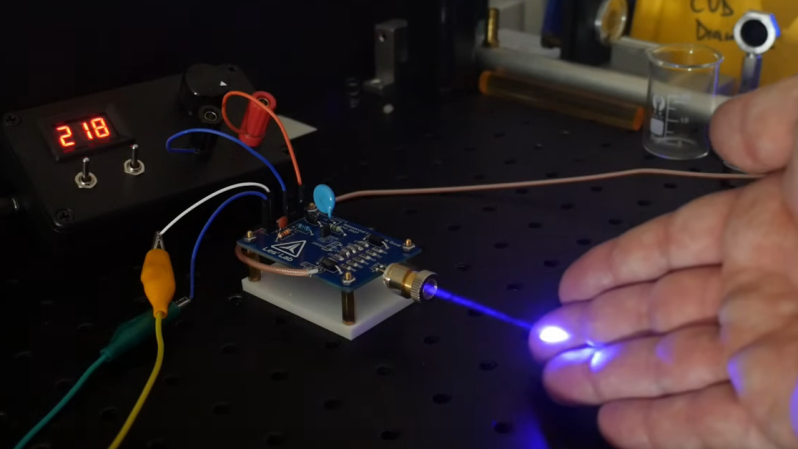
Many hobbies seem to have a subset of participants who just can’t leave well enough alone. Think about hot rodders, who squeeze every bit of power out of engines they can, or PC overclockers, who often go to ridiculous ends to milk the maximum performance from a CPU. And so it goes in the world of lasers, where this avalanche driver module turns Nichia laser diodes into fire-breathing beasts.

OK, that last bit might be a little overstated, but there’s no denying the coolness of what laser jock [Les Wright] has accomplished here. In his endless quest for more optical power, [Les] happened upon a paper describing a simple driver circuit that can dump massive amounts of current into a laser diode to produce far more optical power than they’re designed for. [Les] ran with what few details the paper had and came up with a modified avalanche driver circuit, with a few niceties for easier testing, like accommodation for different avalanche transistors and a way to test laser diodes in addition to the Nichia. He also included an onboard current sensing network, making it easy to hook up a high-speed oscilloscope to monitor the performance of the driver.

For testing, [Les] used a high-voltage supply homebrewed from a Nixie inverter module along with a function generator to provide the pulses. The driver was able to push 80 amps into a Nichia NUBM47 diode for just a few nanoseconds, and when all the numbers were plugged in, the setup produced about 67 watts of optical power. Not one to let such power go to waste, [Les] followed up with some cool experiments in laser range finding and dye laser pumping, which you can check out in the video below. And check out our back catalog of [Les]’ many laser projects, from a sketchy tattoo-removal laser teardown to his acousto-optical filter experiments. Continue reading “Most Powerful Laser Diodes, Now More Powerful”

A Guide To Laser Cutting Metal, If You’ve Got The Cash

While many of us now have laser cutters — either a K40-style machine or one of the newer high-output diodes — you probably don’t have one that cuts metal. True, some hobby lasers now offer IR laser heads with modest power to engrave metal. The xTool S1, for example, accepts a 2 W IR laser as an option, but we doubt it would cut through anything thicker than foil. However, there are a growing number of fiber and carbon dioxide lasers that can cut metal at semi-reasonable prices, and [All3DP] has a primer on the technology that is worth a read.

According to the post, CO2 lasers are less expensive but require gas assist, can’t work with shiny metals well, and are finicky because of the mirrors and glass tube inside. Fiber lasers cost more, but don’t need gas, work on more materials, and have fewer parts that need maintenance or may be prone to damage. There are other kinds of lasers, but the post focuses on these, the most common ones.

Machines that can cut metal aren’t cheap. They start at about $10,000. However, prices are dropping and we remember when $10,000 would buy you what would today be a terrible oscilloscope, so maybe there’s hope for an impulse-buy metal-cutting laser one day.

It isn’t that diode lasers can’t cut metal at all, but the results are not terribly useful. What would you rather have? A metal cutter or a metal 3D printer?

Getting A Laser Eye Injury And How To Avoid It

Most people love lasers, because they can make cats chase, read music from a shiny disc, etch and cut materials, and be very shiny in Hollywood blockbusters, even when their presence makes zero sense. That said, lasers are also extremely dangerous, as their highly focused nature and wide range of power levels can leave a person dazzled, blinded or dead from direct and indirect exposure. A lapse in laser safety was how [Phil Broughton] ended up with part of his retina forever marked, as he describes his adventures with an overly enthusiastic laser company sales person.

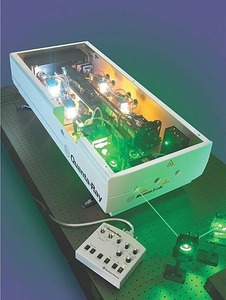
Quanta Ray PRO350 with frequency doubling, emitting a 532nm beam – Sales brochure image from Quanta Ray, unknown date
Quanta Ray PRO350 with frequency doubling, emitting a 532 nm beam – Sales brochure image from Quanta Ray, unknown date

It didn’t take much, just this sales person who made a really poor decision while trying to please some customers and nearly ended with multiple adults, a local school, pilots at a nearby airfield getting their retinas blasted out due to an absolutely harebrained idea to use a fairly high-powered Quanta-Ray Nd:YAG laser on reflective surfaces in the open.

This was in 1999, and fortunately [Phil] only suffered some fairly minor damage to his retina from the laser beam reflection. What happened to the customers (who wore argon laser safety glasses) or the sales critter (who left soon after) is not described, but both may have received some bad news when they had their eyes checked shortly after at the ophthalmologist.

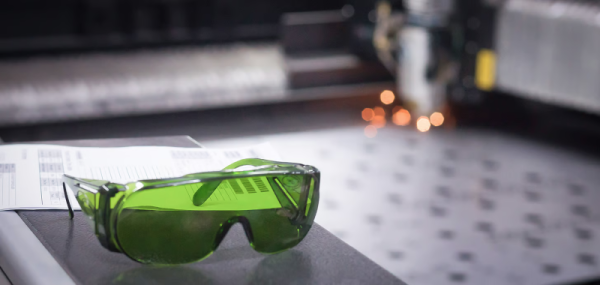
These kind of stories are a stark reminder that laser safety is not optional. Lasers producing a visible (400 – 700 nm) wavelength above Class 2 should only be operated in a fully secured environment, with safety glasses for the appropriate laser wavelength. Class 2 lasers producing a non-visible wavelength can cause permanent damage because the blink reflex of the eye does not offer any protection here.

As even some dodgy laser pointers are being (illegally) sold online are actually Class 2, this should make it clear that laser eye injury can happen to anyone, and it only takes a second to change someone’s life forever.

An Improved Spectrometer, No Lasers Required

Here at Hackaday, we love it when someone picks up the ball from a previous project and runs with it. That’s what we’re all about, really — putting out cool projects that just might stimulate someone else to extend and enhance it, or even head off in an entirely new direction. That’s how the state of the art keeps moving.

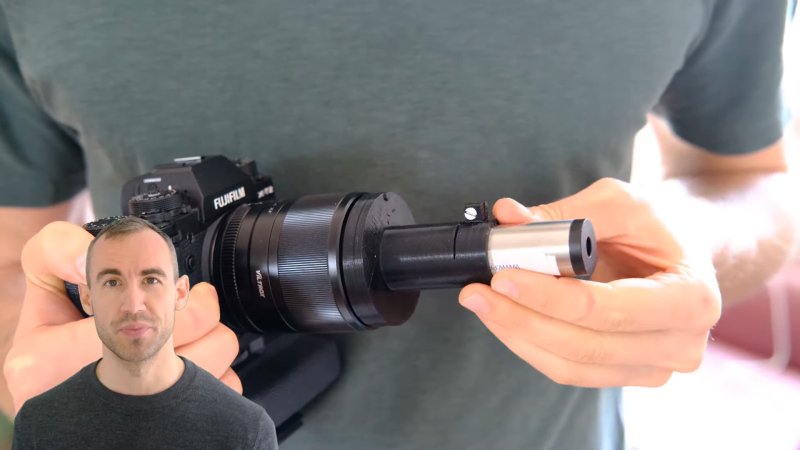
This DIY spectrometer project is a fantastic example of that ethos. It comes to us from [Michael Prasthofer], who was inspired by [Les Wright]’s PySpectrometer, a simple device cobbled together from a pocket spectroscope and a PiCam. As we noted at the time, [Les] put a lot of the complexity of his instrument in the software, but that doesn’t mean there wasn’t room for improvement.

[Michael]’s goals were to make his spectrometer a little easier to build, and to improve the calibration process and overall accuracy. To help with the former, he went with software correction of the color filter array on his Fuji X-T2. This has the advantage of not requiring a high-power laser and precision micropositioner to ablate the CFA, and avoids potentially destroying an expensive camera. For the latter, [Michael] delved deep into the theory behind spectroscopy and camera optics to develop a process for correlating the intensity of light along the spectrum with the specific wavelength at that location. He also worked a little machine learning into the process, training a network to optimize the response functions.

The result is pretty accurate spectra with no lasers required for calibration. The video below goes into a lot of detail and ends up being a good introduction to some of the basics of spectroscopy, along with the not-so-basics.

Continue reading “An Improved Spectrometer, No Lasers Required”