Zelda II Redux CRT Header Image

Zelda II Redux ROM Hack Plays How You Remember The Original

Going back to classic games can be a difficult experience. The forward passage of time leaves technology to stagnate, while the memories attached to those old games can morph in mysterious ways. Therein lies the problem with how you remember a game playing versus the reality of how it actually does. Developer [Jorge] saw that situation arising around Zelda II: The Adventure of Link, and it inspired him to create the Zelda II Redux ROM hack.

Years in the making, Zelda II Redux takes a relatively light-handed approach to revising the original NES game. Graphical enhancements include: a reworked HUD complete with the series’ tradition of hearts, animated enemy icons in the over world, a new title screen, and giving Link the shield from the Famicom Disk System release’s box art. Text speed has been increased and a revised translation of the Japanese script has been incorporated. Under the hood, all sorts of boss battles have been re-balanced while casting magic spells doesn’t require multiple return trips to the pause menu. Though Zelda II Redux’s most important feature may be the inclusion of manual saving via “Up + A” on the pause menu. There are also a whole host of other changes Zelda II Redux incorporates in order to bring Link’s second adventure more inline with the rest of the Legend of Zelda series that can be found on the project’s change log.

To play Zelda II Redux requies an IPS patching program, like LunarIPS, along with a clean dumped image of Zelda II: The Adventure of Link. Dumping NES cartridges is easier than ever these days due to many cartridge dumper devices being plug-and-play over USB. A successfully patched ROM file can be played in an emulator or on actual NES hardware through a flash cart. A video of a tool-assisted speedrun has been included below, so there may be some new strategies to employ.
Continue reading “Zelda II Redux ROM Hack Plays How You Remember The Original”
Building A Vector Graphics Machine From Scratch Including The CRT

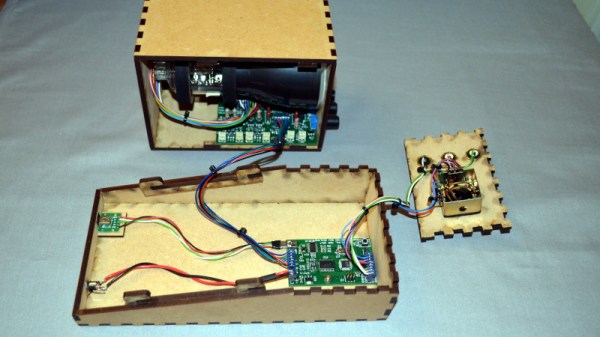
Over the years we’ve seen quite a few projects involving vector graphics, but the spaceship game created by [Mark Aren] especially caught our eye because in it he has tackled building a vector display from scratch rather than simply using a ready-made one such as an oscilloscope. As if the vector game itself wasn’t interesting enough, the process of designing the electronics required to drive a CRT is something that might have been commonplace decades ago but which few electronics enthusiasts in 2020 will have seen.

In his write-up he goes into detail on the path that took him to his component choices, and given the unusual nature of the design for 2020 it;s a fascinating opportunity to see the job done with components that would have been unheard of in the 1950s or 1960s. He eventually settled on a high voltage long-tailed pair of bipolar transistors, driven by a single op-amp to provide the differential signal required by the deflection electrodes. The mix of old and new also required a custom-fabricated socket for the CRT. On the game side meanwhile, an ATmega328 does the heavy lifting, through a DAC. He goes into some detail on DAC selection, having found some chips gave significant distortion.

All in all this is an impressive project from all angles, and we’re bowled over by it. Of course, if you fancy a play with vector graphics, perhaps there’s a simpler way.

USB Webcams Out Of Stock? Make One With A Raspberry Pi And HQ Camera Module

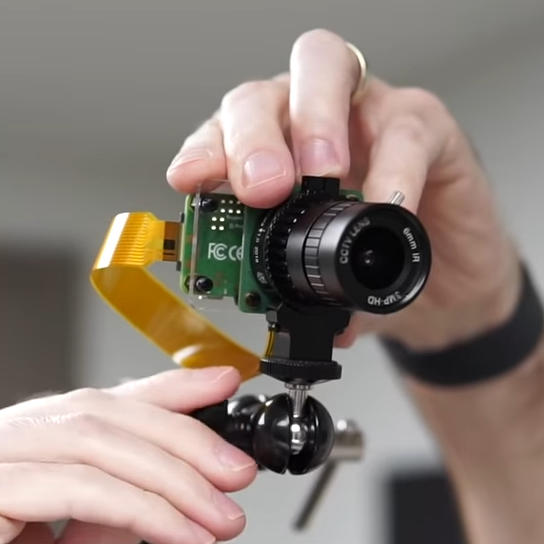
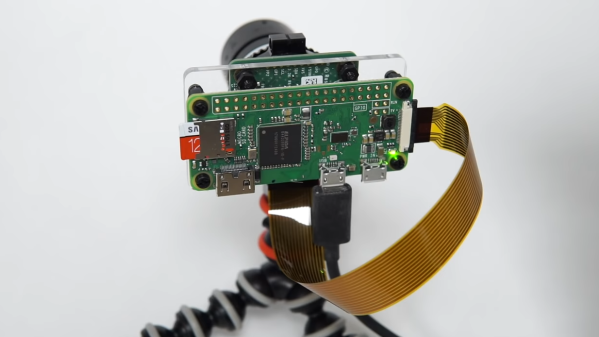
More people working from home has had an impact on the cost and availability of USB webcams, so [Jeff Geerling] got around the issue with a DIY solution that rang in around $100. It consists of a Raspberry Pi and HQ camera module acting as a USB webcam, and there is no messy streaming of ffmpeg over the network masquerading as a camera device or anything. It works just as a USB camera should.

[Jeff] chose a Raspberry Pi Zero and HQ camera module for his unit, making a tidy package that might not be quite as small as commercial webcams, but is certainly perfectly respectable as a USB camera. That being said, there are a few drawbacks, namely the lack of a microphone or autofocus, latency issues at higher resolutions, and the need to shut down the Pi cleanly.

Check out the GitHub repository for everything needed to set up your own, including a complete hardware list and some options for mounting. [Jeff] also tested whether the camera would work with the new keyboard-embedded Raspberry Pi 400, and it absolutely does. Embedded below is a video walkthrough and demonstration of the whole project, so check it out.

Continue reading “USB Webcams Out Of Stock? Make One With A Raspberry Pi And HQ Camera Module”

Recovering Metal From Waste

Refining precious metals is not as simple as polishing rocks that have been dug out of the ground. Often, complex chemical processes are needed to process the materials properly or in high quantities, but these processes leave behind considerable waste. Often, there are valuable metals left over in these wastes, and [NerdRage] has gathered his chemistry equipment to demonstrate how it’s possible to recover these metals.

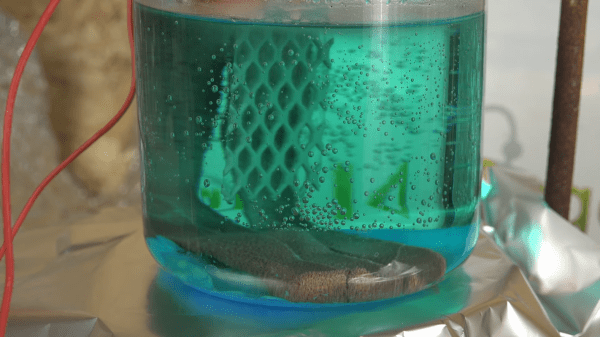
The process involved looks to recover copper and nitric acid from copper nitrate, a common waste byproduct of processing metal. While a process called thermal decomposition exists to accomplish this, it’s not particularly efficient, so this alternative looks to improve the yields you could otherwise expect. The first step is to react the copper nitrate with sulfuric acid, which results in nitric acid and copper sulfate. From there, the copper sulfate is placed in an electrolysis cell using a platinum cathode and copper anodes to pass current through it. After the process is complete, all of the copper will have deposited itself on the copper electrodes.

The other interesting thing about this process, besides the amount of copper that is recoverable, is that the sulfuric acid and the nitric acid are recoverable, and able to be used again in other processes. The process is much more efficient than thermal decomposition and also doesn’t involve any toxic gasses either. Of course, if collecting valuable metals from waste is up your alley, you can also take a look at recovering some gold as well.

Thanks to [Keith] for the tip!

Continue reading “Recovering Metal From Waste”

Gathering Eclipse Data Via Ham Radio

A solar eclipse is coming up in just a few weeks, and although with its path of totality near the southern tip of South America means that not many people will be able to see it first-hand, there is an opportunity to get involved with it even at an extreme distance. PhD candidate [Kristina] and the organization HamSCI are trying to learn a little bit more about the effects of an eclipse on radio communications, and all that is required to help is a receiver capable of listening in the 10 MHz range during the time of the eclipse.

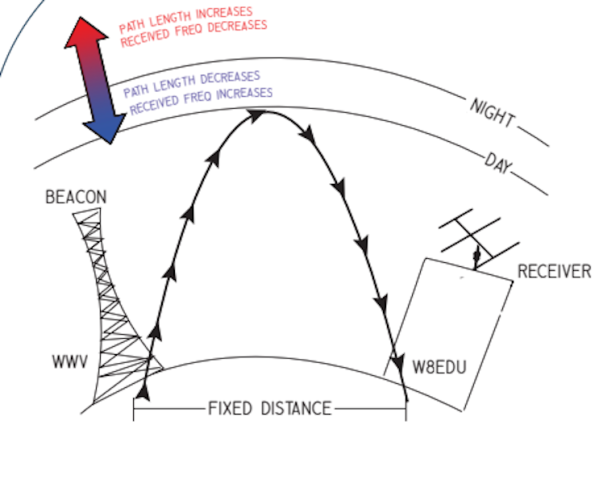
It’s well-known that certain radio waves can propagate further depending on the time of day due to changes in many factors such as the state of the ionosphere and the amount of solar activity. What is not known is specifically how the paths can vary over the course of the day. During the eclipse the sun’s interference is minimized, and its impact can be more directly measured in a more controlled experiment. By tuning into particular time stations and recording data during the eclipse, it’s possible to see how exactly the eclipse impacts propagation of these signals. [Kristina] hopes to take all of the data gathered during the event to observe the doppler effect that is expected to occur.

The project requires a large amount of volunteers to listen in to the time stations during the eclipse (even if it is not visible to them) and there are only a few more days before this eclipse happens. If you have the required hardware, which is essentially just a receiver capable of receiving upper-sideband signals in 10 MHz range, it may be worthwhile to give this a shot. If not, there may be some time to cobble together an SDR that can listen in (even an RTL-SDR set up for 10 MHz will work) provided you can use it to record the required samples. It’s definitely a time that ham radio could embrace the hacker community.

Building A Dishwasher From Scratch

[Billy] was no fan of doing the dishes, but also found commercial solutions lacking. The options on the market simply didn’t fit his cookware and flatware. Instead of compromising, he set out to build a dishwasher of his own design. 

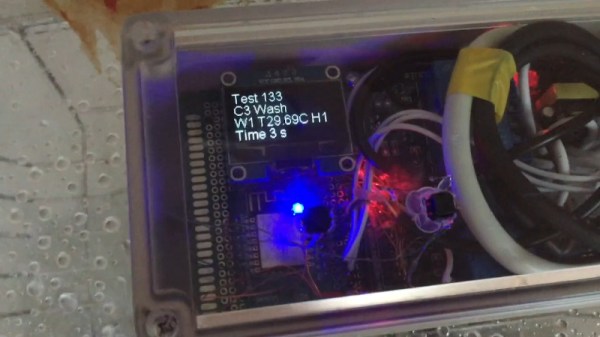
The build consists of a whole heap of hardware all lumped in a sizeable plastic tub. A washing machine solenoid lets water into the system, and it’s heated by an element in the base of the tub. It’s then pumped through a garden sprinkler head to give the dishes a good all-over spraying. At the end of a wash cycle, the drain pump then dumps the water to let everything dry off. An ESP8266 and a bank of relays are in place to run the show, with the user selecting wash programs via buttons and a small screen.

It may have taken a couple of years to come together, but [Billy’s] dishwasher seems to get the job done. Files are on Github for those interested, however we’d caution against attempting such a build unless you’re familiar working with plumbing and mains electricity. The other benefit of building your own dishwasher is that you’re less likely to have to patch it against widespread exploits – the security is instead up to you. Video after the break.

Continue reading “Building A Dishwasher From Scratch”

A Crust-Cutting, Carrot-Chopping Robot

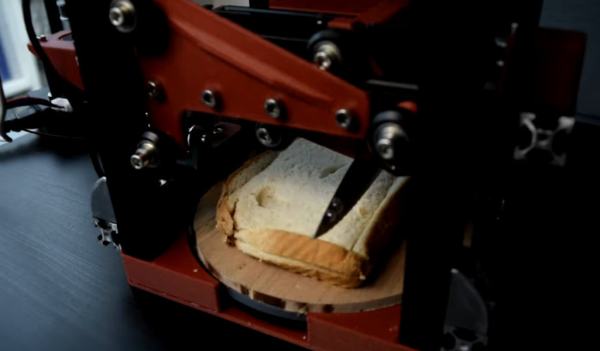
[3DprintedLife] sure does hate bread crust. Not the upper portion of homemade bread, mind you — just that nasty stuff around the edges of store-bought loaves. Several dozen hours of CAD later, [3DprintedLife] had themselves a crust-cutting robot that also chops vegetables.

This De-Cruster 9000 is essentially a 2-axis robotic guillotine over a turntable. It uses a Raspberry Pi 4 and OpenCV to seek and destroy bread crusts with a dull dollar store knife. Aside from the compact design, our favorite part has to be the firmware limit switches baked into the custom control board. The stepper drivers have this fancy feature called StallGuard™ that constantly reads the back EMF to determine the load the motor is under. If you have it flag you right before the motor hits the end of the rail and stalls, bam, you have a firmware limit switch. Watch it remove crusts and chop a lot of carrots with faces after the break.

This is far from the dangerous-looking robot we’ve seen lately. Remember this hair-cutting contraption?

Continue reading “A Crust-Cutting, Carrot-Chopping Robot”