Printed It: Rubber Band PCB Vise

If you’ve ever worked on a small PCB, you know how much of a hassle it can be to hold on to the thing. It’s almost as if they weren’t designed to be held in the grubby mitts of a human. As designs have become miniaturized over time, PCBs are often so fragile and festooned with components that tossing them into the alligator clips of the classic soldering “third hand” can damage them. The proper tool for this job is a dedicated PCB vise, which is like a normal bench vise except it doesn’t crank down very hard and usually has plastic pads on the jaws to protect the board.

Only problem with a PCB vise is, like many cool tools and gadgets out there, not everybody owns one. Unless you’re doing regular PCB fabrication, you might not take the plunge and buy one either. So what’s a hacker on a budget to do when they’ve got fiddly little PCBs that need attention?

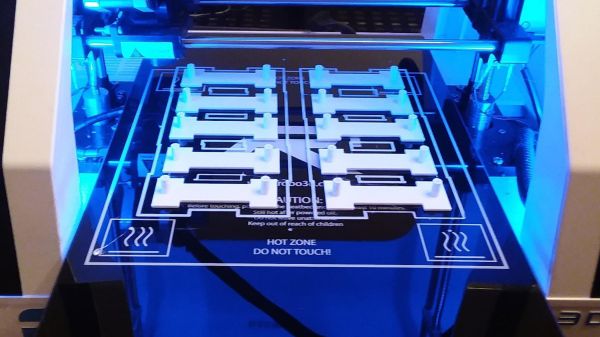
Luckily for us, we live in a world where you can press a button and have a magical robot on your desktop build things for you. Online model repositories like Thingiverse and YouMagine are full of designs for printable PCB vises, all you have to do is pick one. After looking through a number of them I eventually decided on a model designed by [Delph27] on Thingiverse, which I think has a couple of compelling features and more than deserves the few meters of filament it will take to add to your bench.

Of course the best part of all of this is that you can customize and improve the designs you download, which is what I’m about to do with this PCB vise!

Continue reading “Printed It: Rubber Band PCB Vise”

Making Prints More Resilient With Fibre-Filled Filament

For all that we love 3D printers, sometimes the final print doesn’t turn out as durable as we might want it to be.

Aiming to mimic the properties of natural structures such as wood, bone, and shells, a research team lead by [Jennifer A. Lewis] at Harvard John A. Paulson School of Engineering and Applied Sciences’ Lewis Lab have developed a new combined filament and printing technique which they call rotational 3D printing.

Minuscule fibres are mixed in with the epoxy filament and their controlled orientation within the print can reinforce the overall structure or specific points that will undergo constant stresses. To do so the print head is fitted with a stepper motor, and its precisely programmed spin controls the weaving of the fibres into the print. The team suggests that they would be able to adapt this tech to many different 3D printing methods and materials, as well as use different materials and printed patterns to focus on thermal, electrical, or optical properties.

Be it adding carbon nano-tubes or enlisting the expertise of spiders to refine our printed materials, we’re looking forward to the future of ever stronger prints. However, that doesn’t mean that existing methods are entirely lacking in endurance.

[Thanks for the tip, Qes!]

3D Printed Desk Harnesses The Power Of Fusion 360 And McMaster-Carr

Black pipe furniture is all the rage now, and for good reason — it has a nice industrial aesthetic, it’s sturdy, and the threaded fittings make it a snap to put together. But if you’ve priced out the fittings lately, you know that it’s far from cheap, so being able to 3D-print your own black pipe fittings can make desks and tables a lot more affordable.

Cheapness comes at a price, of course, and [Vladimir Mariano] takes pains to point out that his desk is a light-duty piece that would likely not stand up to heavy use. But since the flange fittings used to connect the plywood top to the legs and as feet would cost about $64 all by themselves from the local home center, printing them made sense. Together with custom pieces to mount stretchers between the legs, the 3D-printed parts made for a decently sturdy base.

But the end product isn’t the main point of the video below. Thanks to the ability to browse the McMaster-Carr catalog from within Fusion 360, [Mariano] was able to seamlessly import the CAD model of a suitable iron flange and quickly modify it to his needs. The power of this feature is hard to overstate; you can literally browse through a catalog of engineered parts and print usable replicas instantly. Sure, it’s not made of metal, but it’s a huge boon to designers to be able to see how the final product would look, especially in the prototyping phase of a project.

Not familiar with McMaster-Carr? It’s an engineer’s online playground, and we covered the ins and outs of doing business with McMaster a while back.

Continue reading “3D Printed Desk Harnesses The Power Of Fusion 360 And McMaster-Carr”

ESP8266 Beacon Announces Your Arrival

It used to be people were happy enough to just have to push a button in their car and have the garage door open. But pushing a button means you have to use your hands, like it’s a baby toy or something. We’re living in the 21st century, surely there must be a better way! Well, if you’ve got a home automation system setup and a spare ESP8266 laying around, [aderusha] may have your solution with MQTTCarPresence.

The theory of operation here is very clever. The ESP8266 is powered via the in-dash USB port, which turns on and off with the engine. When the engine is started, the ESP8266 is powered up and immediately connects to the WiFi network and pushes an MQTT message to Home Assistant. When Home Assistant gets the notification that the ESP8266 has connected, it opens the garage door.

When [aderusha] drives out of the garage and away from the house, the ESP8266 loses connection to the network, and Home Assistant closes the door. The same principle works when he comes home: as the car approaches the house it connects to the network and the garage door opens, and when the engine is shut off in the garage, the door closes again.

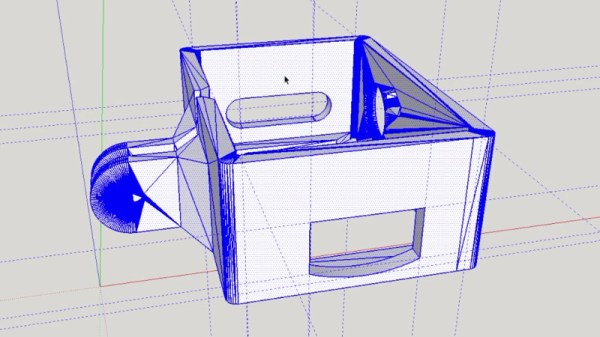
The hardware side of the setup is really just a WeMos D1 mini Pro board, though he’s added an external antenna to make sure the signal gets picked up when the vehicle is rolling up. He’s also designed a very slick 3D printed case to keep it all together in a neat little package.

We’ve covered automated entry systems based on the ESP8266 before, though usually the ESP stays at home. Be sure to check out the awesome series [Elliot Williams] has on the wonders of MQTT if you’re looking to setup your own automation system.

Trio Of Tips For A Cetus Printer

Thanks to the holiday gifting cycle, many homes are newly adorned with 3D printers. Some noobs are clearly in the “plug and play” camp, looking for a user experience no more complicated than installing a new 2D printer. But most of us quickly learn that adding a dimension increases the level of difficulty substantially, and tinkering ensues.

One such tinkerer, [Marco Reps], has been taking his new Cetus 3D printer to new places, and his latest video offers a trio of tips to enhance the user experience of this bare-bones but capable printer. First tip: adding a heated bed. While the company offers a heated aluminum bed for ABS and PETG printing at a very reasonable price, [Marco] rolled his own. He bolted some power resistors to the aluminum platen, built a simple controller, and used the oversized stock power supply to run everything.

To contain the heat, tip two is an enclosure for the printer. Nothing revolutionary here — [Marco] just built a quick cover from aluminum profiles and acrylic.

But the clear case allows for tip number three, the gem of this video: synchronized time-lapse photography. Unhappy with the jerky time-lapse sequences that are standard fare, he wrote a Python program that uses OpenCV to compare webcam frames and save those that are similar to the last saved frame. This results in super smooth time-lapse sequences that make it look like the print is being extruded as a unit. Pretty neat stuff.

Did you find a 3D printer under your Festivus Pole, and now you’re wondering what’s next? Check out [Tom Nardi]’s guide for 3D newbies for more tips.

Continue reading “Trio Of Tips For A Cetus Printer”

A Modern Take On The Crystal Radio

We’ll admit that [3DSage] has a pretty standard design for a crystal radio. What we liked, though, was the 3D printed chassis with solderless connections. Of course, the working pieces aren’t 3D printed — you need an earphone, a diode, and some wire too. You can see the build and the finished product in the video below.

Winding the coil is going to take awhile, and the tuning is done with the coil and capacitance built into the tuning arrangement so you won’t have to find a variable capacitor for this build. There is a picture of the radio using a razor blade point contact with a pencil lead, so if you want to really scrimp on the diode, that works too, and you can see how at the end of the video.

We did like the use of cord ends from a sewing and craft supply store to serve as solderless springs. This would be a great item to print off a few dozen copies and use it for a school or youth group activity. You might want to pair it with an AM transmitter, though so the kids won’t be dismayed at what is playing on AM in most markets. [3DSage] uses a sink for ground — literally a kitchen sink. However, if you try this, make sure all the pipes are metal or you won’t get a good ground and you probably won’t pick up any stations.

We’d like to get some of those springs and make some other kind of starter projects with them like the kits many of us had as kids. This reminded us of the old foxhole radios, found during World War II.

Continue reading “A Modern Take On The Crystal Radio”

Recreating The Radio From Portal

If you’ve played Valve’s masterpiece Portal, there’s probably plenty of details that stick in your mind even a decade after its release. The song at the end, GLaDOS, “The cake is a lie”, and so on. Part of the reason people are still talking about Portal after all these years is because of the imaginative world building that went into it. One of these little nuggets of creativity has stuck with [Alexander Isakov] long enough that it became his personal mission to bring it into the real world. No, it wasn’t the iconic “portal gun” or even one of the oft-quoted robotic turrets. It’s that little clock that plays a jingle when you first start the game.

Alright, so perhaps it isn’t the part of the game that we would be obsessed with turning into a real-life object. But for whatever reason, [Alexander] simply had to have that radio. Of course, being the 21st century and all his version isn’t actually a radio, it’s a Bluetooth speaker. Though he did go through the trouble of adding a fake display showing the same frequency as the one in-game was tuned to.

The model he created of the Portal radio in Fusion 360 is very well done, and available on MyMiniFactory for anyone who might wish to create their own Aperture Science-themed home decor. Though fair warning, due to its size it does consume around 1 kg of plastic for all of the printed parts.

For the internal Bluetooth speaker, [Alexander] used a model which he got for free after eating three packages of potato chips. That sounds about the best possible way to source your components, and if anyone knows other ways we can eat snack food and have electronics sent to our door, please let us know. Even if you don’t have the same eat-for-gear promotion running in your neck of the woods, it looks like adapting the model to a different speaker shouldn’t be too difficult. There’s certainly enough space inside, at least.

Over the years we’ve seen some very impressive Portal builds, going all the way back to the infamous levitating portal gun [Caleb Kraft] built in 2012. Yes, we’ve even seen somebody do the radio before. At this point it’s probably safe to say that Valve can add “Create cultural touchstone” to their one-sheet.

Continue reading “Recreating The Radio From Portal”