3D Printing on Inflatable Structures

3D Printed Muscle Is Inflated During Printing

Just when you think you’ve seen it all… [Fergal Coulter] over on the RepRap forums just came up with a method of 3D printing on inflatable structures — wait what?

The process uses a custom 3D printer with a paste extrusion head, and a 4th axis — with a pneumatic air supply. Using a spray deposition method, a silicone tube is formed, and then each layer is cured using a infrared light, which is also built into the system. Once the silicone is thick enough, it is then pressurized to inflate through the air-permeable mandrel. A laser then scans the shape of the inflated silicone to allow the computer to generate tool paths for the surface. Then you hit print. Simple right?

Continue reading “3D Printed Muscle Is Inflated During Printing”

Carbon fiber weaving robot!

Hackaday Prize Entry: Weaving Carbon Fiber With Industrial Robots

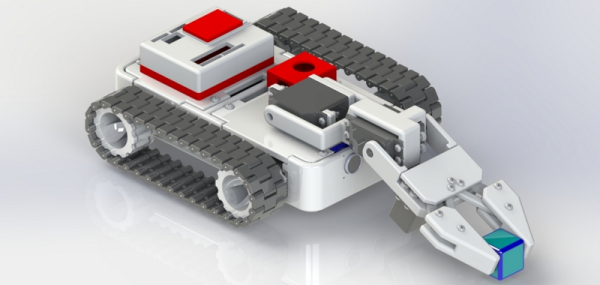
Oh to have a 6-axis robot arm to play with… For [Basia Dzaman’s] final graduation project for School of Form, she designed and 3D printed an end effect tool for an industrial KUKA robot — for weaving carbon fiber.

Through an iterative design process, she developed many prototypes of the tool until the one you see above. It’s capable of holding a Dremel multi tool which can be used to drill into a work surface for installing pegs which make up the custom weaving jig. The pegs (nails) are then installed by hand so that the robot can thread carbon fiber — fed through an epoxy bath as it is dispensed — onto the jig. In the example, she shows a traditional Polish handcraft called Snutki (a type of stitching), wrapping the carbon fiber in patterns around the pegs. Once the epoxy cures, a strong structure can be removed.

Remember the 6-axis robot that can 3D print in metal, and is currently working on 3D printing a bridge? [Basia’s] design could do similar things, for a completely different industry. You can check out [Basia]’s video for the project below.

The 2015 Hackaday Prize is sponsored by:

Continue reading “Hackaday Prize Entry: Weaving Carbon Fiber With Industrial Robots”

Free 3D printing in NY

FREE 3D Printing In New York?

Looking to prototype some of your designs for the Hackaday Prize? Miss the Shapeways Gift Card Giveaway we did? Well if you happen to live in NYC, [John Tirelli] just wrote in to tell us about a FREE 3D printing lab!

That’s right — free. They don’t even charge for materials.

And we aren’t talking about a bunch of community rickety RepRaps falling apart in someone’s college dorm, nope, this place has CAD workstations with SolidWorks licenses, industrial Stratasys printers (Fortus 250mic, SST 1200 es, and a uPrint SE Plus) — not to mention a Roland LPX-1200 DS 3D laser scanner! Oh, and they’re getting a Fortus 400 and Connex 3 Objet soon!

It’s all thanks to a grant for Haverstraw Rockland Community College, which allowed them to open up this Smart Lab.

RCC’s 3D Printing Smart Lab offers manufacturers a proof-of-concept center where they can evaluate, customize, and expedite prototypes in a sandbox environment. The Smart Lab’s services are available to New York companies free of charge. Assistance is provided by RCC staff and CAD (Computer Assisted Design) students.

How awesome is that? Sounds like you do have to be a New York Company… but you filed that LLC paperwork, right?

Continue reading “FREE 3D Printing In New York?”

glue rep strap

Wood & Glue RepStrap Works Surprisingly Well

Even with the cost of 3D Printers continually falling, entering the hobby still requires a significant investment. [Skeat] had some typical 3D Printer components available but didn’t have access to a printer for making the ever-so-common frame parts of typical RepRap designs.

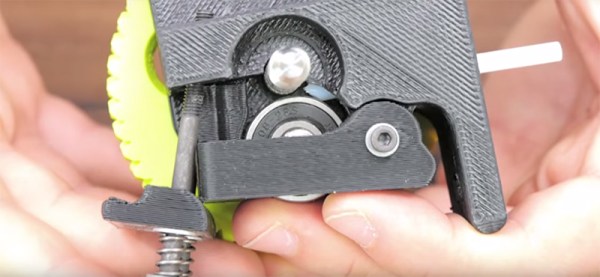
glue rep strap [Skeat’s] plan was to cobble together a printer just good enough to print out parts for another, more robust one. The frame is made from wood, a very inexpensive and available material. The frame is not screwed together and doesn’t have any alignment tabs, it’s just hand cut pieces glued together. Each portion of the frame is laid out, aligned with a carpenter’s square and then glued together. This design and assembly method was intentional as [Skeat] didn’t have access to any precision tools. He stated that the only parts of the frame that had to be somewhat precise were the motor mount holes. The assembly process is well documented to aid anyone else looking to make something similar.

In addition to the wooden frame, all of the components are glued in place. That includes the bearings, rods, limit switches and even the Z axis motor! After seeing the photos of this printer, it would be easy to dismiss it as a poor performer. The below video shows that this printer’s print quality can keep up with any hobby level machine available. We wonder if [Skeat] is rethinking making another since this one works so well.

Continue reading “Wood & Glue RepStrap Works Surprisingly Well”

semi auto bed leveling

Semi-Automatic Bed Leveling Your 3D Printer

Two of the most important prerequisites for successful 3D printing is making sure the bed is level and correctly setting the Z=0 height. Getting both of these right almost guarantees great adhesion since the first print layer is not only at the right distance from the build platform but also at a consistent distance for the entire bottom surface of the part.

Manual bed leveling is tedious, requiring the user to move the print nozzle to different points around the build platform, adjust some screws and make sure the nozzle is a piece-of-paper’s thickness higher than the platform. If you want to get complicated, there is an automatic option that probes the build platform and makes height corrections in the software. The probes come in several flavors, two common methods being a deployed mechanical switch (usually mounted to a servo) or force sensors under the build platform that sense when the nozzle touches the build platform. This method also requires some fancy firmware finesse to get working correctly.

[Jonas] posted a video showing the semi-automatic bed leveling capability of his printer. The build platform is held a bit high by springs that surround each of the 3 screws that support the bed assembly. The nozzle is moved directly over one of the 3 screws and then moved down until it noticeably presses on the build platform, compressing the support spring. A thumb wheel is then tightened at that location, locking the bed in place. The same process is performed for the other 2 support points. The result is a perfectly level build surface. Check the video out after the break to see just how quick this procedure is!

We’ve seen a somewhat similar concept that uses a clever gimbal and lock system under the bed.

Continue reading “Semi-Automatic Bed Leveling Your 3D Printer”

Etching PCBs With A 3D Printer

There are dozens of circuit board printers out there that lay down traces of conductive ink and ask you to glue down components to a fragile circuit board. This is a far cry from the old way of making PCBs, but these printers are going gangbusters, cashing in on the recent popularity of hardware startups and rapid prototyping.

People who think deeply about a problem are few and far between, but lucky for us [Arvid] is one of them. He’s come up with a way of creating PCBs with any 3D printer and steel rod. The results are better than anything you could make with a circuit board printer, and the technique is very, very cheap.

[Arvid] is using the traditional method of etching away copper, just some ferric chloride and a bit of time. How he’s masking the copper that shouldn’t be etched away is a unique process we haven’t seen before. He’s simply covering a piece of copper clad board with permanent marker, and scribing the parts he wants to be etched with a sharp steel rod attached to a 3D printer.

The G code for the printer was generated by FlatCAM, a piece of software made specifically for cutting PCBs with a mill. [Arvid]’s technique works so well that spindles and mills aren’t needed; only a sufficiently sharp instrument to scrape away permanent marker.

Thanks [Hassi] for sending this one in.

maplemaker mini v2 3d printer

MapleMaker 3D Printer Is As Printable As They Get

The term RepRap is fairly common and gets thrown around too often when generally talking about DIY 3D Printers. We must remember that the intent of the RepRap project “…is about making self-replicating machines…” and of course “…making them freely available for the benefit of everyone…“.

[MiniMadRyan] has recently designed a printer that could be considered the embodiment of the RepRap philosophy. He’s calling it the MapleMaker Mini V2. An extremely high percentage of the parts required to build this printer are, in fact, printable themselves. The frame pieces are printed, all of which can be printed on the printer thanks to the 6x8x6 inches print volume. The overall design is aesthetically pleasing, resembling that of a Lulzbot Mini.

The MapleMaker Mini V2 is self-replicating. The other part of the RepRap goal is to be free to the community. The design files are available on YouMagine and the assembly manual is better than those provided by most commercial companies. So if you’re looking to build a printer, be sure to add this one to your short list!