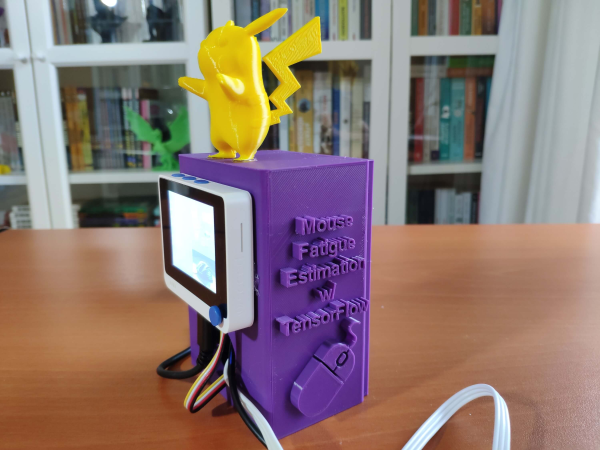
A purple 3D-printed case with an LCD screen on the front and Pikachu on top

Avoid Repetitive Strain Injury With Machine Learning – And Pikachu

The humble mouse has been an essential part of the desktop computing experience ever since the original Apple Macintosh popularized it in 1984. While mice enabled user-friendly GUIs, thus making computers accessible to more people than ever, they also caused a significant increase in repetitive strain injuries (RSI). Mainly caused by poor posture and stress, RSI can lead to pain, numbness and tingling sensations in the hand and arm, which the user might only notice when it’s too late.

Hoping to catch signs of RSI before it manifests itself, [kutluhan_aktar] built a device that allows him to track mouse fatigue. It does so through two sensors: one that measures galvanic skin response (GSR) and another that performs electromyography (EMG). Together, these two measurements should give an indication of the amount of muscle soreness. The sensor readout circuits are connected to a Wio Terminal, a small ARM Cortex-M4 development board with a 2.4″ LCD.

However, calculating muscle soreness is not as simple as just adding a few numbers together; in fact the link between the sensor data and the muscles’ state of health is complicated enough that [kutluhan] decided to train a TensorFlow artificial neural network (ANN), taking into account observed stress levels collected in real life. The network ran on the Wio while he used the mouse, pressing buttons to indicate the amount of stress he experienced. After a few rounds of training he ended up with a network that reached an accuracy of more than 80%.

[kutluhan] also designed a rather neat 3D printed enclosure to house the sensor readout boards as well as a battery to power the Wio Terminal. Naturally, the case was graced by a 3D rendition of Pikachu on top (get it? a mouse Pokémon that can paralyze its opponents!). We’ve seen [kutluhan]’s fondness for Pokémon-themed projects in his earlier Jigglypuff CO2 sensor.

Although the setup with multiple sensors doesn’t seem too practical for everyday use, the Mouse Fatigue Estimator might be a useful tool to train yourself to keep good posture and avoid stress while using a mouse. If you also use a keyboard (and who doesn’t?), make sure you’re using that correctly as well.

Continue reading “Avoid Repetitive Strain Injury With Machine Learning – And Pikachu”
An “unbusy” USB-C Port Doubles-up For JTAG Programming

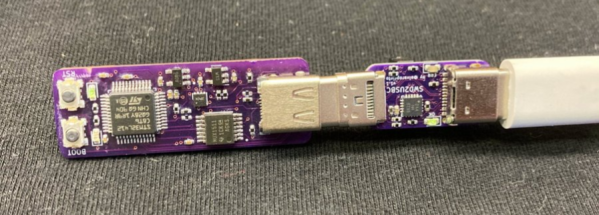
Board space is a premium on small circuit board designs, and [Alvaro] knows it. So instead of adding a separate programming port, he’s found a niche USB-C feature that lets him use the port that he’s already added both for its primary application and for programming the target microcontroller over JTAG. The result is that he no longer needs to worry about spending precious board space for a tiny programming port; the USB-C port timeshares for both!

In a Twitter thread (Unrolled Link), [Alvaro] walks us through his discovery and progress towards an encapsulated solution. It turns out that the USB-C spec supports a “Debug-Accessory Mode” specification, where some pins are allowed to be repurposed if pins CC1 and CC2 are pulled up to Logic-1. Under these circumstances, the pin functions are released, and a JTAG programmer can step in to borrow them. To expose the port to a programmer, [Alvaro] cooked up a small breakout board with a USB-C plug and separate microcontroller populated on it.

This board also handles a small quirk. Since [Alvaro’s] choice of programming pins aren’t reversible, the USB-C plug will only work one of the two ways it can be plugged in. To keep the user informed, this breakout board sports a red LED for incorrect orientation and a green LED for correct orientation–nifty. While this design quirk sacrifices reversibility, it preserves the USB 2.0 D+ and D- pins while also handling some edge cases with regard to the negotiating for access to the port.

Stick through [Alvaro]’s Twitter thread for progress pics and more details on his rationale behind his pin choices. Who knows? With more eyes on the USB-C feature, maybe we’ll see this sort of programming interface become the norm?

[Alvaro] is no stranger to Hackaday. In fact, take a tour back to our very first Supercon to see him chat about shooting lasers at moving targets to score points on a DEFCON challenge in the past

Inputs Of Interest: Canadian MCM/70 Was Kinda Like The First Cyberdeck

Not to start a debate in the comments or anything, but what would you say was the first microcomputer, or personal computer? We suppose the answer depends on your definition. Some would argue that the PC was born at Xerox PARC with a curious portrait-mode display and a three-button mouse, while others would say it all began in a garage in either Los Altos, California or Albuquerque, New Mexico.

If you take the term ‘computer’ to mean that which can crunch big numbers fairly quickly, then the Canadian-made MCM/70 is arguably the first personal computer in that it is portable, has an alphanumeric keyboard, a display, and supports cassette storage, which could be used to extend the 8K of memory. It was an all-in-one computing solution, and it could have an optional telephone modem built in. This was a forward-thinking machine for 1974.

Continue reading “Inputs Of Interest: Canadian MCM/70 Was Kinda Like The First Cyberdeck”

Dead Mouse Reincarnated As Macropad

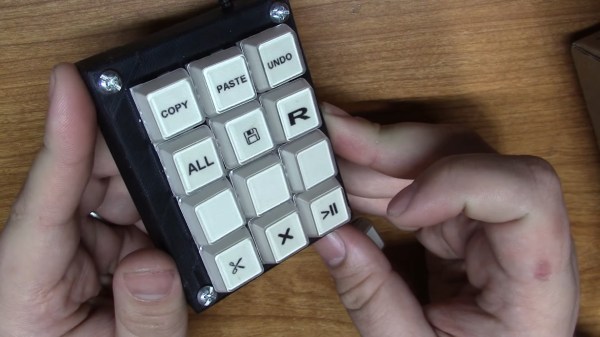
[Taylor] wanted to join the cool kids club and build a macropad for CAD work and video editing, but didn’t want to do it the traditional way with an Arduino. We can get behind that. In fact, [Taylor] wanted to reuse some old piece of tech if possible, which is even better. With a little luck, they found a used gaming mouse with a set of 12 tiny macro buttons on the side that were ripe for reuse. Only the scroll wheel was reported to be broken.

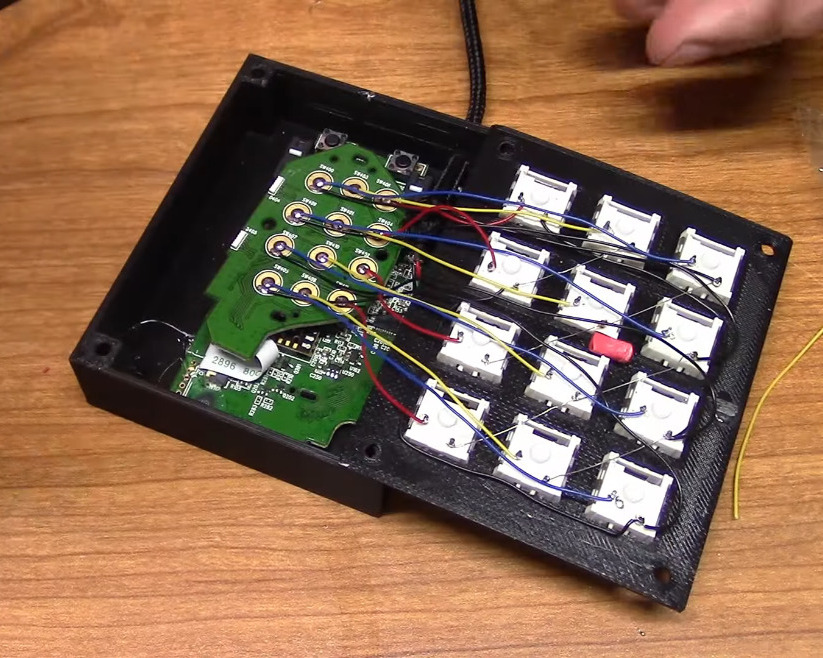
After verifying that all the macro buttons worked, [Taylor] tore down the mouse and extracted the daughterboard, then removed the sticker that held the rubber dome actuators in place. Then they wired up twelve Kailh box jades to the pads, doing some nice diagonal work with bare 30 AWG wire to join all the common pins together.

[Taylor] designed and printed a simple enclosure that’s a slim 21.5 mm tall including the switch plate, and then made a dozen keycaps to match. That was until [Taylor] remembered some relegendable keycaps they had lying around — the kind that let you print your own labels and trap them underneath clear plastic. The only problem was that they are stemmed for some cylindrical actuator, so [Taylor] designed an adapter piece so they would fit on MX-style sliders. Be sure to check out the build video after the break.

If for some reason box jades aren’t clicky and satisfying enough for you, try making your own maglev Hall-effect switches. These days, you even have design options.

Continue reading “Dead Mouse Reincarnated As Macropad”

CX-6000 Pen Plotter Upgrade

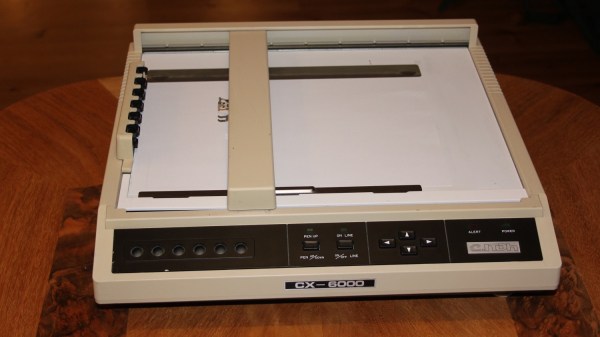
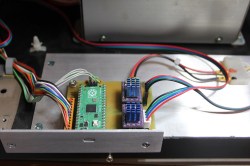
[Terje Io] decided to breathe new life into an old pen plotter — the CX6000 from C. Itoh, a Japanese company that made several printers for Apple in the 1980s. He keeps most of the framework, but the electronics get a major overhaul. The old motors are replaced, the controller and motor drivers are modernized using a Raspberry Pi Pico and stepper motor drivers. After tending to other auxiliary electronics like the control panel and limit switches, it’s time to deal with the firmware.

Rather than reinvent the wheel, [Terje] sensibly built upon existing projects and refactored them for his application. G-Code processing is done by grblHAL, with an added mode to handle HPGL code. He modified the firmware from Motöri the Plotter project to parse HPGL, making his new CX6000+ bilingual.

We covered Motöri way back in 2009, and more recently we wrote about the Teensy Controller using grblHAL, one of the 32-bit big brothers of GRBL. Have you ever restored one of these old plotters? Or is it easier to just build your own these days?

Illustrated Kristina with an IBM Model M keyboard floating between her hands.

Keebin’ With Kristina: The One With The Ballpoint Typewriters

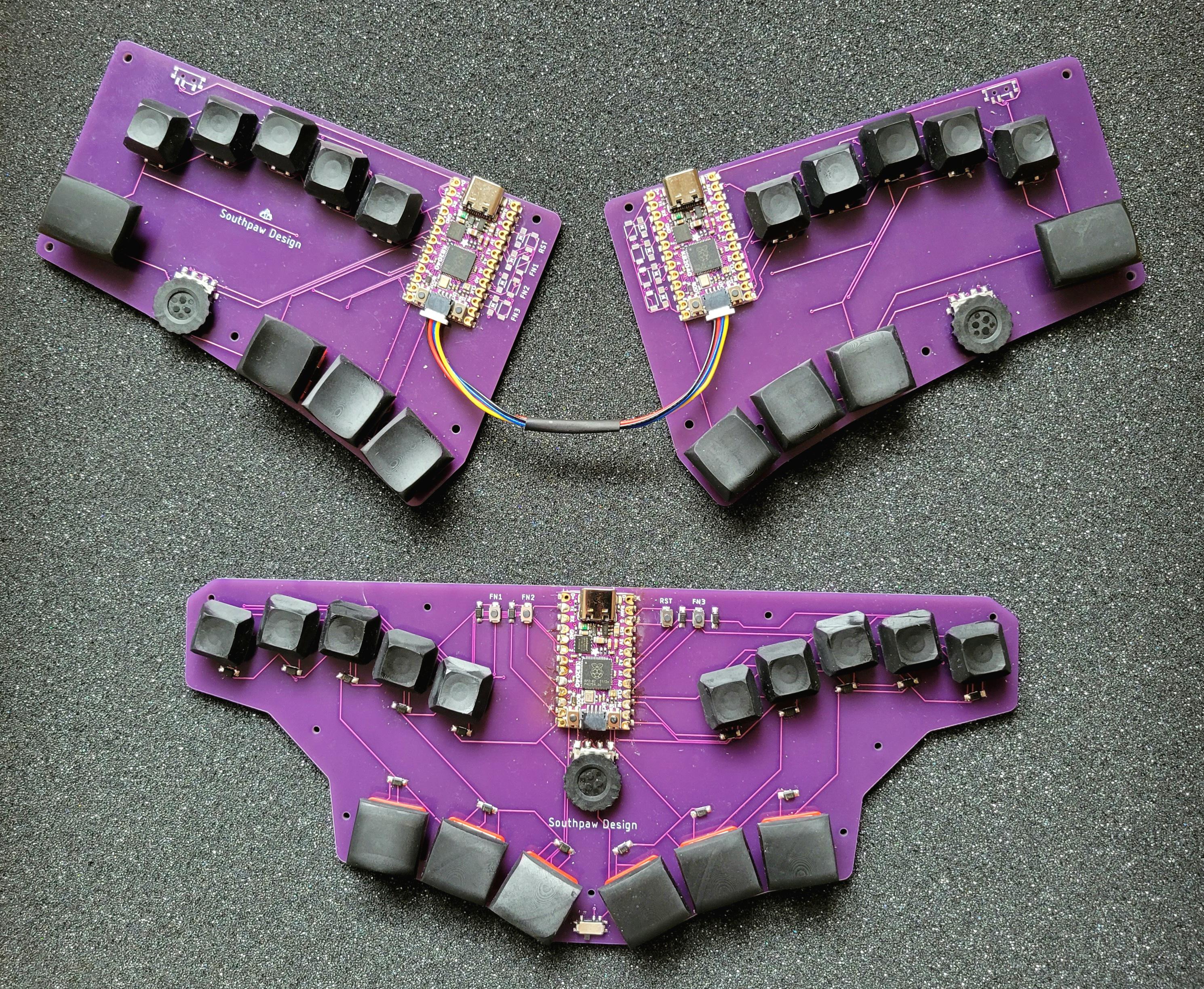
So you want to minimize finger movement when you type, but don’t have three grand to drop on an old DataHand, or enough time to build the open-source lalboard? Check out these two concept keebs from [SouthPawEngineer], which only look like chord boards.

Every key on the home row is a five-way switch — like a D-pad with straight down input. [SouthPawEngineer] has them set up so that each one covers a QWERTY column. So like, for the left pinky switch, up is Q, right is A, down is Z, and left is 1. Technically, the split has 58 keys, and the uni has 56.

Both of these keebs use KB2040 boards, which are Adafruit’s answer to the keyboard-building craze of these roaring 2020s. These little boards are of course easy to program with CircuitPython, which supports KMK, an offshoot of the popular QMK. Thanks for the tip, [foamyguy]!

Continue reading “Keebin’ With Kristina: The One With The Ballpoint Typewriters”

3D Printed Maglev Switches Are So Hot Right Now

It doesn’t happen all the time, but over the years we’ve noticed that once we feature a project, a number of very similar builds often find themselves in our tip line before too long. Of course, these aren’t copycats; not enough time has passed for some competitive maker to spin up their own version. No, most of the time it’s somebody else who was working on a very similar project in isolation, and who now for the first time realizes they aren’t alone.

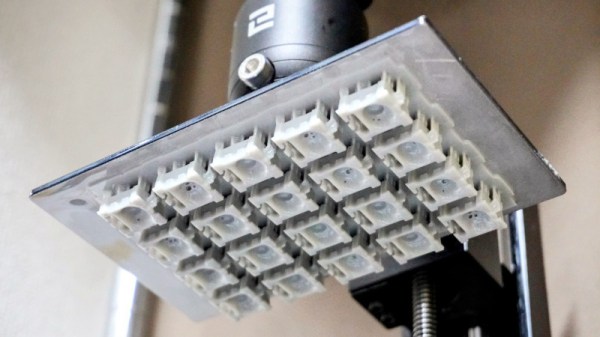
Thanks to this phenomenon we’re happy to report that yet another 3D printable magnetic levitation switch has come to light. Developed by [famichu], this take on the concept is markedly different from what we’ve seen previously, which in a way makes the whole thing even more impressive. It’s one thing for multiple hackers to develop similar projects independently of each other, as the end goal often dictates the nature of the design itself. But here we’re seeing a project that took the same core concepts and ran in a different direction. Continue reading “3D Printed Maglev Switches Are So Hot Right Now”