YouTube Like It’s 1970s France With This Minitel-VCR Mashup

When it’s not just sticking fake gears on things and calling it a day, the Steampunk look is pretty cool. Imagining technology in a world stuck with Victorian aesthetics is a neat idea, and one that translates to the look of other time periods — Fallout, anyone?

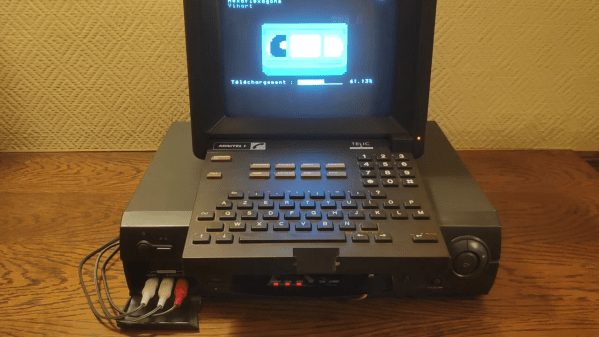
But what if you try to create a technological aesthetic based on a more recent and less celebrated time? That’s what [ghettobastler] has attempted with this somewhat bizarre Minitel-YouTube-VCR mash-up. Taking inspiration from a webcomic’s take on “Formicapunk,” modern tech based on the aesthetic of the wildly successful French videotex service of the 70s and 80s, the system uses a very cool Minitel 1B terminal and a Raspberry Pi 3.
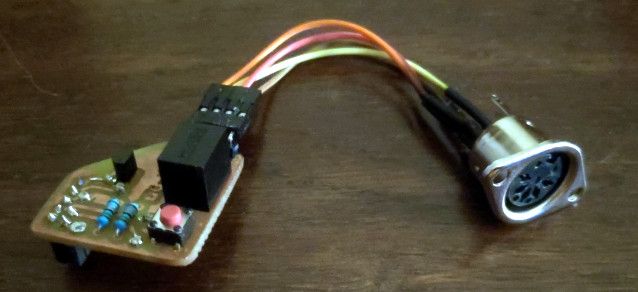
A custom level-shifter for the Pi

With the help of a level-shifting circuit, the Mintel and the Pi talk over serial, allowing the terminal to be used as, well, a terminal for the Pi. Videos are downloaded from YouTube by the Pi, which sends the video to the VCR from its composite output, and controls the VCR with an IR LED that emulates the original remote. Come to think of it, just watch the video below — it’s probably easier than trying to describe it.

It’s weird, true, but we love the look of that Minitel terminal. Something about it just screams cyberdeck; if anyone has a spare one of these, get busy and put something together for our Cyberdeck Design Contest.

Continue reading “YouTube Like It’s 1970s France With This Minitel-VCR Mashup”
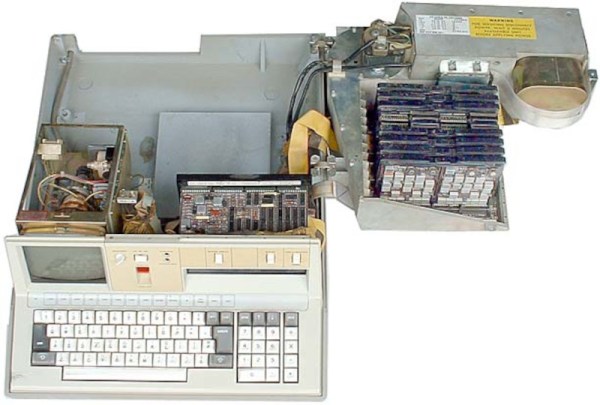
IBM’s Early PC Attracts Time Travelers

It wasn’t long ago I was nostalgic about an old computer I saw back in the 1980s from HP. It was sort of an early attempt at a PC, although price-wise it was only in reach for professionals. HP wasn’t the only one to try such a thing, and one of the more famous attempts was the company that arguably did get the PC world rolling: IBM. Sure, there were other companies that made PCs before the IBM PC, but that was the computer that cemented the idea of a computer on an office desk or at your home more than any computer before it. Even now, our giant supercomputer desktop machines boot as though they were a vintage 1981 PC for a few minutes on each startup. But the PC wasn’t the first personal machine from IBM and, in fact, the IBM 5100 was not only personal, but it was also portable. Well, portable by 1970s standards that also had very heavy video cameras and luggable computers like the Osborne 1.

The IBM 5100 had a brief three-year life from 1975 to 1978. A blistering 1.9 MHz 16-bit CPU drove a 5-inch CRT monitor and you could have between 16K and 64K of RAM along with a fair amount of ROM. In fact, the ROMs were the key feature and a giant switch on the front let you pick between an APL ROM and a BASIC ROM (assuming you had bought both).

Continue reading “IBM’s Early PC Attracts Time Travelers”

An ASCII Terminal Like It’s 1974

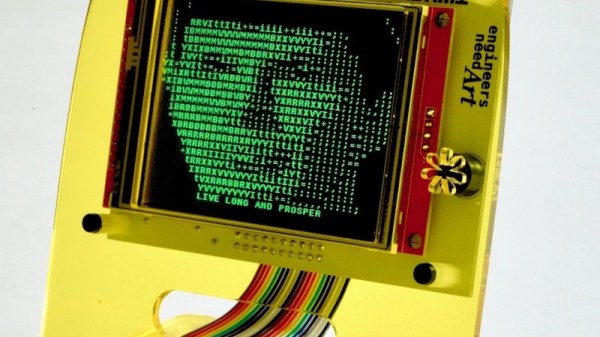
It’s quite probable that any of you who have built a keyboard will have done so using a matrix of keys connected to a microcontroller, or if you are old-school, a microprocessor. A CPU can scan the keyboard matrix with ease, and pass whatever is typed either to whatever software it is running, or to a host computer. There was a time however when available CPUs were not considered powerful enough to do all this and also perform a useful task, so a keyboard would have its own decoder chip that would output ASCII over a parallel interface. It’s an era [John Calhoun] harks back to with Adam74, a little ASCII terminal which takes its input from that 7-bit parallel port.

In the place of a forest of TTL chips which might have graced the originals, within that attractive curved laser cut acrylic case is an LCD display and a Teensy microcontroller board. There’s a level shifter for the classic 5 volt logic, and of course a small buzzer for the essential BEL character. In these days when a parallel interface is relatively rare, he describes the rediscovery of alternate earth lines in a ribbon cable to minimize cross-talk. Should you wish to try your own, everything can be found on GitHub.

All in all it’s a fun way to rediscover an old idea.

Z80 Single-Board Computer Looks Like It Could Have Been A Killer Product

Most retrocomputer builds seem to focus on either restoring old machines or rebuilding them from scratch. Either way, the goal is to get as close as possible to the original machine, and while we certainly respect those builds, there are other ways to celebrate the computers of yesterday, as this Z80 single-board computer nicely demonstrates.

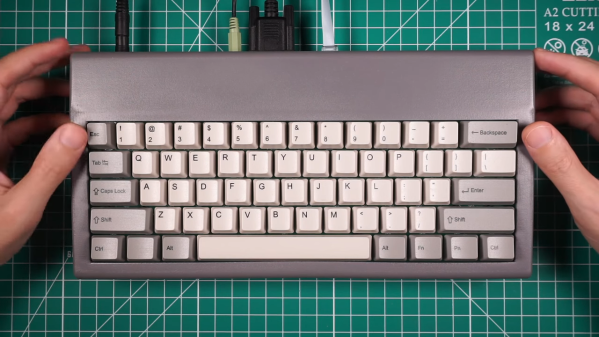
[Ivan Farafontov]’s SBC is sort of a “Z80 that never was” build, one that would almost have been possible back in the heyday of 8-bit computing, and would have made quite a splash if it had. Most of the peripheral chips are from Zilog and would have been found in many of the Z80 machines of the day, like the TRS-80 and ZX Spectrum. Where it goes off the old-school path is with the video section, which uses an Atmel CPLD chip and a dual-port RAM to drive a VGA monitor. It still looks the part, though, with a 256×192 pixel, 16-color display. The compact video section helps keep the overall footprint of this machine pretty small, at least by the standards of the old machines. The machine is barely larger than its custom keyboard, which is populated with mechanical switches and really nice-looking custom keycaps, and everything fits into a 3D-printed case.

The demo that starts at the 4:30 mark of the video below will be a nostalgia storm for a lot of readers, starting as it does with a version of Boulder Dash that [Ivan] wrote from scratch, along with the tile editor he used to create the sprites for the game. All the design files and code are available if you want to build your own, of course. We recently featured another Z80 that never was, but [Ivan]’s machine really makes a statement with its compact size and its capabilities.

Continue reading “Z80 Single-Board Computer Looks Like It Could Have Been A Killer Product”

Chips Remembered: The Scenix/Ubicom/Parallax SX

If you are a bibliophile, going to a used bookstore is a distinctly pleasant experience. Sure, you might discover an old book that you want to read. But at least some of the endorphin rush comes from seeing old friends. Not humans, but books you read years or even decades ago. Most often, you don’t buy the book — you probably have one stashed in a box somewhere. But it is a happy feeling to see an old friend and maybe thumb through it reading a passage or two among shelves of musty books. I wish we had something like that for chips. Outside of a few notable exceptions, chips tend to have a short life span of popularity and then give way to other chips. This is especially true of CPUs. One that I especially miss is the Scenix/Ubicom/Parallax SX chip.

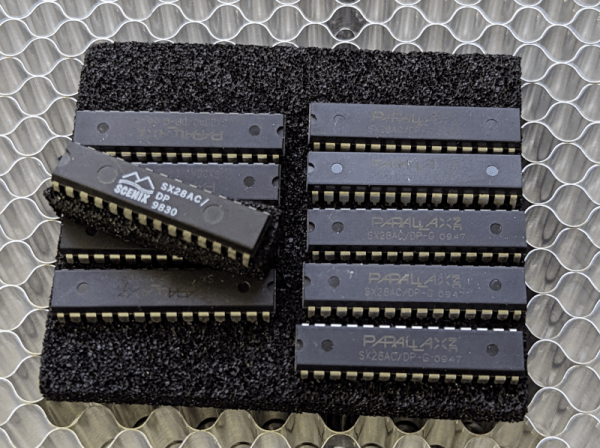
I had a bookstore-like experience with this processor the other day. I produced a few products based around these chips and I have a small stash of them left. I jealously guard the hardware needed to program them “just in case.” Well, naturally, someone needed a few for some reason so I had to dig it all up. Knowing these might be some of the last of the unprogrammed SX chips in the world made me a little nostalgic.

The Story

In the late 1990s, a company called Scenix started producing a microcontroller called the SX in a few footprint sizes. So the SX18 was, for example, an 18-pin part. By 1999, they were already in full swing with the SX18 and SX28 and they introduced the SX52.

Of course, a lot of companies produced microcontrollers. The Scenix offering was a bit special. In those days, the Microchip PIC was the king of the hill. The PIC is an odd beast that evolved from a very limited controller made to be small and inexpensive. Notably, while it could support relatively high clock frequencies — 20 MHz was common — each normal instruction took 4 clock cycles. So when your crystal said 20 MHz, you were running instructions at 5 MHz.

Continue reading “Chips Remembered: The Scenix/Ubicom/Parallax SX”

The 286 Gives Up One Of Its Final Secrets

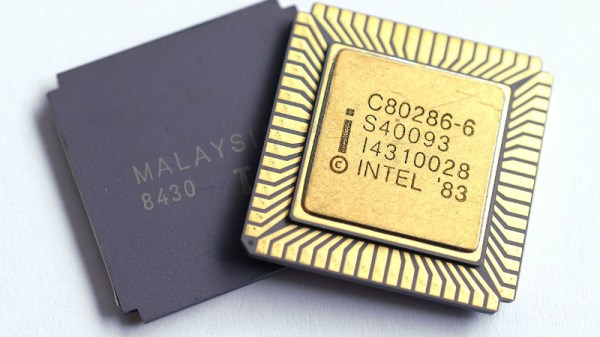
Though it is largely forgotten today, the Intel 80286 was for a while in the 1980s the processor of choice and designated successor to the 8086 in the world of PCs. It brought a new mode that could address up to 16 Mb of memory, and a welcome speed boost over machines using an 8086 or 8088. As with many microprocessors, it has a few undocumented features, and it’s a couple of these that [rep lodsb] takes a look at. Along the way we learn a bit about the 286, and about why Intel had some of these undocumented instructions in the first place.

If you used a 286 it was probably as an end-user sitting in front of a PC-AT or clone. During manufacture and testing though, the processor had need of some extra functions, both for testing the chip itself and for debugging designs using it. It’s in these fields that the undocumented instructions sit, and they relate to an in-circuit emulator, a 286 with a debug port on some of its unused pins, which would have sat on a plug-in daughterboard for systems under test. The 286 was famous for its fancy extended mode taking rather a long time to switch to, and these instructions relate to loading and saving states before and after the switch.

The 286s time as the new hotness was soon blasted away by the 386 with its support for virtual memory, so for most of us it remains as simply a faster way that we ran 8086 code for a few years. They appear from time to time here, even being connected to the internet.

286 image: Thomas Nguyen (PttNguyen.net), CC BY-SA 4.0.

Want To Use A Classic Mac Mouse On A Modern Computer? No? Here’s How To Do It Anyway

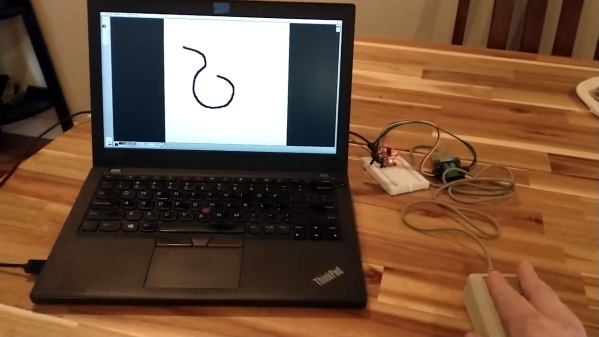
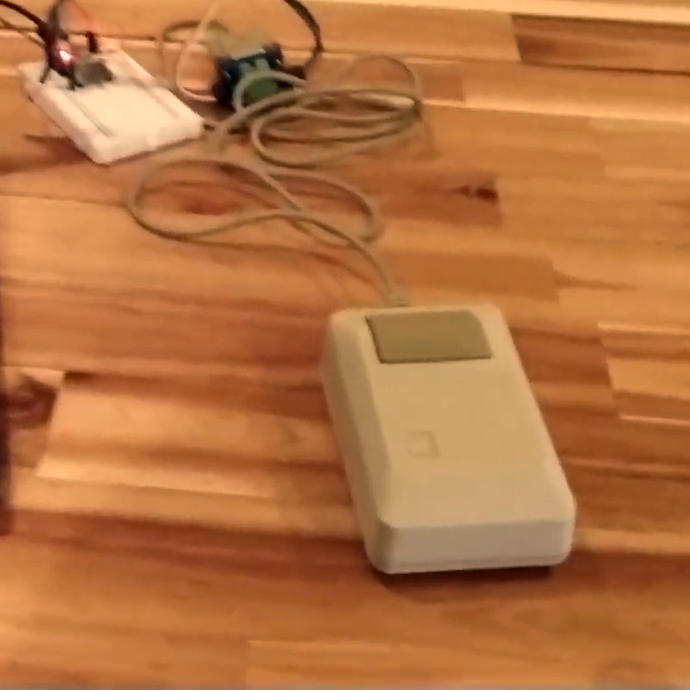
Need to hook a classic Mac mouse up to your modern machine with the help of a DIY USB adapter? [John Floren] has you covered. [John]’s solution uses a board with an ATmega32U4 microcontroller on it to connect to the Mac mouse on one end, and emulate a USB HID (Human Interface Device) on the other. A modern machine therefore recognizes it like it would any other USB input device.

Why is this necessary? The connector on the classic Mac mouse may look like a familiar DE-9 connector, but it is not an RS-232 device and wouldn’t work if it were plugged into a 9-pin serial port. The classic Mac mouse uses a different pinout, and doesn’t have much for brains on the inside. It relies on the host computer to read its encoders and button states directly.

This project is actually a bit of an update to a piece of earlier work [John] did in making a vintage Depraz mouse work with modern systems. He suspected that it wouldn’t take much to have it also work with a classic Mac mouse, and he was right — all it took was updating the pin connections and adding some pull-up resistors. The source code and design files are on GitHub.

Even if one does not particularly want to use a classic Mac mouse for daily work, there’s definitely value in this kind of thing for those who deal in vintage hardware: it allows one to function-check old peripherals without having to fire up a vintage machine.

Continue reading “Want To Use A Classic Mac Mouse On A Modern Computer? No? Here’s How To Do It Anyway”