Cybiko Repair-A-Thon With Memory Upgrade

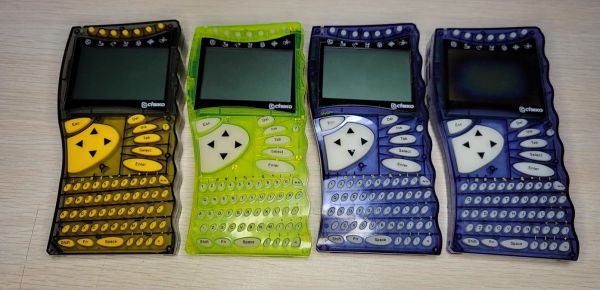
Concluding a four-part repair-a-thon on a stack of Cybiko handheld computers, [Robert] over at Robert’s Retro covered the intricate details of fixing a last batch of four in a nearly one-hour long video. These devices, with their colorful transparent cases, are a great time capsule of the early 2000s. Even with their limited hardware, they provided PDA-like capabilities to teens years before smartphones were a thing, with features including music playback and wireless chat (albeit limited to recipients within 100 meters).

Of the four units covered in this video, they are all the original Cybiko Classic, with two each of the first and second revision, none of which were booting due to a bad Flash chip. Another issue was the dead rumble motors on them, which fortunately are the easiest to replace. One of the units also has a dead display, which did not get replaced this time around.
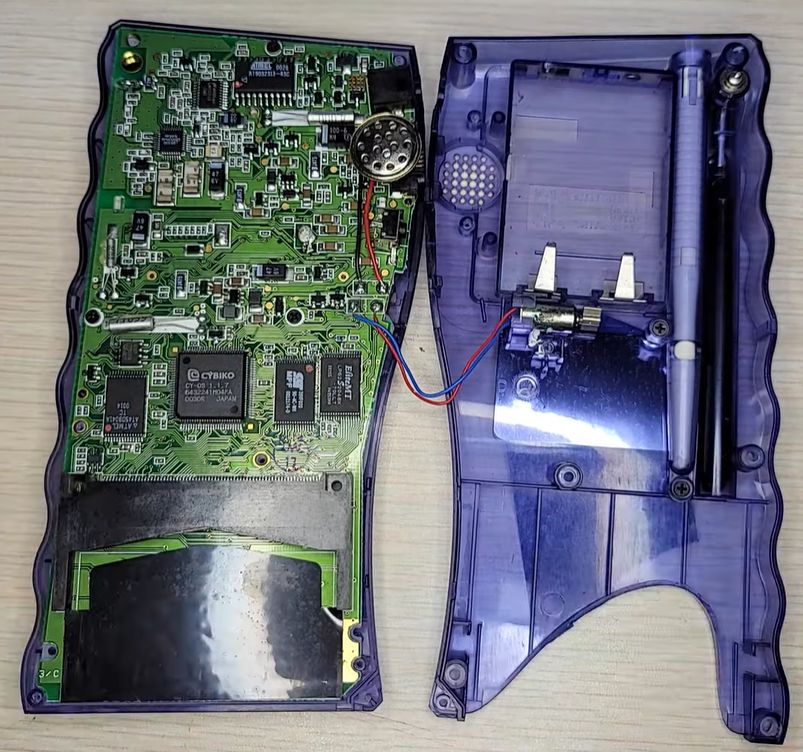
Insides of a Cybiko Classic (Credit: Robert's Retro, YouTube)
Insides of a Cybiko Classic (Credit: Robert’s Retro, YouTube)

The flash chip replacement was a bit more of a headache, as these devices don’t just take any chip, mostly due to how much the system relies on the ready-busy line. This led [Robert] to replace the old 4 Mb AT45DB041 chips with  the 16 Mb Atmel AT45DB161. Previously he had taken 1 MB chips from an expansion cartridge to replace more dead flash chips, so those were replaced with 2 MB chips.

With fresh flash in place, the next challenge was to get these written with a firmware image, with the v2 Cybiko units already having CyOS on the separate 256 kB Flash chip, but the v1 units relying on the single big Flash chip for all storage. Fortunately, an enterprising member of the community developed a tool to ease this ordeal by allowing a Cybiko unit in its serial dock to be flashed with no issues, other than the 2 MB Flash causing some issues as this was a previously unknown hardware configuration.

[Robert] now has four working Cybiko units, with one being headless due to the busted screen, and more room for apps on the 2 MB units than a 2000s teenager would have known what to do with.
Continue reading “Cybiko Repair-A-Thon With Memory Upgrade”

It’s A CoCo! No, It’s An Apple II!

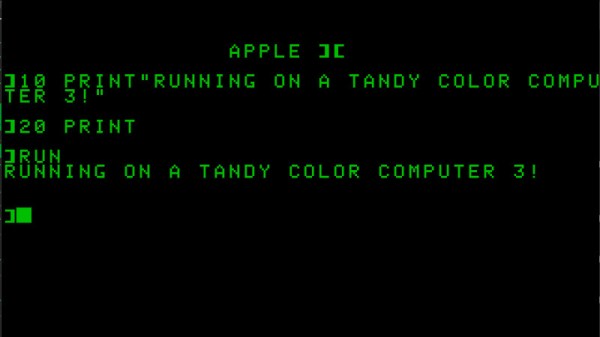
Original retrocomputing hardware is now decades old and showing its age, so the chances are it’s more common in 2024 to experience a machine from the 1970s or 1980s by way of an emulator on a modern machine than it is on the real hardware. There’s another more limited emulation scene as similar 8-bit machines emulate each other, for example when the very similar Dragon 32 and Tandy CoCo have a go at each other’s software. Rarest of them all though is when one classic machine emulates another with a different architecture, but that’s exactly what’s happened with [DragonBytes], who has persuaded a Tandy CoCo to emulate an Apple II.

The two machines have significant hardware differences, but we’re guessing that the project is helped a little by the Motorola 6809 in the CoCo and the MOS 6502 in the Apple having both in a sense been different visions of a successor to the Motorola 6800. Thus their architectures while different, are not diametrically opposed. The other hardware is certainly not so similar though, with Moto’s 6847 display chip in the Tandy being far more conventional than Steve Wozniak’s clever NTSC hacks to achieve a color display for minimal cost on the Apple.

The project is written in assembler, and doesn’t by any means claim to support all Apple modes, or be cycle accurate. But it’s a hugely impressive achievement nevertheless.

The CoCo has an enthusiastic following, and has appeared here a few times in the past. We particularly like this video player.

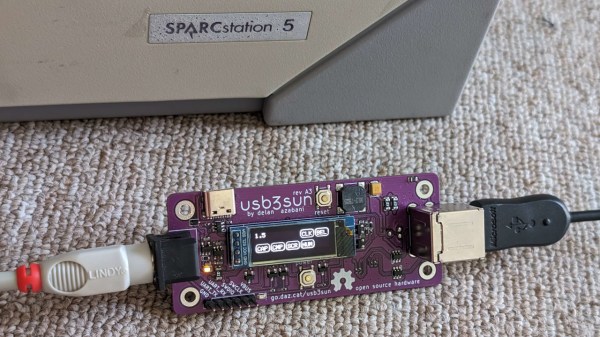
A USB3SUN adapter, connected to a SPARCstation on one end and to a keyboard on another, with the OLED screen showing status icons

An Open SPARCstation USB Keyboard&Mouse Adapter

Got a SPARCstation? You might have had to deal with the proprietary DIN port used for keyboard and mouse input. However, you need not look for outdated hardware anymore – we’ve recently found an adapter project called [usb3sun], which lets you use a regular USB keyboard and mouse instead! Designed by [delan] from [the funny computer museum], the usb3sun adapter is featureful, open-source, and even comes with four blog posts describing its inner workings and development process!

Based on a Pi Pico board, this adapter has a ton of quality of life features – an OLED screen for status display, extra USB port and headers for debugging, a buzzer to emulate bell and click functions, power LEDs, and all the ports you would expect. The OLED screen is needed just because of how many features this adapter’s firmware has, and you’re bound to get more – the [usb3sun] firmware is being actively updated to this day. It’s as if this adapter aims to do all it possibly could help you with – for instance, one of the firmware updates has added idprom reprogramming features, which, as [delan] tells us, lets you boot your workstation with a dead NVRAM battery.

You can order the adapter PCBs yourself, you can breadboard it by following detailed instructions from [delan], or you can get a fully assembled and tested [usb3sun] adapter on Tindie! This adapter will seriously help you in your SPARCstation forays, and, if you don’t happen to own a SPARCstation, you can always emulate SunOS.

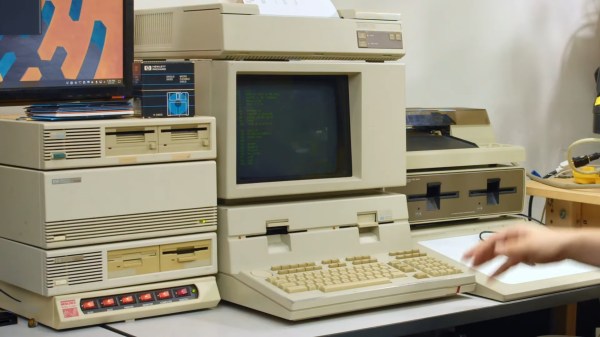
A beige computer with a CRT monitor. A black LCD sits atop a stack of 3 devices next to it and a set of power control switches (the orange light up kind). There appear to be 8 floppy drives available.

Flux Is Your Friend For Archiving Old Floppy Disks

Nothing screams retrocomputing quite like floppy drives. If you want to preserve some of your favorite computing memories like that paper you wrote about the joys of the Information Superhighway, [Shelby] from Tech Tangents has a detailed dive into how to preserve the bits off those old floppies.

Back in the day, the best way to get data off an old drive was to fire up an old computer. Now, with new devices specifically designed for harvesting data off of old floppies like the KryoFlux and the Greaseweazle, you can get the full flux map of the disk. With this, you can build binary image files and actually pull files and duplicate disks from vintage systems.

Some systems, like PCs, Macs, and Commodores are well-understood and are simple to preserve, while others take quite a bit of work to figure out. [Shelby] walks us through some of the more common disk formats as well as some real oddballs like Microsoft Adventure which features inconsistent formatting as a form of early DRM (boo).

Want to do your own preservation? We’ve covered a couple different methods in the past.

Continue reading “Flux Is Your Friend For Archiving Old Floppy Disks”

Wire Wrap Odyssey: A 7400-series Homebrew 8-bit Computer

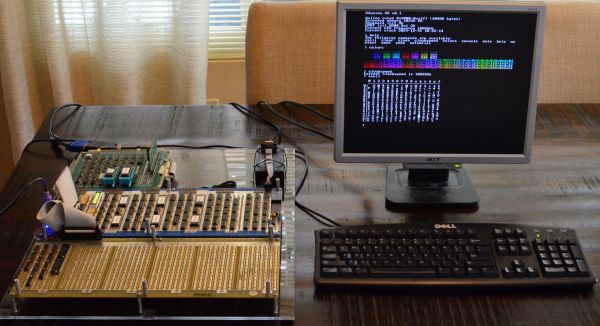
The Wire Wrap Odyssey's first Hello World from the CPU module, here hooked up to a logic analyzer in July of 2020. (Credit: Paul Krizak)
The Wire Wrap Odyssey’s first Hello World from the CPU module, here hooked up to a logic analyzer in July of 2020. (Credit: Paul Krizak)

As part of his computer science curriculum at Texas A&M University in the early 2000s, [Paul Krizak] took a computer architecture course on the basics of their functioning. This and being exposed to dozens of homebuilt computer projects inspired him to begin building his own 8-bit computer in 2010, which eventually grew into the Wire Wrap Odyssey. This name covers both the primary construction method chosen around 2019 in the form of wire-wrapped connections, as well the harrowing journey to reach this point with a functioning computer system despite many choices and setbacks.

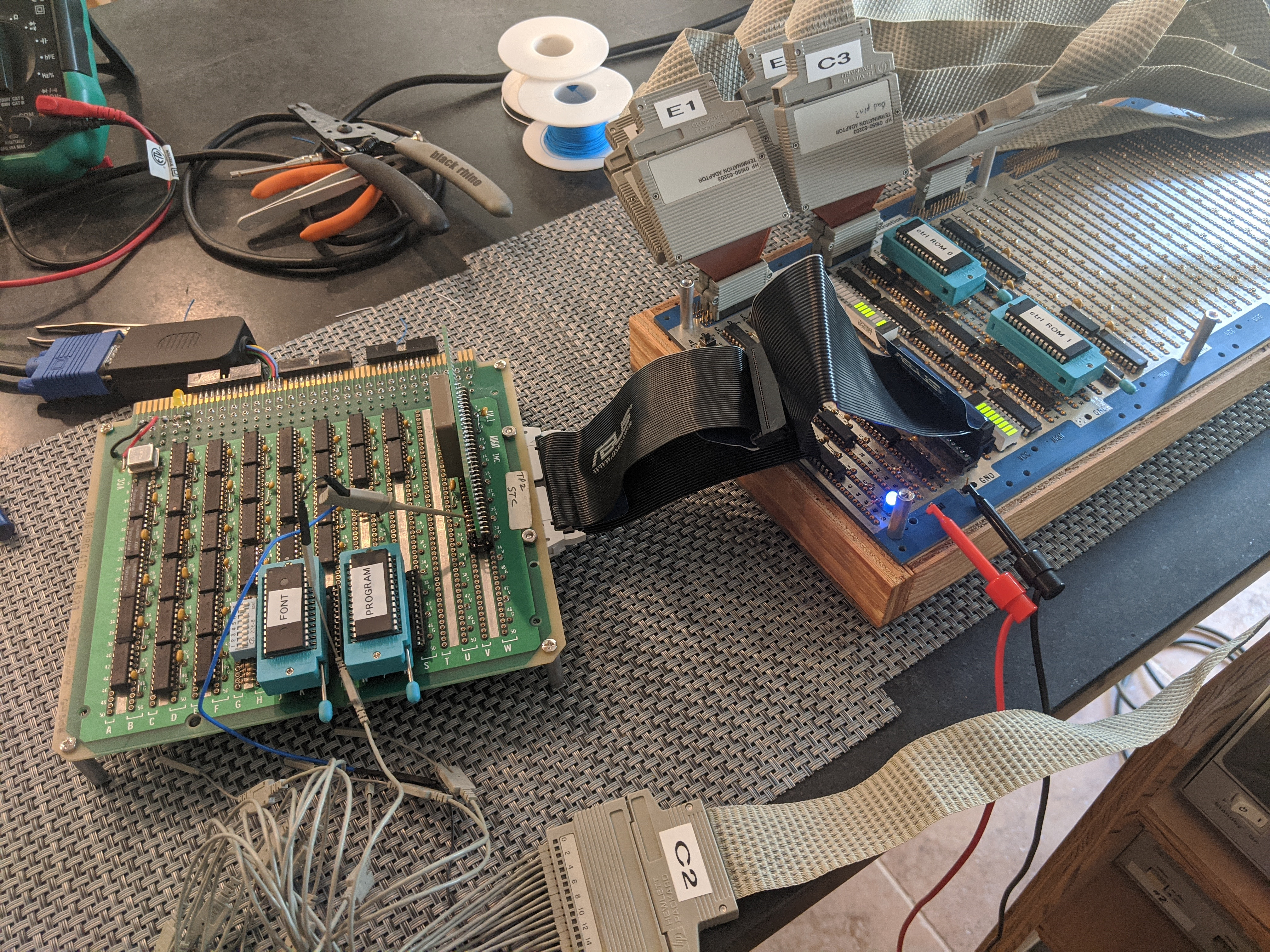
The Odyssey CPU is an 8-bit microcoded design with 16-bit address bus, using mostly 74HC-series logic. A VGA graphics card is also part of the design, which can output a 640×480 text display, with character glyphs read from the system ROM (32 kB AT28C256). As for the RAM, this is an extravagant 32 kB dual-port SRAM (Renesas 7007), which also allows both the CPU and video card to use the same SRAM. Currently the system has four peripherals: a PS/2 keyboard controller, an RTC and timer (DS1511Y+), 82C52 UART and 1 MB of extended RAM, but an ATA port and parallel port are in development.

Perhaps the most impressive part about this product is the level of documentation, from the early stages including paper doodles to the current state of the system, including the GitHub repository for the software. [Paul] was also an exhibitor at the Vintage Computing Festival (VCF) SoCal recently with his Wire Wrap Odyssey, where he was able to show off the progress so far. Next year he hopes to visit VCF SoCal again, with the remaining planned peripherals implemented.

Joost Bürgi And Logarithms

Logarithms are a common idea today, even though we don’t use them as often as we used to. After all, one of the major uses of logarithms is to simplify computations, and computers do that just fine (although they might use logs internally). But 400 years ago, doing math was painful. Enter Joost Bürgi. According to [Welch Labs], his book of mathematical tables should have changed math forever. But it didn’t.

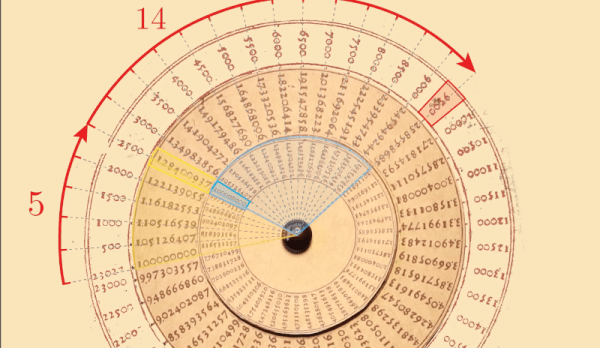
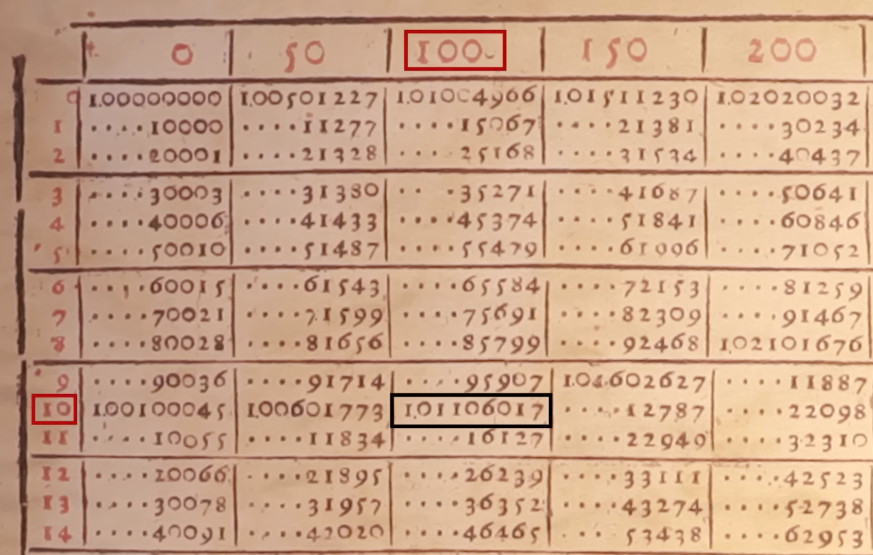
If you know how a slide rule works, you’ll find you already know much of what the video shows. The clockmaker was one of the people who worked out how logs could simplify many difficult equations. He created a table of 23,030 “red and black” numbers to nine digits. Essentially, this was a table of logarithms to a very unusual base: 1.0001.

Why such a strange base? Because it allowed interpolation to a higher accuracy than using a larger base. Red numbers are, of course, the logarithms, and the black numbers are antilogs. The real tables are a bit hard to read because he omitted digits that didn’t change and scaled parts of it by ten (which was changed in the video below to simplify things). It doesn’t help, either, that decimal points hadn’t been invented yet.

What was really impressive, though, was the disk-like construct on the cover of the book. Although it wasn’t mentioned in the text, it is clear this was meant to allow you to build a circular slide rule, which [Welch Labs] does and demonstrates in the video.

Unfortunately, the book was not widely known and Napier gets the credit for inventing and popularizing logarithms. Napier published in 1614 while Joost published in 1620. However, both men likely had their tables in some form much earlier. However, Kepler knew of the Bürgi tables as early as 1610 and was dismayed that they were not published.

While we enjoy all kinds of retrocomputers, the slide rule may be the original. Want to make your own circular version? You don’t need to find a copy of this book.

Continue reading “Joost Bürgi And Logarithms”

A Deep Dive Into A 1980s Radio Shack Computer Trainer

For those of us who remember Radio Shack as more than just an overpriced cell phone store, a lot of the nostalgia for the retailer boils down to the brands on offer. Remember the Realistic line of hi-fi and stereo gear? How about Archer brand tools and parts? Patrolman scanners, Micronta test instruments, and don’t forget those amazing Optimus speakers — all had a place in our development as electronics nerds.

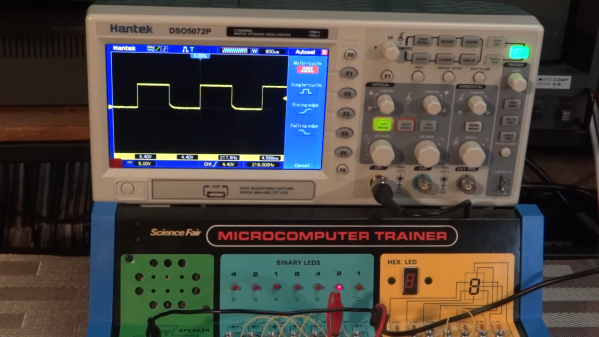
But perhaps the most formative brand under the Radio Shack umbrella was Science Fair, with a line of kits and projects that were STEM before STEM was a thing. One product that came along a little too late for our development was the Science Fair Microcomputer Trainer, and judging by [Michael Wessel]’s deep dive into the kit, we really missed the boat. The trainer was similar to the earlier “100-in-1”-style breadboarding kits, with components laid out on a colorful cardboard surface and spring terminals connected to their leads, making it easy to build circuits using jumper wires. The star of the show in the microcomputer trainer was a Texas Instruments TMS1100, which was a pretty advanced chip with a 4-bit CPU with its own ROM and RAM as well as a bunch of IO lines. The trainer also sported a peppy little 400-kHz crystal oscillator clock, a bunch of LEDs, a seven-segment display, a speaker, and a rudimentary keyboard.

The first video below is a general introduction to the trainer and a look at some basic (not BASIC) programs. [Michael] also pulls out the oscilloscope to make some rough measurements of the speed of the TMS1100, which turns out to be doing only about 400 instructions per second. That’s not much, but in the second video we see that it was enough for him to nerd-snipe his collaborator [Jason] into coding up an 80-nibble Tower of Hanoi solver. It’s a little awkward to use, as the program runs in spurts between which the user needs to check memory locations to see which disc to move to which peg, but it works.

It looks like people are rediscovering the Microcomputer Trainer all of a sudden. It might be a good time to pick one up.

Continue reading “A Deep Dive Into A 1980s Radio Shack Computer Trainer”