Interactive Demo Shows The Power Of Fourier Transforms

When it comes to mathematics, the average person can probably get through most of life well enough with just basic algebra. Some simple statistical concepts would be helpful, and a little calculus couldn’t hurt. But that leaves out a lot of interesting mathematical concepts that really do have applications in everyday life and are just plain fascinating in their own right.

Chief among these concepts is the Fourier transform, which is the key to understanding everything from how JPEGs work to how we can stream audio and video over the Internet. To help get your mind around the concept, [Jez Swanson] has this interactive Fourier transform visualizer that really drives home the important points. This is high-level stuff; it just covers the basic concepts of a Fourier transform, how they work, and what they’re good for in everyday life. There are no equations, just engaging animations that show how any function can be decomposed into a set of sine waves. One shows the approximation of a square wave with a slider to control to vary the number of component sine waves; a button lets you hear the resulting sound getting harsher as it approaches a true square wave. There’s also a great bit on epicycles and SVGs, and one of the best introductions to encoding images as JPEGs that we’ve seen. The best part: all the code behind the demos is available on GitHub.

In terms of making Fourier transform concepts accessible, we’d put [Jez]’s work right up there with such devices as the original Michelson harmonic analyzer, or even its more recent plywood reproduction. Plus the interactive demos were a lot of fun to play with.

[via the Adafruit blog]
WOPR: Security Loses Some Of Its Obscurity

As we’ve seen time and time again, the word “hacker” takes on a different meaning depending on who you’re talking to. If you ask the type of person who reads this fine digital publication, they’ll probably tell you that a hacker is somebody who likes to learn how things work and who has a penchant for finding creative solutions to problems. But if you ask the average passerby on the street to describe a hacker, they might imagine somebody wearing a balaclava and pounding away at their laptop in a dimly lit abandoned warehouse. Thanks, Hollywood.

The “Hollywood Hacker” Playset

Naturally, we don’t prescribe to the idea of hackers being digital villains hell-bent on stealing your identity, but we’ll admit that there’s something of rift between what we call hacking versus what happens in the information security realm. If you see mention of Red Teams and Blue Teams on Hackaday, it’s more likely to be in reference to somebody emulating Pokemon on the ESP32 than anything to do with penetration testing. We’re not entirely sure where this fragmentation of the hacking community came from, but it’s definitely pervasive.

In an attempt bridge the gap, the recent WOPR Summit brought together talks and presentations from all sections of the larger hacking world. The goal of the event was to show that the different facets of the community have far more in common than they might realize, and featured a number of talks that truly blurred the lines. The oscilloscope toting crew learned a bit about the covert applications of their gadgets, and the high-level security minded individuals got a good look at how the silicon sausage gets made.

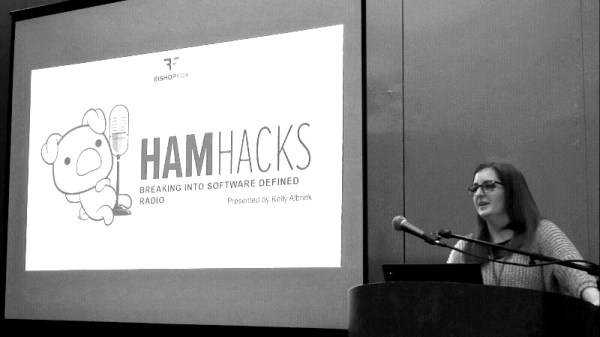
Two of these talks which should particularly resonate with the Hackaday crowd were Charles Sgrillo’s An Introduction to IoT Penetration Testing and Ham Hacks: Breaking into Software Defined Radio by Kelly Albrink. These two presentations dealt with the security implications of many of the technologies we see here at Hackaday on what seems like a daily basis: Bluetooth Low Energy (BLE), Software Defined Radio (SDR), home automation, embedded Linux firmware, etc. Unfortunately, the talks were not recorded for the inaugural WOPR Summit, but both presenters were kind of enough to provide their slides for reference.

Continue reading “WOPR: Security Loses Some Of Its Obscurity”

Grabbing The Thread: Spinlocks Vs Mutexes

Getting into the weeds of operating systems is daunting work. Especially when the operating system involved is a fully featured modern PC operating system with millions of lines of code all working together to integrate hardware and software seamlessly. One such operating system “weed” is figuring out how to handle simultaneous tasks when the processor can only really handle one thing at time. For that, you’ll be looking at the difference between spinlocks and mutexes.

Both of these are methods of making sure that the processor completes a task sufficiently before moving on to the next task. Modern computers are so fast (even ignoring multiple cores) that it seems as if they are doing many things at once. In order to maintain this illusion, tasks need ways of locking the processor to that specific task for a certain amount of time. Of course the queue for performing the next task can get complicated as there are often many tasks waiting to use processor time. Spinlocks are a simple way of holding the processor and mutexes are a slightly more complicated way, but which one is the most efficient use of system resources isn’t that straightforward.

If you’ve ever been interested in operating system details, this one goes deep into the intricacies of features most of us have never even considered the existence of. It’s definitely worth a read, though, and is very well written by someone who is clearly an expert. If you want an operating system challenge, you can build your own operating system as well.

Get Moving With New Software From OpenBuilds

If you’re reading Hackaday, you’ve probably heard of OpenBuilds. Even if the name doesn’t sound familiar, you’ve absolutely seen something on these pages that was built with their components. Not only is OpenBuilds a fantastic place to get steppers, linear rails, lead screws, pulleys, wheels, and whatever else you need to make your project go, they’re also home to an active forum of people who are passionate about developing open source machines.

As if that wasn’t enough reason to head over to the OpenBuilds website, [Peter Van Der Walt] recently wrote in to tell us about some new free and open source software he and the team have been working on that’s designed to make it easier than ever to get your creations cutting, lasing, milling, and whatever else you could possibly imagine. If you’ve got a machine that moves, they’ve got some tools you’ll probably want to check out.

BlackBox CNC controller

“OpenBuilds CAM” is a web-based tool which imports SVG and DXF files and creates toolpaths for all sorts of cutting, whether your machine does the business using a beam of angry photons or a simple drag knife. The resulting GCode can then be plugged into “OpenBuilds CONTROL”, which as you may have guessed, does the actual controlling of the piece of hardware connected to your computer. There’s no worries about vendor lock in here either, CONTROL will talk to any Grbl-compatible board.

But what if you don’t have a board? Well, it just so happens that OpenBuilds offers a very slick new piece of gear they’re calling the BlackBox. This beefy CNC controller includes a laundry list of features that [Peter] says the team is very excited about, including stepper drivers powerful enough to run NEMA 23 motors. As an interesting note, they’ve actually made the enclosure for the BlackBox out of cleverly solder masked PCBs; a fantastic trick we don’t see often enough.

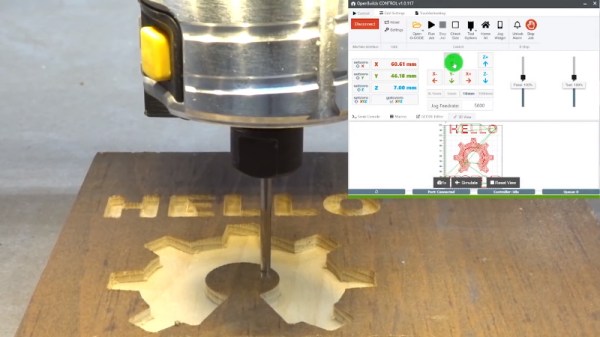
The video after the break shows the CNC router version of “Hello World” using CAM and CONTROL, and should give you a pretty good idea of the typical workflow. If it looks familiar to you, it might be from our previous coverage of LaserWeb, a similar web-based project spearheaded by [Peter Van Der Walt] a few years back. Continue reading “Get Moving With New Software From OpenBuilds”

Show Your Skills With A Bootable CV

It’s a thankless task, searching for a job. You send off your CV, or resume, and it joins a thousand other destined for the round file. What on earth can you do to make your career stand out, and catch the eye of the recruiter?

Your bootable CV isn't eye-catching if the recruiter uses GitHub to view the PDF.
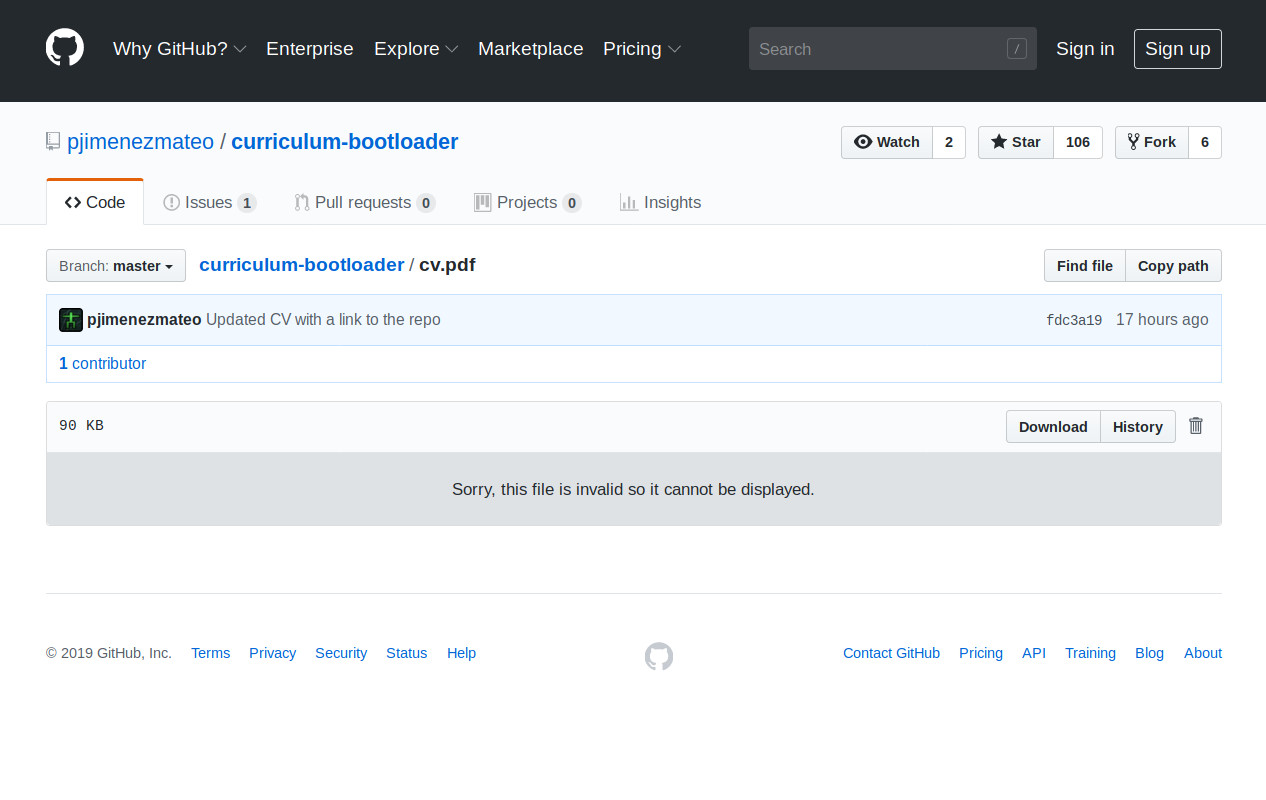
Your bootable CV isn’t eye-catching if the recruiter uses GitHub to view the PDF.

If you are [Pablo Jiménez Mateo], the answer is straightforward enough. Simply combine the document as a PDF with an x86 bootloader, to make a readable document that will also boot an x86 computer system. He can do this relatively easily by prepending the bootloader file to the PDF, as long as the “%PDF” header of the CV remains within the first 1024 bytes it will remain a readable document. Which it does, though as our GitHub screenshot shows, not in all PDF readers.

A bootable PDF is pretty cool and we have to salute his effort in getting it in front of us in the hope of  career boost, but it would be fair to admit that it’s a trick that has been done before. So it’s time to turn attention to the bootloader itself, whose code comes in the form of an extremely well-commented assembly file that loads some sprites and a border to a VGA screen that looks as though it might be the first room in a top-down adventure game. Through the code we can gain an appreciation of just how simple a bootloader can be, and that in itself makes this project worth a second look.

If writing your own bootloader interests you, that’s certainly a subject we’ve covered in the past. It’s possible to make bootable images very small indeed, even down to fitting in a Tweet.

The Raspberry Pi Cluster From Outer Space

We see a lot of weird and esoteric stuff here at Hackaday, but even by our standards, Bell Lab’s Plan 9 operating system is an oddball. Named after the science fiction film Plan 9 from Outer Space, it was designed to extend the UNIX “everything is a file” mentality to the network. It envisioned a future where utilizing the resources of another computer would be as easy as copying a file. But as desktop computers got more powerful the idea seemed less appealing, and ultimately traditional operating systems won out. Of course, that doesn’t mean you still can’t play around with it.

Logically to make use of a distributed operating system you really need something to distribute it on, but as [Andrew Back] shows, today that’s not nearly the challenge it would have been back then. Using the Raspberry Pi, he builds a four-node Plan 9 cluster that’s not only an excellent way to explore this experimental operating system, but looks cool sitting on your desk. Even if you’re not interested in drinking the Bell Lab’s Kool-Aid circa 1992, his slick desktop cluster design would work just as well for getting your feet wet with modern-day distributed software stacks.

The enclosure for the cluster is built from laser cut acrylic panels which are then folded into shape with a hot wire bending machine. That might seem like a tall order for the home hacker, but we’ve covered DIY acrylic benders in the past, and the process is surprisingly simple. Granted you’ll still need to get access to a beefy laser cutter, but that’s not too hard anymore if you’ve got a hackerspace nearby.

[Andrew] uses short extension cables and female panel mount connectors to keep everything tidy, and with the addition of some internal LED lighting the final product really does look like a desktop computer from a far more fashionable future. Combined with the minimalist keyboard, the whole setup wouldn’t look out of place on the set of a science fiction movie. Perhaps that’s fitting, giving Bell Lab’s futuristic goals for Plan 9.

Its been the better part of a decade since we first brought you word that Plan 9 was available for the Raspberry Pi, and yet in all that time we’ve never really seen it put to use. Hopefully builds like this will inspire others to play around with this fascinating piece of computing history.

[Thanks to Dave for the tip.]

Google+ Communities Won’t Go Down Without A Fight

Google+ is dead. Granted people have been saying that much for years now, but this time it’s really true. As of April, Google’s social media experiment will officially go the way of Reader, Buzz, Wave, Notebook, and all the other products that the search giant decided they were no longer interested in maintaining. Unfortunately in the case of Google+, the shutdown means losing a lot of valuable content that was buried in the “Communities” section of the service. Or at least that’s what we all thought.

Thanks to the efforts of [Michael Johnson], many of those Google+ communities now have a second chance at life. After taking a deep dive into the data from his own personal Google+ account, he realized it should be possible to write some code that would allow pulling the content out of Google’s service and transplanting it into a Discourse instance. With some more work, he was even able to figure out how to preserve the ownership of the comments and posts. This is no simple web archive; you can actually log into Discourse with your Google account and have all of your old content attributed to you. Continue reading “Google+ Communities Won’t Go Down Without A Fight”