Open Source Headset With Inside-Out Tracking, Video Passthrough

The folks behind the Atmos Extended Reality (XR) headset want to provide improved accessibility with an open ecosystem, and they aim to do it with a WebVR-capable headset design that is self-contained, 3D-printable, and open-sourced. Their immediate goal is to release a development kit, then refine the design for a wider release.

An early prototype of the open source Atmos Extended Reality headset.

The front of the headset has a camera-based tracking board to provide all the modern goodies like inside-out head and hand tracking as well as the ability to pass through video. The design also provides for a variety of interface methods such as eye tracking and 6 DoF controllers.

With all that, the headset gives users maximum flexibility to experiment with and create different applications while working to keep development simple. A short video showing off the modular design of the HMD and optical assembly is embedded below.

Extended Reality (XR) has emerged as a catch-all term to cover broad combinations of real and virtual elements. On one end of the spectrum are completely virtual elements such as in virtual reality (VR), and towards the other end of the spectrum are things like augmented reality (AR) in which virtual elements are integrated with real ones in varying ratios. With the ability to sense the real world and pass through video from the cameras, developers can choose to integrate as much or as little as they wish.

Terms like XR are a sign that the whole scene is still rapidly changing and it’s fascinating to see how development in this area is still within reach of small developers and individual hackers. The Atmos DK 1 developer kit aims to be released sometime in July, so anyone interested in getting in on the ground floor should read up on how to get involved with the project, which currently points people to their Twitter account (@atmosxr) and invites developers to their Discord server. You can also follow along on their newly published Hackaday.io page.

Continue reading “Open Source Headset With Inside-Out Tracking, Video Passthrough”

This Week In Security: Use Emacs, Crash A Windows Server, And A Cryptocurrency Heist

It looks like Al was right, we should all be using Emacs. On the 4th of June, [Armin Razmjou] announced a flaw in Vim that allowed a malicious text file to trigger arbitrary code execution. It’s not every day we come across a malicious text file, and the proof of concept makes use of a clever technique — escape sequences hide the actual payload. Printing the file with cat returns “Nothing here.” Cat has a “-v” flag, and that flag spills the secrets of our malicious text file. For simplicity, we’ll look at the PoC that doesn’t include the control characters. The vulnerability is Vim’s modeline function. This is the ability to include editor options in a text file. If a text file only works with 80 character columns, a modeline might set “textwidth=80”. Modeline already makes use of a sandbox to prevent the most obvious exploits, but [Armin] realized that the “:source!” command could run the contents of a file outside that sandbox. “:source! %” runs the contents of the current file — the malicious text file.

:!uname -a||" vi:fen:fdm=expr:fde=assert_fails("source\!\ \%"):fdl=0:fdt="

Taking this apart one element at a time, the “:!” is the normal mode command to run something in the shell, so the rest of the line is what gets run. “uname -a” is the arbitrary command, benign in this case. Up next is the OR operator, “||” which fully evaluates the first term first, and only evaluates what comes after the operator if the first term returns false. In this case, it’s a simple way to get the payload to run even though the rest of the line is garbage, as far as bash is concerned. “vi:” informs Vim that we have a modeline string. “:fen” enables folding, and “:fdm=expr” sets the folding method to use an expression. This feature is usually used to automatically hide lines matching a regular expression. “:fde=” is the command to set the folding expression. Here’s the exploit, the folding expression can be a function like “execute()” or “assert_fails()”, which allows calling the :source! command. This pops execution out of the sandbox, and begins executing the text file inside vim, just as if a user were typing it in from the keyboard. Continue reading “This Week In Security: Use Emacs, Crash A Windows Server, And A Cryptocurrency Heist”

Something’s Fishy About This Computer

Aquariums are amazingly beautiful displays of vibrant ocean life, or at least they can be. For a lot of people aquariums become frustrating chemistry battle to keep the ecosystem heathly and avoid a scummy cesspool where no fish want to be.

This hack sidesteps that problem, pulling off some of the most beautiful parts of a living aquarium, while keeping your gaming rig running nice and cool. That’s right, this tank is a cold mineral oil dip for a custom PC build.

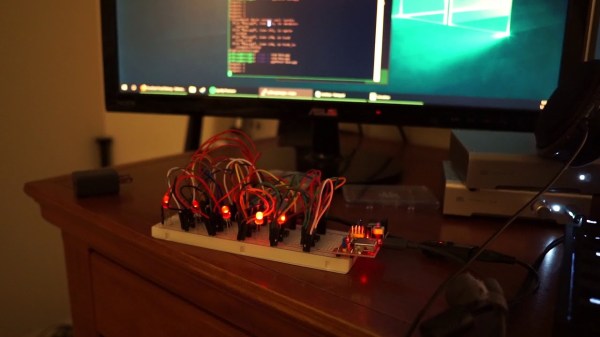
It’s the second iteration [Frank Zhao] has built, with many improvements along the way. The first aquarium computer was shoe-horned inside of a very tiny aquarium — think the kind for Beta fish. It eventually developed a small crack that spread to a bigger one with a lot of mineral oil to clean up. Yuck. The new machine has a much larger tank and laser cut parts which is a step up from the hand-cut acrylic of the first version. This makes for a very nice top bezel that hangs the PC guts and provides unobtrusive input and output ports for the oil circulation. A radiator unit hidden out of sight cools the oil as it circulates through the system.

These are all nice improvements, but it’s the aesthetic of the tank itself that really make this one special. The first version was so cramped that a couple of sad plastic plants were the only decoration. But now the tank has the whole package, with coral, more realistic plants, a sunken submarine, and of course the treasure chest bubbler. Well done [Frank]!

This Week In Security: Nvidia, Ransomware Retirement, And A TOCTOU Bug In Docker

Nvidia’s GeForce Experience (GFE) is the companion application for the Nvidia drivers, keeping said drivers up to date, as well as adding features around live streaming and media capture. The application runs as two parts, a GUI, and a system service, using an HTTP API to communicate. [David Yesland] from Rhino Security Labs decided to look into this API, searching for interesting, undocumented behavior, and shared the results on Sunday the 2nd.

The first interesting finding was that the service was written in Javascript and run using Node.js. Javascript is a scripting language, not a compiled language — the source code of the service was open for studying. This led to the revelation that API requests would be accepted from any origin, so long as the request included the proper security token. The application includes an update mechanism, which allows an authorized API call to execute an arbitrary system command. So long as the authentication token isn’t leaked to an attacker, this still isn’t a problem, right? Continue reading “This Week In Security: Nvidia, Ransomware Retirement, And A TOCTOU Bug In Docker”

C.H.I.P. Or Z.O.M.B.I.E? We Can’t Decide

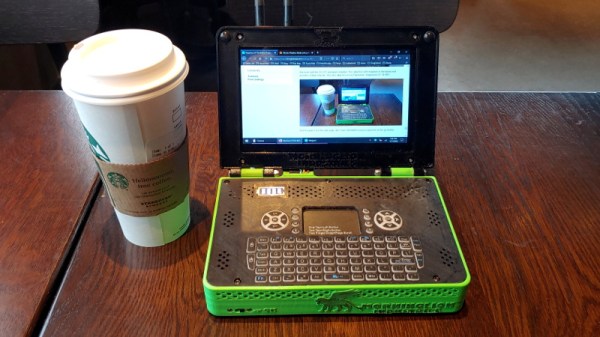
Imagine for a moment that you are back in 2015. Radio Shack are going to the wall, Heathkit returning from the dead, and Arduino spliting into two warring Arduinos. And someone has announced a tiny Linux-capable microprocessor board called the C.H.I.P. that will cost only $9. We all thought that last one was pretty cool at the time, didn’t we. Then Heathkit’s new products turned out to be pretty lacklustre, the warring Arduinos merged, and the C.H.I.P? The consensus was that $9 was a tall order for that BoM at the time, and then the Raspberry Pi people gave away a free Pi Zero on the front of a magazine before selling it for £5 ($6.30). It didn’t matter that the C.H.I.P. had a nifty all-in-one screen and keyboard combo called the Pocket C.H.I.P. which was a significant object of desire, the venture lasted for three years before finally hitting the rocks last year.

Now the C.H.I.P. is back, in a crowdfunding campaign fronted by one of its original engineers. It’s been renamed the Popcorn, and it comes in three variants. The Original Popcorn is a compatible C.H.I.P. by any other name, while the Super Popcorn is a much higher-spec machine that comes in quad and octacore variants with AmiLogic SoCs. All three have 32 GB eMMC on board, and the specs are suitably impressive but not out of the ordinary for a 2019 single board computer. Prices are $49, $69, and $89, which takes away that optimistic $9 price tag that made the original so attractive. There is no Pocket C.H.I.P. which is a shame because for us that was the only reason to buy a C.H.I.P, but there is a companion board called the Stovetop that provides Raspberry Pi-style desktop and display interfaces.

We wish them well, but it’s difficult to escape the conclusion that the hardware world has moved on and the window of opportunity has closed. It’s not that these boards are not good ones, more that they now join a plethora of others which come a lot closer to the low price of the original. Still, there remains a C.H.I.P. community still out there, so perhaps that will save the day for them.

We interviewed the C.H.I.P.’s creators back in 2015, and marked its passing last year.

Thanks [Rose] for the tip.

Building An Ergonomic Keyboard

Despite the passing of several decades since that scene in Star Trek IV, the Voyage Home in which Mr. Scott remarks “A keyboard! How quaint!“, here on earth, they remain a central plank of our user interface experience. A plank is an appropriate metaphor, for the traditional keyboard with its layout derived from typewriters and intended to minimize type bar collisions has remained the same flat and un-ergonomic device for well over a century. If like [Tom Arrell] you suffer from repetitive strain injury to your hands and wrists from using a keyboard then a more ergonomic alternative is a must. His solution was to build his own keyboard in two halves.

He was inspired by a colleague’s Ergodox, but balked at the price. Then he found the Dactyl, an open source 3D printed keyboard in two halves, and resolved to build his own. Unlike the Dactyl, however, he wanted his ‘board to be able to operate as either a linked pair operating as one or a pair of separate keyboards. In went a pair of Sparkfun Pro Micro boards to his slightly modified Dactyl, along with a full complement of Cherry MX Brown switches.

The final product lacks key labels so is not for the faint-hearted. But he persevered with it and after a couple of weeks was able to use it without a crib sheet. It’s a bit higher than its commercial equivalent so it needs some improvised wrist rests, but for the price, he’s not complaining.

This isn’t the first keyboard with two halves we’ve shown you, here’s one from 2017.

Via Hacker News.

So, You Want To Buy A Mainframe

The computers we are used to working with are more likely to be at the smaller end of the computational spectrum. Sometimes they are very small indeed, such as tiny microcontrollers with only a few GPIOs. Others are single board machines such as a Raspberry Pi or an Arduino, and often a desktop or laptop PC. Of course, while these can be very capable machines, they don’t cut the mustard in the upper echelons of corporate computing. There the mainframe still rules, sitting in air-conditioned machine rooms and providing some of the glue that cements our economy together.

Most of us will never own a mainframe, even if sometimes we marvel at people who rescue ancient ones for museums. But it’s not impossible to run one yourself even if it isn’t cheap, and  [Christian Svensson] has written a guide for the potential purchaser of a more recent IBM model.

This is a fascinating piece as an uninformed spectator because it reveals something about the marketing of these machines. A fridge-sized rack may contain much more hardware than expected because all machines ship with high specifications installed but not enabled by licensing software. In some IBM machines this software comes on an attached laptop which goes missing when the mainframe is decommissioned, we’re told without this essential component the machine is junk. The practicalities are also considered, such things as whether the appropriate interface modules are present, or how to assess how much RAM has been installed. Powering the beast is less of a problem than you might expect as they ship with PSUs able to take a wide variety of DC or AC sources.

Once upon a time the chance to own one of the earlier DEC VAX minicomputers came the way of your scribe, the passing up on which has ever since been the source of alternate regret and thankfulness at a lucky escape. The ownership of second-hand Big Iron is not for everyone, but it’s nevertheless interesting to learn about it from those who have taken the plunge. There’s a tale unfolding about the ownership of a much older IBM room-sized computer at the moment.

IBM mainframes header image: Agiorgio [CC BY-SA 4.0]