Hands-Free Mouse Uses Eyes And Muscles Instead

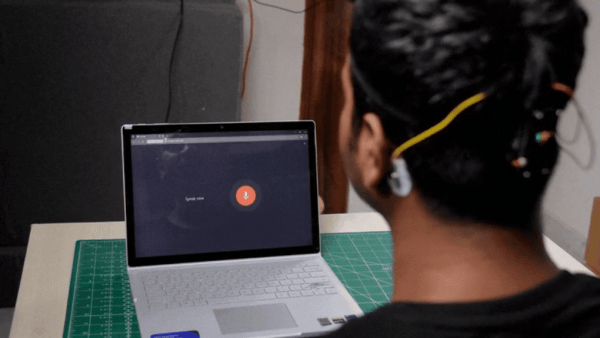
The standard computer mouse is a perfectly useful peripheral if your hands work. If you’ve got some trouble in that area, you might appreciate an alternative input solution. To that end, [Varun Adinath Patil] created a neat hands-free solution for moving a cursor around a screen.

The build is based on the Neuro PlayGround Lite, a board built for physiological signal acquisition in the Feather form factor. It’s hooked up to an IMU sensor—both a MPU6050 or BMI270 work—which tracks head movements to allow the cursor to be panned around the screen. Other biological signals are then used to activate other standard mouse functions. Clenching the jaw fires off a left click, while a triple blink fires a right click. Clicking and dragging is achieved by a double-blink. The jaw muscles are sensed via EMG signals picked up with gel electrodes on the skin, while the blinks are detected via EOG signals via the same contact points.

Commercial solutions in this realm exist, but it’s great to see how such a device can be built from the ground up. We’ve looked at other neat applications of head-tracking before, too. If you’re working on your own innovative accessibility tools, don’t hesitate to let us know via the tipsline.
3D Printing A Cheap VR Headset

The modern era of virtual reality really kicked off in earnest just over a decade ago, when the Oculus Rift promised 3D worlds beyond your wildest dreams. Since then, nobody’s been able to come up with a killer app to convince even a mild fraction of consumers to engage with the technology. Still, if you’re keen to tinker, you might like to make your own headset like [CNCDan] has done.

The build is based almost entirely on 3D-printed components and parts sourced from AliExpress. It offers 2880x1440p resolution, thanks to a pair of square 1440×1440 LCD displays, one for each eye, paired with a couple of 34 mm lenses. The headset has adjustable interpupiliary distance so you can dial the view in to properly suit your eyes. The 3D-printed housing is designed to be compatible with headrest pads from the HTC Vive Pro for comfort’s sake. Head tracking is also available, with the inclusion of an IMU and an Arduino onboard. [CNCDan] apparently put the build together for under $150, which is not bad compared to the price of a commercial off-the-shelf unit. Files are on Github for the curious.

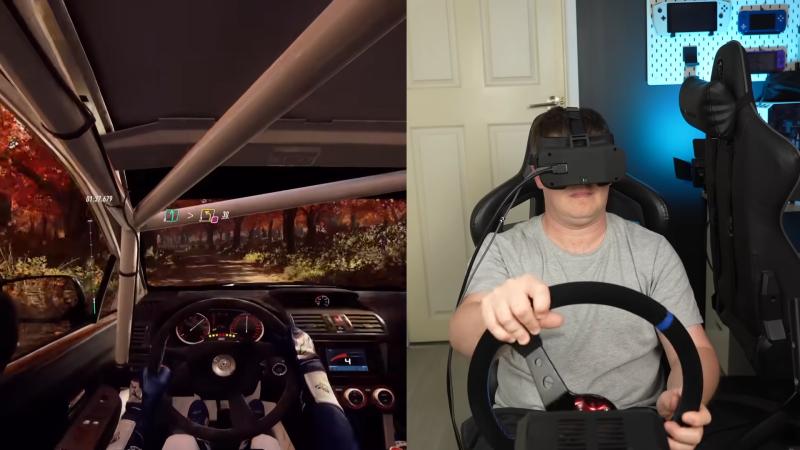
[CNCDan] reports good results with the DIY headset, using it primarily with his racing simulator setup. He has had some issues, however, with his LCD screens, which don’t properly run at a 90 Hz refresh rate at full resolution, which is frustrating. It’s an issue he’s still looking into. We’ve seen some other neat VR builds over the years, too. Video after the break.

Continue reading “3D Printing A Cheap VR Headset”

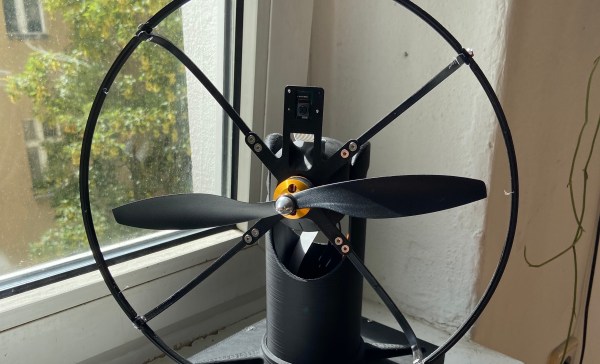
Homemade electric fan showing a small camera peeking up above the central hub.

Keep Cool With This Face-Following Fan

[AchillesVM] decided to build a tabletop electric fan so it would track him as he moves around the room. Pan and tilt control is provided by a pair of servos controlled by a Raspberry Pi 3b+. How does it know where [AchillesVM} is? It captures the scene using a Raspberry Pi v2 Camera and uses OpenCV’s default face-tracking algorithm to find him. Well, strictly speaking, it tracks anyone’s face around the room. If multiple faces are detected, it follows the largest — which is usually the person closest to the fan.

The whole processing loop runs at 60 ms, so the speed of the servo mechanism is probably the limiting factor when it comes to following fast-moving house guests. At first glance it might look like an old fan from the 1920s, in fact [AchillesVM] built the whole thing by himself, 3D-printing case and using a few off-the-shelf parts (like the 25 cm R/C plane propeller).

It’s a work in progress, so follow his GitHub repository (above) for updates. Hopefully, there will be a front-mounted finger guard coming soon. If you like gadgets that interact with you as you move about, we’ve covered the face-tracking confectionery cannon back in 2014, and the head-tracking water blaster last year. In the “don’t try this” file goes the build that started a career — the eye-tracking laser robot.

Head-Tracking NES Water Blaster Is Good Summer Fun

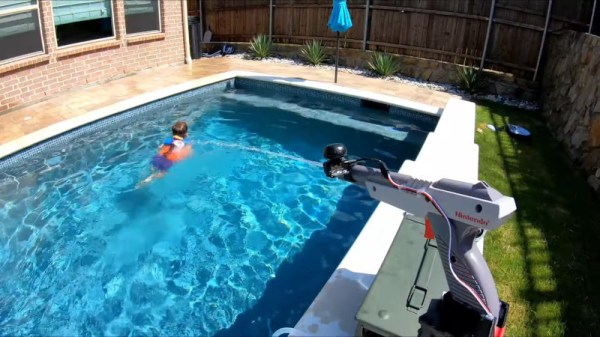
Super Soakers were great fun back in the day, but adults tend to get tired of the manual labour of pumping pretty quickly. [Sean] decided to build something a touch more modern, coming up with this head-tracking water blaster.

The water spray tracks the movement of the wearer’s head. With a camera mounted on the nozzle, this allows the user to simply look to designate targets. Similar technology is used in military fighter jets.

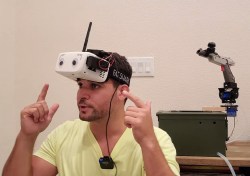
To eliminate pumping, the build instead enlists the services of an electric pump, powered by a 12 V battery. Pushing water through a tube into a 3D printed nozzle, it provides a fat stream of water with around 5 meters range, with little effort from the user. The nozzle is fitted into a NES Zapper, and attached to a servo pan-tilt platform. The camera is mounted on the water gun, and hooked up to a set of Fat Shark FPV goggles with an IMU unit. When the user looks around, the water gun moves in sync with their head movements. This allows for the user to look at targets to hit them with the water stream, a very intuitive method of aiming.

It’s a fun build that’s perfect for the summer, and an easy one to recreate for anyone with some spare servos and FPV gear. Of course, with a little face-tracking software, it would be easy to hit targets automatically. Video after the break.

Continue reading “Head-Tracking NES Water Blaster Is Good Summer Fun”

Up Your Game With DIY Headset Motion Tracking

While there’s been a lot of advancements in VR gaming over the last couple of years, plenty of folks are still happy enough to just stare at their monitor. But that’s not to say some of those fancy head-tracking tricks wouldn’t be a welcome addition to their repertoire. For players who are literally looking to get their head in the game, [Adrian Schwizgebel] has created qeMotion.

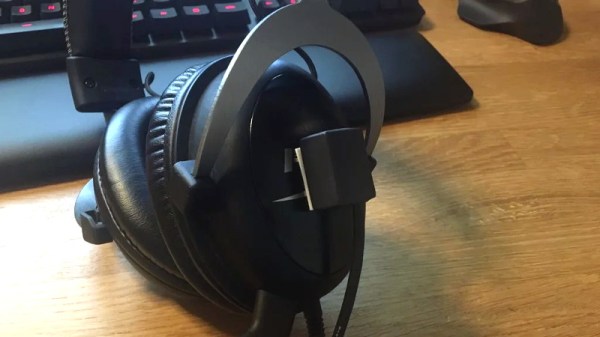
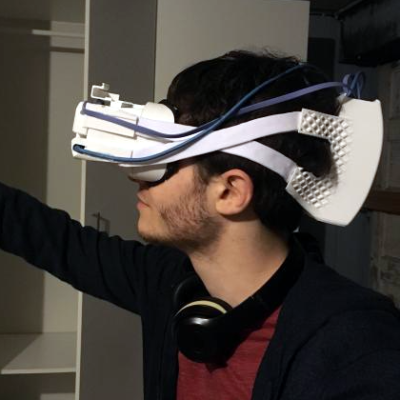
The idea here is simple enough: attach a motion sensor to a standard gaming headset (here a MPU-6050 IMU), and use the data from it to virtually “press” keys through USB HID emulation. Many first person shooter games offer the ability to lean left or right by pressing Q or E respectively, so all [Adrian] had to do was map the appropriate accelerometer readings to those keys for it to work seamlessly with popular titles such as Tom Clancy’s Rainbow Six Siege and Insurgency.

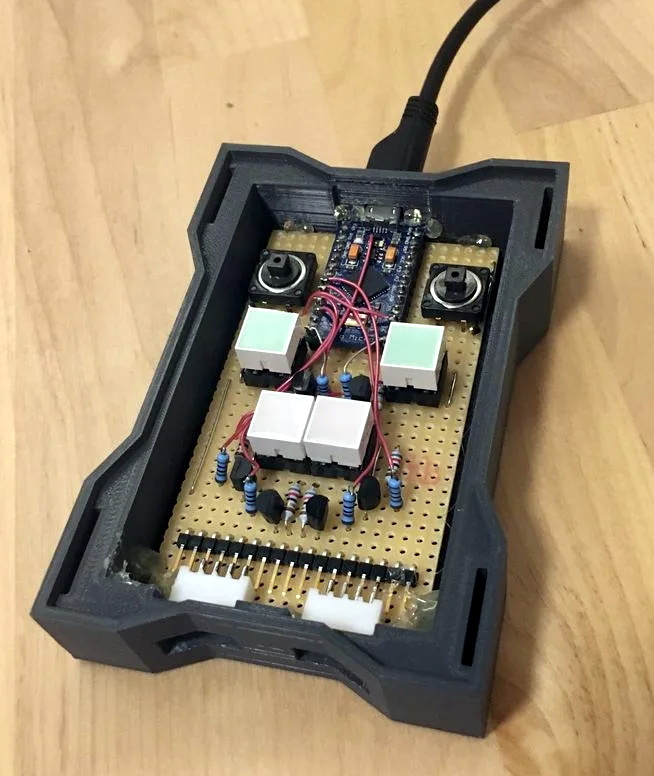
The concept might be basic, but the execution is anything but. Rather than just duct taping an Arduino to his headset, [Adrian] designed a very slick 3D printed enclosure for the electronics that sits on his desk. While they haven’t all been implemented yet, the devices features indicator lights and buttons to switch through various modes. The sensor on the headset has similarly been encased in a very professional looking 3D printed box, complete with a nice braided cable to link it to the desk unit.

It’s been awhile since we’ve seen a head tracking project, and most of those utilized something like the Wii Remote. Adding sensors to a person’s head normally wouldn’t be an ideal situation, but if you’re going to be wearing the headset anyway to listen to the game and chat, it’s not really a problem. If your hair is too nice for the qeMotion, you could always try doing something similar with computer vision.

Continue reading “Up Your Game With DIY Headset Motion Tracking”

Open Source Headset With Inside-Out Tracking, Video Passthrough

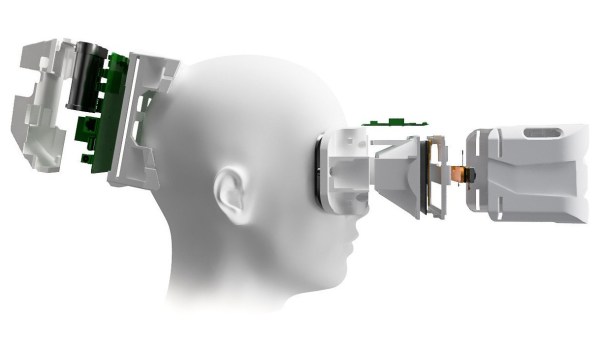
The folks behind the Atmos Extended Reality (XR) headset want to provide improved accessibility with an open ecosystem, and they aim to do it with a WebVR-capable headset design that is self-contained, 3D-printable, and open-sourced. Their immediate goal is to release a development kit, then refine the design for a wider release.

An early prototype of the open source Atmos Extended Reality headset.

The front of the headset has a camera-based tracking board to provide all the modern goodies like inside-out head and hand tracking as well as the ability to pass through video. The design also provides for a variety of interface methods such as eye tracking and 6 DoF controllers.

With all that, the headset gives users maximum flexibility to experiment with and create different applications while working to keep development simple. A short video showing off the modular design of the HMD and optical assembly is embedded below.

Extended Reality (XR) has emerged as a catch-all term to cover broad combinations of real and virtual elements. On one end of the spectrum are completely virtual elements such as in virtual reality (VR), and towards the other end of the spectrum are things like augmented reality (AR) in which virtual elements are integrated with real ones in varying ratios. With the ability to sense the real world and pass through video from the cameras, developers can choose to integrate as much or as little as they wish.

Terms like XR are a sign that the whole scene is still rapidly changing and it’s fascinating to see how development in this area is still within reach of small developers and individual hackers. The Atmos DK 1 developer kit aims to be released sometime in July, so anyone interested in getting in on the ground floor should read up on how to get involved with the project, which currently points people to their Twitter account (@atmosxr) and invites developers to their Discord server. You can also follow along on their newly published Hackaday.io page.

Continue reading “Open Source Headset With Inside-Out Tracking, Video Passthrough”