Controlling Your Instruments From A Computer: Doing Something Useful

Do you know how to harvest data from your bench tools, like plotting bandwidth from your oscilloscope with a computer? It’s actually pretty easy. Many bench tools make this easy using a standard protocol with USB to make the connection.

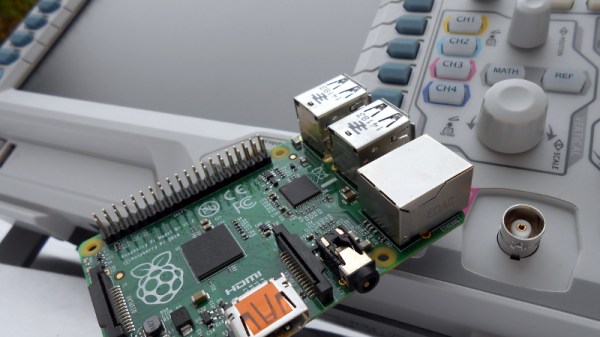
In the previous installment of this article we talked about the National Instruments VISA (Virtual Instrument Software Archetecture) standard for communicating with your instruments from a computer, and introduced its Python wrapper with a simple demonstration using a Raspberry Pi. We’ll now build on that modest start by describing a more useful application for a Raspberry Pi and a digital oscilloscope; we’ll plot the bandwidth of an RF filter. We’ll assume that you’ve read the previous installment and have both Python and the required libraries on your machine. In our case the computer is a Raspberry Pi and the instrument is a Rigol DS1054z, but similar techniques could be employed with other computers and instruments.

Continue reading “Controlling Your Instruments From A Computer: Doing Something Useful”

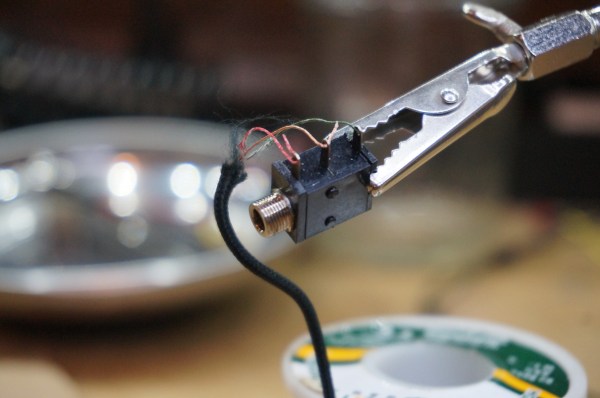
Iron Tips: Soldering Headphones And Enamel Wire

We’ve all had that treasured pair of headphones fail us. One moment we’re jamming out to our favorite song, then, betrayal. The right ear goes out. No wait. It’s back. No, damn, it’s gone. It works for a while and then no jiggling of the wire will bring it back. So we think to ourselves, we’ve soldered before. This is nothing. We’ll just splice the wire together.

So we open it up only to be faced with the worst imaginable configuration: little strands of copper enamel wire intertwined with nylon for some reason. How does a mortal solder this? First you try to untwine the nylon from the strands. It kind of works, but now the strands are all mangled and weird. Huh. Okay. well, you kind of twist them together and give a go at soldering. No dice. Next comes sandpaper, torches, and all sorts of work-a-rounds. None of them seem to work. The best you manage is sound in one ear. It’s time to give up.

Soldering this stuff is actually pretty easy. It just takes a bit of knowledge about how assembly line workers do it. Let’s take a look.

Continue reading “Iron Tips: Soldering Headphones And Enamel Wire”

Creating A PCB In Everything: KiCad, Part 1

This is the continuation of a series of articles demonstrating how to Create A PCB In Everything. In this series, we take a standard reference circuit and PCB layout — a simple ATtiny85 board — and build it with different PCB design tools. Already, we’ve taken a look at the pre-history of PCB design with Protel Autotrax, we learned Fritzing is a joke for PCB design, and we’ve done a deep dive into Eagle. Each of these tutorials serves two purposes. First, it is a very quick introduction to each PCB design tool. Second, this series provides an overall comparison between different PCB design tools.

Now, finally, and after many complaints, it’s time for the tutorial everyone has been waiting for. It’s time for KiCad.

No, like the head of the Bajoran clergy

Although KiCad (pronounced ‘Kai-Cad’ like the head of the Bajoran clergy, not ‘Key-Cad’ like the thing that goes in a lock) is the new hotness when it comes to PCB design. The amazing growth of KiCad installations over the past few years is a long time coming. In development since 1992, KiCad has cemented itself as the premier Open Source PCB design suite, and since 2013 CERN has been making contributions to the project. More recently, the KiCad project has been showing off some amazing new features. These include 3D rendering of boards, interactive routing, push-and-shove, simulation, and dozens of other features that put it on a path to being on par with the top of the line EDA suites. Add in some great community contributions, and you have something really, really amazing. All of this is wrapped up in an Open Source license, free as in speech and beer. If you’re looking for the future of PCB design, Eagle is going to get very good but KiCad is almost there now while being Open Source.

Continue reading “Creating A PCB In Everything: KiCad, Part 1”

How To Control Your Instruments From A Computer: It’s Easier Than You Think

There was a time when instruments sporting a GPIB connector (General Purpose Interface Bus) for computer control on their back panels were expensive and exotic devices, unlikely to be found on the bench of a hardware hacker. Your employer or university would have had them, but you’d have been more likely to own an all-analogue bench that would have been familiar to your parents’ generation.

A GPIB/IEEE488 plug. Alkamid [CC BY-SA 3.], via Wikimedia Commons
A GPIB/IEEE488 plug. Alkamid [CC BY-SA 3.], via Wikimedia Commons.
The affordable instruments in front of you today may not have a physical GPIB port, but the chances are they will have a USB port or even Ethernet over which you can exert the same control. The manufacturer will provide some software to allow you to use it, but if it doesn’t cost anything you’ll be lucky if it is either any good, or available for a platform other than Microsoft Windows.

So there you are, with an instrument that speaks a fully documented protocol through a physical interface you have plenty of spare sockets for, but if you’re a Linux user and especially if you don’t have an x86 processor, you’re a bit out of luck on the software front. Surely there must be a way to make your computer talk to it!

Let’s give it a try — I’ll be using a Linux machine and a popular brand of oscilloscope but the technique is widely applicable.

Continue reading “How To Control Your Instruments From A Computer: It’s Easier Than You Think”

Creating A PCB In Everything: Protel Autotrax

Protel Autotrax is a PCB design tool first released for DOS in the mid-80s. Consider this a look at the history of PCB design software. I’m not recommending anyone actually use Protel Autotrax —  better tools with better support exist. But it’s important to know where we came from to understand the EDA tools available now. I’m rolling up my sleeves (about 30 years worth of rolling) and building our standardized test PCB with the tool. Beyond this, I suggest viewing EEVblog #747, where [Dave] digs into one of his old project, Borland Pascal, and Protel Autotrax.

This is the continuation of a series of articles demonstrating how to Create A PCB In Everything. In this series, we take a standard reference circuit and PCB layout — a simple ATtiny85 board — and build it with different PCB design tools. We’ve already covered Eagle in this series. We learned Fritzing is a joke for PCB design, although it is quite good for making breadboard graphics of circuits. Each of these tutorials serves as a very quick introduction to a specific PCB design tool. Overall, this series provides for a comparison between different PCB design tools. Let’s dig into Protel Autotrax.

A short history of Protel, Altium, and Autotrax

The company we know as Altium today was, for the first fifteen years of its existence, known as Protel. Back in the day, PCB design on a computer required a dedicated workstation, a lot of hardware, light pens, and everything was extraordinarily expensive. Protel was a reaction to this and the first product, Autotrax, was a DOS-based program that brought PCB design to the PC. A freeware version of Autotrax is still available on the Altium website and can be run from inside a DOS virtual machine or DOSBox.

Interestingly, Protel Autotrax is not the only PCB design software named Autotrax. A company called DEX 2020 has also has a PCB design software called AutoTRAX. This is weird, confusing, and I can’t figure out how this doesn’t violate a trademark. If anyone has any insight to what the Protel / Altium legal department was doing a few decades ago, your wisdom is welcome in the comments.

Continue reading “Creating A PCB In Everything: Protel Autotrax”

Perceptrons In C++

Last time, I talked about a simple kind of neural net called a perceptron that you can cause to learn simple functions. For the purposes of experimenting, I coded a simple example using Excel. That’s handy for changing things on the fly, but not so handy for putting the code in a microcontroller. This time, I’ll show you how the code looks in C++ and also tell you more about what you can do when faced with a more complex problem.

Continue reading “Perceptrons In C++”

Machine Learning: Foundations

When you want a person to do something, you train them. When you want a computer to do something, you program it. However, there are ways to make computers learn, at least in some situations. One technique that makes this possible is the perceptron learning algorithm. A perceptron is a computer simulation of a nerve, and there are various ways to change the perceptron’s behavior based on either example data or a method to determine how good (or bad) some outcome is.

What’s a Perceptron?

I’m no biologist, but apparently a neuron has a bunch of inputs and if the level of those inputs gets to a certain level, the neuron “fires” which means it stimulates the input of another neuron further down the line. Not all inputs are created equally: in the mathematical model of them, they have different weighting. Input A might be on a hair trigger, while it might take inputs B and C on together to wake up the neuron in question.
Continue reading “Machine Learning: Foundations”