The FPGA Chronicles: Ready To Probe

In the last few installments, we looked at using the Tang Nano 20K with both the GOWIN tools and some open-source tools. The open-source tools certainly had the advantage of letting you simulate and debug your design before sending it to the actual chip. However, as we’ll see, the GOWIN tools include a very easy-to-use, capable logic analyzer.

Setup

First, you’ll need a GAO config file. When you create one in the editor, you are given a number of complex options. With an active GAO file, the tool builds a logic analyzer into your design, and the file sets the trigger conditions.

Here’s a tip. You can only have one active GAO file. Sometimes you don’t want the logic analyzer. Other times you might want an alternate configuration. If you right-click almost any file in the IDE’s Design tab, you’ll see you can disable it. That gives it a big red X and excludes it from future builds. Well, at least until you enable it again. This lets you pick between multiple GAO files, or even multiple Verilog files, for a particular build (e.g., one for tests and another for production).

If you create a GAO file from scratch, it will ask you if you want “Lite Mode.” As far as I can tell, you will never want this mode. Always use Standard Mode. In addition, you nearly always want RTL mode, which shows you (mostly) the symbols you’ve defined and not the ones added during processing.

You can find the entire manual online, of course. However, the video below and the rest of the post will get you started quickly.

GAO Basics

To set up probing, we need to understand the design, so the rest of this post covers the Verilog we’ll use to test the logic analyzer feature, and you’ll see how the analyzer works in a video. Here are a few sneak peeks at what the analyzer output we’ll see at the end looks like:
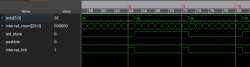
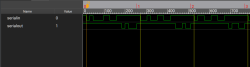
The left-hand image shows the pulse that flips the LEDs, which is tricky because the sampling clock is 27 MHz. The right-hand side shows serial data and uses a slower clock specifically used for debugging.


Continue reading “The FPGA Chronicles: Ready To Probe” →

Your Computer Memory Is A Lie

When you first learn to program, memory seems pretty straightforward. You have a bunch of bytes, each with an address. If you want to read or write something, you specify the address, and the computer goes to that place and does your bidding. Sure, some addresses might be reserved for hardware or the operating system, but the general idea is simple: memory is a big array of bytes.

Just like we pretend that a wire is a perfect conductor, the big array of memory model used to be a slight twisting of the truth. On a modern computer, however, it is almost entirely a lie. The address you use probably isn’t a physical address. The data you read might not come from RAM at all. Even if it does, it might be sitting in one of several caches. And if you follow the rabbit hole far enough, you discover that your SSD is arguably just another level in the memory hierarchy.

The Need For Speed

The fundamental problem is that processors have gotten much faster than memory. A modern processor can execute several instructions per clock cycle, but accessing ordinary DRAM can take hundreds of cycles. If the processor had to wait for RAM every time it needed data, much of that impressive computing power would go to waste.

The solution is caching. Keep copies of frequently used data in smaller, faster memories closer to the processor. Most modern desktop processors have at least three levels of cache. The L1 cache is tiny but extremely fast, and often split between instructions and data. L2 is larger and somewhat slower, while L3 is even larger and usually slower as well.

Continue reading “Your Computer Memory Is A Lie” →

Lead A Discord Exodus With A Matrix Server

The Internet, and large groups of people in general, tend to have a remarkably short collective memory. Whether it’s the nature of algorithms or the people themselves to always be chasing the next novelty, maintaining long-term engagement for even relatively small changes can be challenging. Distractions abound, and motivation tends to fade over time. This past spring, Discord’s unpopular decision to force age verification resulted in a brief flash-in-the-pan of outrage that dissipated when they promised to delay its roll-out. Rather than backtrack on unpopular policies, they’ve been slowly boiling the frog with incremental changes towards this same goal in the meantime. One of the options to deal with this is to migrate over to something like a Matrix server, which has a number of benefits over Discord including being open-source and self-hostable.

Unlike Discord, a closed platform subject to the whims of a private company, Matrix is a communications protocol and open standard. Its major server and client implementations are open source, so anyone can build tools around it and integrate it with other systems that also use this protocol. This protocol-vs-platform comparison mirrors email, which is another protocol that isn’t locked down by any one company, and which can easily be used to send messages across various providers. The most commonly used server-side software for Matrix is called Synapse and the most prominent general-purpose clients are the various implementations of Element, and my exploration uses these defaults.

Continue reading “Lead A Discord Exodus With A Matrix Server” →

ESP32 As Your Raspberry Pi’s Linux Wireless Co-processor

A laptop with no wireless connectivity feels like a rarity – but when you shop for powerful Linux single-board computers (SBCs), it is pretty common to see one skimp on WiFi. At the same time, current wireless cards can leave much to be desired. A mess of proprietary firmware, ephemeral or even binary blob drivers, weird glitches never resolved, and sometimes entirely source-less blobs with an expiration date. Maybe the SBC doesn’t have a free USB port for a plug-and-play WiFi chip, or you don’t want to design for an obscure hard-to-source castellated module.

What if I told you there’s a unique solution to the problem, as long as the SBC has an SDIO or SPI to spare? There’s a wireless card we can all try to get behind, and it’s certainly not flawless but gives us way more room to grow – it’s got somewhat open-source firmware, it comes from a respectable company, and it’s nigh-guaranteed to be easy to source. I am, of course, talking about esp-hosted – using ESP32 modules as your WiFi/BT card, over SDIO or SPI.

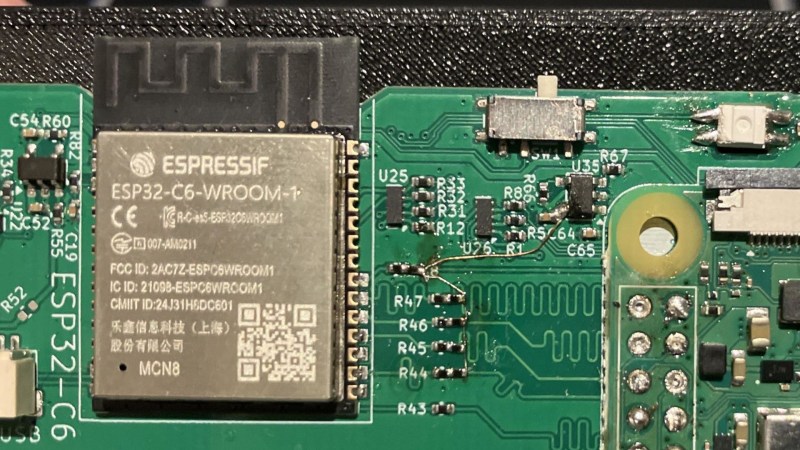
I’ve recently added an ESP32-C6 into my project, and setting up esp-hosted wasn’t ultra straightforward – so here’s a guide, and a discussion on what makes esp-hosted so cool and so incredibly promising. Spoilers: it works with privacy switches that cut out power, it could be hacked into a coprocessor for mesh protocols, and it could potentially help us build a fully open-source SDIO WiFi card.

Continue reading “ESP32 As Your Raspberry Pi’s Linux Wireless Co-processor” →

Using LineageOS For Phones And DIY Smart TVs Is Pretty Nifty

Although Android is essentially just another Linux distribution, most people only experience it in the form of the rather restrictive and proprietary versions found on smartphones, tablets and smart TVs. While this is probably fine for the average person, there’s also a lot to be said for the more pure Android experience in the form of LineageOS.

With this fully open and community-supported version of Android you’re free to muck about with your hardware to your heart’s content, without annoyances like unremovable bloatware apps and restrictions on e.g. enabling developer mode.

Even more fun is that there are ports of LineageOS to systems such as the Raspberry Pi SBC, including in the Android TV configuration. This means that not only can your ten year old Android phone get a make-over with a recent version of Android, you can also create your own Android TV-based smart TV without all the spying and other nasty things that commercial smart TVs love to do.

Continue reading “Using LineageOS For Phones And DIY Smart TVs Is Pretty Nifty” →

How A British Engineer Homebrewed The Quietest Carbine

Hollywood has a lot to answer for when it comes to “silencers” on firearms. On screen, a suppressed pistol makes a pinging thud, and the bad guy in the next room flops to the floor. Real life is rather less cinematic. A suppressor takes the edge off the report, but it’s by no means quiet or silent. Hence why the term “silencer” is more of a colloquialism, and why “suppressor” is more appropriate.

Every so often, though, someone gets remarkably close to the movie version. The best-known example is probably the De Lisle carbine. A British commando weapon from the Second World War, it was cobbled together from bits and pieces and ended up being a stellar performer in the world of clandestine operations.

Continue reading “How A British Engineer Homebrewed The Quietest Carbine” →

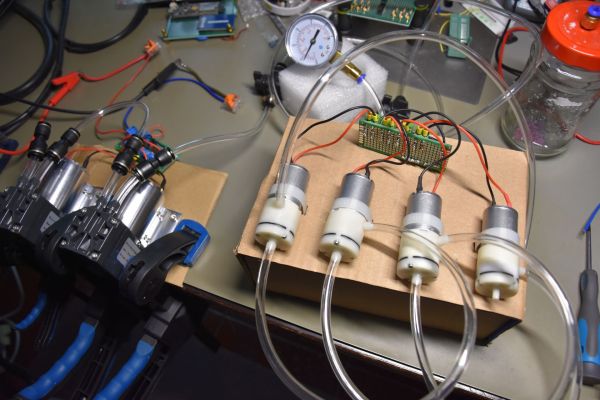
Two diaphragm vacuum pump setups with high-tech jam jar vacuum vessel. (Credit: Maya Posch)

Vacuum Drying And Making Stuff Hot In A Vacuum

After previously exploring the impact of vapor pressure on the drying of desiccant and more, the conclusion was essentially that in order to drive moisture that’s not directly on a material’s surface out of it, you pretty much have to heat up said material to make the process not take forever. Of course, we’d still want to retain the vacuum while doing said heating, which raises the question of how you best heat something that is inside a vacuum.

Fortunately, this is a solved problem, with commentators to the previous article helpfully pointing to the existence of devices like vacuum ovens. Of course, you can either buy such a device and not worry your pretty little head about the finer details, or you can defy convention and build one yourself because you’re a rebel and really want to know how their internals work.

Thus in this article we’ll be taking a look at the finer details of generating thermal radiation and how to best heat up a sample inside a vacuum chamber without directly picking easy mode with microwaves.

Continue reading “Vacuum Drying And Making Stuff Hot In A Vacuum” →