Ask Hackaday: Selling CAD Prints That Are Not Yours

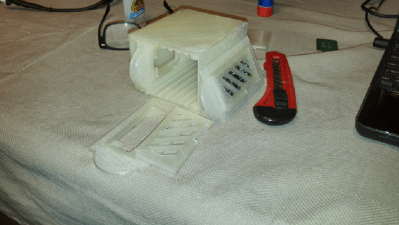
[Louise] tried out her new E3D Cyclops dual extrusion system by printing a superb model dragon. The piece was sculpted in Blender, stands 13cm tall and can be made without supports. It’s an impressive piece of artwork that reflects the maker’s skill, dedication and hard work. She shared her creation on the popular Thingiverse website which allows others to download the file for use on their own 3D printer. You can imagine her surprise when she stumbled upon her work being sold on eBay.

It turns out that the owner of the eBay store is not just selling [Louise]’s work, he’s selling thousands of other models taken from the Thingiverse site. This sketchy and highly unethical business model has not gone unnoticed, and several people have launched complaints to both Thingiverse and eBay. Now, there are lots of things to talk about here, but the 800 pound high voltage transformer in the room is the legality of the whole thing. What he’s doing might be unethical, but is it illegal?

When [Louise] politely asked the eBay store owner to remove her work, he responded with:

“When you uploaded your items onto Thingiverse for mass distribution, you lost all rights to them whatsoever. They entered what is known in the legal world as “public domain”. The single exception to public domain rules are original works of art. No court in the USA has yet ruled a CAD model an original work or art.”

Most of the uploaded CAD models on Thingiverse are done under the Creative Commons license, which is pretty clear in its assertion that anyone can profit from the work. This would seem to put the eBay store owner in the clear for selling the work, but it should be noted that he’s not properly attributing the work to the original creator. There are other derivatives of the license, some of which prohibit commercial use of the work. In these cases, the eBay store owner would seem to be involved in an obvious violation of the license.

There are also questions stirring with his use of images.  He’s not taking the CAD model and making his own prints for images. He lifting the images of the prints from the Thingiverse site along with the CAD files. It’s a literal copy/paste business model.

With that said,  the eBay store owner makes a fairly solid argument in the comments section of the post that broke the news. Search for the poster named “JPL” and the giant brick of text to read it. He argues that the Thingiverse non-commercial license is just lip service and has no legal authority. One example of this is how they often provide links to companies that will print a CAD design on the same page of a design that’s marked as non-commercial. He sums up one of many good points with the quote below:

“While we could list several other ways Thingiverse makes (money), any creator should get the picture by now-Thingiverse exists to make Stratasys (money) off of creators’ designs in direct violation of its very own “non-commercial” license. If a creator is OK with a billion-dollar Israeli company monetizing his/her designs, but hates on a Philly startup trying to make ends-meet, then they have a very strange position indeed.”

OK Hackaday readers, you have heard both sides of the issue. Here’s the question(s):

1.  Is the eBay seller involved in illegal activity?

2. Can he change his approach to stay within the limits of the license? For instance, what if he credits the                      original maker on the sale page?

3. How would you feel if you found your CAD file for sale on his eBay store?

Retrotechtacular: Transmission Lines

This great old video (embedded below the break) from Tektronix in the mid-60s covers a topic that seems to confuse folks more than it should — transmission lines. We found it on Paul Carbone’s blog, a great site for aficionados of old analog scopes in its own right.

As with many of these older videos, the pacing is a bit slow by today’s standards, but the quality of the material eventually presented more than makes it worth the effort to reign in your ADHD. For a preview, you can skip to the end where they do a review of all the material.

They start off 5:31 with a pulse travelling down a wire pair, and take a very real-world approach to figuring out the characteristic impedance of the line: if the pulse was created by a battery of 9V, how much current is flowing? If the DC resistance of the wire is zero then there should be an infinite current by Ohm’s law, and that’s clearly not happening. This motivates the standard analysis where you break the wire down into distributed inductance and capacitance.

Of course they do the experiment where you inject a pulse into a long loop of coaxial cable and play around with the termination at the other end of the line. They also measure the velocity factor of the line. Our only gripe is that they don’t tap the line in different places to demonstrate standing waves. The good news is that we’ve got YouTube (and [w3aew]) for that.

If you’ve got 23 minutes to spare, and are curious about transmission lines or just enjoy the soothing voice of a trained radio announcer reading out values of various termination resistors, this old gem is just the ticket. Enjoy!

Continue reading “Retrotechtacular: Transmission Lines”

Hacklet 96 – Pi Zero Contest Projects Week 3

The calendar is rolling through the third week of the house that Hackaday and Adafruit built: The Raspberry Pi Zero Contest. We’re nearly at 100 entries! Each project is competing for one of 10 Raspberry Pi Zeros, and one of three $100 gift certificates to The Hackaday Store. This week on The Hacklet, we’re going to take a look at a few more contest entries.

tizen[Phil “RzR” Coval] is trying to Port Tizen to the Raspberry Pi Zero. For those not in the know, Tizen is an open source operating system for everything. Billed as a go-to OS for everything from wearables to tablets to smartphones to in-vehicle entertainment systems, Tizen is managed by the Linux Foundation and a the Tizen Association. While Tizen works on a lot of devices, the Raspberry Pi and Pi 2 are still considered “works in progress”. Folks are having trouble just getting a pre-built binary to run. [Phil] is taking the source and porting it to the limited Pi Zero platform. So far he’s gotten the Yocto-based build to run, and the system starts to boot. Unfortunately, the Pi crashes before the boot is complete. We’re hoping [Phil] keeps at it and gets Tizen up and running on the Pi Zero!

harmNext up is [shlonkin] with Classroom music teaching aid. Guitar Hero has taught a generation of kids to translate flashing lights to playing notes on toy instruments. [Shlonkin] is using similar ideas to teach students how to play real music on a harmonica. The Pi Zero will control a large display model of a harmonica at the front of the classroom. Each hole will light up when that note is to be played. Harmonica’s have two notes per hole. [Shlonkin] worked around this with color. Red LEDs mean blow (exhale), and Blue LEDs mean draw (inhale). The Pi Zero can do plenty more than blink LEDs and play music, so [shlonkin] plans to have the board analyze the notes played by the students. With a bit of software magic, this teaching tool can provide real-time feedback as the students play.

retro[Spencer] is putting the Pi Zero to work as a $5 Graphics Card For Homebrew Z80. The Z80 in this case is RC2014, his DIY retro computer. RC2014 was built as part of the 2014 RetroChallenge. While the computer works, it only has an RS-232 serial port for communication to the outside world. Unless you have a PC running terminal software nearby, the RC2014 isn’t very useful. [Spencer] is fixing that by using the Pi Zero as a front end for his retro battle station. The Pi handles USB keyboard input, translates to serial for the RC2014, and then displays the output via HDMI or the composite video connection. The final design fits into the RC2014 backplane through a custom PCB [Spencer] created with a little help from kicad and OSHPark.

brambleFinally we have [txdo.msk] with 8 Leaf Pi Zero Bramble. At $5 each, people are scrambling to build massively parallel supercomputers using the Raspberry Pi Zero. Sure, these aren’t practical machines, but they are a great way to learn parallel computing fundamentals. It only takes a couple of connectors to get the Pi Zero up and running. However, 8 interconnected boards quickly makes for a messy desk. [Txdo.msk] is designing a 3D printed modular case to hold each of the leaves. The leaves slip into a bramble box which keeps everything from shorting out. [Txdo.msk] has gone through several iterations already. We hope he has enough PLA stocked up to print his final design!

If you want to see more entrants to Hackaday and Adafruit’s Pi Zero contest, check out the submissions list! If you don’t see your project on that list, you don’t have to contact me, just submit it to the Pi Zero Contest! That’s it for this week’s Hacklet. As always, see you next week. Same hack time, same hack channel, bringing you the best of Hackaday.io!

The OpenR/C Project

The Open RC Truggy that started it all.

[Daniel Norée] started the OpenR/C project back in 2012 when he bought a Thing-O-Matic. In search of a project to test out his new printer, he set his sights on a remote controlled car, which as he put it,”… seemed like the perfect candidate, as it presents a lot of challenges with somewhat intricate moving parts along with the need for a certain level of precision and durability.

After releasing his second design, the OpenR/C Truggy, he realized a community was forming around this idea, and needed a place to communicate. So, he created a Google+ group. Today, the Truggy has been downloaded over 100,000 times and the Google group has over 5,000 members. It’s a very active community of RC and 3d printing enthusiasts who are testing the limits of what a 3d printer can do.

Continue reading “The OpenR/C Project”

GuardBunny Active RFID Protection Going Open Hardware

There are two sides to every coin. Instead of swiping or using a chip reader with your credit card, some companies offer wireless cards that you hold up to a reader for just an instant. How convenient for you and for anyone who might what to read that data for their own use. The same goes for RFID enabled passports, and the now ubiquitous keycards used for door access at businesses and hotels. I’m sure you can opt-out of one of these credit cards, but Gerald in human resources isn’t going to issue you a metal key — you’re stuck hauling around that RFID card.

It is unlikely that someone surreptitiously reading your card will unlock your secrets. The contactless credit cards and the keylock cards are actually calculating a response based on a stored key pair. But you absolutely could be tracked by the unique IDs in your cards. Are you being logged when passing by an open reader? And other devices, like public transit cards, may have more information stored on them that could be harvested. It’s not entirely paranoid to want to silence these signals when you’re not using them.

One solution is to all of this is to protect your wallet from would-be RFID pirates. At this point all I’m sure everyone is thinking of a tin-foil card case. Sure, that might work unless the malicious reader is very powerful. But there’s a much more interesting way to protect against this: active RFID scrambling with a project called GuardBunny. It’s a card that you place next to whatever you want to protect. It’s not really RFID — I’ll get that in a moment — but is activated the same way and spews erroneous bits back at any card reader. Kristin Paget has been working on GuardBunny for several years now. As of late she’s had less time for active development, but is doing a great thing by letting version 1 out into the world for others to hack on. In her talk at Shmoocon 2016 she walked through the design, demonstrated its functionality, and shared some suggestions for further improvement.

Continue reading “GuardBunny Active RFID Protection Going Open Hardware”

FAXing In 1843

By 2016, it is evident the FAX machine has peaked. Sure, you still see a few. There are even services that will let you send and receive FAXes via Internet–which could mean no FAX machine was involved at all. But looking back, you have to wonder where it all started. Most people had never seen a FAX machine until the late 1960s or early 1970s. It was 1980 before there was a standard. Some, like hams and weather service employees, were using them even earlier. But would it surprise you to know that the first experimental FAX machine appeared in 1843?

Wait a minute. Bell didn’t even build a telephone until 1875 (the patent issued in 1876). Turns out the first FAX machines didn’t work with a phone. They worked over a telegraph wire.

Continue reading “FAXing In 1843”