Hamtramck Disneyland

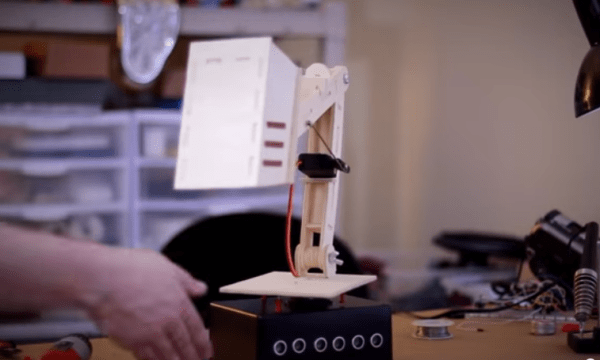
Mike posing near the central part of the build... lots to see here!

With a few hours of down time I convinced [Caleb Kraft] to go to Hamtramck Disneyland with me. You’ve heard of it, right? I certainly hadn’t. I sounded like gibberish when [Chris Thompson] suggested it to us. Just a 10 minute drive away from Recycle Here! (where the Red Bull Creation is being held).

Without a street address we never would have found it. The spectacle is simply a house on a normal looking street in Hamtramck, Michigan. We were just a few doors down, creeping down the street, before we spied a flash of color between the houses. Swinging around the corner and into the alley this marvel opened up to us. The work of [Dmytro Szylak] started about twenty years ago. He built and built and built for years, a produced some backyard art that impossible to view without beaming with joy. You won’t spend much time there, but seeing for yourself is worth a few minutes side trip. For those that will never have a chance, here are the pictures I snapped.

Continue reading “Hamtramck Disneyland”

Android Doorbell Notifier

Breadboarded circuit to detect when doorbell rings

It’s always unfortunate to find a FedEx tag on your door saying you missed a delivery; especially when you were home the whole time. After having this problem a few times [Lee] decided to rig up a doorbell notifier for his Android phone.

[Lee]’s doorbell uses a 10 VAC supply to ring a chime. To reduce modifications to the doorbell, he added an integrated rectifier and a PNP transistor. The rectifier drives the transistor when the bell rings, and pulls a line to ground.

An old Netgear router running OpenWRT senses this on a GPIO pin. Hotplugd is used to run a script when the button push is detected.

The software is discussed in a separate post. The router runs a simple UDP server written in C. The phone polls this server periodically using SL4A: a Python scripting layer for the Android platform. To put it all together, hotplugd sends a UNIX signal to the UDP server when the doorbell is pushed. Once the phone polls the server a notification will appear, and [Lee] can pick up his package without delay.

Fingerprint Scanner Both Simplifies And Complicates Opening Garage Door

Fringer Print Scanner Garage Door Opener

Opening a garage door by hand is a lot of work and a hassle, hence the advent of the garage door opener. Nowadays, some people may even say just pushing the button of a remote control requires too much effort. [nodcah] is one of those people so he came up with a fingerprint scanner that controls a pre-installed garage door opener. All kidding aside, it is a cool project that lets you into your garaage, keeps unknown people out and doesn’t require you to remember to carry a key or remote.

In the center of this project is an ATmega328 that runs a custom Arduino code. This ATmega328 is responsible for controlling a 16 character, 2 line LCD screen as well as communicate with an off the shelf fingerprint scanner from Sparkfun. The fingerprint scanner has a built in CPU, can store up to 20 fingerprints and does all its own processing of fingerprint scans. It then communicates to the ATmega328 with simple commands over serial Tx and Rx lines.

The ATmega328, LCD and fingerprint scanner are all mounted outside the garage in a 3D printed enclosure. If the wires for the internal-garage open/close button were just run straight into this outdoor module, anyone could open it up, short the wires and get into the garage. To prevent this, if the ATmega328 gets the ‘OK’ from the fingerprint scanner, then it sends a signal to an ATtiny85 that is inside the garage. If the ATtiny85 receives the correct signal, it will then actuate the garage door opener by shorting the open/close button contacts. This prevents anyone from sneaking into the garage.

[nodcah] did a great service to the community by making all of the part list, schematics, instructions and Arduino code available so anyone can easily put this project together.

Continue reading “Fingerprint Scanner Both Simplifies And Complicates Opening Garage Door”

Rooting The Nest Thermostat

nest-300x293 A few months ago, Google bought a $3.2 billion dollar thermostat in the hopes it would pave the way for smart devices in every home. The Nest thermostat itself is actually pretty cool – it’s running Linux with a reasonably capable CPU, and adds WiFi to the mix for some potentially cool applications. It can also be rooted in under a minute,

As [cj] explains, the CPU inside the Nest has a Device Firmware Update mode that’s normally used for testing inside the Nest factory. This DFU mode can also be used to modify the device without any restrictions at all.

With a simple shell script, [cj] plugs the Nest into his laptop’s USB port, puts the device into DFU mode, and uploads a two-stage booloader to enable complete control over the Linux-powered thermostat.

As a bonus, the shell script also installs an SSH server and enables a reverse SSH connection to get around most firewalls. This allows anyone to remotely control the Nest thermostat, a wonderful addition to the Nest that doesn’t rely on iPhone apps or a cloud service to remotely control your Internet enabled thermostat.

Video of the rooting process below.

Continue reading “Rooting The Nest Thermostat”

A Motion Activated AC Switching Circuit Using Mostly Discrete Components

AC motion switch

If you’ve ever dealt with a brightly lit Christmas tree, you might understand the frustration of having to crawl underneath the tree to turn the lights on and off. [brmarcum] feel’s your pain. He’s developed his own motion activated AC switching circuit to turn the lights on and off automatically. A motion sensor ensures that the lights are only on when there are people around to actually see the lights. The circuit also has an adjustable timer so [brmarcum] can change the length of time that the lights stay on.

The project is split into several different pieces. This makes the building and debugging of the circuit easier. The mains power is first run through a transformer to lower the voltage by a factor of 10. What remains is then filtered and regulated to 9VDC. [brmarcum] is using a Parallax PIR sensor which requires 4.5V. Therefore, the 9V signal is then lowered once more using a voltage divider circuit.

When the PIR sensor is triggered, it activates the timer circuit. The timer circuit is driven by a 555 timer. The circuit itself was originally borrowed from a classic Forrest Mims book, though it was slightly modified to accommodate the PIR sensor. The original push-button trigger was removed and replaced with the signal from the PIR sensor. The only problem is that the circuit was expecting a low signal as the trigger and the PIR sensor outputs a high signal. [brmarcum] resolved this problem with an NPN BJT to invert the signal. Once the timer is triggered, it flips on a relay that allows the mains electricity to flow through to the lights.

[brmarcum] soldered the entire circuit onto a piece of protoboard. The final product was then mounted securely inside of an insulated plastic case. This allows him to mount the circuit safely underneath the Christmas tree skirt. The PIR sensor is kept external to the enclosure and wired up into the tree itself. This allows the sensor to still detect motion in the room while the rest of the circuit is hidden away.

[via Reddit]

Do You Have Any Idea How Fast Your Blender Was Going?

blenderSpeed Some people really love their smoothies. We mean really, really, love smoothies and everything about making them, especially the blenders. [Adam] is a big fan of blenders, and wanted to verify that his Vitamix blenders ran as fast as the manufacturer claimed. So he built not one, but two speed measuring setups. Scientific blender measurement method requires one to cross check their results to be sure, right?

Measuring the speed of a blender is all about the RPM. Appropriately, [Adam’s] first measurement tool was an LED based stroboscope. Stroboscopes have been around for hundreds of years, and are a great way to measure how fast an object is rotating. Just adjust the speed of a flashing light until the rotating object appears frozen. The number of blinks per second is then equal to the Rotations Per Second (RPS) of the object being measured.Multiply by 60 seconds, and you’ve got RPM. [Adam] used an Arduino as the brains behind his stroboscope. He wired a dial up on his breadboard, and used it to adjust the flash rate of an LED. Since this was a quick hack, [Adam] skipped the display and just used the Arduino’s USB output to display speed measurements on his laptop.

There are possibilities for error with stroboscopes. [Adam] discovered that if the stroboscope was flashing at a multiple of the blade’s rotation speed, the blades would appear frozen, and he’d get an erroneous RPM value. Thankfully, [Adam’s] Vitamix had asymmetric blades, which made the test a bit easier. He calculated his blades to be spinning at 380 RPS, or 23,000 RPM. Not satisfied with his results, [Adam] brought out Audacity, and ran a spectral analysis of the blender in operation. He found a peak at 378Hz, which was pretty darn close to his previous measurement. Since the blender has a 4 inch blade this all works out to a blade tip speed right around the claimed value of 270 MPH. We’re glad [Adam] found an answer to his blender questions, but our personal favorite blender hack still has to be the V8 blender created by the Top Gear crew.   [via HackerNews]

DIY Coffee Maker Filters Out Manufacturer Specificity

Coffeemaker made from 3D-printed parts and scrap aluminium

This DIY electric coffeemaker prototype uses an assemblage of 3D-printed parts and cast aluminium. [siemenc]’s main goal with this project was to utilize and demonstrate recycling and re-usability. He used Filabot filament exclusively and melted down scrap aluminium such as cans, foil, and CNC mill waste in an oven he fashioned from an old fire extinguisher. He also cast the aluminium parts himself from 3D-printed positives.

Of course, he had to buy the things that make this a coffeemaker such as the hoses, the fuse, and the heating element. If you’re wondering why he didn’t salvage these parts from yard sale machinery, it’s because he wanted to be able to replace any part of it and have it last as long as he needs it to last. The innards he used are not specific to any model, so he should be able to easily find a replacement.

Just like a pour over set up, [siemenc] has fine control over the strength and quantity of the brew. We particularly like this machine’s exotic bird looks as well; it may be a prototype, but it’s quite stylish. If you’re looking to go all the way with DIY coffee, why not grow your own beans and then roast the beans yourself?