PS3 Controller Spoofing Advancing With Leaps And Bounds

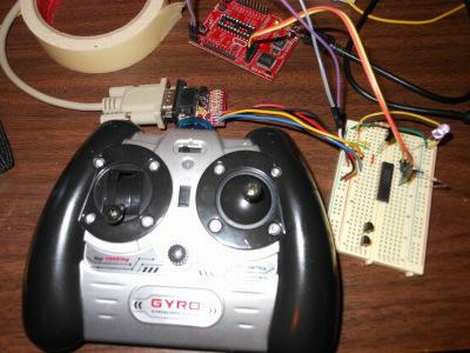
Development has been progessing quite nicely on [Matlo’s] PlayStation 3 controller spoofing project. This is a package that allows you to identify a PC as a PS3 controller. We know what you’re thinking: why would you want to do that? When we originally looked in on the project about a year ago we mentioned that this allows you to use any Linux-friendly peripheral as a PS3 controller. In the clip embedded below you’ll see that nothing beats a good keyboard and gaming mouse when it comes to first-person shooters. [Matlo’s] solution not only allows you to use alternative control hardware, but there’s almost unlimited configurability.

And speaking of configuration, he’s done a ton of work on the GUI. After the initial package installation no terminal typing needs to be done to get the system configured. Once in place, you can set the MAC address of a Bluetooth dongle to spoof the address of your SixAxis controller. From there you can set up the button mapping, calibrate mouse hardware and the like, and even program macros (fantastic). Now go out and pwn everyone at deathmatch now that the PlayStation Network is back up and running.

Continue reading “PS3 Controller Spoofing Advancing With Leaps And Bounds”

Bit Banging VGA From An SD Card Slot

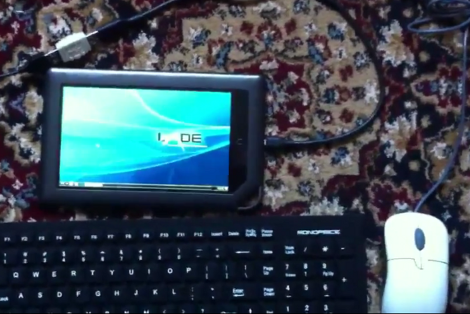
If you’ve got some favorite electronic device that includes an SD card slot but doesn’t have a video out port you may be able to push VGA signals through the card reader conductors. That’s exactly what’s going on above with the Ben NanoNote, a sub-$100 Linux device which we’ve seen using its SD card slot as general I/O before.

The hardware to capture the signals includes a breakout board for the card slot. Free-formed on the other end of that connector card is a gaggle of resistor which handle level conversion for the VGA color signals, with a VGA cable taking it from there to the monitor. The software that makes this happen is a dirty hack, blocking all other functions while it displays a still image. But we’re sure that it can be cleaned up somewhat. Just don’t hold out hopes for full-motion video, this little guy just doesn’t have it in him.

[via Dangerous Prototypes via Slashdot]

Gitbrew Brings OtherOS Back To The PS3

otheros

Instead of simply watching the days pass by while the PSN network continues to be unavailable, why not do something useful with your PS3 console? [MS3FGX] wrote in to share some news regarding efforts to bring the OtherOS option back to the PS3.

The team at gitbrew.org have been diligently working to bring Linux back to the console for a little while now, and have released a dual-boot firmware they are calling OtherOS++. This firmware has two huge benefits over Sony’s original attempt at Linux support for the console. It can be run on the original “fat” PS3s as well as the newer “slim” models – something that was not possible until now. Additionally, it gives the Linux install full access to the PS3’s hardware rather than running the OS inside a virtual machine.

The project is relatively new, so the installation procedures and associated documentation are not suitable for the less experienced individuals out there, so consider yourself warned.

We love that there are people doing all they can to bring this awesome feature back to the PS3 – it’s a huge step in the right direction.

[Image via gitbrew]

Writing Python Drivers For Input Devices

[Stealth] put together a post explaining how he writes drivers for input peripherals. He’s using Python which makes the process fairly painless (we’ll get to that in a minute) but the value of his post is in the explanation surrounding how to interpret the data. Once you know how the communications are coming in from a device you can write the driver using any language you want. [Stealth] wrote in to let us know about this post after reading the PlayStation 3 Sixaxis controller sniffing hack. He’s pretty much doing the same thing but the background information is much more bountiful.

There are a couple of prerequisites to the process. First, [Stealth] is working in a Linux environment. That’s not to say you couldn’t do this on another OS, but you’re going to need to do some research to find out how to tap into the data stream from the device. Secondly, the input you are working with must already be set up and working on the machine. That means if there isn’t any support at all for the peripheral (in this case a USB joystick) you’re not going to be able to sniff the commands. That being said, a short Python snippet is all you need to dump the raw data coming in from the device. With data in hand it’s time to do some pattern hunting. As you start to figure out the size and scope of the incoming packets you can try out your own code to make sure you’ve got it right. Check out the demo video after the break which features a joystick button mapper written in Python.

Continue reading “Writing Python Drivers For Input Devices”

The Basics Of Controlling An Arduino With PHP

You can easily add Internet-based control for your Arduino if it is close enough to your server to be connected via USB. This tutorial will give the basics you need to get it working.

The gist of this method involves a webpage that includes PHP elements. When one of those elements is manipulated, a command is sent via serial connection to the Arduino which then reacts based on what it received. This example uses an Ubuntu box that is running an Apache server. The Arduino sketch sets up the serial connection and then listens for incoming traffic. Whenever it receives a non-zero character an LED will blink. On the server side of things you’ll need to make sure that the system user that runs Apache (www-data) has permission to write to a serial port.

This base example may seem extremely simple, but there’s no end to what you can build on top of it. Different PHP events can be added to push new commands over the serial connection with matching test conditions added to the sketch.

[Thanks Jarryd]

Recover Acer Aspire One From “failed To Initialize HAL” Error

The Acer Aspire One is a netbook that often ships with a Linux OS preinstalled. This is great for fans of open source as market share is calculated based on units shipped, not what users install after they buy the hardware. Unfortunately there is a pretty major flaw that can cause a “failed to initialize HAL” error as seen above. [Michael Crummy] came up with a set of steps you can use to recover from this error.

So what is this error? HAL stands for Hardware Abstraction Layer and it’s what allows one user interface to communicate with many different types of hardware. If you’re the proud owner of an Aspire One and are struck with this error you will suddenly find that you can no longer use the USB ports, card readers, wired or wireless network connectors, or the sound card. So you can’t connect to the Internet, and you can’t get any files on or off of the device using the currently installed operating system. For an OS that [Neal Stephenson] once described as “like the M1 tanks of the U.S. Army, made of space-age materials and jammed with sophisticated technology” this is a very big problem.

We know what you’re thinking… boot into a live session on a thumb drive and get what you need from the hard disk. Well that’s all fine and dandy, but you shouldn’t ever be forced to clean install Linux to fix a problem. So check out [Michael’s] method and make sure you turn off the Acer live update server which was mostly likely the cause of the problem in the first place.

Earthquake Alert System


[Roteno’s] submission for the 555 timer design contest is an Internet connected earthquake alert system. It monitors the USGS website for earthquake data and plays a tune when an earthquake occurs. The data is available as a feed in the form of a TXT file which is pretty easy to parse using cURL. He chose an LPCXpresso board (which is an ARM development platform that can run a Linux kernel) along with an XPORT module to handle the Ethernet traffic.

So where does the 555 timer see some action? It is responsible for playing the tone when an earthquake is detected. But playing just one pitch isn’t much fun. Instead, [Roteno] built the circuit above which creates a resistor network switched by a series of transistors. This way he can use GPIO from the microcontroller to choose different pitches. Check out the video after the break to hear the results. At power-up all eight pitches are played as a test, and the alert sound varies in pitch and tempo based on the magnitude of the earthquake.

Continue reading “Earthquake Alert System”