Building Pong For An 8-pin Micro

pong

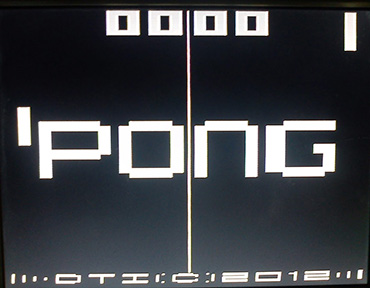
For playing around with video signals and trying to create a an interesting microcontroller project, you can’t do better than the classic Pong. We’ve seen our share of microcontroller-based pong builds, but rarely have we seen an 8-pin microcontroller recreate every part of the first video game.

[Tim] started his PIC12F1840-based Pong build with just a few buttons for controls and a video output. This in itself is somewhat of an achievement, as [Tim] used all the data memory and every GPIO pin on this small microcontroller.

He had time to optimize his build and ended up adding the bleeps and bloops of the original Pong to his build. He’s got an interesting design on his hands, and also what is probably the smallest Pong clone in existence.
IFF System Keeps You From Shooting Your Friends

IMU

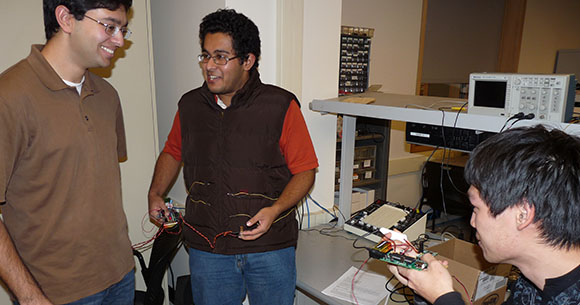
An IFF system – Identification of Friend or Foe – are used by military aircraft in battle situations to determine if another aircraft is being piloted by a fellow aviator or an enemy. For the boots on the ground, friendly fire is generally regarded as a very bad thing, so a few students in [Bruce Land]’s ECE 4760 class at Cornell decided to make a wearable version of an IFF for their final project.

[Wen Hao Lui] and [Aadeetya Shreedhar] broke their project down into two parts: an initiator unit and a receiver unit. The initiator unit sends an encryption key to the receiver unit which, in turn, replies back to say, ‘don’t shoot.’ [Wen] and [Aadeetya] needed to choose between using RF or laser-based communications for the initiator, but the difficulty in acquiring or building a radio antenna with the requisite directionality made a laser the obvious choice.

The receiver unit has eight phototransistors attached to a vest and will reply to the initiator unit via a Wi.232 radio module when the laser illuminates the phototransistors. In the event of an enemy acquiring one of these vests, the project includes a pulse detection circuit that will erase the encryption keys when the wearer’s pulse drops to zero. A bit morbid, but the video after the break sure makes it look cool.

Continue reading “IFF System Keeps You From Shooting Your Friends”

Python Can Be Your Best Friend When It Comes To Binary Math

python-binary-math

If you’re into microcontrollers you know the ability to think and perform math in binary is a must. [Joe Ptiz] has been looking for a way to keep from being distract by the math when coding while still keeping the binary strings in the forefront of his mind. The solution he came up with is to use the Python interpreter as a binary math aide.

We knew that you could use Python to convert between decimal, hexadecimal, and binary. But we failed to make the leap to using it for troubleshooting bit-wise operations. We can see this being especially useful when working with sixteen-bit I/O ports like those found on STM32 chips. For us it’s easy to do 8-bit math in our head, but doubling that is another story.

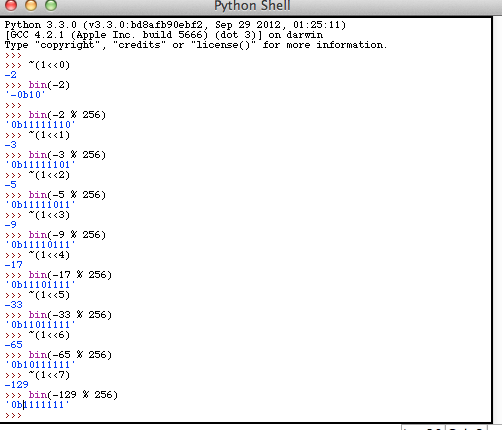
The image above is one screenshot from [Joe’s] tutorial. This illustrates a few different bit-wise operators given decimal inputs but displaying binary as output. He also illustrates how you can use python to test out equations from C code by first setting the variables, pasting the equation, then printing the result to see if the output is what was expected.

Macro Assembly For AVR Chips

avr-macro-assembly

Here’s an interesting tip that can help improve your ability to write assembly code. In an effort to remove the complexity of assembly code for an AVR project [Quinn Dunki] figured out how to use macros when writing AVR code with the GNU toolchain. Anyone using AVR-GCC should keep this in mind if they ever want or need to pound out a project in assembly language.

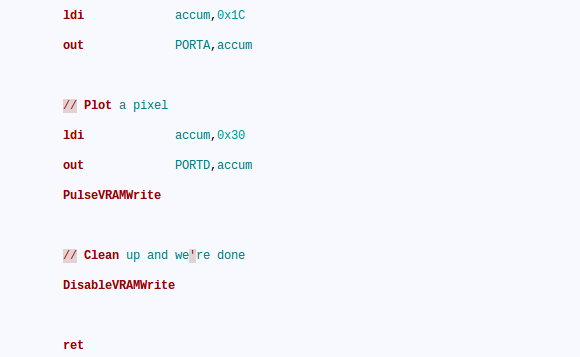
If you look at the code snippet above you’ll see two commands that are obviously not assembly; PulseVRAMWrite and DisableVRAMWrite. These are macros that direct the assembler to roll in a hunk of code. But avr-as, the assembler used with this toolchain, lacks the ability to handle macros. That’s too bad because we agree with [Quinn] that these macros make the code easier to read and greatly reduce the probability of error from a typo since the code in the macro will be used repeatedly.

The answer is to alter the makefile to use GNU M4. We hadn’t heard of it, but sure enough it’s already installed on our Linux Mint system (“man m4” for more info). It’s a robust macro processor that swaps out all of her macros based on a separate file which defines them. The result is an assembly file that will play nicely with avr-as.

Her implementation is to help in development of the GPU for her Veronica computer project.

Virtual Chess Uses Glove Controllers

chess-using-glove-controllers

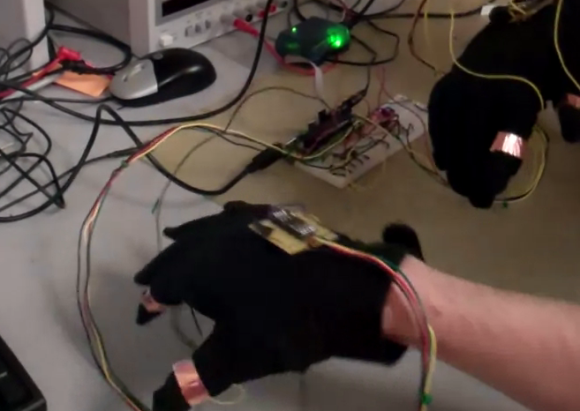
Check out the game of chess going on above. It’s a virtual game where each player uses a glove as the controller. Or course the game board and pieces are missing from this image. They’re displayed on a computer monitor which both players can see.

The hardware rather simple, and we think it would be a great project to challenge your microcontroller skills. Each glove has an accelerometer attached to it, as well as a ring of copper foil on the pointer finger and thumb. One ATmega1284 monitors both gloves. The accelerometer data is used to move the mouse cursor on the screen, while the contacts are used to grip or release a playing piece. The game board and pieces are displayed using MATLAB with controller commands fed to it via a USB connection.

If you’re more into building a mechanized game check out this pair of telepresence chess boards.

Continue reading “Virtual Chess Uses Glove Controllers”

Building A Spectrum Analyzer With Parallel Processing

fft

It’s the end of the semester for [Bruce Land]’s microcontroller design class at Cornell, and the projects coming off the workbench this semester look as awesome as any before. For their final project, [Alexander Wang] and [Bill Jo] designed an audio frequency spectrum analyzer using two microcontrollers in a parallel setup.

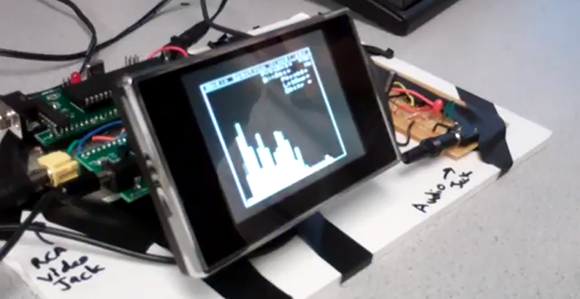
This spectrum analyzer takes an audio signal from an iPod, phone, or CD player through a 3.5 mm jack and displays the level for dozens of frequency bands much like an audio visualizer in iTunes or a nice car stereo display. To display these frequency bands, the spectrum analyzer first needs to perform a Fast Fourier Transform on the incoming audio signal. While FFT is extremely fast, the calculations are rather hardware intensive; calculating the frequencies and displaying them on a TV would be a bit much even for the ATMega1284 used in the project.

To graph the audio signal on their small display, [Alexander] and [Bill] broke the build up into two parts – one to do the math on the audio, and another to generate the NTSC video signal for the display.

As seen in the video after the break, the spectrum analyzer works wonderfully, and even though it only functions up to 4kHz, it’s more than enough to see what’s going on in most music.

Continue reading “Building A Spectrum Analyzer With Parallel Processing”

Online Radiation Monitoring Station

geiger-counter-build

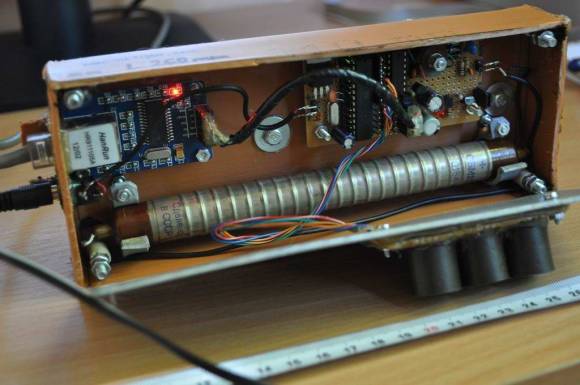
This is a Geiger counter which charts its readings on a webpage. [Radu Motisan] put a lot of time into the build and it shows. This thing is packed with features and the hardware choices were the best combinations found through several iterations of development.

In addition to radiation levels the sensor unit takes several other measurements. These include temperature, humidity, luminosity, and barometric pressure. All of the sensor data is monitored and gathered by an ATmega168 which can be charted on a webpage with the help of an ENC28J60 Ethernet chip. The collection and display of this data is detailed at the post linked above.

For those interested in the hardware development, [Radu] published many updates along the way. These are available in his forums posts, as well as his build log. He doesn’t have any videos of his recent work, but way back in May he did publish a clip (found after the break) which shows the testing of different Geiger tubes.

Continue reading “Online Radiation Monitoring Station”