Honey, I Shrunk The Arduino Core

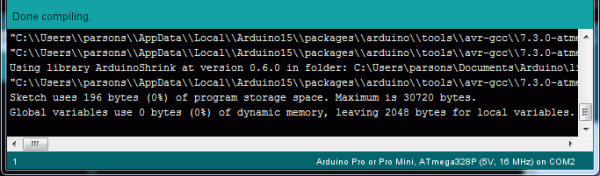
High-level programming languages do a great job of making a programmer’s job easier, but these languages often leave a lot of efficiency on the table as a compromise. While a common thought is to move into a lower-level language like assembly to improve on a program’s speed or memory use, there’s often a lot that can be done at the high level before resorting to such extremes. This, of course, is true of the Arduino platform as well, as [NerdRalph] demonstrates by shrinking the size of the Arduino core itself.

[NerdRalph] had noticed that the “blink” example program actually includes over 1 kB of extraneous code, and that more complicated programs include even more cruft. To combat this issue, he created ArduinoShrink, which seeks to make included libraries more modular and self-contained. It modifies some of the default registers and counters to use less memory and improve speed, and is also designed to improve interrupt latency as well by changing when the Arduino would otherwise disable interrupts.

While there are some limits to ArduinoShrink, such as needing to know specifics about the pins at compile time, for anyone writing programs for Arduinos that are memory-intensive or need improvements in timing, this could be a powerful new tool. If you’d prefer to go in the opposite direction to avoid ever having to learn C or assembly, though, you can always stick with running Python on your embedded devices.

One Bit CPU Runs At A Blistering 60Hz

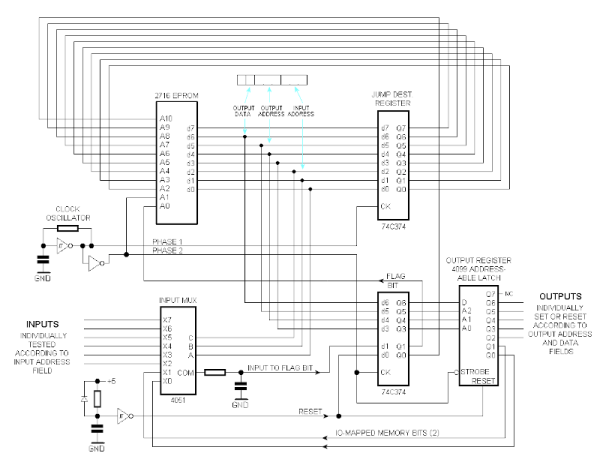
If you really think hard about it, a CPU is just a very general-purpose state machine. Well, most CPUs are, anyway. The MC14500 is a one-bit computer that has only 16 instructions and was meant to serve in simple tasks where a big CPU wouldn’t work for space, power, or budget reasons. However, [Laughton] took the idea one step further and created a single-bit computer with no real instructions to control a printing press. The finished machine uses a clever format in an EEPROM to drive an endless program.

Honestly, we’d say this is more of a state machine, but we like the idea of it being a minimal CPU which is also true. The design uses the EEPROM in an odd way. Each CPU address really addresses a block of four bytes. The byte that gets processed depends on the current phase and the status of the one-bit flag register.

Continue reading “One Bit CPU Runs At A Blistering 60Hz”

Direct Memory Access: Data Transfer Without Micro-Management

In the most simple computer system architecture, all control lies with the CPU (Central Processing Unit). This means not only the execution of commands that affect the CPU’s internal register or cache state, but also the transferring of any bytes from memory to to devices, such as storage and interfaces like serial, USB or Ethernet ports. This approach is called ‘Programmed Input/Output’, or PIO, and was used extensively into the early 1990s for for example PATA storage devices, including ATA-1, ATA-2 and CompactFlash.

Obviously, if the CPU has to handle each memory transfer, this begins to impact system performance significantly. For each memory transfer request, the CPU has to interrupt other work it was doing, set up the transfer and execute it, and restore its previous state before it can continue. As storage and external interfaces began to get faster and faster, this became less acceptable. Instead of PIO taking up a few percent of the CPU’s cycles, a big transfer could take up most cycles, making the system grind to a halt until the transfer completed.

DMA (Direct Memory Access) frees the CPU from these menial tasks. With DMA, peripheral devices do not have to ask the CPU to fetch some data for them, but can do it themselves. Unfortunately, this means multiple systems vying for the same memory pool’s content, which can cause problems. So let’s look at how DMA works, with an eye to figuring out how it can work for us.
Continue reading “Direct Memory Access: Data Transfer Without Micro-Management”

Real Time Object Detection For $59

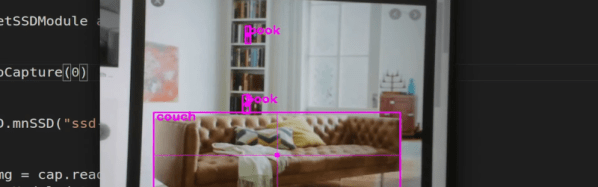
There was a time when making a machine to identify objects in a camera was difficult, even without trying to do it in real time. But now, you can do it with a Jetson Nano board for under $60. How well does it work? Watch [Murtaza’s] video below and see what you think.

The first few minutes of the video piqued our interest, and good thing, too, because the 50 lines of code get a 50-plus minute video! It is worth watching, though, because there’s a lot of good information about how to apply this technique in your own projects.

Continue reading “Real Time Object Detection For $59”

Bare-Metal STM32: Please Mind The Interrupt Event

Interruptions aren’t just a staple of our daily lives. They’re also crucial for making computer systems work as well as they do, as they allow for a system to immediately respond to an event. While on desktop computers these interrupts are less prominent than back when we still had to manually set the IRQ for a new piece of hardware using toggle switches on an ISA card, IRQs along with DMA (direct memory access) transfers are still what makes a system appear zippy to a user if used properly.

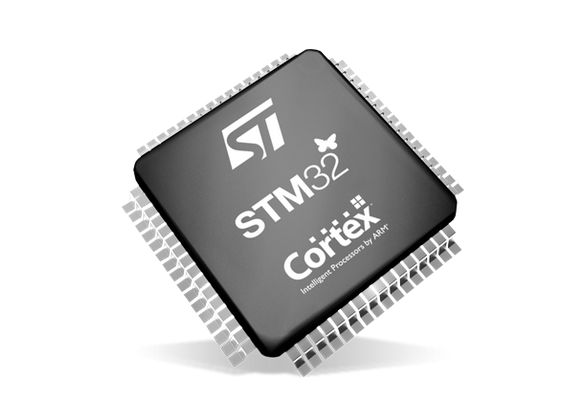
On microcontroller systems like the STM32, interrupts are even more important, as this is what allows an MCU to respond in hard real-time to an (external) event. Especially in something like an industrial process or in a modern car, there are many events that simply cannot be processed whenever the processor gets around to polling a register. Beyond this, interrupts along with interrupt handlers provide for a convenient way to respond to both external and internal events.

In this article we will take a look at what it takes to set up interrupt handlers on GPIO inputs, using a practical example involving a rotary incremental encoder.

Continue reading “Bare-Metal STM32: Please Mind The Interrupt Event”

USB Comes To The ESP32

Since the ESP8266 came on the scene a few years ago and revolutionized the way microcontrollers communicate with other devices, incremental progress on this chip has occurred at a relatively even pace. First there was the realization that code could be run on the chip itself. Next the ESP32 was released which built more on that foundation. The next step in that process of improvement may be here now as well, with this project which turns the ESP32 into a USB host.

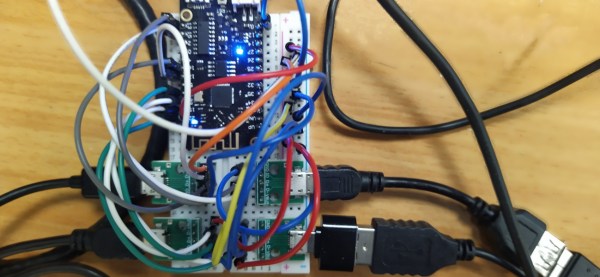
USB is not a native feature on all microcontrollers or even Arduino-compatible boards. While some do have it built in like those based on the 32u4 for example, most either don’t have it at all or rely on a separate on-board chip to do some form of translating. The ESP32 is lacking this advanced feature so the USB needs to be cobbled together from scratch if you want this specific board to be able to interface directly with peripherals. This project does just that, allowing for four USB 1.1 devices to be connected directly to the ESP32 without a separate dedicated chip.

If you’ve been waiting for USB on this tiny, capable microcontroller this might be your chance to try it out. All of the project’s code is available on the project page. And, while it is limited in scope, it’s easily able to handle a keyboard or mouse. This might be a more cost-effective way of doing something like a KVM switch rather than doing it with three Arduinos.


DIY I2C Tester

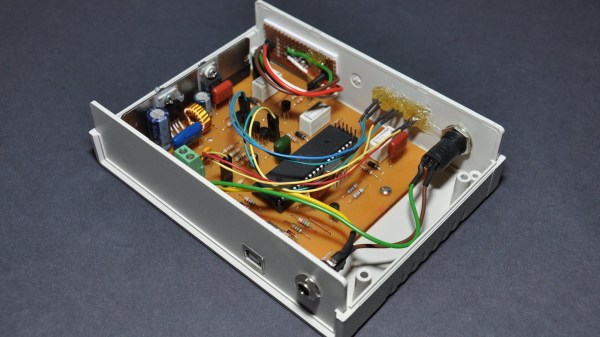
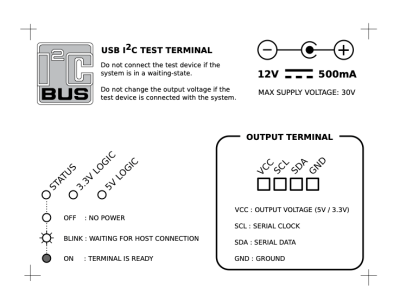
[Dilshan] built a dedicated I2C tester which allows for I2C bus control over USB using simple commands such as init, read, write, etc. The Linux kernel has had I2C driver support for a couple of decades, but you’ll be hard pressed to find a computer or laptop with a I2C connector (excluding Bunnie Huang’s Novena hacker’s laptop, of course). This tester does require a Linux host, and his programs use libusb on the computer side and V-USB on the embedded side.

[Dilshan] put a lot of time into building this project, and it shows in the build quality and thorough documentation. With its single-sided PCB and all thru-hole construction, it makes a great beginner project for someone just getting into the hobby. At the heart of the tester is an ATmega16A in a 40-pin PDIP package (despite the Microchip overview page calling it a 44-pin chip), supported by a handful of resistors and transistors. Schematics are prepared in KiCad, code is compiled using gcc and avr-gcc, and he provides a label for the enclosure top. The only thing missing is information on the enclosure itself, but we suspect you can track that down with a little sleuthing (or asking [Dilshan] himself).

If you use I2C quite a lot, give this project a look. Easy to build, useful in the lab, and it looks nice as well. We have featured [Dilshan]’s work over the years, including this logic pattern generator and his two-transistor-on-a-breadboard superheterodyne receiver.