Making Punch Card Programming A Snap

About thirty years ago [H. P. Friedrichs] pulled off a hack that greatly improved the process of programming with punch cards. At the time, his school had just two IBM 029 keypunch machines. One of them is shown in the upper right and it uses a keyboard to choose which parts of each card should be punched out. This was time-consuming, and one misplaced keystroke could ruin the card that you were working on. Since you had to sit at the machine and type in your source code these machines were almost always in use.

But wait, the school acquired a dozen of the TRS-80 computers seen in the lower left. They were meant to be used when teaching BASIC, but [HPF] hatched a plan to put them to task for punch card generation. He built his own interface hardware that connected to the expansion port of the new hardware. Using his custom interface a student could create a virtual card deck that could be rearranged and revised to correct mistakes in the source code. The hardware then allows the virtual deck to be dumped in to the punching machine. This broke the bottleneck caused by students sitting at the punch card terminal.

We think that [HPF] sent in this project after seeing the antiquated hardware from that 1970’s calculator. These hacks of yore are a blast to revisit so don’t be afraid to tip us off if you know of a juicy one.

Classic Game Emulation On The Dockstar

[Hunter Davis] is playing games like Contra, Monkey Island, and Quake 3 by running them on a Seagate Dockstar. We were shocked after seeing how well these run in the video after the break. [Hunter], who used the ZipIt for game emulation in the past, added a couple of hardware peripherals to get everything running. For sound he picked up an inexpensive USB sound card which was no problem to get up and running. Next he picked up a USB to DVI adapter and fired up the Linux USB DisplayLink driver. With the peripherals running he loaded up Fluxbox and the rest was history. Not bad for a small network storage adapter. Continue reading “Classic Game Emulation On The Dockstar”

Building A Security Access Panel

It turns out that hacking together a security keypad is remarkably simple if you know what you’re doing. [Don] needed to add a keypad with an RFID reader on it. He had previously built a USB RFID reader and thought he could integrate those concepts into the new unit.

He once again started with a serial to USB converter and removed the voltage converter IC for later use since he doesn’t need TTL levels for this project. The keypad is a USB product and it turns out there’s a hub inside. With plenty of space inside for the serial converter PCB and a blank spot at the top where he mounted the RFID reader, he adding a few passive components to wire it up and connect it to the hub. The only connection is the original USB cord but the PC will detect both the keypad and the converter.

Adding A Serial Port Through An RJ45 Connector

[Mike Lu] likes to add serial ports to his routers to use for debugging but he didn’t want to drill holes in his new RT-N12. After a bit of head-scratching he thought about repurposing the four unused wires on one of the RJ45 Ethernet connectors. This would allow him to interface with the necessary signals and still have the option of using that port for a network connection. The first step was to build the circuit to output the correct serial levels and connect it to the unused pins on the jack. Next, to separate serial and Ethernet on the outside of the router he build a short adapter cable.

This is an elegant solution if you’re looking for zero case modifications. But if you don’t mind a few inconspicuous holes we love the serial port used on this Dockstar.

Gaming On An IBM XT Using An NES Controller

[Frode] felt that using the keyboard for gaming on his old IBM XT computer was simply too noisy. He came up with a much quieter way to game by building an XT adapter for an original NES controller. If you haven’t explored the communication protocol used by the NES peripherals this is a great way to learn. Inside you’ll find a CMOS shift register that captures button states when it receives a latch signal. With that in mind [Frode] came up with a circuit to gather the bits from the controller, and generate input commands using the XT keyboard protocol without using a microcontroller. All of this is explained in the demo after the break.

Most of the NES controller hacks we see permanently alter the hardware. It’s nice to see one used without cracking it open.

Continue reading “Gaming On An IBM XT Using An NES Controller”

Adding Auto-fire To A Computer Mouse

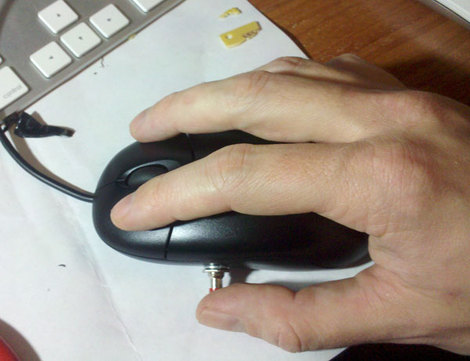
[Peter Skaarup’s] been re-living the past by playing old-school games in DOSBox. He’s using a mouse as the controller but longed for the auto-fire button that many joysticks used to have. Instead of looking around for a gamepad with this feature he decided to add an auto-fire button to the mouse. He incorporated a PIC 10F200, along with a momentary push switch and a transistor. The push switch enables the autofire feature, causing the transistor to short the left mouse button about seventeen times a second. Problem solved, and with a couple of other pins on the microcontroller there’s room for this project to grow.

Interested in an auto-fire feature for your gaming console? Perhaps this Xbox 360 rapid fire mod will give you some inspiration.

Classical VCR Head Jog Wheel

[Osgeld] takes on the classic VCR head jog wheel in this instructable. He has done a fantastic job not only in his build quality, but in the quality of the writeup. As he points out, the idea of using the head as a jog wheel isn’t new. His construction and build quality however have yielded a fantastic looking reliable device that we would be proud to have sitting on our desk.

As usual, the most interesting bits of the writeup are how he solved problems he encountered. For example, he’s using an optical mouse to detect the motion of the wheel. This requires that he print out a pattern to mount opposite the optical sensor. This sounds straight forward enough, but he found the results to be less than stellar. He documented his fix, basically reworking it in GIMP, so others can save some time. That is how tutorials should be. Great job [Osgeld].