The Hunt For A Rare Version Of IBM’s OS/2

Slovenian OS/2 Warp 4 was a popular OS choice in that European country back in the day, but could the Slovenian Computer Museum lay their hands on a copy? In that question lies a bit of detective work and some luck.

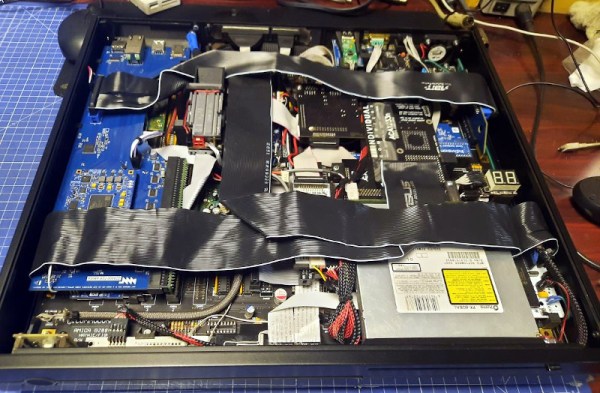
There’s an old gag, about how this is finally the year of the Linux desktop. But oddly back in the ’90s it almost seemed possible, because alongside Microsoft Windows there were a host of other players that just might have become challengers. Foremost among them was IBM’s OS/2, a desktop PC operating system that could very much give Windows a run for its money. It could even run 16-bit Windows applications thanks to the code-sharing deal between the two companies dating back to the DOS days. Big Blue were so anxious to take their OS into new markets that they localized it into languages which Microsoft hadn’t touched, of which Slovenian was one.

But a couple of decades later, could a copy of this rare operating system version be found? While it may still lurk on a dusty shelf in an IT office somewhere it’s proved elusive, and online sources have dried up. The quest for it makes interesting reading for anyone with an interest in that period of retrocomputing, and finally ended up at the Slovenian company which had performed the localisation. This resulted in a copy of the OS, but not of the media, box, or paperwork. It yielded the fascinating discovery that IBM had localized the Windows 3.1-derived components as well as their own code, something that Microsoft had never done.

So do you have a boxed Slovenian OS/2 Warp 4 on a dusty shelf? Someone at the Slovenian Computer History Museum might like to see it. Meanwhile it’s a surprise to find that OS/2 is still supported.

Arduino Nano Powers Reverse Polish Notation Calculator

There’s something about Reverse Polish Notation (RPN) and the calculators that use it. It calls to mind a time when a calculator was a serious tool, and not just a throwaway toy. Created in the legacy of such calculators by HP and Texas Instruments, [Simon Boak] shows off his SB116, sporting an Arduino Nano under the hood. It’s a fully custom design, with a hand-built metal case, a custom PCB for the keyboard, and a tiny OLED display for maximum retro green goodness.

The impetus for this build was to replace a particular calculator, a well-used TI Programmer, that’s useful for working with 6502 assembly. The SB116 supports binary, octal, decimal, and hex; and boasts some downright useful functions — AND, NOT, OR, XOR, and bitshifts. The source code is available, but you’re on your own for the case and keyboard. And for maximized retro faux-nostalgia, [Simon] designed a box that would have looked right at home on an 80s store shelf.

Stick around for more retro-modern takes on calculators, or tales of repairing a genuine vintage model.

The Internet Without The Computer: 1990s Style

We think of the Internet extending to small devices as a modern trend, but it actually is a good example of how everything makes a circle. Today, we want the network to connect to our thermostat and our toaster. But somewhere between the year 1990 and the year 2010, there was a push to make the Internet accessible to the majority of people who didn’t own a computer. The prototypical device, in our mind, was Microsoft’s ill-fated WebTV, but a recent video from [This Does Not Compute] reminded us of another entry in that race: The Audrey from 3COM. Check out the video, below.

Many devices, like the WebTV, wanted to take over your TV set to save on a display. That doesn’t sound bad today, but you have to remember, the typical TV set in those days was not the high-resolution digital monster you have today, so the experience of surfing the Web on one was suboptimal. The Audrey actually had a cute little screen and a compact keyboard.

Continue reading “The Internet Without The Computer: 1990s Style”

Bootstrapping The Old Fashioned Way

The PDP-11, the Altair 8800, and the IMSAI 8080 were some of the heroes of the computer revolution, and they have something in common — front panel switches, and a lot of them. You probably have a fuzzy idea about those switches, maybe from reading Levy’s Hackers, where the painful process of toggling in programs is briefly described. But how exactly does it work? Well thanks to [Dave Plummer] of Dave’s Garage, now we have a handy tutorial. The exact computer in question is a reproduction of the IMSAI 8080, the computer made famous by a young Matthew Broderick in Wargames. [Dave] managed to score the reproduction and a viewer saved him the time of assembly.

The example program is a Larson Scanner, AKA making an strip of lights push a pulse of light across the strip. [Dave] starts with the Assembly code, a scant 11 lines, and runs it through an assembler available online. That gives us machine code, but there’s no hex keypad for input, so we need those in 8-bit binary bytes. To actually program the machine, you set the address switches to your start-of-program location, and the data switches to your first byte. The “deposit” switch sets that byte, while the “deposit next” switch increments the address and then stores the value. It means you don’t have to key in an address for each instruction, just the data. Get to the end of the program, confirm the address is set to the start, and flick run. Hope you toggled everything in correctly. If so, you’re rewarded with a friendly scanner so reminiscent of 80s TV shows. Stick around after the break to see the demonstration!
Continue reading “Bootstrapping The Old Fashioned Way”

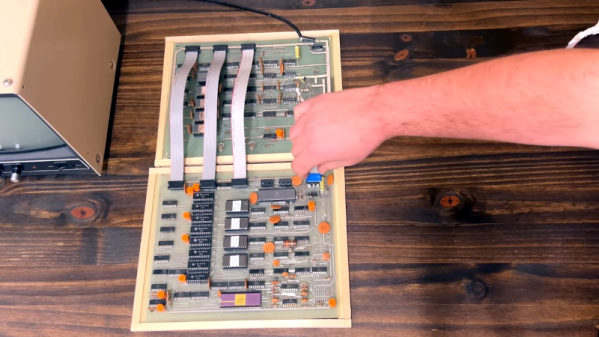
The MOS 7600 Video Game Chip Gives Up Its Secrets

A good chip decapping and reverse engineering is always going to capture our interest, and when it comes from [Ken Shirriff] we know it’s going to be a particularly good one. This time he’s directed his attention to the MOS 7600 all-in-one video game chip (Nitter), a mostly forgotten device from the 6502 chipmaker which we featured a few weeks ago when it was the subject of a blogger’s curiosity. The question then was whether it contained a microprocessor or not and even whether it was another 6502 variant, and the answer revealed in the decapping answers that but will disappoint the 6502 camp.

On the chip is a mixture of analog and digital circuitry, with some elements of a more traditional game chip alongside a ROM, a PLA, and a serial CPU core. The PLA stores pixel data while the ROM stores the CPU code, and the CPU serves to perform calculations necessary to the games themselves. He hasn’t fully reverse-engineered either, but the two areas of the chip are mask-programmed to produce the different games with which the chip could be found.

So the answer to the original question is that there is a CPU on board, but it’s not a 6502 and the operation is a hybrid between dedicated game chip and CPU-controlled chip. What we find interesting is that this serial CPU core might have as we mused in the previous piece made the heart of a usable 1970s microcontroller, was this a missed opportunity on the part of MOS? We’ll never know, but at least another piece of early video game history has been uncovered.

Front and back of a handheld 6502 computer with bubble LED displays

The Pocket265 Is A Pocket-Sized 6502 Single-Board Computer

Single-board computers have been around ever since microprocessors became affordable in the 1970s and never went away. Today we have Raspberry Pis and LattePandas, while back in the ’70s and ’80s there were the Ferguson Big Board, the KIM-1 and a whole array of Intel SDK boards. Although functionally similar to their modern counterparts with a CPU, RAM, ROM and some basic peripherals, the old boards were huge compared to today’s tiny platforms and typically required a rather beefy power supply to operate.

It doesn’t have to be that way though, as [Aleksander] shows with the Pocket265: a handheld 6502 single-board computer somewhat reminiscent of the famous KIM-1. Like that classic machine, it’s got a hexadecimal keypad to enter programs using machine code and a row of LED displays to show the programs’ output. Unlike the KIM, the Pocket265 is small enough to hold in one hand and uses bubble LED displays, which make it look more like a programmable calculator from the 1970s. It comes with a lithium battery that makes it truly portable, as well as a sleek 3D printed case to make it more comfortable to hold than a bare circuit board.

The single ROM chip contains a monitor program that runs the basic user interface. It also makes programming a bit less tedious by implementing a number of system calls to handle things like user input and display output. A serial EEPROM enables local data storage, while a UART with a USB interface enables data transfer to other computers. If you’re interested in building and programming such a machine yourself, [Aleksander] helpfully provides code examples as well as full hardware documentation on his GitHub page.

The 6502 remains a firm favorite among hardware hackers: some projects we recently featured with this CPU include one beautifully made machine, this easy-to-build single-board computer and this huge breadboard-based contraption. Looking for something smaller? Try this tidy little board or this 6502 coupled to an FPGA.

KittyOS: Writing A Toy OS For The ATmega168 From Scratch

Writing an operating system for a computing platform is one of those non-trivial tasks few people actually need to do, regardless of whether it’s for a small microcontroller or a larger general-purpose computer. Many of us spend a large amount of our time working on producing robust code for embedded systems, occasionally diving deeper into the abstraction when we’re stuck on a problem. Quite often this work is sitting on top of an RTOS, which we consider a solved problem. [Jonathan Diamond] had picked up a fair bit of knowledge of some of the low-level AVR black magic, as well as some details of how operating systems work internally, and so decided to have a crack a building a toy operating system called KittyOS, for the learning experience alone.

[Jonathan] hastens to add that this is not a practical OS, but a learning platform that needs a few more bells and whistles added to be useful. Aimed at the 8-bit AVR ATmega168 with its mere 16kB of flash and 1kB of SRAM, the diminutive chip can still perform more than well enough to host the rudimentary OS — up to four application tasks, and some basic system call support.

Already, KittyOS sports preemptive multitasking, with prioritization and support for applications written in C. Hardware support is a bit limited, with just serial I/O and a spot of GPIO, but that’s more than enough for a demonstrator. Applications can be loaded into any of the four available slots, with per-slot run state control, using the Python-based host interface. The post is a long one, with an absolute ton of the gory details we love around these parts, and we’re very glad [Jonathan] took the time to make a proper write-up as well as a demonstration video, which can be found after the break.

Continue reading “KittyOS: Writing A Toy OS For The ATmega168 From Scratch”