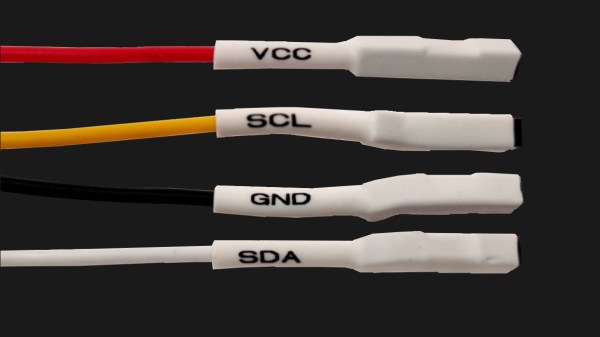
Four jumper wires with white heatshrink on them, labelled VCC, SCL, SDA and GND

Three Pitfalls In I2C Everyone Wishes Weren’t There

The best part of I2C is that it is a bus that is available just about anywhere, covering a vast ecosystem of devices that offer it as a hardware-defined interface, while being uncomplicated enough that it can also be implemented purely in software on plain GPIO pins. Despite this popularity, I2C is one of those famous informal standards that feature a couple of popular implementations, while leaving many of the details such as exact timing, bus capacitance and other tedious details to the poor sod doing the product development. Thus it is that we end up with articles such as a recent one on the tongue-twisting [pair of pared pears] blog, covering issues found while implementing an I2C slave.

As with any shared bus, whether multi-master or not, figuring out when the bus is clear is a fun topic, yet one which can cause endless headaches. One issue here comes from a feature that the SMBus version of I2C calls quick read/write. This allows for the rapid transfer of some data. Still, depending on the data returned by the slave, it may appear to the master that nothing is happening yet, since SDA is being held low by the slave until the stop condition, essentially locking the bus.

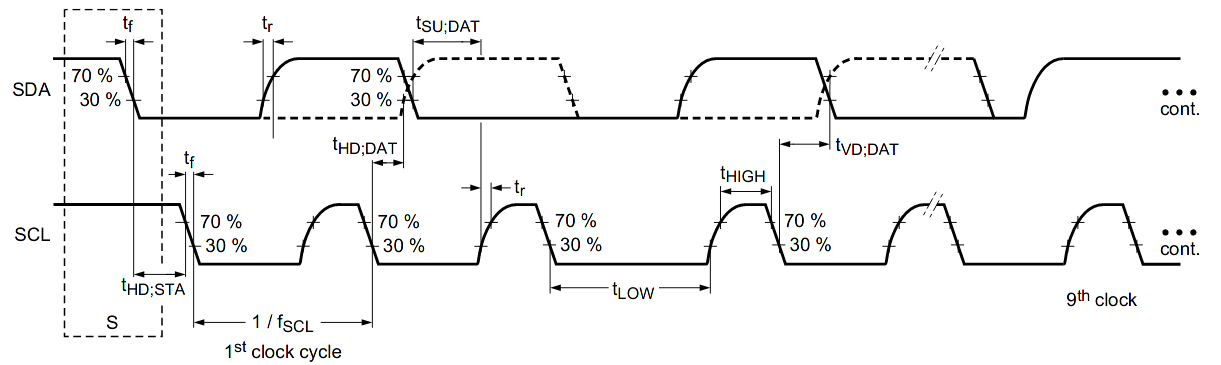
I2C hold times example.

Where things get even more exciting comes generally in the form of what logic analyzers love to traumatically call a ‘spurious start/stop condition’. This refers to the behavior of SDA and SCL, with SDA going low before SCL indicating an error. This can occur due to a hold time that’s too low, causing other devices on the bus to miss the transition. Here SMBus defines a transition time of 300 ns, while I2C calls for 0 seconds, but it’s now suggested to delay calling a start/stop condition until a delay of 300 ns has passed. Essentially, it would seem that implementing a hold time is the way forward until evidence to the contrary appears.

The third pitfall pertains to the higher-speed modes of I2C, including Fast-Mode (FM) and Fast-Mode Plus (FM+). Backward compatibility with these higher speed versions is absent to spotty. Although FM+ (introduced by NXP in 2007) is supposed to be backward compatible with slower speeds, effectively the timing requirement differences between the FM+ and FM standards are too large to compensate for. At least in the current versions of the standards, but one of the joys of I2C is that there’s always another new set of revisions to look forward to.

Computer Speed Gains Erased By Modern Software

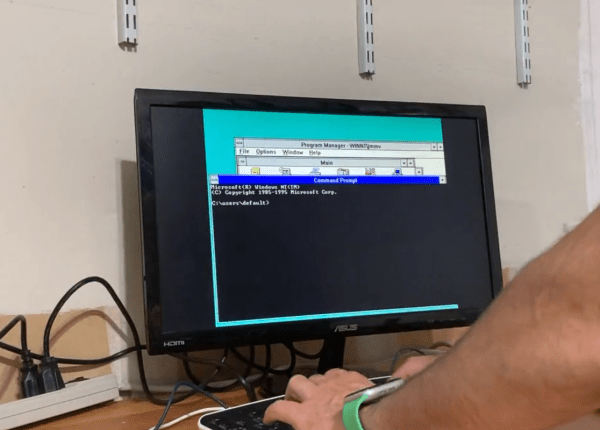
[Julio] has an older computer sitting on a desk, and recorded a quick video with it showing how fast this computer can do seemingly simple things, like open default Windows applications including the command prompt and Notepad. Compared to his modern laptop, which seems to struggle with even these basic tasks despite its impressive modern hardware, the antique machine seems like a speed demon. His videos set off a huge debate about why it seems that modern personal computers often appear slower than machines of the past.

After going through plenty of plausible scenarios for what is causing the slowdown, [Julio] seems to settle on a nuanced point regarding abstraction. Plenty of application developers are attempting to minimize the amount of development time for their programs while maximizing the number of platforms they run on, which often involves using a compatibility layer, which abstracts the software away from the hardware and increases the overhead needed to run programs. Things like this are possible thanks to the amount of computing power of modern machines, but not without a slight cost of higher latency. For applications developed natively, the response times would be expected to be quite good, but fewer applications are developed natively now including things that might seem like they otherwise would be.  Notepad, for example, is now based on UWP.

While there are plenty of plausible reasons for these slowdowns in apparent speed, it’s likely a combination of many things; death by a thousand cuts. Desktop applications built with a browser compatibility layer, software companies who are reducing their own costs by perhaps not abiding by best programming practices or simply taking advantage of modern computing power to reduce their costs, and of course the fact that modern software often needs more hardware resources to run safely and securely than equivalents from the past.

A Browser Approach To Parsing

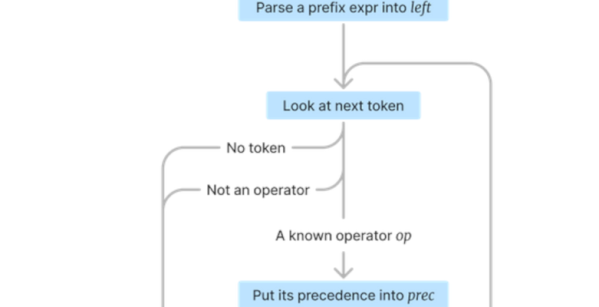
There are few rites of programmer passage as iconic as writing your first parser. You might want to interpret or compile a scripting language, or you might want to accept natural-language-like commands. You need a parser. [Varunramesh] wants to show you parser combinators, a technique used to make practical parsers. But the demonstration using interactive code cells in the web page is nearly as interesting as the technique.

Historically, you parse tokens, and this technique can do that too, but it can also operate directly on character streams if you prefer. The idea is related to recursive descent parsing, where you attempt to parse certain things, and if those things fail, you try again.

Continue reading “A Browser Approach To Parsing”

How Hardware Testing Got Plugged Into A Continuous Integration Framework

The concept of Continuous Integration (CI) is a powerful tool in software development, and it’s not every day we get a look at how someone integrated automated hardware testing into their system. [Michael Orenstein] brought to our attention the Hardware CI Arena, a framework for doing exactly that across a variety of host OSes and microcontroller architectures.

The Hardware CI Arena allows testing software across a variety of hardware boards such as Arduino, RP2040, ESP32, and more.

Here’s the reason it exists: while in theory every OS and piece of hardware implements things like USB communications and device discovery in the same way, in practice that is not always the case. For individual projects, the edge cases (or even occasional bugs) are not much of a problem. But when one is developing a software product that aims to work seamlessly across different hardware options, such things get in the way. To provide a reliable experience, one must find and address edge cases.

The Hardware CI Arena (GitHub repository) was created to allow automated testing to be done across a variety of common OS and hardware configurations. It does this by allowing software-controlled interactions to a bank of actual, physical hardware options. It’s purpose-built for a specific need, but the level of detail and frank discussion of the issues involved is an interesting look at what it took to get this kind of thing up and running.

The value of automatic hardware testing with custom rigs is familiar ground to anyone who develops hardware, but tying that idea into a testing and CI framework for a software product expands the idea in a useful way. When it comes to identifying problems, earlier is always better.

In Praise Of RPN (with Python Or C)

HP calculators, slide rules, and Forth all have something in common: reverse polish notation or RPN. Admittedly, slide rules don’t really have RPN, but you work problems on them the same way you do with an RPN calculator. For whatever reason, RPN didn’t really succeed in the general marketplace, and you might wonder why it was ever a thing. The biggest reason is that RPN is very easy to implement compared to working through proper algebraic, or infix, notation. In addition, in the early years of computers and calculators, you didn’t have much to work with, and people were used to using slide rules, so having something that didn’t take a lot of code that matched how users worked anyway was a win-win.

What is RPN?

If you haven’t encountered RPN before, it is an easy way to express math without ambiguity. For example, what’s 5 + 3 * 6?  It’s 23 and not 48. By order of operations you know that you have to multiply before you add, even if you wrote down the multiplication second. You have to read through the whole equation before you can get started with math, and if you want to force the other result, you’ll need parentheses.

With RPN, there is no ambiguity depending on secret rules or parentheses, nor is there any reason to remember things unnecessarily. For instance, to calculate our example you have to read all the way through once to figure out that you have to multiply first, then you need to remember that is pending and add the 5. With RPN, you go left to right, and every time you see an operator, you act on it and move on. With RPN, you would write 3 6 * 5 +.

While HP calculators were the most common place to encounter RPN, it wasn’t the only place. Friden calculators had it, too. Some early computers and calculators supported it but didn’t name it. Some Soviet-era calculators used it, too, including the famous Elektronika B3-34, which was featured in a science fiction story in a Soviet magazine aimed at young people in 1985. The story set problems that had to be worked on the calculator.

Continue reading “In Praise Of RPN (with Python Or C)”

Too Much Git? Try Gitless

Git has been a powerful tool for software development and version control since the mid ’00s, gaining widespread popularity since then. Originally built by none other than Linus Torvalds for handling Linux kernel development, it’s branched out for use with all kinds of other projects. That being said, it is not the easiest thing to learn how to use, with tons of options, abstract ideas, and non-linear workflows to keep track of. So if you’re new to the system or don’t need all of its vast swath of features, you might want to try out an alternative like Gitless.

Thanks to the fact that the original Git is open source, it’s free to modify and use as any user sees fit, and there are plenty of options available. This one aims to simplify many of the features found in the original Git, implementing a tracking system which somewhat automates commits. It also includes a simplified branching system, making it easier to switch between branches and keep better track of all that’s happening in a project. The command line interface is simplified as well, and the entire system is backwards-compatible with Git which means that if you find yourself needing some of the more advanced tools it’s possible to switch between them with relative ease.

For those of us keeping track of our own software projects, who don’t necessarily need the full feature set that the original Git has to offer, this could be a powerful tool that decreases the steep learning curve that Git is known for. It’s definitely a system work diving into, though, regardless of whichever implementation you choose. It’s an effective tool for everything from complex, professional projects to small hobby projects on the Arduino.

The First Search Engines, Built By Librarians

Before the Internet became the advertisement generator we know and love today, interspersed with interesting information here and there, it was originally a network of computers largely among various universities. This was even before the world-wide web and HTML which means that the people using these proto-networks, mostly researchers and other academics, had to build things we might take for granted from the ground up. One of those was one of the first search engines, built by the librarians who were cataloging all of the research in their universities, and using their relatively primitive computer networks to store and retrieve all of this information.

This search engine was called SUPARS, the Syracuse University Psychological Abstracts Retrieval Service. It was originally built for psychology research papers, and perhaps unsurprisingly the psychologists at the university also used this new system as the basis for understanding how humans would interact with computers. This was the 1970s after all, and most people had never used a computer, so documenting how they used search engine led to some important breakthroughs in the way we think about the best ways of designing systems like these.

The search engine was technically revolutionary for the time as well. It was among the first to allow text to be searched within documents and saved previous searches for users and researchers to access and learn from. The experiment was driven by the need to support researchers in a future where reference librarians would need assistance dealing with more and more information in their libraries, and it highlighted the challenges of vocabulary control in free-text searching.

The visionaries behind SUPARS recognized the changing landscape of research and designed for the future that would rely on networked computer systems. Their contributions expanded the understanding of how technology could shape human communication and effectiveness, and while they might not have imagined the world we are currently in, they certainly paved the way for the advances that led to its widespread adoption even outside a university setting. There were some false starts along that path, though.