Analog Discovery 2 As A Vector Network Analyzer

A while back, I posted a review of the Analog Discovery 2, which is one of those USB “do everything” instruments. You might recall I generally liked it, although I wasn’t crazy about the price and the fact that the BNC connectors were an extra item. However, in that same post, I mentioned I’d look at the device’s capabilities as a network analyzer (NA) sometime in the future. The future, as they say, is now.

What’s an NA?

In its simplest form, there’s not much to an NA. You sweep a frequency generator across some range of frequencies. You feed that into some component or network of components and then you measure the power you get out compared to the power you put in. Fancy instruments can do some other measurements, but that’s really the heart of it.

The output is usually in two parts. You see a scope-like graph that has the frequency as the X-axis and some sort of magnitude as the Y-axis. Often the magnitude will be the ratio of the output power to the input power as a decibel. In addition, another scope-like output will show the phase shift through the network (Y-axis) vs frequency (X-axis). The Discovery 2 has these outputs and you can add custom displays, too.

Why do you care? An NA can help you understand tuned circuits, antennas, or anything else that has a frequency response, even an active filter or the feedback network of an oscillator. Could you do the same measurements manually? Of course you could. But taking hundreds of measurements per octave would be tedious and error-prone.

Continue reading “Analog Discovery 2 As A Vector Network Analyzer”

Searchable KiCad Component Database Makes Finding Parts A Breeze

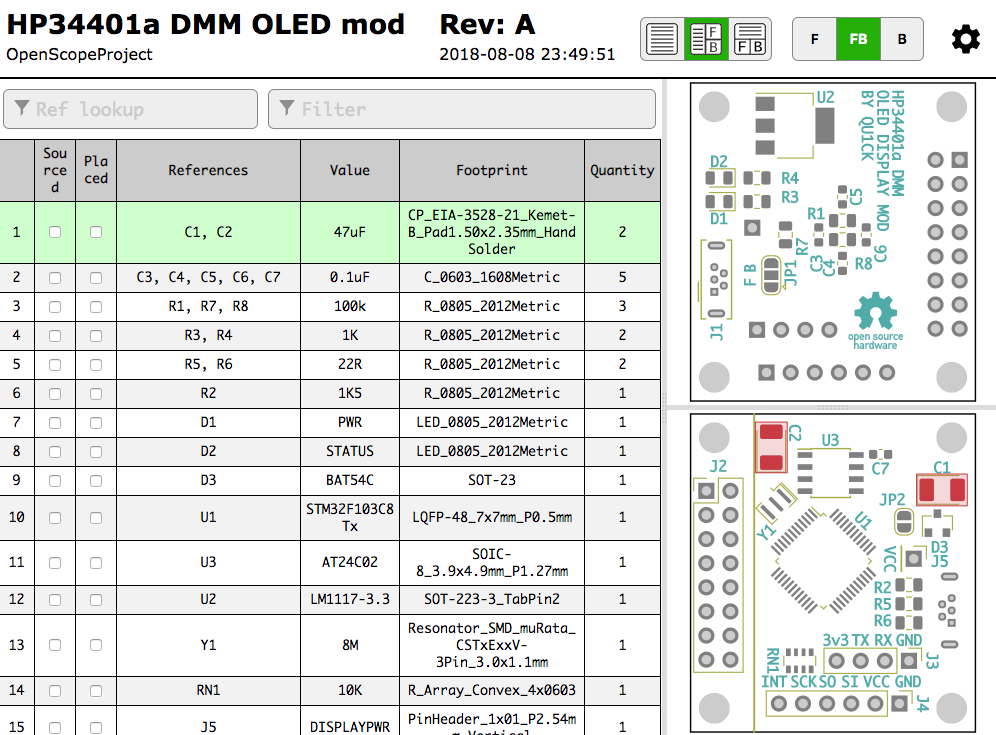
KiCad, the open source EDA software, is popular with Hackaday readers and the hardware community as a whole. But it is not immune from the most common bane of EDA tools. Managing your library of symbols and footprints, and finding new ones for components you’re using in your latest design is rarely a pleasant experience. Swooping in to help alleviate your pain, [twitchyliquid64] has created KiCad Database (KCDB). a beautifully simple web-app for searching component footprints.

The database lets you easily search by footprint name with optional parameters like number of pins. Of course it can also search by tag for a bit of flexibility (searching Neopixel returned the footprint shown above). There’s also an indicator for Kicad-official parts which is a nice touch. One of our favourite features is the part viewer, which renders the footprint in your browser, making it easy to instantly see if the part is suitable. AngularJS and material design are at work here, and the main app is written in Go — very trendy.

The database is kindly publicly hosted by [twitchyliquid64] but can easily be run locally on your machine where you can add your own libraries. It takes only one command to add a GitHub repo as a component source, which then gets regularly “ingested”. It’s great how easy it is to add a neat library of footprints you found once, then forget about them, safe in the knowledge that they can easily be found in future in the same place as everything else.

If you can’t find the schematic symbols for the part you’re using, we recently covered a service which uses OCR and computer vision to automatically generate symbols from a datasheet; pretty cool stuff.

Learn Six Oscilloscope Measurements With One Arduino

We won’t mention names, but we are always dismayed to see people twist knobs randomly on a scope until it shows a good picture. These days, there’s the dreaded auto button, too, which is nearly as bad. If you haven’t spent the time to learn how to properly use a scope [Bald Engineer] has a great introduction to making six measurements with an Arduino as a test device.

To follow along you’ll need an Arduino UNO and a two-channel (or better) scope. Actually, most of the measurements would probably work on any Arduino, but there are some that require the separate USB to serial chip like that found on the UNO and similar boards.

The six measurements are:

  1. The auto reset programming pulse
  2. Capture and decode serial data
  3. Noise on the power rail
  4. Observe probe loading effects
  5. PWM duty cycle
  6. The timing of pin manipulation code

Some of these measurements use a bit of Arduino code, while others just make use of the circuitry on the board no matter what software is running.

Not only does the post show you where to make the measurements and what the result should look like, there’s also a discussion of what the measurement means and some suggested things to try on your own.

If you go through this post, you might also enjoy learning more about probes. If you are feeling adventurous, you can even build your own current probe.

DIY Coil Winding Machine Counts The Hacky Way

“Wait, was that 423 or 424?” When you’re stuck winding a transformer or coil that has more than a few hundred turns, you’re going to want to spend some time on a winding jig. This video, embedded below, displays a simple but sufficient machine — with a few twists.

The first elaboration is the addition of a shuttle that moves back and forth in sync with the main spindle to lay the windings down nice and smooth. Here, it’s tremendously simple — a piece of threaded rod and a set of interchangeable wheels that are driven by a big o-ring belt. We love the low-tech solution of simply adding a twist into the belt to swap directions. We would have way overthought the mechanism.

But then the hack is the digital counter made out of an old calculator. We’ve seen this before, of course, but here’s a great real-world application.

Thanks [Jānis] for the tip!

Continue reading “DIY Coil Winding Machine Counts The Hacky Way”

Homebrew Calibration For Test Equipment

If you work for a large company, you probably have test equipment that is routinely calibrated. Some companies have their own metrology labs and others send out to an external lab. In a garage lab, you are less likely to do calibrations and — in our experience — that isn’t usually a problem. Still, it is nice to be able to do at least a sanity check on your gear. Also, if you buy old test gear and repair it, it would be nice to be able to check it, as well. [IMSAI guy] built his own little calibration setup, adding to it over the years, and he shares the details in a recent video, which you can see below.

The board started out simply as one voltage regulator and some 0.01% resistors. Over time, though, he added a few more bells and whistles. The setup isn’t going to rival a NIST-traceable lab setup, but for your garage it is perfectly fine.

Continue reading “Homebrew Calibration For Test Equipment”

Computer Vision For PCB Layout

One of the big problems with doing PCB layout is finding a suitable footprint for the components you want to use. Most tools have some library although — of course — some are better than others. You can often get by with using some generic footprint, too. That’s not handy for schematic layout, though, because you’ll have to remember what pin goes where. But if you can’t find what you are looking for SnapEDA is an interesting source of components available for many different layout tools. What really caught our eye though was a relatively new service they have that uses computer vision and OCR to generate schematic symbols directly from a data sheet. You can see it work in the video below.

The service seems to be tied to parts the database already knows about. and has a known footprint available. As you’ll see in the video, it will dig up the datasheet and let you select the pin table inside. The system does OCR on that part of the datasheet, lets you modify the result, and add anything that it missed.

Continue reading “Computer Vision For PCB Layout”

Scotty Allen’s PCB Fab Tour Is Like Willy Wonka’s For Hardware Geeks

The availability of low-cost, insanely high-quality PCBs has really changed how we do electronics. Here at Hackaday we see people ditching home fabrication with increasing frequency, and going to small-run fab for their prototypes and projects. Today you can get a look at the types of factory processes that make that possible. [Scotty Allen] just published a (sponsored) tour of a PCB fab house that shows off the incredible machine tools and chemical baths that are never pondered by the world’s electronics consumers. If you have an appreciation PCBs, it’s a joy to follow a design through the process so take your coffee break and let this video roll.

Several parts of this will be very familiar. The photo-resist and etching process for 2-layer boards is more or less the same as it would be in your own workshop. Of course the panels are much larger than you’d ever try at home, and they’re not using a food storage container and homemade etchant. In fact the processes are by and large automated which makes sense considering the volume a factory like this is churning through. Even moving stacks of boards around the factory is show with automated trolleys.

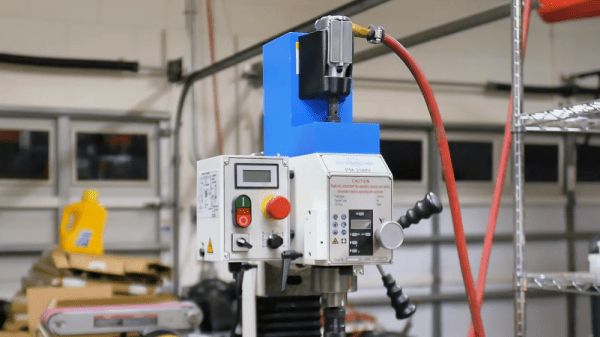
Six headed PCB drilling machine (four heads in use here).

What we find most interesting about this tour is the multi-layer board process, the drilling machines, and the solder mask application. For boards that use more than two layers, the designs are built from the inside out, adding substrate and copper foil layers as they go. It’s neat to watch but we’re still left wondering how the inner layers are aligned with the outer. If you have insight on this please sound off in the comments below.

The drilling process isn’t so much a surprise as it is a marvel to see huge machines with six drill heads working on multiple boards at one time. It sure beats a Dremel drill press. The solder mask process is one that we don’t often see shown off. The ink for the mask is applied to the entire board and baked just to make it tacky. A photo process is then utilized which works much in the same way photoresist works for copper etching. Transparent film with patterns printed on it cures the solder mask that should stay, while the rest is washed away in the next step.

Boards continue through the process to get silk screen, surface treatment, and routing to separate individual boards from panels. Electrical testing is performed and the candy making PCB fab process is complete. From start to finish, seeing the consistency and speed of each step is very satisfying.

Looking to do a big run of boards? You may find [Brian Benchoff’s] panelization guide of interest.

Continue reading “Scotty Allen’s PCB Fab Tour Is Like Willy Wonka’s For Hardware Geeks”