Windows 98 On A 2020 ThinkPad P14s Gen 1 Laptop

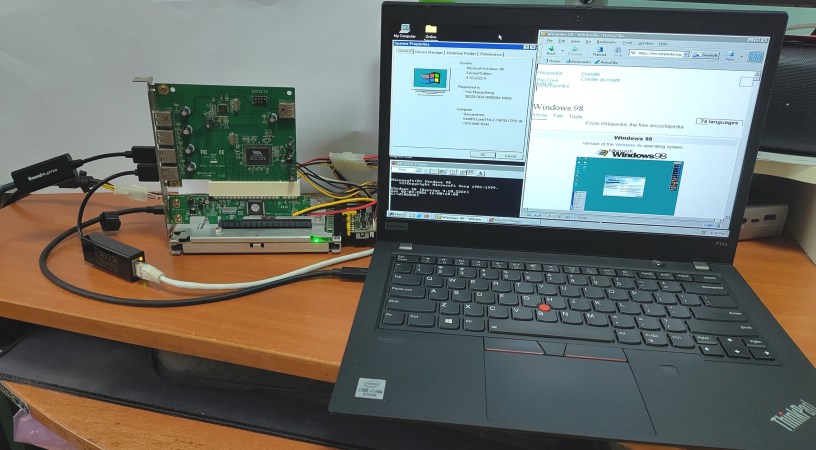
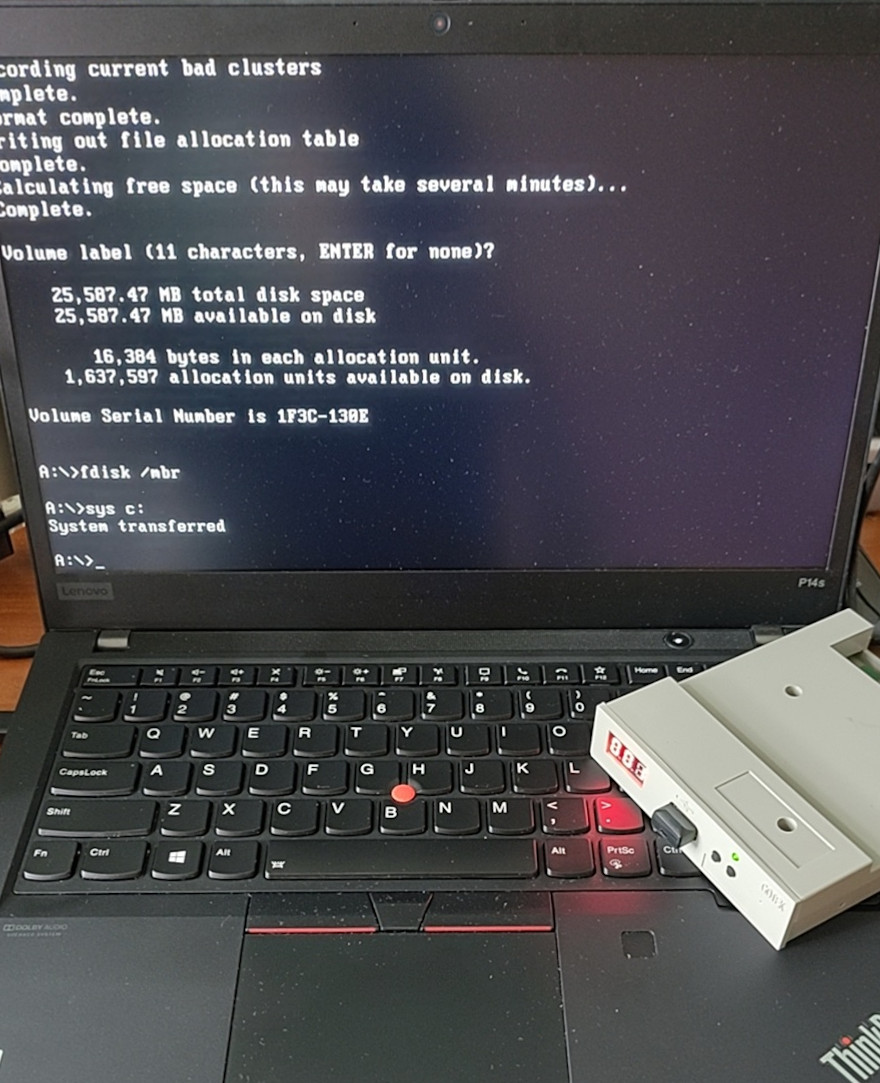
The lovely thing about the x86 architecture is its decades of backwards compatibility, which makes it possible to run 1990s operating systems on modern-day hardware, with relatively few obstacles in the way. Recently [Yeo Kheng Meng] did just that with Windows 98 SE on a 2020 ThinkPad P12s Gen 1, booting it alongside Windows 11 and Linux from the same NVMe drive.

Naturally, after previously getting MS-DOS 6.22 from 1994 running on a 2020 ThinkPad X13, the step to doing the same with Windows 98 SE wasn’t that large. The main obstacles that you face come in the form of UEFI and hardware driver support.

Both ThinkPad laptops have in common that they support UEFI-CSM mode, also known as ‘classical BIOS’, as UEFI boot wasn’t even a glimmer yet in some drunk engineer’s eye when Win98 was released. After this everything is about getting as many hardware drivers scrounged together as possible.

[Yeo] ended up having to bodge on a USB 2.0 expansion card via a Thunderbolt dock as Win98 doesn’t have xHCI (USB 3.0) support. With that issue successfully bodged around using a veritable tower of adapters, installing Windows 98 was as easy as nuking Secure Boot in the BIOS, enabling UEFI-CSM along with Thunderbolt BIOS assist mode and disable Kernel DMA protection.

Because UEFI-CSM implementations tend to be buggy, the CREGFIX DOS driver was used to smooth things over. Another issue is the same that we chuckled about back in the day, as Windows 98 cannot address more than 512 MB of RAM by default. Fortunately patches by [Rudolph Loew] helped to fix this and some other smaller issues.

Unfortunately neither Intel nor NVIDIA have released Win98 drivers for quite some time, so there’s no graphics acceleration beyond basic VESA support and the SoftGPU driver. Disk access goes via the BIOS too rather than using an NVMe driver, so it’s not as zippy as it could be, but for Win9x it’s quite usable.

Finally ACPI wasn’t recognized by Win98, but it’s only fair to blame that on the complete flaming train wreck that is ACPI rather than anything to do with Windows. This particular issue was worked around by configuring the BIOS to support S3 power state and with that making Win98 happy again.

It’s honestly quite a shame that UEFI-CSM is largely ignored by new systems, as it makes installing even Windows 7 basically impossible, and thus creating probably the largest split within the x86 ecosystem since the arrival of AMD64/x86_64.

Designing A Compact RGB 14-Segment Display

Sometimes you’re looking for a component for a project that you know should exist, but you just cannot find it. Something like a 14-segment LED display, but not just one with a fixed color, instead you want some of that sweet addressable RGB-ness. Unfortunately for [EastMakes], this particular display was nowhere to be found, so he decided to try making his own.

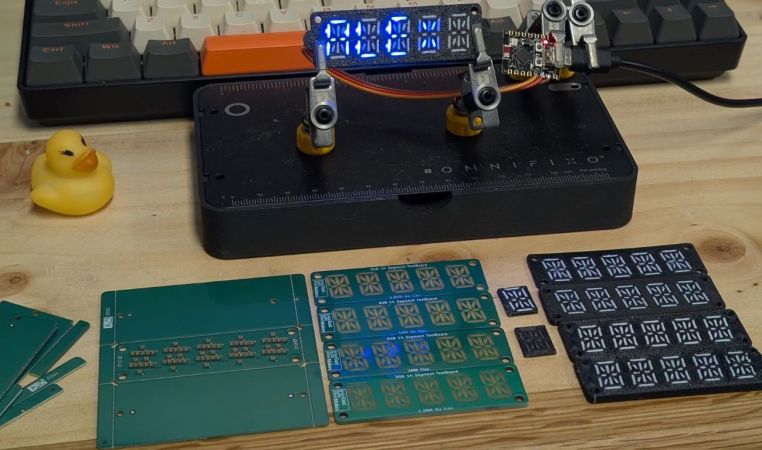
Using addressable SK6805 RGB LEDs with a mere 1.5 x 1.5 footprint as the basis, the layout for these individual LEDs on the PCBs was determined, and a layout created in KiCad. The PCB manufacturing and assembly were straightforward enough — the thing that really makes these displays is the diffuser. Here a few different approaches were tried, including FR4 with translucent segments in the soldermask, and a 3D printed version in both white and black PLA filament.

The FR4 approach using 0.8 mm thin PCBs looked quite all right, with the addition of through vias in the 1 mm version showing how these help to boost overall brightness. The 3D printed version prototypes didn’t look too shabby either, but it would probably help a lot if this diffuser panel also fit around the LEDs to prevent light bleeding between segments.

We’d love to see this type of RGB display being experimented with, as it seems to hold a lot of promise while also definitely being something that ought to exist.

Continue reading “Designing A Compact RGB 14-Segment Display”

Hackaday Links Column Banner

Hackaday Links: December 14, 2025

Fix stuff, earn big awards? Maybe, if this idea for repair bounties takes off. The group is dubbed the FULU Foundation, for “Freedom from Unethical Limitations on Users,” and was co-founded by right-to-repair activist Kevin O’Reilly and perennial Big Tech thorn-in-the-side Louis Rossman. The operating model works a bit like the bug bounty system, but in reverse: FULU posts cash bounties on consumer-hostile products, like refrigerators that DRM their water filters or bricked thermostats. The bounty starts at $10,000, but can increase based on donations from the public. FULU will match those donations up to $10,000, potentially making a very rich pot for the person or team that fixes the problem.

Continue reading “Hackaday Links: December 14, 2025”

Hackaday Links Column Banner

Hackaday Links: September 14, 2025

Is it finally time to cue up the Bowie? Or was the NASA presser on Wednesday announcing new findings of potential Martian biosignatures from Perseverance just another in a long line of “We are not alone” teases that turn out to be false alarms? Time will tell, but from the peer-reviewed paper released simultaneously with the news conference, it appears that biological activity is now the simplest explanation for the geochemistry observed in some rock samples analyzed by the rover last year. There’s a lot in the paper to unpack, most of which is naturally directed at planetary scientists and therefore somewhat dense reading. But the gist is that Perseverance sampled some sedimentary rocks in Jezero crater back in July of 2024 with the SHERLOC and PIXL instruments, extensive analysis of which suggests the presence of “reaction fronts” within the rock that produced iron phosphate and iron sulfide minerals in characteristic shapes, such as the ring-like formations they dubbed “leopard spots,” and the pinpoint “poppy seed” formations.

Continue reading “Hackaday Links: September 14, 2025”

Diagnosing Whisker Failure Mode In AF114 And Similar Transistors

The inside of this AF117 transistor can was a thriving whisker ecosystem. (Credit: Anthony Francis-Jones)

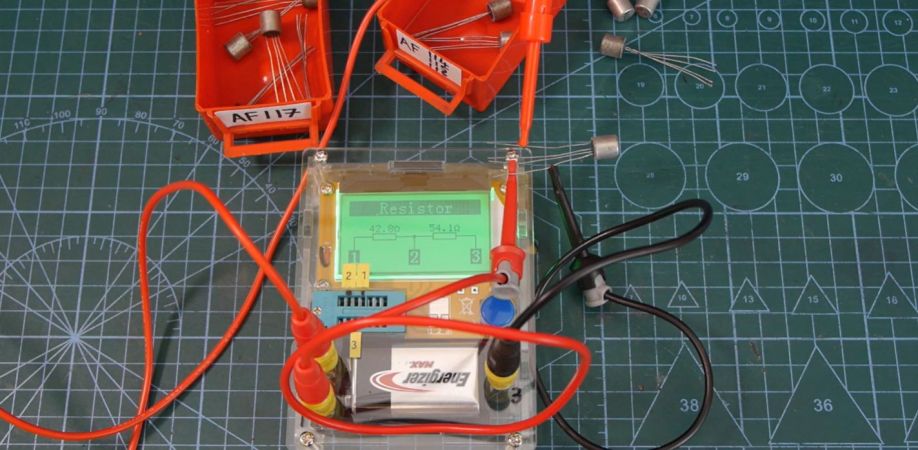
AF114 germanium transistors and related ones like the AF115 through AF117 were quite popular during the 1960s, but they quickly developed a reputation for failure. This is due to what should have made them more reliable, namely the can shielding the germanium transistor inside that is connected with a fourth ‘screen’ pin. This failure mode is demonstrated in a video by [Anthony Francis-Jones] in which he tests a number of new-old-stock AF-series transistors only for them all to test faulty and show clear whisker growth on the can’s exterior.

Naturally, the next step was to cut one of these defective transistors open to see whether the whiskers could be caught in the act. For this a pipe cutter was used on the fairly beefy can, which turned out to rather effective and gave great access to the inside of these 1960s-era components. The insides of the cans were as expected bristling with whiskers.

The AF11x family of transistors are high-frequency PNP transistors that saw frequent use in everything from consumer radios to just about anything else that did RF or audio. It’s worth noting that the material of the can is likely to be zinc and not tin, so these would be zinc whiskers. Many metals like to grow such whiskers, including lead, so the end effect is often a thin conductive strand bridging things that shouldn’t be. Apparently the can itself wasn’t the only source of these whiskers, which adds to the fun.

In the rest of the video [Anthony] shows off the fascinating construction of these germanium transistors, as well as potential repairs to remove the whisker-induced shorts through melting them. This is done by jolting them with a fairly high current from a capacitor. The good news is that this made the component tester see the AF114 as a transistor again, except as a rather confused NPN one. Clearly this isn’t an easy fix, and it would be temporary at best anyway, as the whiskers will never stop growing.

Continue reading “Diagnosing Whisker Failure Mode In AF114 And Similar Transistors”

Hackaday Podcast Episode 314: It’s Pi, But Also PCBs In Living Color And Ultrasonic Everything

It might not be Pi Day anymore, but Elliot and Dan got together for the approximately 100*Pi-th episode of the Podcast to run through the week’s coolest hacks. Ultrasound seemed to be one of the themes, with a deep dive into finding bugs with sonar as well as using sound to cut the cheese — and cakes and pies, too.

The aesthetics of PCBs were much on our minds, too, from full-color graphics on demand to glow-in-the-dark silkscreens. Is automation really needed to embed fiber optics in concrete? Absolutely! How do you put plasma in a bottle? Apparently, with kombucha, Nichrome, and silicone. If you need to manage your M:TG cards, scribble on the walls, or build a mechanical chase light, we’ve got the details. And what exactly is a supercomputer? We can’t define it, but we know one when we see it.

Download the zero-calorie MP3.

Continue reading “Hackaday Podcast Episode 314: It’s Pi, But Also PCBs In Living Color And Ultrasonic Everything”