
NASA is going back to the Moon! We’ll follow the crew of Artemis II every step of the way.
Continue reading “Following Artemis II’s Journey Around The Moon”

NASA is going back to the Moon! We’ll follow the crew of Artemis II every step of the way.
Continue reading “Following Artemis II’s Journey Around The Moon”
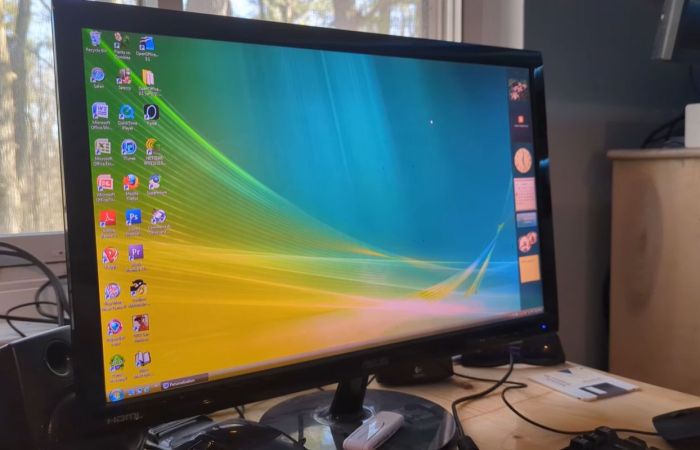
It’s a bit of an understatement that at release Windows Vista rather fell flat. Much of the problem was due to how rushed of a release it was, with incomplete driver support and various glitches in the OS that ought to have been ironed out prior to release. In a retrospective, [SteelsOfLiquid] takes a look at what used to be the most infamous Windows OS until the arrival of first Windows 8 and subsequently the popcorn-fest that is Windows 11.
After a brief re-run of the development history and initial release of Vista, the OS is installed on a Core 2 Duo E8400 with 4 GB of DDR3 and a Geforce 310 card. This being the first NT6-based Windows version (with Microsoft jumping up to version 10 with Windows 10), it’s still got a lot of working software for it in 2026. Some have argued that Windows 7 is basically Vista SE in the vein of Window 98, so it doesn’t face the same software and driver hurdles as e.g. Windows XP does.
Thus the video focuses mostly on the software that was provided with the OS, giving a detailed look at an OS that many of us skipped in favor of sticking to Windows XP to the despair of Microsoft who had to push back that OS’s EOL by a few years as a result. For those of us who joined in the hate-fest against Vista it feels somewhat nostalgic to look back at an experience that in 2026 terms would have been less rough than trying to use Windows 10 or 11 until years of updates made at least the former not entirely terrible to use.
Here’s hoping that Windows 12 will be more of a modern Windows 7, especially in the GUI department, as it’s so nice to have a colorful OS interface with some tasty skeuomorphism rather than monochrome, flat icons.
Continue reading “Reflecting On Microsoft Windows Vista In 2026”
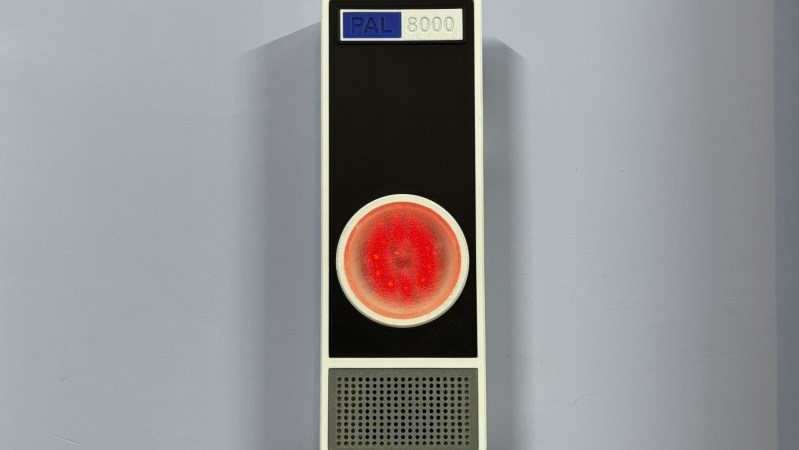
2001: A Space Odyssey not only pushed the boundaries of filmmaking, but introduced us to one of the most enduring villains in all of media. The HAL 9000 artificial intelligence was human-like but inhuman, a singular uncanny red light on a wall, tasked not only with control of a spaceship and its inner workings but also with being a companion for its occupants. It’s gone on to be the inspiration and basis of many projects around here, where it is generally given much less scope than control of a space ship and instead is tasked with something like monitoring air quality in a home.
Called the PAL 8000 by its creator [Arnov], this uses a Raspberry Pi Pico 2 at its core which monitors a volatile organic compound (VOC) sensor to take air quality measurements. The device features a custom 3D printed enclosure with glowing LEDs and plays contextual audio responses based on air quality levels, completing the HAL 9000 theme. The project also includes a local web dashboard which reports on its data, allowing users to see information in real time rather than relying on HAL’s voice reports alone.
For those looking to build other HAL-inspired projects, [Arnov] has made many of the printing files available on the project’s site. It’s a well-polished build faithful to the source material and could be a great addition to any home automation system for many other tasks beyond air quality monitoring. Perhaps something like a more general-purpose voice assistant, minus the megalomania.
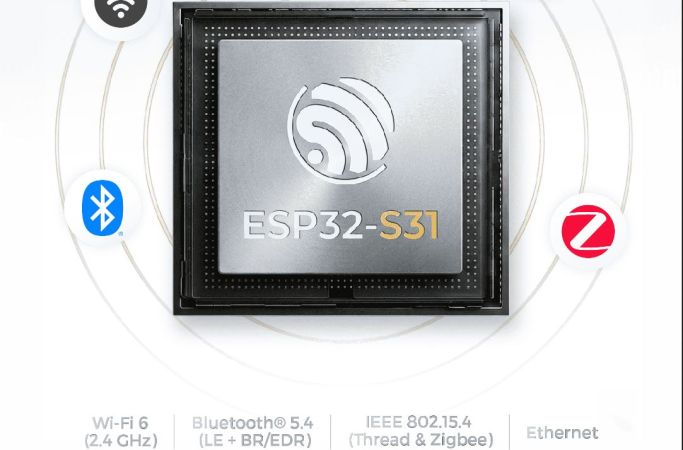
In a move that’s no doubt going to upset and confuse many, Espressif has released its newest microcontroller — the ESP32-S31. The confusing part here is that the ESP32-S series was always the one based on Tensilica Xtensa LX7 cores, while the ESP32-C series was the one using RISC-V cores.
That said, if one looks at it as a beefier -S3 MCU it does have some appealing upgrades. The most obvious improvements are with the use of WiFi 6, as well as Bluetooth Classic and LE 5.4, including LE Audio. There is also Thread and Zigbee support for those who are into such things.
The Ethernet MAC got a bump from the 100 Mbit RMII MAC in previous MCUs and is now gigabit-rated, while the number of GPIO is significantly higher at 60 instead of 45 on the -S3. On the RAM side, things are mostly the same, except for DDR PSRAM support, with octal SPI offering up to 250 MHz compared to 80 MHz on the -S3.
On the CPU side the up-to-320 MHz RISC-V cores are likely to be about as powerful as the 240 MHz LX7 cores in the -S3, based on the ESP32-C series performance in terms of IPC. Overall it does seem like a pretty nice MCU, it’s just confusing that it doesn’t use LX7 cores with the series it was put into. When this MCU will be available for sale doesn’t seem to be known yet, with only samples available to select customers.

Hackaday Europe is the continental version of the Ultimate Hardware Conference, taking place May 16th and 17th, and you need to be there! We’ll continue to announce speakers and workshops over the next couple weeks, because we got so many more great talks than we had anticipated that we’re negotiating for extra time.
This year, we’re moving to a new venue in Lecco, Italy, and it’s sure to be fantastic. Get your tickets now before it’s too late. And stay tuned for another round of talk reveals next week!
Continue reading “2026 Hackaday Europe: First Round Of Speakers Announced!”
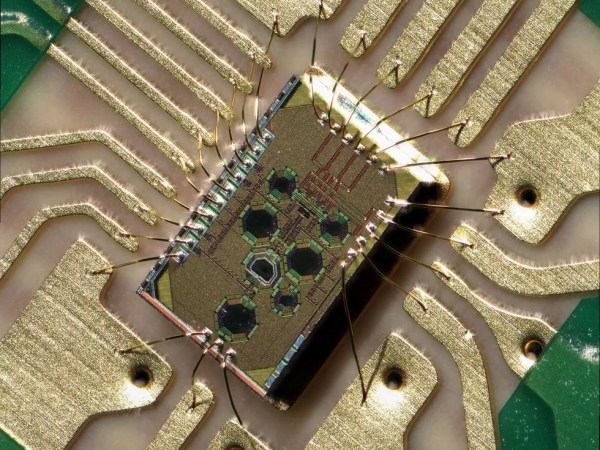
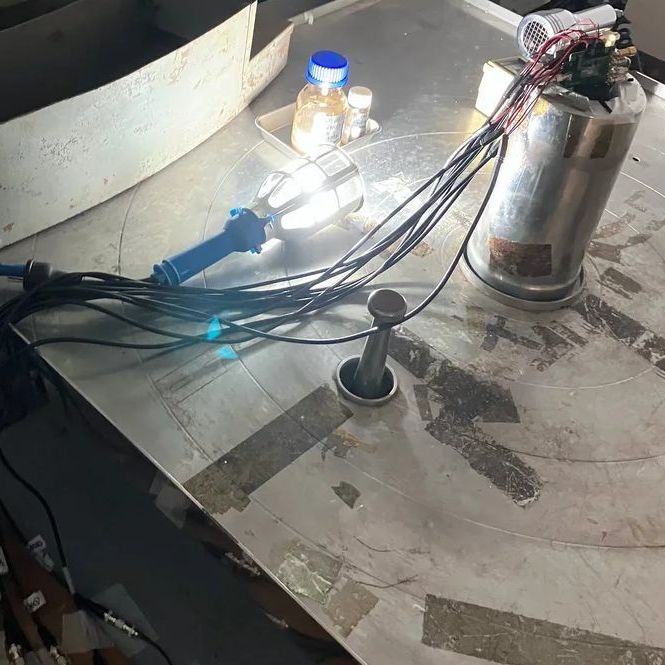
From outer space to down here on Earth, there are many places where ionizing radiation levels are high enough that they effectively bar access for humans, but also make life miserable for anything containing semiconductor technology. This is especially true for anything involving wireless communications, such as Wi-Fi. However, recently Japanese researchers have created a Wi-Fi chip that is claimed to be so radiation-hardened that it can be used even in gamma ray-rich environments, such as in the worst contaminated depths of the Fukushima Daiichi nuclear reactor.
The indicated dose exposure of 500 kilograys that the chip survived during testing is quite significant. A single gray (Gy) is the absorption of one joule of energy per kilogram of matter. In radiation therapy, a solid epithelial tumor can receive as much as 60 to 80 Gy in a single dose, for example.
Continue reading “Exposing A Radiation-Hardened 2.4 GHz Wi-Fi Receiver To 500 Kilograys”
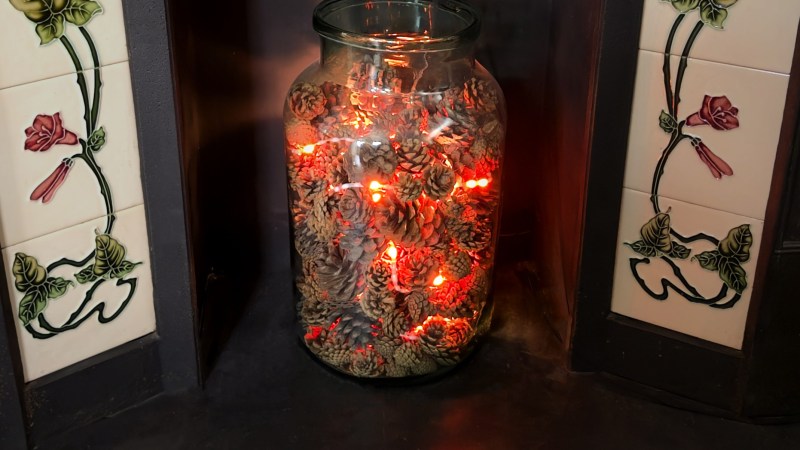
Today, fireplaces, their cozy glow once a household staple, are mostly a thing of the past. In fact, a decent amount of old fireplaces are completely blocked up! [David Capper] brings back the atmosphere without the actual flames, with his RP2040-based fireplace glow simulator.
It’s not just a string of LEDs with some PWM brightness control, either. No, [David] goes into detail about the black body radiation that gives these fires their colors. He then uses the theory of black-body radiation to determine the colors that the LEDs glow to simulate the colors of a real fire.
But the colors alone don’t make for a good simulated fire, so [David] adds the heat equation. It starts with a grid wherein each cell has a temperature. Over time, cells are randomly selected to have heat added to them (increasing the cell’s temperature), then he applies the heat equation to diffuse and decay the heat within the grid for a nice simulated crackling fire. Add in a custom PCB and a nice little 3D-printed case and you’re ready for a cozy hacker time.
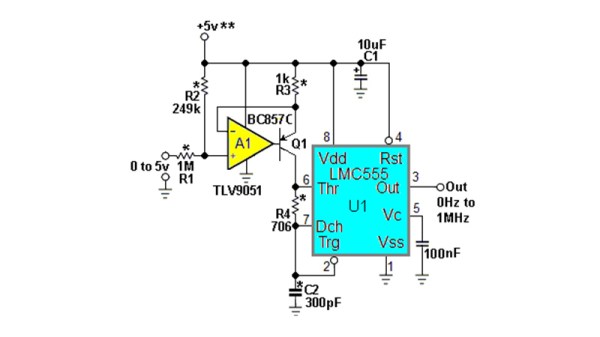
The humble NE555 has been around for over five decades now, and while during that time we’ve seen a succession of better and faster versions of the original, the circuits which surround it are pretty well known. There can’t be anything new in the world of 555s, can there? [Stephen Woodward] claims he’s made a novel 555 circuit, with his 1 MHz linear voltage to frequency converter. Since he’s been in love with the 555 since 1974, we’re inclined to trust him on this part.
It’s visibly the 555 astable oscillator we’re all familiar with, given the addition of a current source in place of the normal charging resistor. This makes for a much more linear sawtooth waveform, but it still doesn’t fix the linearity of the voltage to frequency curve. The novel bit comes in adding an extra resistor between the threshold and discharge pins, with a value calculated for a time constant with the capacitor to match the 555’s own switching delay. This provides the necessary compensation, and gives the circuit its linearity.
This is so brilliantly simple that it’s almost a shock that it’s new, but it’s also a great example of the old-school electronic engineer’s art. We can’t think of an immediate need for a 555 voltage to frequency converter on the Hackaday bench at the moment, but you can bet we’ll come back to this one if we do.
We had someone pushing a newer 555 variant to its limit, when we ran our component abuse challenge.









