A Custom Zigbee Touch Keypad

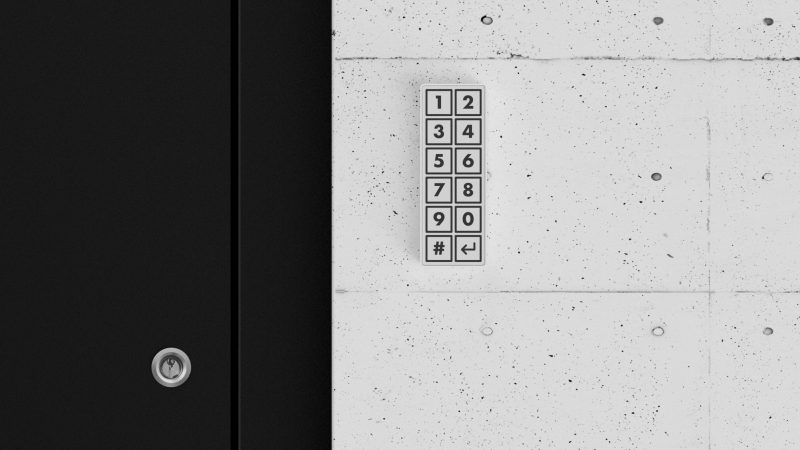
[Dominic Buchstaller] wanted a neat, tidy entryway keypad that actually looked good. Prime goals were something slim, wireless, and with no visible screws. Dependency on the cloud was also a no-go. With few ready-to-go options available on the market, he set about whipping up his own.

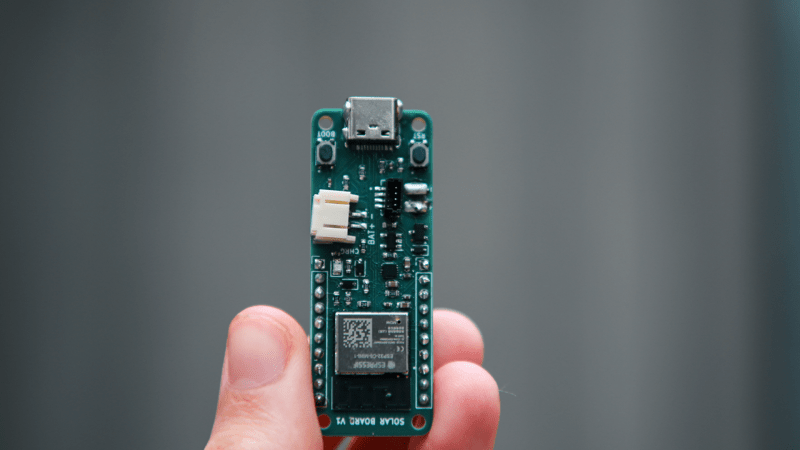
The heart of the build is an ESP32-C6 microcontroller devboard. This device has the benefit of including Zigbee communication functionality baked right into the chip. It’s hooked up to an MPR121 capacitive touch controller, which allows different segments of the touchpad PCB to act as capacitive buttons for numerical entry. The number labels are directly printed on the PCB solder mask, so there’s no overlay or other label required on top. Power is courtesy of a 1300 mAh lithium-polymer cell which gives a useful lifespan of six months between recharges. A simple 3D-printed case holds everything together and completes the clean and simple look. [Dominic] notes that it’s possible to also use the device via Matter or Thread without a lot of changes, as the ESP32-C6 can easily handle those protocols, too.

If you’re looking for a cheap, handsome keypad for your Home Assistant setup or similar, you might find this useful. We’ve explored DIY keypad entry systems before, too. If you’ve come up with some other creative way to get into your house, car, or bank vault, be sure to notify us via the tipsline.

A BIOS For Your ESP32-C6

An old-style PC BIOS served the function of a bootloader in loading the operating system kernel, and of an API in providing a set of standard system calls through which software could interact with the hardware. Though it as been long-ago superseded by operating system level calls and UEFI bootloaders, it was a simple and easy-to-understand firmware for the PCs of the day.

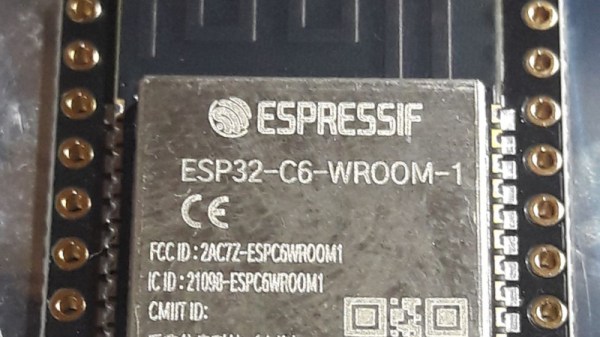
Microcontrollers usually don’t have anything quite like a BIOS because their software is more often compiled as-is without the need for one. But here’s [Rompass] who has bucked that trend, with a BIOS for the ESP32-C6.

Of course this isn’t the PC BIOS we all know, and you’ll not be running DOS on it. Instead it’s a subsystem that serves the purposes outlined above and provides an environment for dynamically loaded executables from RAM rather than an operating system kernel. The executables are compiled in the normal way for the ESP32, and can be loaded over the network if necessary.

We don’t know how popular a firmware like this one will become, but for us it’s symptomatic of how the line between a microcontroller and a microprocessor is becoming blurred. The next few years are going to continue this trend, as inexpensive microcontroller application processors such as the C6’s P4 bigger brother move into the mainstream.


Header image: Popolon, CC BY-SA 4.0.

Passive Bug Zapper Tracks Its Kill Count

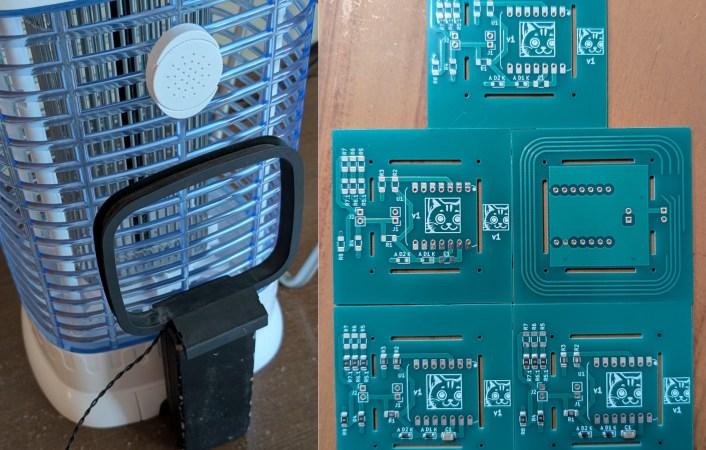
If it’s summer in a warm, humid climate, bugs can be the bane of your existence. A natural solution is to place a passive bug zapper to catch bugs at night. But what if that isn’t fancy enough? [Nicolas Boichat] spices it up with a passive bug zapper that tracks its kill count.

But how exactly do you detect a bug zap? With an antenna, of course! When a bug gets caught, it arcs, creating an electromagnetic pulse. A small loop antenna on the backside of the zapper receives the signal.
Continue reading “Passive Bug Zapper Tracks Its Kill Count”

Poking At The ESP32-P4 And -C6 Dies In An ESP32-P4-M3 Module

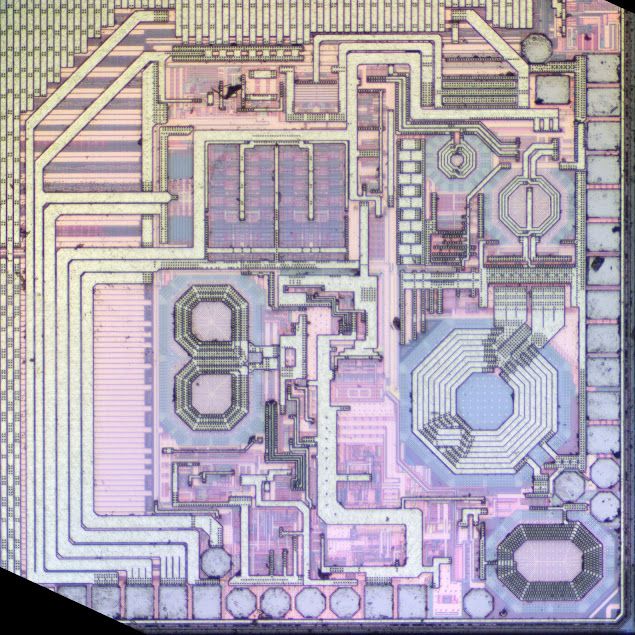
The RF section of the ESP32-C6 die. (Credit: electronupdate, YouTube)

With the ESP32-P4 not having any wireless functionality and instead focusing on being a small SoC, it makes sense to combine it with a second chip that handles features like WiFi and Bluetooth. This makes the Guition ESP32-P4-M3 module both a pretty good example of how the P4 will be used, and an excellent opportunity to tear into, decap and shoot photos of the dies of both the P4 and the ESP32-C6 in this particular module, courtesy of [electronupdate]. There also the blog post for those who just want to ogle the shinies.

After popping the metal shield on the module, you can see the contents as in the above photo. The P4 inside is a variant with 32 MB of PSRAM integrated along with the SoC die. This results in a die shot both of this PSRAM and the P4 die, though enough of the top metal seems to remain to clearly see the latter.

The Boya brand Flash chip is quite standard inside, and along with a glance at the inside of one of the crystal oscillators we get to glance at the inside of the C6 MCU. This is a much more simple chip than the P4, with the RF section quite obvious. The total die sizes are 2.7 x 2.7 mm for the C6 and 4.29 x 3.66 mm for the P4.

Continue reading “Poking At The ESP32-P4 And -C6 Dies In An ESP32-P4-M3 Module”

A Brain Transplant For A Philips Smart Lamp

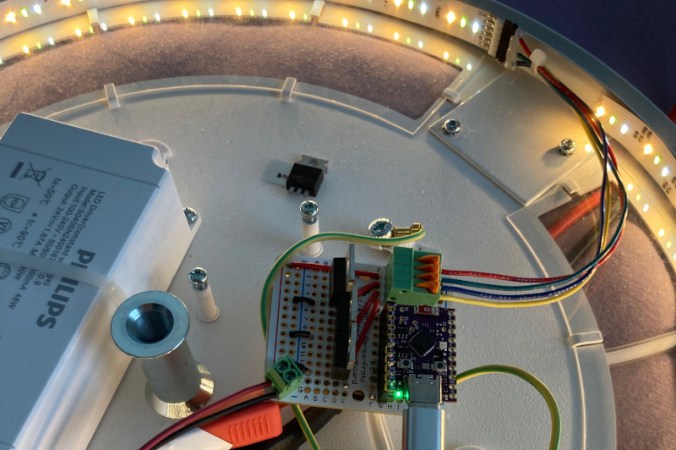
As the saying goes, modern problems require modern solutions. When the modern problem is that your smart light is being hijacked by the neighbors, [Wejn]’s modern solution is to reverse engineer and replace the mainboard.

The light in question is a Phillips Hue Ambiance, and [Wejn]’s excellently-documented six part series takes us through the process of creating a replacement light driver. It’s a good read, including reverse-engineering the PWM functions to get the lights to dim exactly like stock, and a dive into the Zigbee protocol so his rebuild light could still talk to the Philips Hue hub. The firmware [Wejn] wrote for the ESP32C6 he chose to use for this project is on GitHub, with the PCB in a second repo.

We want to applaud [Wejn] for his excellent documentation and open-sourcing (the firmware and PCB are under GPL v3). Not only do we get enough information to replicate this project perfectly if we so choose, but by writing out his design process, [Wejn] gives everyone reading a good head start in doing something similar with other hardware. Even if you’re scratching your head wondering why a light switch isn’t good enough anjymore, you have to appreciate what [Wejn] is offering the community.

We’ve covered domestic brain transplants in the past — which is easier in this sort of light than the close confines of a smart bulb. If you’re still wondering why not just use a light switch, perhaps you’d rather hack the light to run doom instead.

Before you go, can we just take a moment to appreciate how bizarre the world has become that we have a DOOM-capable computer to run fancy light fixture? If you’re using what might have been a decent workstation in days of yore to perform a painfully mundane task, let us know on the tips line.

Hybrid Mechanical Clock Shows It Both Ways

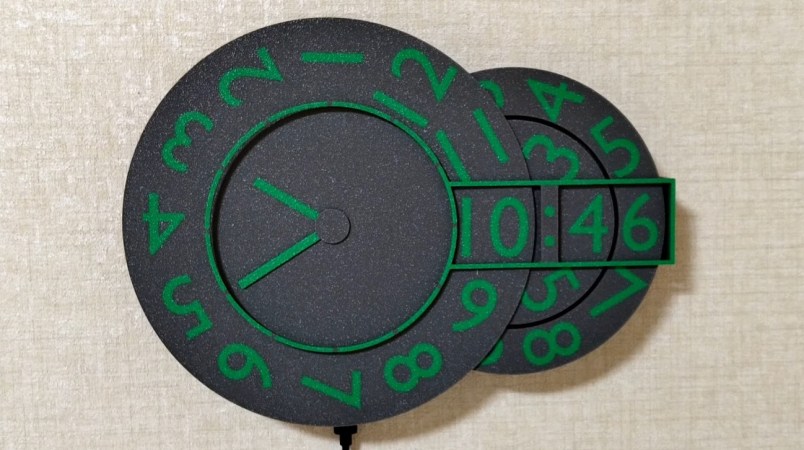
After seeing some of the interesting clock builds we’ve featured recently, [shiura] decided to throw their hat in the ring and sent us word about their incredible 3D printed hybrid clock that combines analog and digital styles.

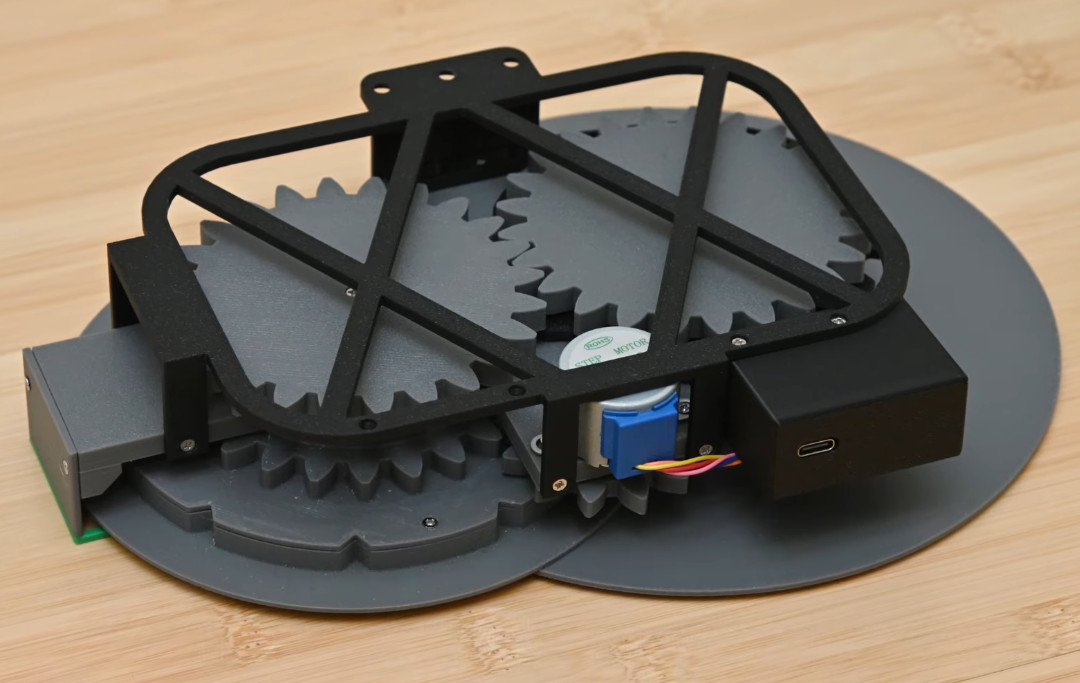
While the multiple rotating rings might look complex from the front, the ingenious design behind the mechanism is powered by a single stepper motor. Its operation is well explained in the video below, but the short version is that each ring has a hook that pushes its neighboring ring over to the next digit once it has completed a full rotation. So the rightmost ring rotates freely through 0 to 9, then flips the 10-minute ring to the next number before starting its journey again. This does mean that the minute hand on the analog display makes a leap forward every 10 minutes rather than move smoothly, but we think its a reasonable compromise.

Beyond the 28BYJ-48 geared stepper motor and its driver board, the only other electronics in the build is a Seeed Studio XIAO ESP32C6 microcontroller. The WiFi-enabled MCU is able to pull the current time down from the Internet, but keep it mind it takes quite awhile for the mechanism to move all the wheels; you can see the process happen at 60x speed in the video.

If you’re looking to recreate this beauty, the trickiest part of this whole build might be the 3D print itself, as the design appears to make considerable use of multi-material printing. While it’s not impossible to build the clock with a traditional printer, you’ll have to accept losing some surface detail on the face and performing some well-timed filament swaps.

[shirua] tells us they were inspired to send their timepiece in after seeing the post about the sliding clock that just went out earlier in the week.

Continue reading “Hybrid Mechanical Clock Shows It Both Ways”

Showing a Raspberry Pi 4 board connected to an ESP32 devboard using jumper wires for the purposes of this project

ESP-Hosted Turns ESP32 Into Linux WiFi/BT Adapter

While we are used to USB WiFi adapters, embedded devices typically use SDIO WiFi cards, and for good reasons – they’re way more low-power, don’t take up a USB port, don’t require a power-sipping USB hub, and the SDIO interface is widely available. However, SDIO cards and modules tend to be obscure and proprietary beyond reason. Enter ESP-Hosted – Espressif’s firmware and driver combination for ESP32 (press release)(GitHub), making your ESP32 into a WiFi module for either your Linux computer (ESP-Hosted-NG) or MCU (ESP-Hosted-FG). In particular, ESP-Hosted-NG his turns your SPI- or SDIO-connected ESP32 (including -S2/S3/C2/C3/C6 into a WiFi card, quite speedy and natively supported by the Linux network stack, as opposed to something like an AT command mode.

We’ve seen this done with ESP8266 before – repurposing an ESP8089 driver from sources found online, making an ESP8266 into a $2 WiFi adapter for something like a Pi. The ESP-Hosted project is Espressif-supported, and it works on the entire ESP32 lineup, through an SDIO or even SPI interface! It supports 802.11b/g/n and even Bluetooth, up to BLE5, either over an extra UART channel or the same SDIO/SPI channel; you can even get BT audio over I2S. If you have an SPI/SDIO port free and an ESP32 module handy, this might just be the perfect WiFi card for your Linux project!

There are some limitations – for instance, you can’t do AP mode in the NG (Linux-compatible) version. Also, part of the firmware has blobs in it, but a lot of the firmware and all of the driver are modifiable in case you need your ESP32 to do even more than Espressif has coded in – this is not fully open-source firmware, but it’s definitely way more than the Broadcom’s proprietary onboard Raspberry Pi WiFi chip. There’s plenty of documentation, and even some fun features like raw transport layer access. Also, of note is that this project supports ESP32-C6, which means you can equip your project with a RISC-V-based WiFi adapter.

Title image from [zhichunlee].