3D Print Your Way To A Glass Cockpit Simulator

Today’s commercial aircraft are packed to the elevators with sensors, computers, and miles and miles of wiring. Inside the cockpit you’re more than likely to see banks of LCDs and push buttons than analog gauges. So what’s that mean for the intrepid home simulator builder? Modern problems require modern solutions, and this 3D printed simulator is about as modern as it gets.

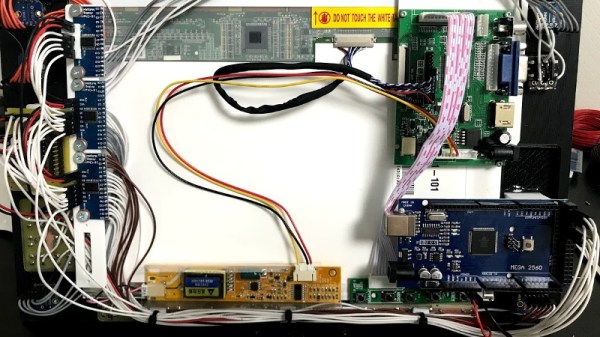
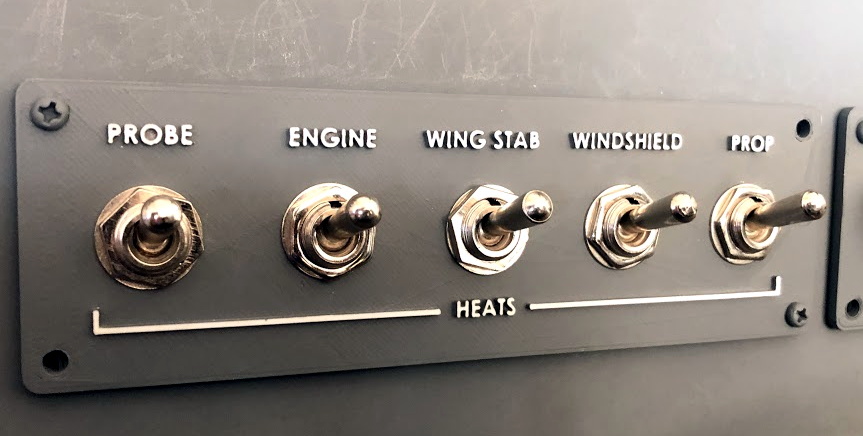
Published to Thingiverse by the aptly named [FlightSimMaker], this project consists of a dizzying number of 3D-printed components that combine into a full-featured desktop simulator for the Garmin G1000 avionics system. Everything from the parking brake lever to the push buttons in the display bezels was designed and printed: over 200 individual parts in all. Everything in this X-Plane 11 compatible simulator is controlled by an Arduino Mega 2560 with the SimVim firmware.
To help with connecting dozens of buttons, toggle switches, and rotary encoders to the Arduino, [FlightSimMaker] uses five CD74HC4067 16-channel multiplexers. The display is a 12.1 inch 1024 x 768 LCD panel with integrated driver, and comes in at the second most expensive part of the build behind the rotary encoders. All told, the estimated cost per display is around $250 USD.

Even if you aren’t looking to build yourself a high-tech flight simulator, there’s plenty of ideas and tips here that could be useful for building front panels. We particularly like the technique used for doing 3D-printed lettering: the part is printed in white, spray painted a darker color, and then the paint is sanded off the faces of the letters to reveal the plastic. Even with a standard 0.4 mm nozzle, this results in clean high-contrast labels on the panel with minimal fuss.

Of course, while impressive, these panels are just the beginning. There’s still plenty more work to do if you want to build an immersive simulation experience. Including, in the most extreme cases, buying a Boeing 737 cockpit.

Bring The Smithsonian Home With 3D Printing

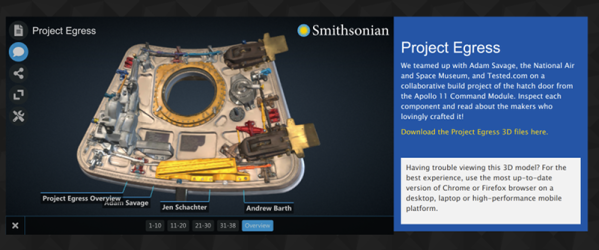
If you’ve ever been to Washington DC, you know the Smithsonian isn’t just a building, instead it’s a collection of 19 museums, 21 libraries, 9 research centers, and a zoo. Even though there are hundreds of affiliated museums, there is a way to bring at least some of the museum to you. The Smithsonian has a 3D digitization portal that currently features 124 models of items from the collection. Almost 100 of them have models you can download and print — or have someone print for you.

Printing yourself is probably the most cost-effective option if you already have a printer. According to the Smithsonian, if you want a 1/20th scale model of a T. Rex cranium, Shapeways will do it for about $21. If you want a 9-inch version of Neil Armstrong’s spacesuit, that would go for $130 or so.

Continue reading “Bring The Smithsonian Home With 3D Printing”

Testing Carbon Fibre Reinforced Filament By Building An Over-Engineered Skateboard

Advances in filaments for FDM 3D printers have come in leaps and bounds over the past few years, and carbon fibre (CF) reinforced filament is becoming a common sight. Robotics extraordinaire [James Bruton] got his hands on some CF reinforced PLA, and ended up building a completely over-engineered 3D printed skateboard. (Video, embedded below.)

[James] started by printing some test pieces with a 0.5 mm and a big 1.2 mm nozzle with and without the CF, which he subjected to cantilever deflection tests. The piece with CF was 20% stiffer than without.

[James] then built an extremely strong and cool looking skateboard deck with alternating section of the CF PLA and toughened PLA, totalling 2.7 kg of filament. It was extremely strong, so after bolting on a set of trucks and wheels, he did some mild riding at a local skate park, where it survived without any problems. He admits it was completely over-engineered, but points out in that the internal cavities in the deck is the perfect place for batteries on an electric long board.

Designing something from the ground up with the strength and weaknesses 3D printing in mind, leads to some very interesting and innovative designs, of which this is a perfect example, and we hope to see many more like it. We’ve featured a number of [James]’ project, including the remote controlled bowling ball he built for [Mark Rober] and his impressive OpenDog and Start Wars robots.

Continue reading “Testing Carbon Fibre Reinforced Filament By Building An Over-Engineered Skateboard”

Manual Mesh Bed Levelling For 3D Printers

In 3D printing, we often talk about leveling the print bed, although that’s not an accurate term. A bed that is level in our terms presents a flat surface that is parallel to the path of the print head, but within reason we care little about that. Instead we care more about it being parallel to the path of the head than it being perfectly flat. If we had a perfectly flat bed — say a sheet of glass — you’d think it might be pretty easy, but for some other materials it could be convex or concave or even have ripples all over the place. [Teaching Tech] shows you how to manually “level” the bed using a mesh but without using an automatic sensor. You can see the technique in the video below.

When you use adjustments to level the bed, you are tramming it, but only the very pedantic use that term for fine adjustment. But no amount of adjusting bed springs will get rid of bulges and ripples. A common solution is to use a sensor to measure the distance to the bed and form a mesh correction. Then, as the printer head moves in the XY plane, the software will adjust the Z-axis to rise over bumps and go down if there is a concave portion of the bed. What [Teaching Tech] is doing, however, is a manual mapping. You won’t need to add a sensor to your printer to take advantage of the method. 

Continue reading “Manual Mesh Bed Levelling For 3D Printers”

Multi Material 3D Printing Makes Soft Robot

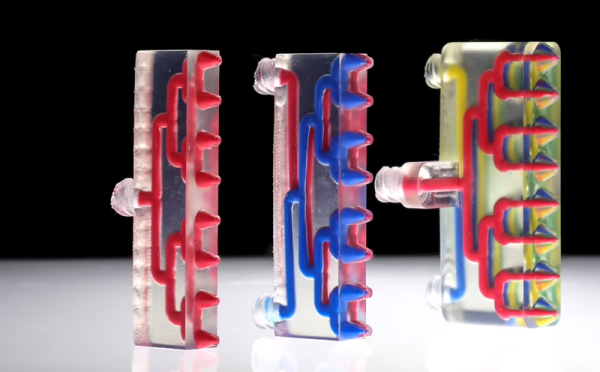
When you zoom in on a fractal you find it is made of more fractals. Perhaps that helped inspire the Harvard 3D printers that have various arrays of mixing nozzles. In the video below you can see some of the interesting things you can do with an array of mixing nozzles. The coolest, we think, is a little multi-legged robot that uses vacuum to ambulate across the bench. The paper, however, is behind a paywall.

There are really two ideas here. Mixing nozzles are nothing new. Usually, you use them to mimic a printer with two hot ends. That is, you print one material at a time and purge the old filament out when switching to the new filament. This is often simpler than using two heads because with a two head arrangement, both the heads have to be at the same height, you must know the precise offset between the heads, and you generally lose some print space since the right head can’t cross the left head and vice versa. Add more heads, and you multiply those problems. We’ve also seen mixing nozzles provide different colors.

Continue reading “Multi Material 3D Printing Makes Soft Robot”

Wipe Your Nozzle To Avoid Stringing

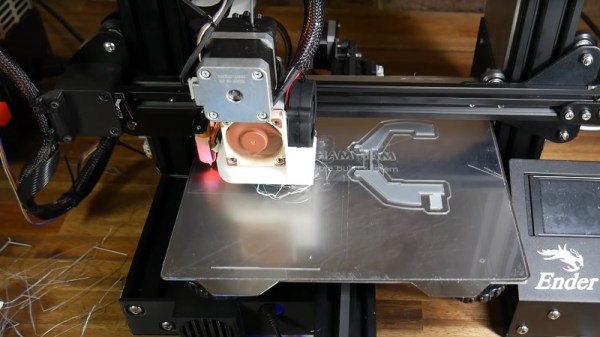
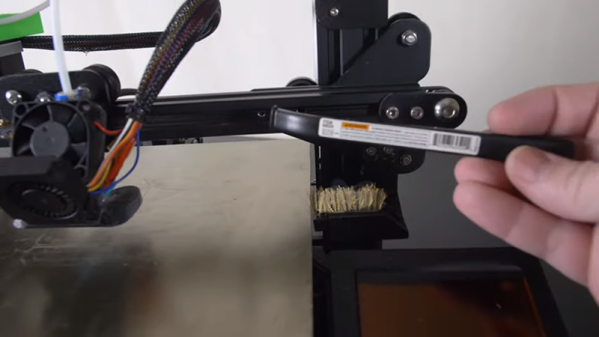
[Design Prototype Test] likes his Ender 3 printer. There was only one problem. When printing PETG — which is notorious for stringing — the hot end would pick up material and eventually ruin the print. The answer was to mount a cheap Harbor Freight brush somewhere and make the head pass over it after each layer. You can see the video of the design, below.

It sounds as though it worked well and after explaining the concept, he dives into the details of how he designed the fixture and how he mounted it. There’s a lot of good information in there about his particular toolchain and workflow.

Continue reading “Wipe Your Nozzle To Avoid Stringing”

How To 3D Print Your Identical Twin

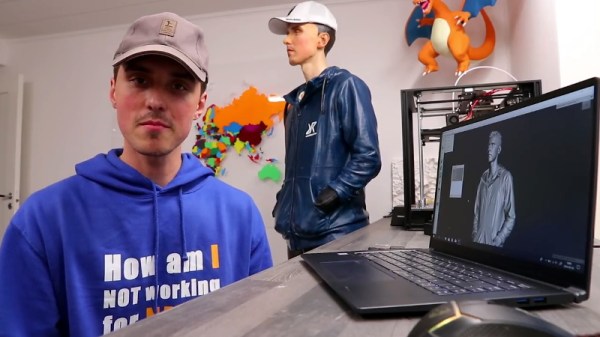
It’s possible to have an enjoyable weekend touring a city with a stolen cardboard cutout from some advertising display or other. However, it’s 2019, and 3D printing means you can go so much further. [Simon] of RCLifeOn went so far as to print a lifesized body double of himself, and it’s only slightly creepy! (Video, embedded below.)

The model was sourced from a 3D scan [Simon] had done with commercial hardware. An Optimus P1 industrial-grade 3D printer was used to print the parts, with total printing time being around 200 hours. Adhesive was used to join the various segments together, and the assembly was then sanded and primed, ready for paint.

Unwilling to tackle the task alone, [Simon] enlisted a professional painter to help put the finishing touches on the piece. The end result is impressive, particularly from a distance. [Simon 2.0] was then sent out to the city centre, aiming to raise money from bewildered passers by.

We suspect the market for custom body doubles will only increase as the technology to create them becomes more widespread. If you’ve tackled a similar project, be sure to let us know. Video after the break.

Continue reading “How To 3D Print Your Identical Twin”