The 6502 Watch, Because Someone Had To Make One

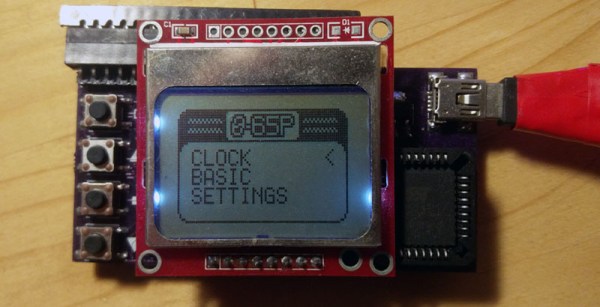
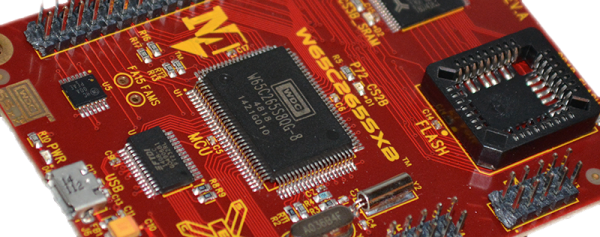
We are very familiar with retrocomputers, and if you want you too can build a computer that could have been made in the late ’70s on a breadboard. Just grab your CPU of choice, add some RAM, some ROM, a ton of jumper wires, and give it some way to talk to the outside world. The problem with the computers inspired by yesteryear is that they all, inexplicably, use through-hole parts. If only someone used the small QFP parts instead of the big chonkin’ PDIPs, we could have really small retrocomputers. That’s exactly what [NotArtyom] did, and he managed to come up with a wearable 6502 watch.

The system design for this 6502-based watch is fairly standard for what you would find in any other retrocomputer. There’s a PLCC 6502, 32k of SRAM, 16k of ROM, and a PLLC’d 6522 for a bit of IO. There are a few peripherals hanging off the 6522, and since this thing is a watch the most important is a real time clock. There’s also a Nokia LCD and a 20-pin Commodore keyboard connector.

Software-wise, most of the ROM is dedicated to G’Mon, a generic monitor that can view and modify memory. There’s also EhBasic, and a kernel to handle the RTC, keyboard, and display.

Whether or not this is a useful smartwatch isn’t the question; this is one of the first retrocomputer projects we’ve seen that lean into the non-PDIP versions of these classic chips. This is a bit surprising, because you can still buy these parts, PDIP or not, new from the usual vendors. If nothing else, it’s a demonstration of what can be done with modern IC packages.

Add A Host Of 8-Bit Processors To Your Arduino

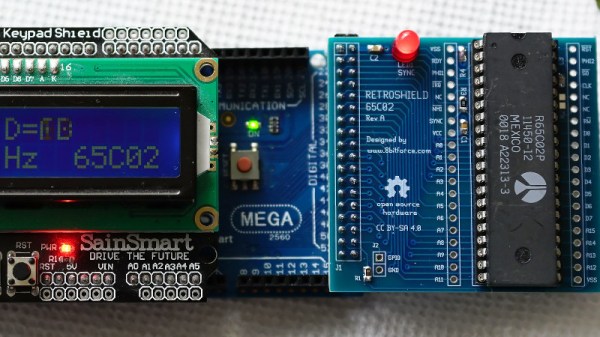
Normally when we bring you news of a retrocomputing design, it will centre around a single processor. At its heart will be a 6502, a Z80, or perhaps a 6809. There will be a host of support chips, some memory as RAM or ROM, and a bunch of interfaces. [Erturk Kocalar]’s RetroShield project for the Arduino Mega breaks all of those rules, because it supports all three of those classic processors, has no support chips, no memory, and no external interfaces beyond the shield connection to the Mega. What on earth is going on!

A closer look reveals that the project is a set of shields that use the Mega’s power to emulate all the support chips and peripherals you’d have seen on the original hardware. And while it would be impressive to have a single board with support for all three CPUs, in fact there is a PCB for each one. But that makes it no less interesting a project for those with an interest in 8-bit processors, because the focus becomes the software rather than a quest to find out-of-production silicon.

So far there is some limited demo software, and his website goes into some detail on the interfacing and code required. The Arduino can only clock the 8-bit CPU at 95kHz in software which may sound a bit low to those familiar with 1980s home computers, but it’s best to think of this as an experimentation platform and give up dreams of playing Elite. An exciting prospect comes in giving the 8-bit machine access to Arduino shields, if improbable hardware is your bag.

If this has captured your interest, you might also wish to take a look at the $4 Z80 single board computer which has a similar ethos.

A 6502 Computer, With Acres Of Breadboard And Dozens Of Chips

Imagine you’re time-warped back to 1979 and tasked with constructing a personal computer. Could you do it? [RadicalBrad] thinks he can, and his 6502-based “Super VIC” build looks like it’s off to a great retrocomputing start.

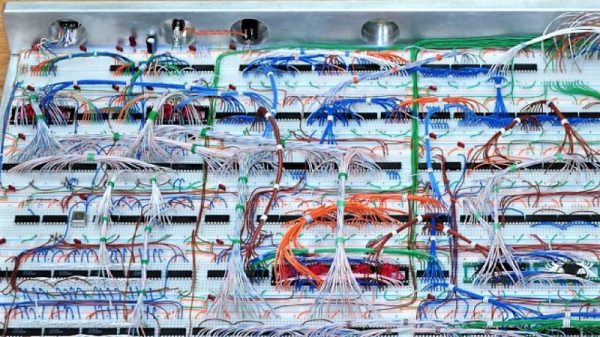
Most emulations of old hardware these days go the FPGA route, and while we respect those projects immensely, there’s something to be said for applying a highly artificial constraint at the outset of a project. [RadicalBrad] chose to design like it’s 1979, and limited his ode to the machines of his youth to the 6502 CPU and logic and RAM chips available before 1980. The computer will support NTSC video output and 4-channels of 8-bit sound. No circuit boards will be used – everything is to be assembled on solderless breadboards. So far he has 48 (!) of them ganged together, which sounds like an enormous amount of space to work with, but he still found things crowded enough that some of the DIP bodies were trimmed a bit to fit more closely on the breadboards. The SRAM posed a problem, though, in that the 512K chips he wanted were not available in DIPs. To stay faithful to the constraints, he soldered the SOJ-packaged RAM chips into 40-PIN DIP headers – all 25 chips! We can’t recall a PC of the era sporting 12 megabytes of RAM, but no matter – it’s too cool not to love.

[RadicalBrad] has his work cut out for him, and this could take years to finish. We’re keen to follow his progress and can’t wait till it boots for the first time. Until it does, we’ll just gaze upon such discrete computing wonders as this almost-as-simple-as-possible computer, or even this delightfully noisy adder for a relay computer.

Hack Chat: The Home Machine Shop With Quinn Dunki

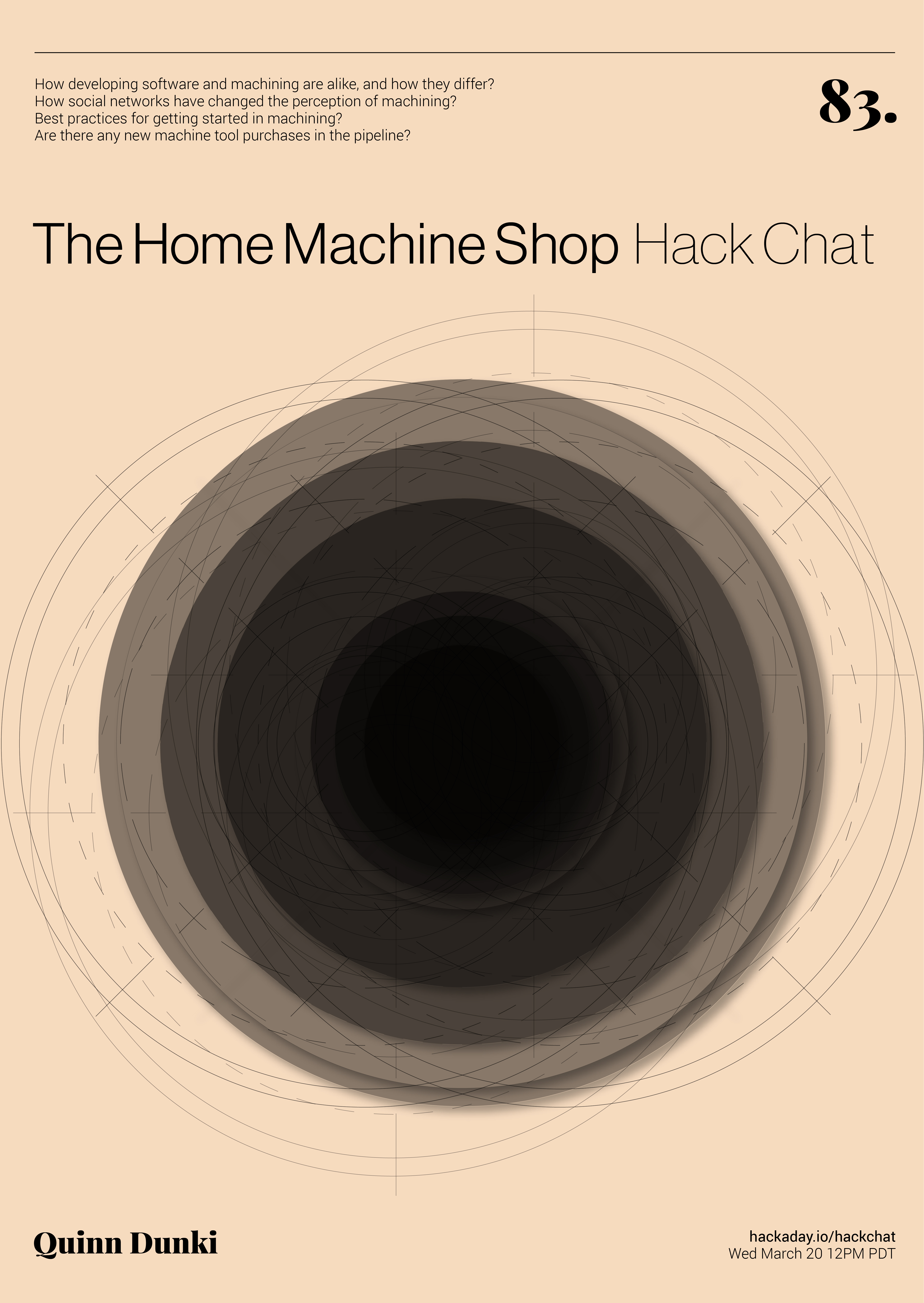
Join us Wednesday at noon Pacific time for the Home Machine Shop Hack Chat!

Even if you haven’t been here for very long, you’ll probably recognize Quinn Dunki as Hackaday’s resident consulting machinist. Quinn recently did a great series of articles on the “King of Machine Tools”, the lathe, covering everything from the history of precision machine tools to making your first chips. She’s documented the entire process of procuring and setting up a new lathe, pointing out all the potential pitfalls the budding home machinist may face. You can get a much deeper dive into her machining adventures on her YouTube channel, Blondihacks.

Flinging hot metal chips around is hardly all Quinn has accomplished, though. Long before her foray into machine tools, there was Veronica, a scratch-built 6502 machine Quinn created as an homage to the machines that launched her into a life of writing software. We’ve featured Veronica on our pages a couple of times, and she’s always made quite a hit.

Please join us for this Hack Chat, where we’ll discuss:

  • How developing software and machining are alike, and how they differ;
  • How social networks have changed the perception of machining;
  • Best practices for getting started in machining; and
  • Are there any new machine tool purchases in the pipeline?

You are, of course, encouraged to add your own questions to the discussion. You can do that by leaving a comment on the Home Machine Shop Hack Chat and we’ll put that in the queue for the Hack Chat discussion.

join-hack-chatOur Hack Chats are live community events on the Hackaday.io Hack Chat group messaging. This week we’ll be sitting down on Wednesday, March 20, at noon, Pacific time. If time zones have got you down, we have a handy time zone converter.

Click that speech bubble to the right, and you’ll be taken directly to the Hack Chat group on Hackaday.io. You don’t have to wait until Wednesday; join whenever you want and you can see what the community is talking about.

The 8-Bit Guy Builds A 16-Bit Computer

One of the better retro historians out there on YouTube is the 8-Bit Guy, and after years of wanting to do something like this, it’s finally happening. The 8-Bit Guy is building his dream computer, heavily inspired by the Commodore 64.

Before we go into what this computer will do and what capabilities it will have, it’s important to note the 8-Bit Guy is actually doing a bit of market and user research before dedicating a year or more to this project. He’s asked other famous retrocomputing YouTubers for their input on what their ‘dream’ retrocomputer should do, and they’ve come up with a basic list of requirements. The Dream Computer will be like working on a 1957 Chevy, in that all the registers are immediately available for peeking and poking. The computer will be completely comprehensible, in so far that one person can completely understand everything, from the individual logic gates inside the CPU to the architecture of the kernel. It’ll run BASIC.

In the age of the Raspberry Pi, one might ask, ‘why not go with a Raspberry Pi?’. To the 8-Bit Guy, the Pi is just a Linux computer. Other retrocomputing projects of a similar scope to this dream computer also fail: The Mega65, a project to resurrect the Commodore 65, will be too expensive. The BASIC Engine fails because it only does composite out, and it runs on an ESP anyway, so you’re shielded from the real hardware. The same problem exists with the Maximite in that the hardware is one layer of abstraction away from the interface. The C256 Foenix is probably the closest to meeting the design goals, but it’s far too expensive, and even without the MIDI ports, SID chips, and other interesting hardware, it would still be above the desired price point.

The ‘requirement’ for this dream computer is to use only modern parts, have VGA or HDMI video out, a real CPU, preferably a 6502, use no FPGA or microcontrollers, and can run Commodore Basic. Also, this computer would cost about $50, with $100 as the absolute, maximum limit (implying a BOM cost of around $15-$25). This is absolutely, completely, astonishingly impossible. I would be deceiving you if I did not mention the impossibility of this project happening with the stated goals. This project will not meet the goal of selling for less than one hundred dollars.

That said, there’s no harm in trying, so The 8-Bit Guy is currently working with a few dev boards, specifically one designed around the 65816 CPU. The 65816 is an interesting chip, in that it is a 6502 until you flip a bit in a register. It has a larger address space than the 6502, and everything from the World of Commodore should be (relatively) easily ported to the 65816. Why was this CPU never used in Commodore hardware? Because a Western Design Center sales guy told a Commodore engineer that Apple was using it in their next computer (the Apple IIgs). The option of Commodore ever using the ‘816 died then and there.

If you’d like to help out on this computer, there is a Facebook group for organizing the build. This Facebook group is a closed group, meaning you need a Facebook account to login. Unfortunate, but we’re looking forward to a year of updates around this dream computer. Building a computer that meets the specs is impossible, but we’re more than eager to see the community try.

Continue reading “The 8-Bit Guy Builds A 16-Bit Computer”

An Arduino From The Distant Past

Arduinos are a handy tool to have around. They’re versatile, cheap, easy to program, and have a ton of software libraries to build on. They’ve only been around for about a decade and a half though, so if you were living in 1989 and wanted to program a microcontroller you’d probably be stuck with an 8-bit microprocessor with no built-in peripherals to help, reading from a physical book about registers and timing, and probably trying to get a broken ribbon cable to behave so it would actually power up. If you want a less frustrating alternate history to live in, though, check out the latest project from [Marek].

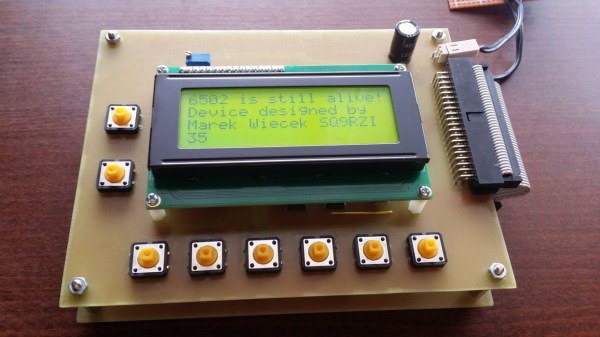
He discovered some 6502 chips (Polish language, Google Translate link) that a Chinese manufacturer was selling, but didn’t really trust that they were legitimate. On a lark he ordered some and upon testing them he found out that they were real 6502s. Building an 8-bit computer is something he’d like to do, but in the meantime he decided to do a project using one of these chips as a general-purpose microcontroller similar to a modern Arduino. The project has similar specs as an Arduino too, including 8kB of RAM memory, 8kB of I/O address space, and various EPROM capabilities. [Marek] went on to build a shield board for it as well, for easy access to some switches and LEDs. It’s a great build that anyone interested in microcontrollers should check out.

Keep in mind that an ATtiny45 has 8 bits like the 6502 but only costs around $1 USD, whereas a 6502 would have cost around $200 in today’s dollars. It’s really only in modern times that we can appreciate the 6502 as a cheap 8-bit microcontroller for that reason alone, but we can also appreciate how it ushered in a computer revolution since competing Intel and Motorola chips cost around six times more before it showed up. They became so popular in fact that people still regularly use them to build retrocomputers of all kinds.

New Game, Old Ways: Cramming An NES Game Into 40 KB

Why would anyone bother to create new content for a console system that’s staring down its 40th birthday? Perhaps just for the challenge of fitting a game into 40 kilobytes of storage.

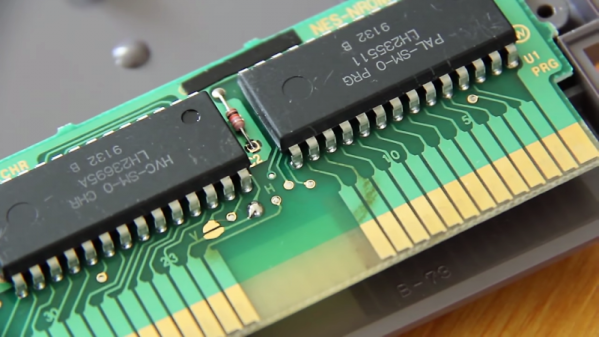
That at least seems to be the motivation behind [Morphcat Games] pending release of Micro Mages, a new game for the Nintendo Entertainment System console that takes its inspiration from Super Mario Bros. The interesting bit here is how they managed to stuff so much content into so little space. The video below goes into great detail on that, and it’s a fascinating lesson in optimization. The game logic itself is coded in assembler, which of course is far more efficient than higher level languages. Even so, that took 32 kB of ROM, leaving a mere 8 kB for background elements and foreground sprites.

Through a combination of limited sprite size, tiling of smaller sprites to make larger characters, and reusing tiles by flipping them horizontally or vertically, an impressively complete palette of animated characters was developed. Background elements were similarly deconstructed and reused, resulting in a palette of tiles used to generate all the maps for the game that takes up just 60 bytes. Turning those into playable levels involves more mirroring and some horizontal shifting of tiles, and it looks like quite an engaging playfield.

Yes, there’s a Kickstarter for the game, but we’re mainly intrigued by what it takes to cram a playable game into so little space. Don’t get us wrong – we love the Retro Pie builds too, but seeing the tricks that early game developers relied upon to make things work really gets the creative juices flowing.

Continue reading “New Game, Old Ways: Cramming An NES Game Into 40 KB”