A Cocktail Shaker With Android And Arduino

drinks

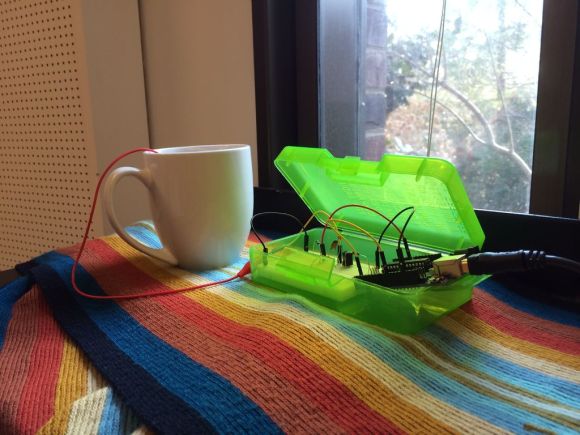
The most rewarding part of any project must be sitting down to see the fruits of your labors set in action for the first time and relaxing with a nice drink. [Tony DiCola] is really showing off his ability to think ahead, because his smart cocktail shaker takes care of the post-build celebration, measuring out drinks with exacting precision.

The build measures out precise amounts of any liquid with the help of a small electronic scale [Tony] picked up from Harbor Freight. Instead of trying to interface with the electronics in the scale, he instead connected a INA125 instrument amplifier to the load cell. An Arduino micro measures the weight on the load cell, and with the known densities of gin, vermouth, and Kahlua, [Tony] can get a very good idea of how much liquid is in the cocktail shaker.

The really neat part of this build is the interface: [Tony] wrote an Android app for his tablet that talks to the Arduino with an Adafruit Bluefruit Bluetooth adapter. The app receives the current weight on the load cell, displays the current amount of liquor in the cocktail shaker, and provides step-by-step instructions for making any cocktail.

It’s a handy little device to keep around the liquor cabinet, and with an absurd amount of pumps and valves could easily become the basis for a very cool cocktail bot.

Continue reading “A Cocktail Shaker With Android And Arduino”

The Tannin DIY MIDI Controller

tannin-ctlr

[Shantea] needed a DJ controller. While there are commercial controllers out there, none of them fit what he was looking for. He solved the problem by building the Tannin DIY MIDI controller. Tannin features 19 buttons, 16 potentiometers, and 4 LEDs. Buttons can send different MIDI messages for short presses and long presses. Pots can send 6 note on/off messages as well as MIDI control messages depending on their position. The LEDs blink in beat with the MIDI in clock. Everything is programmable and can be mapped thousands of different ways. The heart of the system is an Arduino Nano. [Shantea] used the hairless-midi library to convert MIDI to serial. The Arduino interfaces to a PC via serial over USB. On the host PC side, he ran loopbe30 to create a virtual MIDI cable to Traktor, his DJ software.

We love a build that looks just as good on the inside as on the outside, and Tannin doesn’t fail to impress in this respect. The frame is MDF, and the control panel is laser etched plastic on 3mm of Plexiglass. We really like Tannin’s flavone flair. Inside the case, wiring is kept organized and neat by zip ties and strips of wood below the button grid. [Shantea] had some noise issues connecting pots to flying wires, so he used a custom printed circuit board with a ground plane to gang the pots into 2 banks of 8. The results are something any controllerist would be proud of. Click past the break to see Tannin in action.

Continue reading “The Tannin DIY MIDI Controller”

A Low Cost Arduino FPGA Shield

[technolomaniac] is kicking butt over at Hackaday Projects. He’s creating a low cost Arduino based FPGA shield. We’ve seen this pairing before, but never with a bill of materials in the $25 to $30 range. [technolomaniac’s] FPGA of choice is a Xilinx Spartan 6. He’s also including SDRAM, as well as an SPI Flash for configuration. Even though the Spartan 6 LX9 is a relatively small FPGA, it can pack enough punch that the Arduino almost becomes a peripheral. The main interconnect between the two will be the Arduino’s ability to program the Spartan via SPI. Thanks to the shared I/O pins though, the sky is the limit for parallel workflow.

[technolomaniac] spent quite a bit of time on his decoupling schematic. Even on a relatively small FPGA power decoupling is a big issue, especially when high speed signals come into play. Thankfully Xilinx provides guides for this task. We have to mention the two excellent videos [technolomaniac] created to explain his design. Documenting a project doesn’t have to be hours of endless writing. Sometimes it’s just easier to run a screen capture utility and click record. As of this writing, the schematic has just been overhauled, and [technolomaniac] is looking for feedback before he enters the all important layout stage. The design is up on his github repository in Altium format. Due to its high cost, Altium isn’t our first pick for Open Hardware designs. There are free viewers available, but [technolomaniac] makes it simple by putting up his schematic in PDF format (PDF link). Why not head over to projects and help him out?

Continue reading “A Low Cost Arduino FPGA Shield”

Computers Playing Flappy Bird. Skynet Imminent. Humans Flapping Arms.

flappy-double

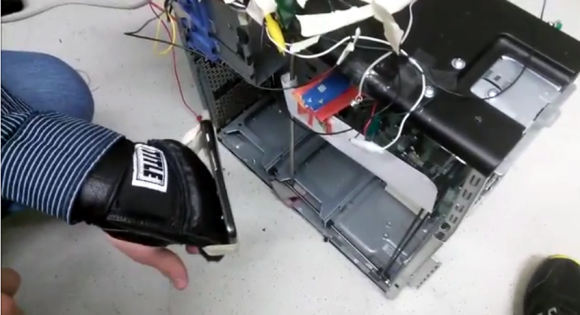
After viral popularity, developer rage quits, and crazy eBay auctions, the world at large is just about done with Flappy Bird. Here at Hackaday, we can’t let it go without showcasing two more hacks. The first is the one that we’ve all been waiting for: a robot that will play the damn game for us. Your eyes don’t deceive you in that title image. The Flappy Bird bot is up to 147 points and going strong. [Shi Xuekun] and [Liu Yang], two hackers from China, have taken full responsibility for this hack. They used OpenCV with a webcam on Ubuntu to determine the position of both the bird and the pipes. Once positions are known, the computer calculates the next move. When it’s time to flap, a signal is sent to an Arduino Mega 2560. The genius of this hack is the actuator. Most servos or motors would have been too slow for this application. [Shi] and [Liu] used the Arduino and a motor driver to activate a hard drive voice coil. The voice coil was fast enough to touch the screen at exactly the right time, but not so powerful as to smash their tablet.

If you would like to make flapping a bit more of a physical affair, [Jérémie] created Flappy Bird with Kinect. He wrote a quick Processing sketch which uses the Microsoft Kinect to look for humans flapping their arms. If flapping is detected, a command is sent to an Android tablet. [Jérémie] initially wanted to use Android Debug Bridge (ADB) to send the touch commands, but found it was too laggy for this sort of hardcore gaming. The workaround is to use a serial connected Arduino as a mouse. The Processing sketch sends a ‘#’ to the Arduino via serial. The Arduino then sends a mouse click to the computer, which is running  hidclient.  Hidclient finally sends Bluetooth mouse clicks to the tablet. Admittedly, this is a bit of a Rube Goldberg approach, but it does add an Arduino to a Flappy Bird hack, which we think is a perfect pairing.

Continue reading “Computers Playing Flappy Bird. Skynet Imminent. Humans Flapping Arms.”

Gamebuino: A Handheld Arduino Gaming Console Ready For Prime Time

[Rodot] wrote in to tell us about the Gamebuino, a very nicely designed and easily reproducible version of his handheld Arduino gaming console. We originally featured [Rodot’s] Arduino based gaming console over a year ago.

With the Gamebuino, you too can build your own games and gaming hardware around the Arduino. While there is a lot of information currently missing from the site’s Wiki, such as the layout and game code, [Rodot] plans on making everything open source. The console includes a rechargeable lithium battery, a micro SD card, and I2C expansion connectors. This is one project to keep an eye (and two hands) on, especially since a full game library is going to be provided, letting you easily create your own games. See what the console can do in the demo video after the break.

It would be amazing so see some old Game Boy games ported to run on the Arduino, or maybe one of our readers can make an Game Boy emulator for the Arduino!
Continue reading “Gamebuino: A Handheld Arduino Gaming Console Ready For Prime Time”

We Salute The Television Tube Flag

From [Gijs] comes Beeldbuis Vlag Tijsdlijn, or television tube flag (Translated). We’re not up on our Dutch, but it appears that [Gijs] and friends have created a television tube which waves much like a flag in response to airflow from a fan.  The effect is pretty darn amazing, and that’s putting it mildly. To create this hack, [Gijs] built a modified Wobbulator. The Wobbulator is an early video synthesizer which used added steering coils to modify the operation of a standard TV tube. When excited, the coils would deflect the tube’s electron beam, causing some rather trippy images to appear on-screen. (Yes, here at Hackaday “trippy” is a scientific term).

[Gijs] wanted his screen to be “waved” by a fan, just like a flag would wave. To do this he used an anemometer made of ping-pong ball halves. The anemometer spins up a DC motor from a CD-ROM drive. In this application, the motor acts as a generator, creating a DC voltage. An ATmega328 running the Arduino code reads the voltage from the motor. If the anemometer is spinning, the Arduino then outputs a sinusoidal value. The Arduino’s output is amplified and applied to the coil on the CRT. A network of power resistors ensures the amplifier is correctly loaded. The results speak for themselves. In the video after the break, the tube flag is displaying a slide show of photographs of its construction. As an added hack, [Gijs] used an Arduino Leonardo as a USB keyboard. When the anemometer spins, the primary ATmega328 sends a signal to the Leonardo, which then emulates a push of the arrow keys on the host computer. This lets the tube flag advance its own images. Very cool work indeed!

Continue reading “We Salute The Television Tube Flag”

LuxBlaster: Blast A Beam Of Light At The Most Intense Light Source

HighBeams

[Hazim] wrote in to tell us about his project that teaches inconsiderate drivers a lesson! Well, theoretically. The LuxBlaster is a spot light which points towards the most intense light source.

The idea is that you can blast drivers who do not turn their high-beams off with a reverse high-beam of your own. It is very important to note that this should never be used, as [Hazim] also clearly states. While this project is meant to prove that it can be done (a “what if”) project, it has two components that are very well done and can easily be used in different projects: the Arduino controlled spotlight and the light intensity tracker.

What would you use an Arduino controlled spotlight for? Smart lighting? What about a light source tracker? Let us know in the comments.

Continue reading “LuxBlaster: Blast A Beam Of Light At The Most Intense Light Source”