One of the persistent challenges in audio technology has been distinguishing individual voices in a room full of chatter. In virtual meeting settings, the moderator can simply hit the mute button to focus on a single speaker. When there’s multiple people making noise in the same room, though, there’s no easy way to isolate a desired voice from the rest. But what if we ‘mute’ out these other boisterous talkers with technology?
Enter the University of Washington’s research team, who have developed a groundbreaking method to address this very challenge. Their innovation? A smart speaker equipped with self-deploying microphones that can zone in on individual speech patterns and locations, thanks to some clever algorithms.
The key to the project is the use of hypersonic sound arrays. These essentially use high-frequency sound beyond the human range of hearing to carry a lower-frequency sound signal. By essentially modulating this higher-frequency carrier to create the perception of lower-frequency sound, it’s possible to create an audible signal that is highly directional. It’s like a “sound laser” that can be pointed directly at a person to allow them to hear it, which is then inaudible when pointed slightly away.
These allow the delayed voice signal to be fired at a person’s head with a relatively narrow spatial spread. When an individual speaks into a microphone hooked up to the device, delayed audio is sent through the hypersonic array back to the speaker’s ears, garbling their speech as their brain gets confused by the feedback.
[Benn] demonstrated the device in public by offering random individuals $100 to read a paragraph out of a book. The speech jammer worked a treat, and [Benn] was able to keep his money… until one amazingly immune individual breezed through the test. Check out our prior coverage of speech jamming technology. Video after the break.
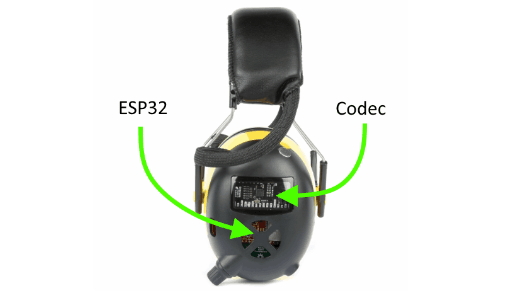
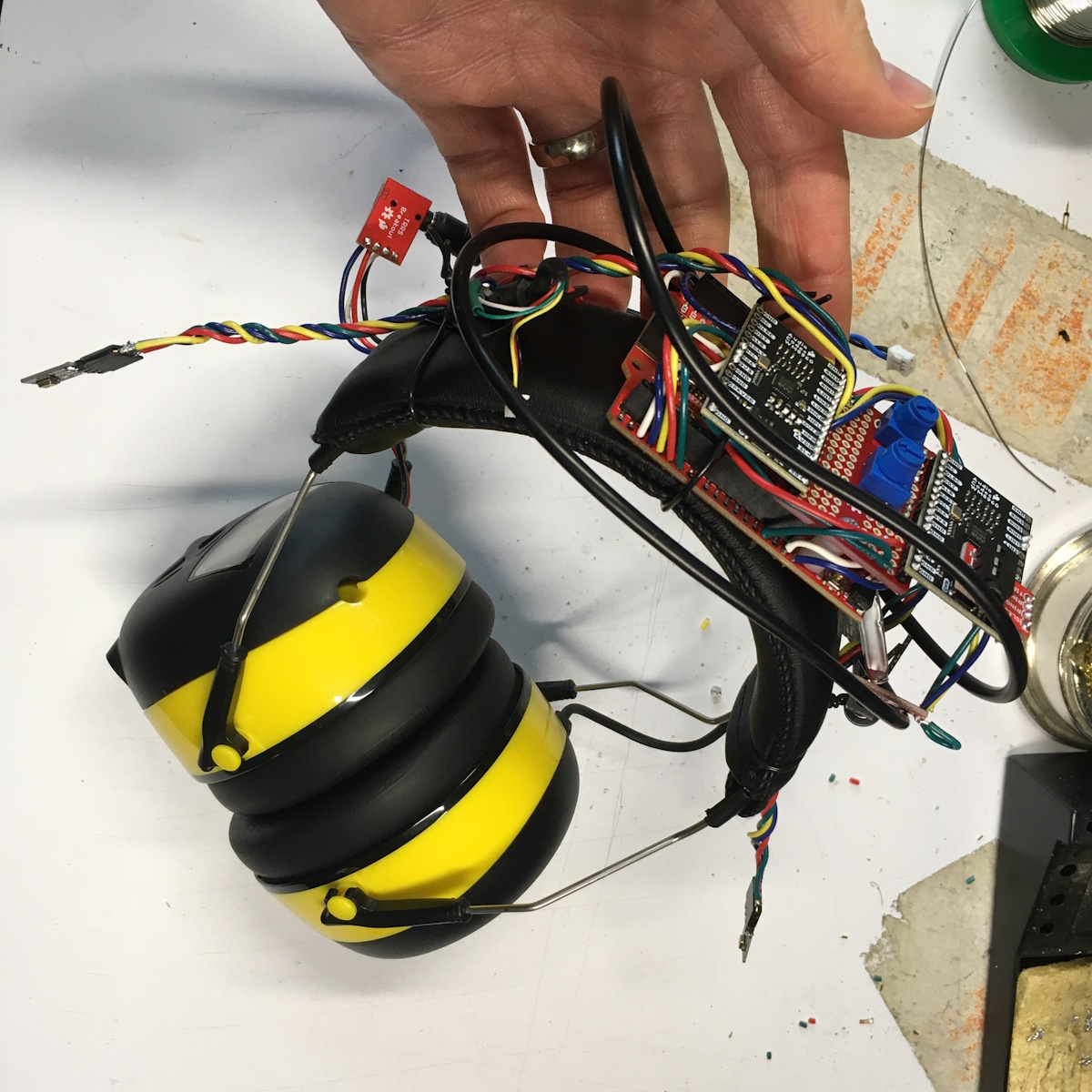
[Pete Lewis] from SparkFun takes audio and comfort seriously, and recently shared details on making a customized set of Super Headphones, granting quality sound and stereo ambient passthrough, while providing hearing protection at the same time by isolating the wearer from the environment.
Such products can be purchased off the shelf (usually called some variant of “electronic hearing protection”), but every hacker knows nothing beats some DIY to get exactly the features one wants. After all, off-the-shelf solutions are focused on hearing protection, not sound quality. [Pete] also wanted features like the ability to freely adjust how much ambient sound was mixed in, as well as the ability to integrate a line-level audio source or Bluetooth input.
Early prototype of Super Headphones (click to enlarge)
On the surface the required components are straightforward, but as usual, the devil is in the details. Microphone selection, for example, required a lot of testing. A good microphone needed to be able to deal with extremely loud ambient sounds without distortion, yet still be sensitive enough to be useful. [Pete] found a good solution, but also muses that two sets of microphones (one for loud environments, and one for quieter) might be worth a try.
After several prototypes, the result is headphones that allow safe and loud band practice in a basement as easily as they provide high-quality music and situational awareness while mowing the lawn. Even so, [Pete]’s not done yet. He’s working on improving comfort by using photogrammetry to help design and 3D print custom-fitted components.
Time is almost up for magnetic storage from the 80s and 90s. Various physical limitations in storage methods from this era are conspiring to slowly degrade the data stored on things like tape, floppy disks, and hard disk drives, and after several decades data may not be recoverable anymore. It’s always worth trying to back it up, though, especially if you have something on your hands like critical evidence or court records on a nearly 50-year-old floppy disk last written to in 1993 using a DEC PDP-11.
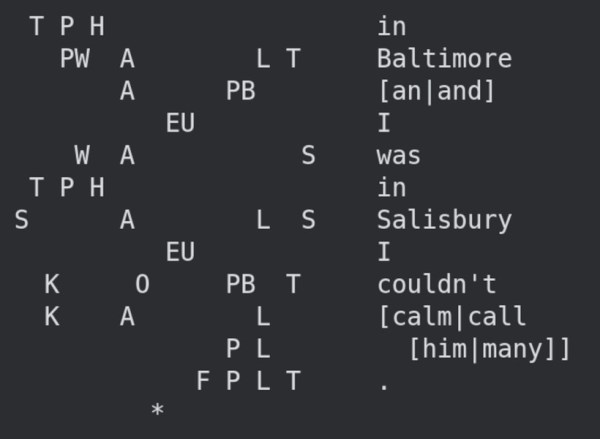
This project all started when an investigation unit in Maryland approached the Bloop Museum with a request to use their antique computer resources to decode the information on a 5.25″ floppy disk. Even finding a floppy disk drive of this size is a difficult task, but this was further compounded not just by the age of the disk but that the data wasn’t encoded in the expected format. Using a GreaseWeazle controlled by a Raspberry Pi, they generated an audio file from the data on the disk to capture all available data, and then used that to work backwards to get to the usable information.
After some more trials with converting the analog information to digital and a clue that the data on the disk was not fragmented, they realized they were looking at data from a digital stenography machine and were finally able to decode it into something useful. Of course, stenography machines are dark magic in their own right so just getting this record still requires a stenographer to make much sense out of it.
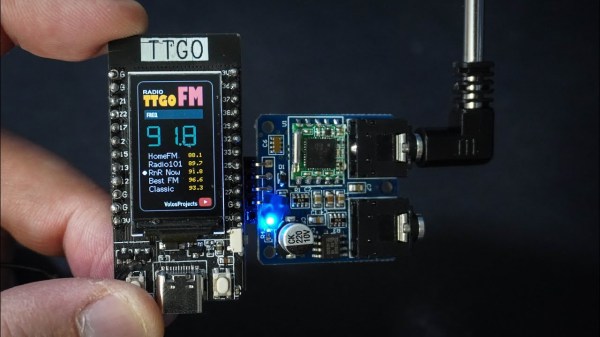
Even as music streaming services and podcast apps dominate most of our listening time, it’s still a great idea to keep a radio on hand, if for nothing else than in emergency situations. After all, blizzards, hurricanes, and other natural disasters can quickly take out both home and mobile Internet access. If you’d like to have an FM radio with the absolute smallest footprint, take a look at this one built around an ESP32.
While the radio uses the ESP32 as the main control board hosted by a TTGO T-Display board which adds a 1.14 inch ST7789V IPS panel, it also makes use of the TEA5767 chip for handling the FM radio signals. As [Volos Projects] has it programmed, the ESP32 stores five preset channels which can be toggled using two buttons at the bottom of the device. There’s also some circuitry to handle output to headphones or a stereo.
For making the radio even smaller, some of the audio processing could be done on the ESP32 instead, although its much simpler to take a slightly larger footprint and offload this to an audio processing chip. Since the source code for this project is open, modifications could be done including adding seek/tune functionality instead of relying only on presets. If you’re not building this for emergencies, though, and your entire area is dominated by cookie cutter corporate-owned radio stations, an ESP32 with an internet connection is great for accessing better radio stations around the world.
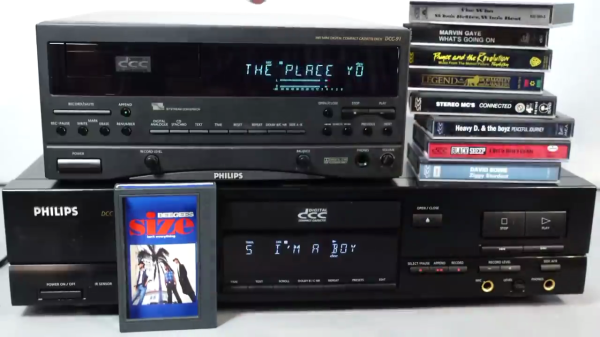
Having a fondness for old and obscure audio and video media formats, [Techmoan] recently revisited the Philips Digital Compact Cassette (DCC) format introduced in 1992. Despite being billed as the successor to Philips’ original analog Compact Cassette format from 1963, DCC was short-lived and slipped away after only four years in 1996. [Techmoan] obtained a unique cassette that purports to be the only known published DCC tape which contains embedded song lyrics that scroll on the DCC player’s tiny screen in sync with the music — “Size Isn’t Everything” by the Bee Gees from 1993. Sure enough, he is able to demonstrate this in the video down below the break.
But, there’s more. For reasons unclear, this only happens on on this one Bee Gees’ album. But it turns out that many DCC tapes did in fact include lots of other metadata, and sometimes lyrics as well. But these were only visible using an unreleased Philips system called Interactive Text Transmission System (ITTS). It just so happens that the folks at the DCC Museum obtained a Philips prototype ITTS box and have been gradually hacking the protocol.
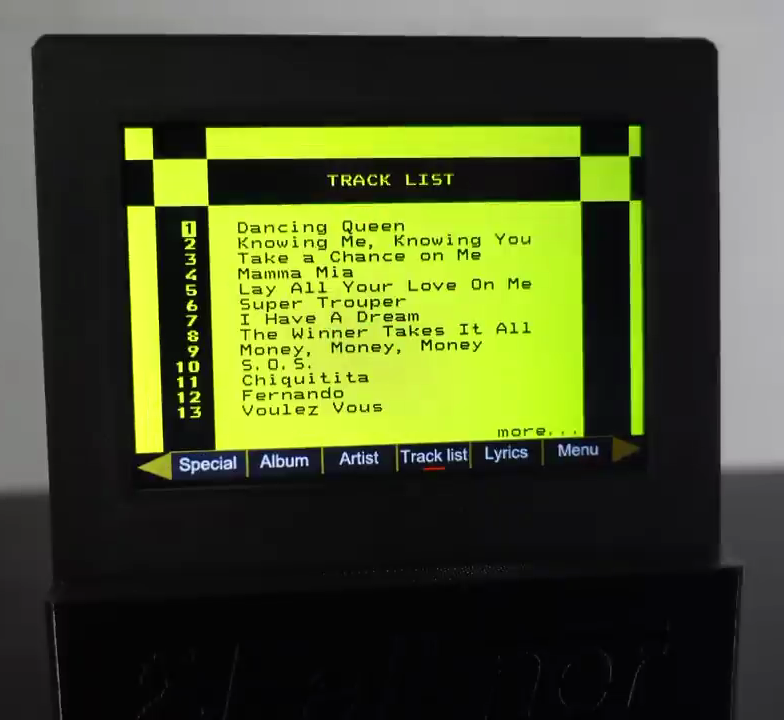
Track Listing Using Blocky Graphics
[Techmoan] demonstrates a modernized prototype version from Germany designed by [Thomas Falkner] called the ITTS video box NG. Using this, he runs through a bunch of DCC tapes from his collection, and finds a significant number of them were published with lyrics and metadata, presumably in anticipation of as ITTS launch. It’s interesting to see how some publishers spent a lot of effort to format this information and others seemed to just copy / paste over the bare minimum.
The more elaborate pages resemble what you might see on your teletext screens back in the day. On those albums that do have lyrics, the presentation can be different, as well. Lyrics from the Bee Gees album appear like text scrolling up on a terminal, with current phrases shown in yellow. Another album’s lyrics can be scrolled in different peculiar ways, including a one-word-at-a-time mode.
If this kind of historical dive into technology interests you, check out the talk that [Jac] and [Ralf] gave at the 2022 Supercon about DCC, and this video from 2018 where [Ralf] digs deeper into this topic. Also, [Jac] has some more recent details on hacking the protocol posted over on his Hackaday.io project page. If you want a more basic introduction to DCC, [Techmoan] introduced this format some years ago on his YouTube channel.
Belts on a 3D printer should be tight enough, but not too tight. That can be an iffy thing to get right for someone who lacks familiarity with CNC platforms. Prusa Research aims to make it a bit easier with a web app that can measure tension via your mobile phone’s microphone and diagnose belt tightness, at least for their MK4 and XL printers.
Using different tools to analyze belt tightness (including belt acoustics) have been tried in the past with mixed results, but this is a pretty focused approach that aims to give exact guidance for specific printer models. It’s pretty useful to provide someone with a reliable go/no-go number, after all.
What happens to a printer if a belt’s tension is not right? Well, there’s actually a pretty forgiving range within which the printer will mostly work fine, but not as well as it could be. Loose belts can have novices chasing other problems, and overly-tightened belts definitely put extra strain on parts. It’s one of those things that’s worth a little extra work to get right.
3D printable tension meter is a different option for Prusa MK3 and Mini printers, if one has some Prusament PETG to print it in.
Everything about belt tension for Prusa printers is covered in their documentation, but did you know there’s also neat 3D printable tension meter for Prusa MK3 and Mini printers? It’s meant to be printed in Prusament PETG (printing in other materials may have different results) but it’s a pretty neat idea for a tool.
If you have a Prusa MK4 or XL and want to try their new method, go here and allow access to your device’s microphone. Then select a printer model and an axis to test. Gently strum the upper part of the belt (avoid touching the bottom belt in the process) and watch live results telling you whether the belt is too tight, too loose, or just right. Prusa have a video demonstrating the process, also embedded below.