Turn Any Bluetooth Device Into A MIDI Controller

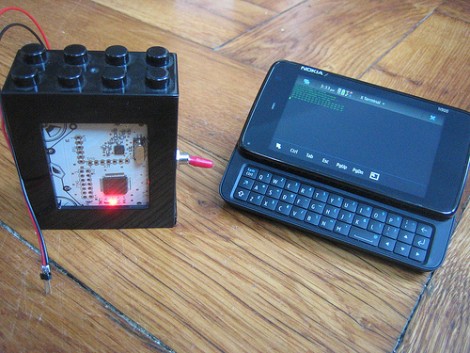
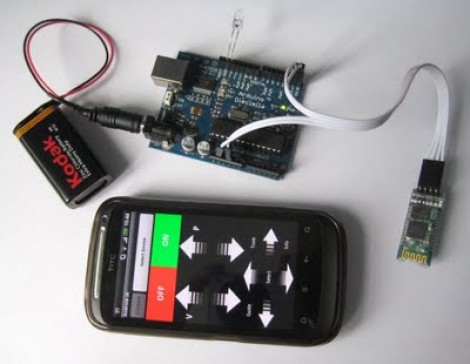
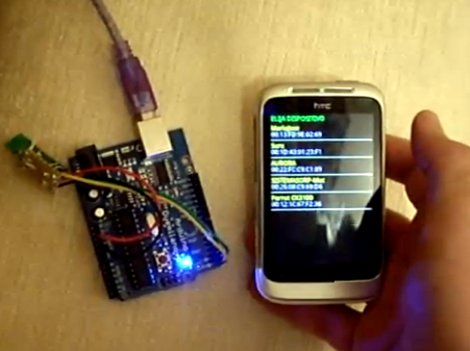
[Peter Brinkman] is working on a circuit that makes it easy to interface MIDI and Bluetooth devices. His target hardware has been a MIDI compatible keyboard and an Android phone. He was inspired to tip us off about the project after reading about yesterday’s Bluescripts project.

We’ve embedded two demo videos after the break. They show [Peter] first using this hardware to receive MIDI signals from a keyboard on his Android phone, and then he demonstrates using the phone and an on-screen musical keyboard to transmit data back to a MIDI device which generates the intended sounds.

It’s an interesting project and he’s headed down the kit-production path right now. You’ll want to browse all of his recent posts, but we especially liked reading his thoughts about simplifying the circuitry. He originally had two separate voltages running in the circuit with a level converter for data signals. After some re-conceptualization he ditched several components and improved the functionality a bit.

Continue reading “Turn Any Bluetooth Device Into A MIDI Controller”

Bluescripts Makes Bluetooth Control From Android A Bit Easier

Here’s a way to gain control of your projects using an Android device. Bluescripts is a free app available in the Android market that makes it a bit easier to make interfaces to send customizable messages. If you have a Bluetooth receiver in your project, connecting to it is as easy as putting the MAC address into an XML file on the Android device. Each tag in that file has a name, as well as the address of the target and the message that should be sent. On the receiving end, you just need to make sure your project hardware is ready to receive an ASCII message and act based on what comes through.

Check out the demonstration video after the break. Perhaps it’s not as cool as you could do if you were writing your own Android program, but we can’t think of anything we’ve seen that makes an Android interface this quick and easy.

Continue reading “Bluescripts Makes Bluetooth Control From Android A Bit Easier”

Use Bluetooth To Open Your Garage And Start Your Car Remotely

bluetooth_remote_garage_opener_and_car_starter

Instructables user [tcollinsworth] is a big fan of his Android smart phone. He practically carries it with him everywhere, so he figured it would be cool to integrate as many of his home electronics with the phone as possible. His garage door openers seemed like easy enough targets, and while he was in the garage, he decided to hack his car’s remote starter as well.

He put together a small circuit that allows him to trigger any device via an application called Daisy On/Off, made specifically for the Bluetooth board he selected. One set of pins were wired to the garage door opener’s terminals, and the other to his remote start key fob. Once he had everything connected up, he packaged his components in a project box courtesy of his MakerBot. With that finished, he put together a simple interface in the Daisy application which can start his car or open the garage with a single button press.

It should be mentioned that [tcollinsworth] works for Daisy, so the reasoning behind his choice of components and Android applications is an obvious one. That said, schematics for the Daisy Bluetooth board are available online and the device can be controlled using BlueTerm, so you can feel free to roll your own implementation if you wish.

Our only nagging thought is that the system should probably include a feedback circuit that relays messages to the phone, indicating that the door is indeed open and that the car has been started. Pocket dialing your car to start without opening the garage first would definitely be a bad thing.

Check out the video below to see the system in action.

Continue reading “Use Bluetooth To Open Your Garage And Start Your Car Remotely”

Androcade Is A Controller And Stand In One

We remember when retro-gaming required a lot of equipment and a serious time commitment to put together a gaming interface. [Scooter2084] proves that we’ve come a long way with this gaming controller built to complement Android hardware.

It’s not immediately obvious from the image above, but the controller itself looks just like Andy the Android. His head is tilted upward and acts as the tablet stand, while his torso hosts the controls. We don’t the arms and legs have a functional use but they are necessary to complete the look.

Traditionally arcade controls have used a hacked gamepad, or dedicated hardware like the MAME cabinets that use iPac control boards. But this rendition interfaces the joystick and four buttons using an Arduino. A Bluetooth shield lets you control the Android device wirelessly, and opens up the possibility to use this as a controller for laptop-based emulators and the like. Don’t miss the video after the break.

Continue reading “Androcade Is A Controller And Stand In One”

Google Android ADK Bluetooth Wireless Communications

arduino_to_android_ADK_bluetooth_communications

Once the Google ADK was announced, the team over at [ElectFreaks] jumped right in and started experimenting to see what they could do with the new Arduino/Android interface. While the ADK was great for allowing the two devices to interact over a USB connection, they felt that the system would be far better if it allowed for wireless communications instead.

They added a Bluetooth Bee to their Arduino setup and got busy writing an Android application that uses the handset’s built in Bluetooth module to communicate using the ADK. The application configures your phone to act as either a client or server when pairing. This does not affect data flow, as communications are bi-directional, it merely decides which device is placed in discoverable mode.

As you can see in the second part of their post, once the phone and Arduino are connected, it is quite easy to send serial data back and forth between the two devices.

As of right now, their Bluetooth API is in Beta, so things might still be a bit rough around the edges. They do encourage anyone to download and modify the code, which is freely available on their site.

A Badge Without A Conference

We saw this one a few days ago when it was first bouncing around the interwebs but never took a close look at it. Today, when we ran across a direct link in the tips box it was the promo video (embedded after the break) that won us over. Once you dig into the particulars of The Verbalizer we think you’ll agree that this is a hackable conference badge without the pesky need to attend a conference.

As you probably guessed from the design of the PCB, this is a microphone. It’s intended for use with Google’s new voice search feature, and connects to a computer via a Bluetooth module. But really it’s just another roll-your-own Arduino with a few extra bits. You’ll find an ATmega328 and an FTDI chip which provides a USB connection for programming. The real fun starts with the microphone and speaker circuitry which is just waiting to be breadboarded at home. We found a few other things while poking around in the schematic (available by downloading their Product Docs and Schematics package). It looks like there’s some capacitive touch… you what? Isn’t it more fun if you find this stuff yourself, kind of like the hidden gems of the DEFCON badges?

Continue reading “A Badge Without A Conference”

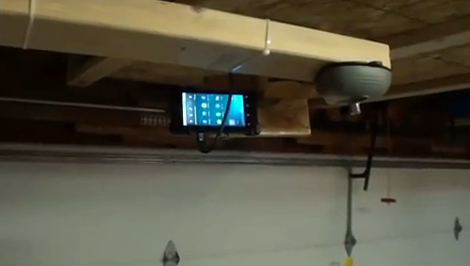
An Even Simpler Smartphone Garage Door Opener

We have seen smartphone garage door openers in the past, but [Lou’s] Hack is beautiful in its simplicity. His door opener tackles the problem without using computers, Arduinos, wireless modules or even any smartphone based applications. For this project all that is needed is a Bluetooth headset and a single transistor. The door opener uses the Samsung HM1100 Bluetooth headset, which [Lou] has done significant testing on to show that his creation is quite secure and will not open the door unexpectedly.

When this headset connects to a phone it produces a beep from the earbud, so [Lou] removed the speaker and replaced it with a transistor. Now he can use the voltage spike produced by the amplifier before the beep as his switching signal. By wiring the transistor in parallel with the door button inside his garage he is able to open the door wirelessly by connecting then right away disconnecting from the headset. This setup is apparently perfectly secure as the only way to initially link your phone with the headset is to be inside the garage. Check out the video after the break for build instructions and a demonstration.

Continue reading “An Even Simpler Smartphone Garage Door Opener”