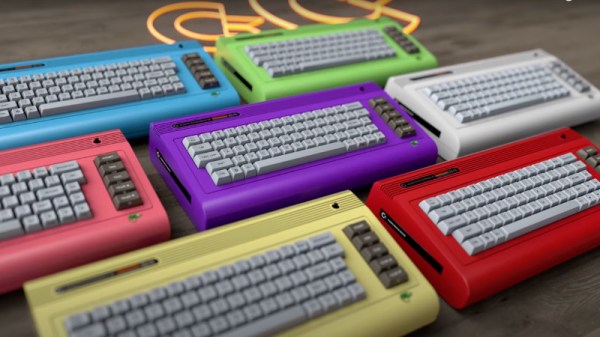
The Commodore 64 is a much-loved 8-bit retro computer that first appeared in 1982 and finally faded away around a decade later. The Commodore company started by [Jack Tramiel] went on to make the Amiga, and eventually ceased trading some time in the late 1990s. All history, now kept alive only by enthusiasts, right? Well, not quite, as the C64 has been the subject of a number of revivals both miniature and full-sized over the years. The latest came in the form of a Kickstarter for the C64x, a seemingly legitimately-branded Commodore 64-shaped PC, but it seems that has now been paused due to a complaint from an Italian company claiming to be the real heirs of Commodore. So will the real Commodore please stand up?
The origin of the Kickstarter C64x breadbin C64 PC is well enough documented, having its roots in a legitimate 2010 offering for which the person behind the C64x appears to have gained the rights. The Italian company is also called Commodore and uses the familiar branding from the glory days to sell some Commodore-themed games, novelties, and a tablet computer, but its website is a little tight-lipped about how it came by the use of that IP. Could it have come upon those rights through the 1990s German owner of the brand, Escom? We’d be fascinated to know.
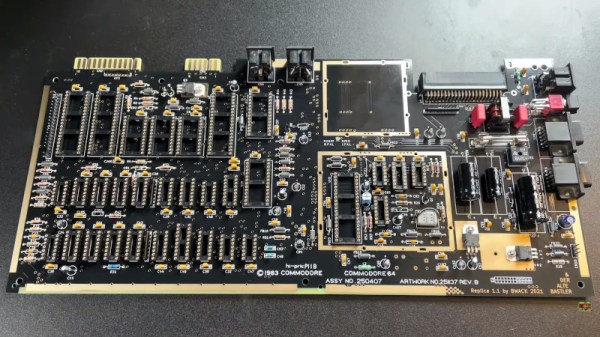
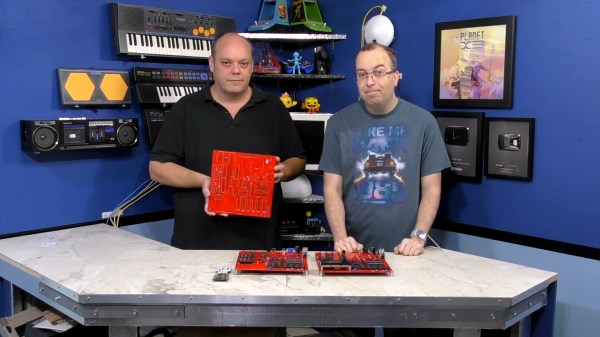
The Commodore 64 remains one of the most influential of the 8-bit home computers four decades after its launch, so not surprisingly there is a huge enthusiast community surrounding it. With so many produced over the years it was available one might think that there would be no shortage of surviving specimens, but sadly time and component failure have taken their toll and the classic micro is not always the most reliable kid on the block. Thus a cottage industry has sprung up supplying C64 parts, leading [The Retro Shack] to have a go at making a new one entirely from scratch.
As you can see in the video below the break it’s not quite an entirely new ’64, as parts including some of the custom silicon come from failed boards. The PCB is a modern recreation of the original and the SID sound chip is an ARMsid though, and most of the parts come from a handy bagged-up kit that makes assembling the BoM much easier. Instead of the big silver box of the original RF modulator is a modern composite board, and there are a few issues with minor connector part differences.
Assembly is simply a very long through-hole soldering process, and once he’d completed it there was the expected refusal to work. We’ve all been there, and eventually he traced it to an incorrectly fitted chip. If you think you’ve seen a few brand new C64s here before you’d be correct, one of them even used LEGO for those elusive keycaps.
If you are a follower of retrocomputing, perhaps you caught the interactive Black Mirror episode Bandersnatch when it came out on Netflix. Its portrayal of a young British bedroom coder finding his way into the home computer games industry of the early 1980s was of course fictional and dramatised, but for those interested in a real-life parallel without the protagonist succumbing to an obsession with supernatural book there’s a recent epic Twitter thread charting an industry veteran’s path into the business.
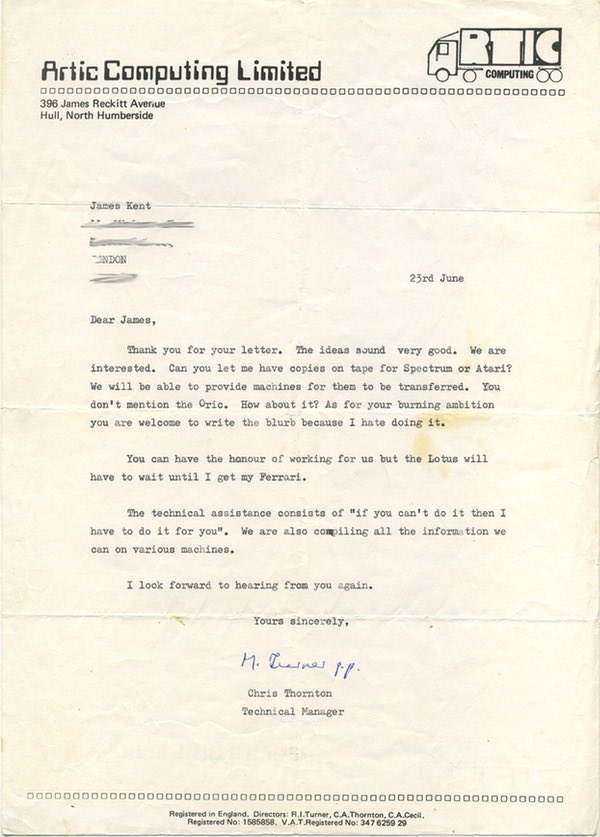
An acceptance letter like this from Artic Software would have been the wildest dream of any early-80s bedroom coder.
[Shahid Kamal Ahmad] now has an impressive portfolio spanning his his nearly four decades at the forefront of gaming, but his story starts in 1982 as a diabetic British Pakistani teenager from a not-privileged background in London writing in BASIC on his Atari 400. His BASIC games are good, but not good enough to gain acceptance from a publisher, so he sells his prized BMX bicycle to buy books on Atari 6502 assembler, a coffee percolator, and for curiosity’s sake, [Rodnay Zaks’] Programming the Z80. An obsessive three-month learning of 6502 programming and the Atari’s architecture ensues, and his game Storm in a Teacup sells to Artic Software. He’s a professional game developer.
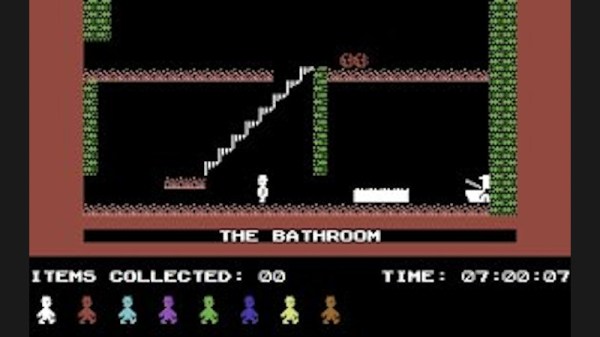
We follow him through a couple more projects until he arrives at Software Projects in Liverpool to try to sell his game Faces of Haarne, which he secures publishing for but also lands the opportunity of a lifetime. Jet Set Willy is the smash hit of the year on the ZX Spectrum, and they urgently need a Commodore 64 port. Can he do it in four weeks, with a bonus if he manages three? The subsequent descent into high-pressure assembly coding and learning the quirks between two completely different 8-bit architectures is an epic in itself, but he manages it in just a shade over the three weeks and they pay him the bonus anyway. His career in the computer game industry is cemented.
Through this tale the reminders of 1980s Britain are everywhere, far from bring a retro paradise it was a place hollowed out by industrial decline, with very little for those at the bottom of society to be optimistic about. His descriptions of casual racism are hard-hitting, but the group of computer-addicted friends at school is probably something that all teenagers of the era whose interests lay in that direction can relate to. The real hero of the story is probably his mother, who somehow found the resources for that Atari 400 and who provided him with much-needed support and encouragement.
This thread captures a unique and never-to-be repeated era in which a teenager could master an emerging technology and make a living in it without an expensive education. Like Bil Herd’s description of his career at Commodore in the same period, it’s well worth a read.
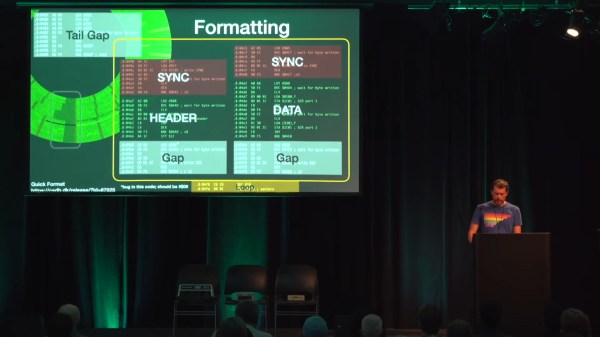
When we think of retrocomputing, it’s very often the computers themselves that get all the glory. There’s nothing wrong with this of course- the computers of the late 70’s and 80’s were incredible machines that were chock full of hacks in their own right. But some of the most interesting hacks of the day happened not in the computers, but rather in their peripherals. A devotee of such periphery is [Michael Steil], who was driven to compile years of research, knowledge, and hard data into The Ultimate Commodore 1541 Drive Talk which you can view below the break.
In the talk, [Michael] covers the physical disk composition and construction, the disk drives, controller hardware, and the evolution thereof. The bit-by-bit breakdown of the tracks, sectors, and header information on the disks themselves is fascinating, as is the discussion of various copy protection techniques used by vendors to prevent piracy at a time when sneakernet was in full swing.
The descent into the circuitry of the controller reveals a venerable 6502 CPU which powered many vintage computers. Further discussion divulges the secrets for getting higher performance from the 1541 drive using innovations that are as recent as 2013.
A computer historian and archaeologist, [Michael] discusses how using modified vintage hardware is sometimes enough to save your old floppy collection. He also shows how modern interfaces that read disks all the way down to the magnetic flux level can be used to reconstruct missing data.
[Michael] masterfully lays bare the complexity, engineering, and hackery that went into storing less than 200kb of data. Whether you’re a Commodore enthusiast or not, your appreciation for the 32GB USB stick collecting dust on your desk is bound to grow!
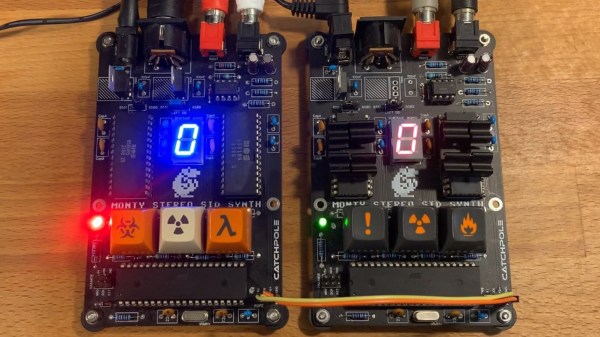
Over the years, plenty of work has gone into emulating the Commodore 64 6581 SID chip, but as [SlipperySeal] puts it, nothing beats the real thing. His take on the MIDI SID-based synth not only sounds fantastic, but looks the business.
The 6581 SID arguably blessed the Commodore 64 with some of the best sound capabilities of any home computer in the 8-bit era (make sure to ‘sound off’ in the comments if you disagree). The 6581 was a three-voice analog synth with a dizzying array of settings. This was at a time when most home computers could just about manage a ‘beep’ of varying lengths and frequencies.
When you mix MIDI with the capabilities of the SID, you get something like [SlipperySeal]’s awesome looking synth, known as ‘Monty’. While the road to this point unfortunately resulted in several blown-up SID chips, the sacrifice seems to have paid off.
Realizing the limitations of having ‘just’ three voices, Monty is designed to use two SID chips in parallel, for a total of six voices in pleasing stereo sound. MIDI commands are transferred to the dual SIDs by way of an ATmega1284p microcontroller. The SID is well understood by this point, and [SlipperySeal] goes into great detail explaining the fundamentals of SID programming over on GitHub.
This isn’t the first MIDI synth that is based around the C64 SID chip, but [SlipperySeal] made sure that his stood out from the crowd. The seven-segment display centered on the board makes for a delightfully simple visualizer, an effect that looks even better when running two Monty boards at once, each responding to alternate MIDI channels (check out the video below). Naturally, we’re also fans of projects that include ominous, cryptic keyswitches.
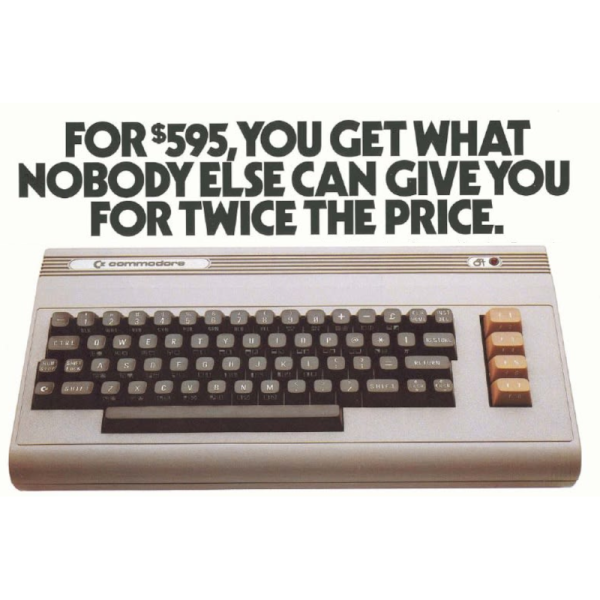
If you shop, you can get a pretty nice laptop for around $595. Maybe not the top of the line, but still pretty nice with multiple cores, a large hard drive, and a big color screen. But in the 1980s, the Commodore 64 bragged that for $595, they’d give you more than anyone else at twice the price. After all, 64K of RAM! Graphics with 16 whole colors! [Lunduke] dug up a bunch of these ads and has some thoughts on them and we really enjoyed the trip down memory lane.
If you look at other contemporary computers, they did cost more although sometimes it wasn’t a fair comparison. The TRS80 III, for example, cost $999 with 16K of RAM but it also had its own monitor — not color, though.
It is amazing to think that we’ve gone from where 16K was a reasonable amount of RAM in a personal computer to where it isn’t even worth having a flash drive with that capacity. We also can’t help but note that while computing power per dollar is through the roof now, computers aren’t actually that much more fun. We enjoyed interfacing a teletype to our 1802 ELF and working out a 300 baud modem for our TRS-80. Sure, we didn’t have Skyrim or HD movies, but we still have fun.
If you want to relive these exciting days, it is easy enough to build your own C64 with varying degrees of fidelity. It is trivial to emulate the thing on any kind of modern hardware, too.
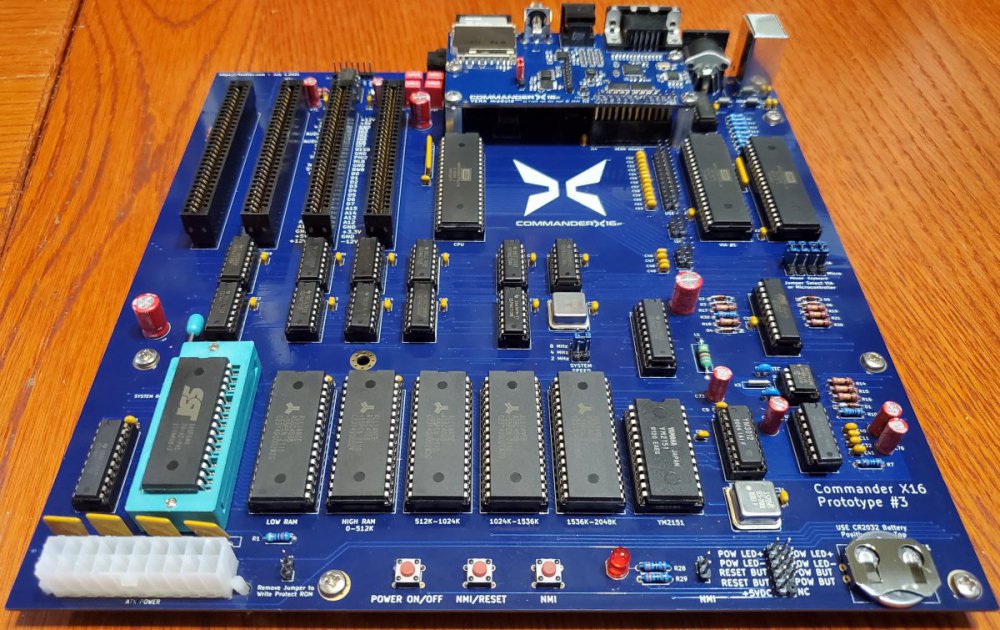
Imagine the ultimate homage to 1980s 8-bit home computers. It might look like [David Murray] aka The 8-Bit Guy’s Commander X16.
As a core group of geeks, hackers, and developers age, we yearn for the computers of our youth. VIC-20s, Commodore Pets, 64s, 128s, Ataris, Apple IIes, and the list goes on and on. For many of us, our first hands on experience with a computer was with such a machine that is now called “retro”. Sadly, many of these relics are getting more expensive as demand increases and supplies dwindle. Working examples are harder to find, and even those can break down. Original monitors, peripherals, and accessories are also getting scarcer. This is all quite understandable when we consider that some of these classics are over 40 years old.
What was it that we loved about these old rigs that makes them so attractive? [David] decided to distil what makes a classic a classic, and then turn that list into a spec list for what he calls his “Dream Computer”. He found that things like a printed and spiral bound manual were a big part of the charm and utility of these early home computers. Booting directly to a prompt and being able to directly control the hardware was another highly desirable trait.
[David] also took the time to determine what people don’t like about these retro machines: Wacky keyboard layouts, composite video output, and glacially slow storage. Swapping multiple floppies to load a program or respooling a cassette tape is just as undesirable in 2021 as it was in 1981. Who knew?
The X16’s’ prototyping is still in progress.
The result of [David]’s research is the Commander X16. Inspired by the VIC-20, it’s a fresh take on the retrocomputer that only uses parts that are currently available. You can see the first video in a series about the development of the X16 below the break. Be aware that a lot of progress has been made since the video came out in 2019, but it still provides an excellent starting point for learning about the project.
The X16’s specifications read like dream list made in the mid 80s: 256 color VGA, up to 2MB memory, an 8 MHz 6502, plenty of expansion ports, and even ports for SNES style controllers. And what else will this dream machine include? You guessed it: A spiral bound manual!
It’s not possible to list all of the great features of the X16 in this space, so check out the Commander X16 FAQ for all the details. If this project makes your heart go pitter patter, you may be interested to know that they need help with software development! An emulator is available for development. The goal is to have a healthy software ecosystem in place when the X16 launches.