Wireless Mouse Gets A Charging House

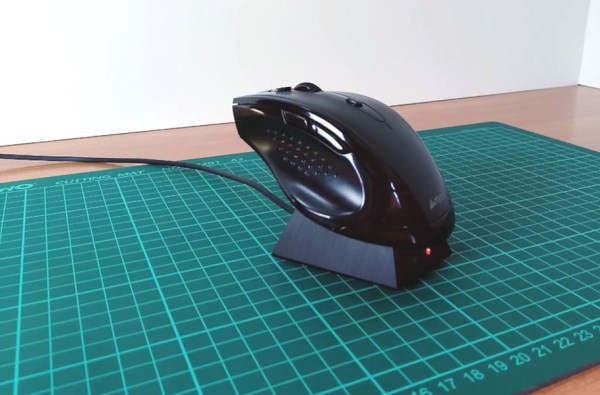
Mouse batteries always seem to die at the worst possible moment, like when you’re in the middle of pwning noobs or giving a presentation at work. [AyhamAS] was tired of having to look around for a replacement battery and decided to build a nice little charging dock for their mouse.

At the heart of this build is a TC4056A charging board inside the dock. Since this board is designed to charge 3.7 V batteries, [AyhamAS] removed the charge current-limiting resistor and replaced it with a pair of through-hole resistors. A switch on the back of the dock lets [AyhamAS] choose between the two values for fast or slow charging.

On the mouse side, [AyhamAS] cleverly used the receiver storage cubbyhole to house the contacts. Magnets in in the mouse and the dock and spring-loaded contacts add even more tactile feedback to the whole experience. The dock itself looks great, too — it’s made from acrylic that’s been sanded down to a matte finish. Check out the build video after the break.

If your mouse has a battery pack, you could always upgrade to a bigger one as long as there’s room.

Continue reading “Wireless Mouse Gets A Charging House”

Baseball Cap Mouse Provides A Look-And-Click Interface

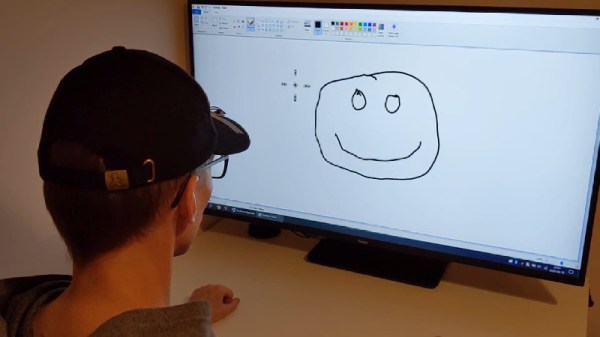
Once upon a time, the computer mouse didn’t exist. Early computers used a variety of other input devices, from the typical keyboard to more esoteric options such as joysticks or light pens. While the mouse as we know it dominates all, it doesn’t mean other tools can’t find their place. One such device is this hat mouse, from [Jacek Fedorynski].

The mouse consists of an Adafruit Feather nRF52840 Sense, mounted upon a basic baseball cap. The development board packs in a 9 degree-of-freedom motion sensor package featuring the ST LSM6DS33 acceleromater/gyro and LIS3MDL magnetometer. Through a robust sensor fusion algorithm, this enables the board to measure the orientation and motion of the wearer’s head with a great degree of finesse. This allows the user to look at different parts of the screen to move the mouse cursor, with the system working in an absolute rather than relative fashion. Commands are sent to the attached PC with the Feather’s built-in Bluetooth, avoiding the need for dangly cables running down the user’s neck. Files are available on Github for those eager to spin up their own.

Combined with some built-in accessibility aids in Windows, the setup allows the user to move the mouse well, with foot switches used to activate the left and right mouse buttons. For those who find using a traditional mouse difficult, this could be a great tool for better productivity. Of course, if you wish to learn more, it pays to take a look back at the very earliest days of mouse technology. Video after the break.

Continue reading “Baseball Cap Mouse Provides A Look-And-Click Interface”

Inputs Of Interest: BIGtrack Mouse Might Make You Squeal

You know me, I like to get my feet involved when I use my computer, which happens pretty much all day every day at this point. My cache of pedal inputs keeps growing like mushrooms in the darkness under my desk: every upper case letter in this post and dozens more have been capitalized with a shift pedal!

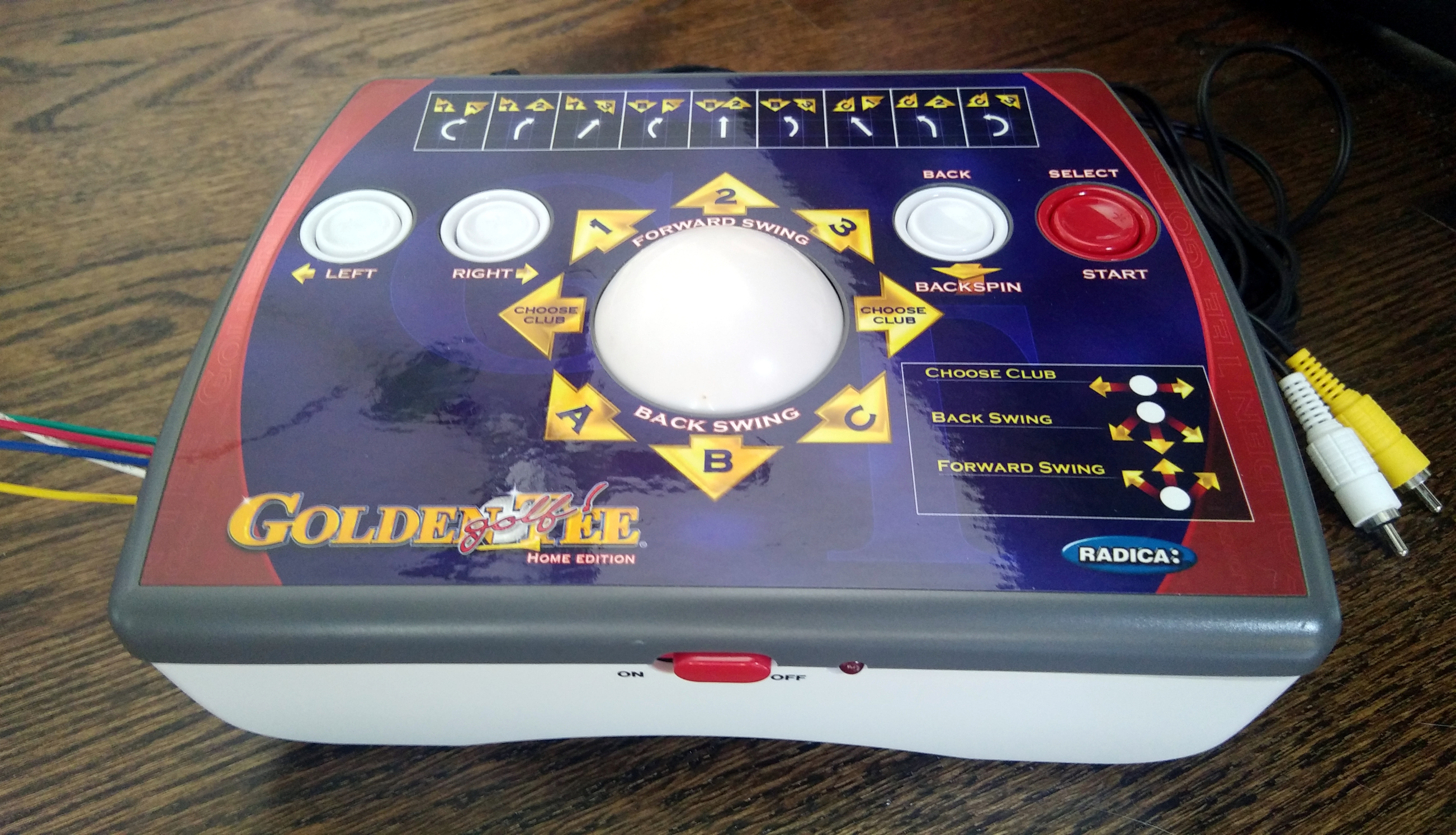
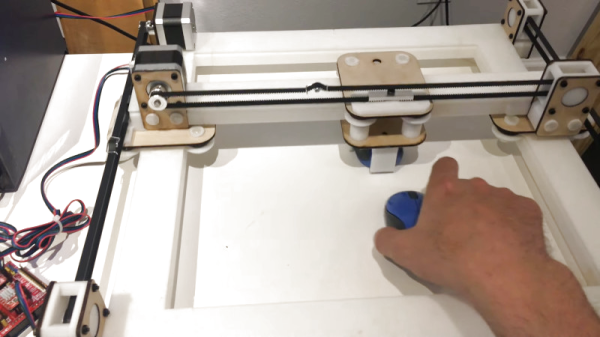
Naturally, I’ve thought about what it might be like to mouse with my toes. The more time I can spend with both hands on the keyboard, the better. I started sniffing around for foot-sized trackball candidates, thinking maybe I could just build one with regular mouse guts. Then I found a 15-year-old Golden Tee home edition console at a thrift store. It has a large ball and four buttons, so it seemed ripe for turning into a mouse as-is, or just stealing the ball to build my own. So far, that hasn’t happened, though I did solder a bunch of wires for testing out the controls. Continue reading “Inputs Of Interest: BIGtrack Mouse Might Make You Squeal”

Peripheral Doesn’t Need Deskspace

Some of us are suckers for new hardware. There’s absolutely nothing shameful about a drawer overflowing with gamepads, roll-up keyboards, and those funny-shaped ergonomic mice. MyTeleTouch won’t sate your itch for new hardware because [Dimitar Danailov] didn’t design hardware you hold, because it uses your phone as a catch-all Human Interface Device, HID. A dongle plugs into a standard USB port, and your Android phone can emulate a USB keyboard, mouse, or gamepad over Bluetooth.

Chances are high that you already set up your primary computer with your favorite hardware, but we think we’ve found a practical slant for a minimalist accessory. Remember the last time you booted an obsolete Windows desktop and dug out an old mouse with a questionable USB plug? How long have you poked around the bottom of a moving box trying to find a proprietary wireless keyboard dongle, when you just wanted to type a password on your smart TV? What about RetroPi and a game controller? MyTeleTouch isn’t going to transform your daily experience, but it’ll be there when you don’t want to carry a full-size keyboard down three flights of stairs to press {ENTER} on a machine that spontaneously forgot it has a touch screen. If you don’t have opportunities to play the hero very often, you can choose to play the villain. Hide this in a coworker’s USB port, and while they think you’re sending a text message, you could be fiddling with their cursor.

We enjoy a good prank that everyone can laugh off, and we love little keyboards and this one raises the (space) bar.

Continue reading “Peripheral Doesn’t Need Deskspace”

Robotic Mouse Toy Built For Cats

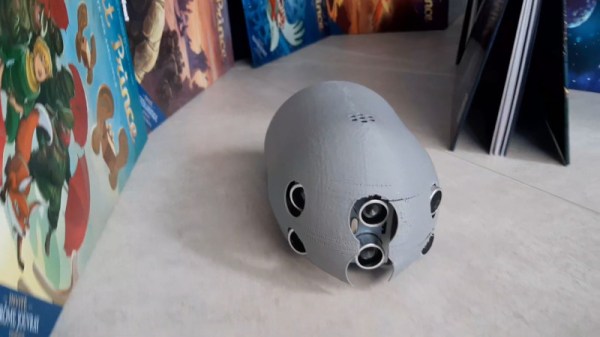
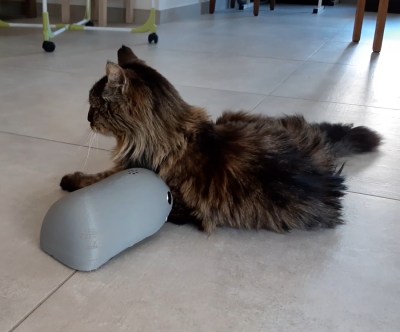
Cats are nature’s born hunters. Whether its rodents, insects, or lasers, they’ll pounce and attack with ruthless efficiency. Built to challenge a cat, or perhaps merely to tease it, Sourino is a robotic mouse built with common off-the-shelf parts.

A test subject appears unamused.

So named for the combination of Souris (French for “mouse”) and Arduino, the project is driven by an Arduino Nano. Hooked up to three sets of ultrasonic transducers, this gives the robot mouse much improved obstacle avoidance abilities compared to using just a single transducer front-and-centre. The ‘bot can navigate basic mazes or household floors with ease. A pair of geared motors are used for drive, using simple skid-steering to turn corners. It’s all packed in a 3D printed enclosure, which mounts the various components and exposes the ultrasonic sensors. There’s even an IR remote enabling mode selection or full manual control.

While the ‘bot lacks the speed and agility of common house mice, it’s nevertheless a project that teaches plenty of valuable lessons. We’re sure [Electrocat01] picked up plenty of skills in robotic navigation, mechanical design and 3D printing along the way. Creating robot mice is actually a competitive field, as we’ve seen before. Video after the break.

Continue reading “Robotic Mouse Toy Built For Cats”

Recreating Early Apple Mice For The Modern Era

At a time when practical graphical user interfaces were only just becoming a reality on desktop computers, Apple took a leap of faith and released one of the first commercially available mice back in 1983. It was criticized as being little more than a toy back then, but we all know how that particular story ends.

While the Apple G5431 isn’t that first mouse, it’s not too far removed. So much so that [Stephen Arsenault] believed it was worthy of historic preservation. Whether you want to print out a new case to replace a damaged original or try your hand at updating the classic design with modern electronics, his CAD model of this early computer peripheral is available under the Creative Commons license for anyone who wants it.

The model is exceptionally well detailed.

[Stephen] tells us that he was inspired to take on this project after he saw new manufactured cases for the G5431 popping up online, including a variant made out of translucent plastic. Realizing that a product from 1986 is old enough that Apple (probably) isn’t worried about people cloning it, he set out to produce this definitive digital version of the original case components for community use.

With these 3D models available, [Stephen] hopes that others will be inspired to try and modify the iconic design of the G5431. Perhaps by creating a Bluetooth version, or adding the ability to right-click. Considering we’ve already seen custom PCBs for mice, it’s hardly a stretch. We’d love to see somebody take him up on the offer, but even if not, the digital preservation of computer history is always welcome.