World’s First RP2040 QWERTY Computer

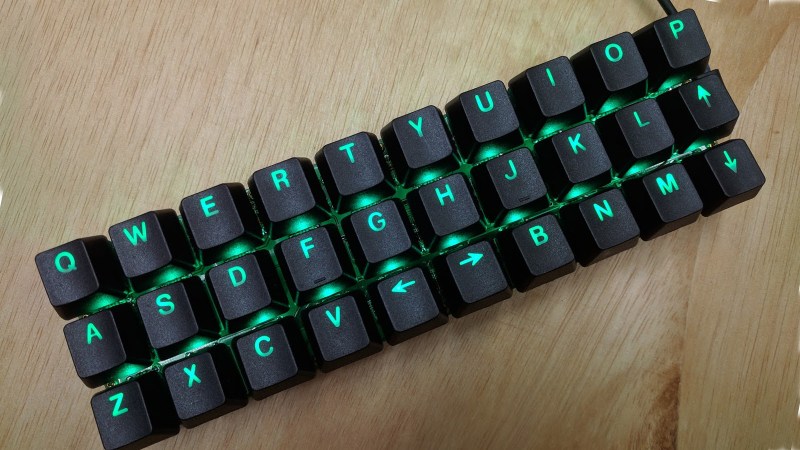
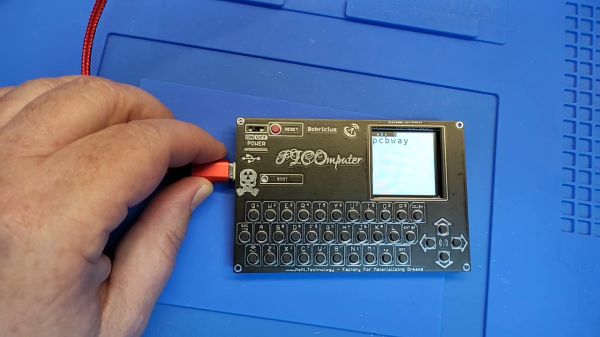
Independent hardware developer [bobricius] is at it again, making what he claims is the world’s first Pico RP2040 QWERTY + IPS development kit — the PICOmputer. This is a palm-sized computer of sorts. It integrates a keyboard made from tactile push button switches, a TFT IPS display, and a RP2040 Pico computer module. At 100 x 65 mm size, it is slightly bigger than your typical ISO-7810-ID-1-sized credit card, and slightly smaller than an A7 piece of paper.

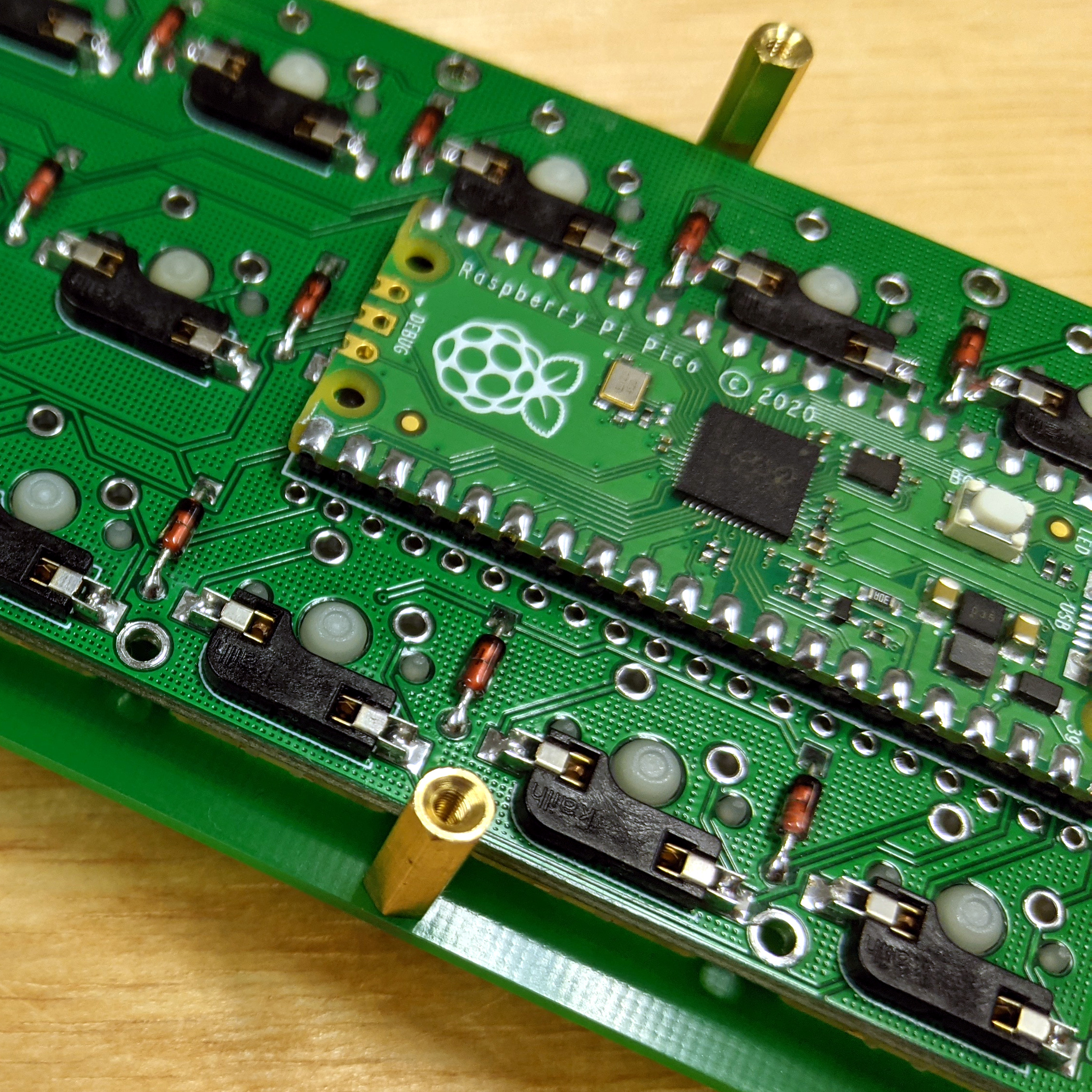
One of [Bobricius]’s goals for this project was to minimize the number of external components, thus maximizing the use of the RP2040’s internal features. And if you peruse the schematic posted on his GitHub repository, you can agree he’s met this goal for sure. There’s a filter capacitor for the optional LoRa module, and two MOSFETs and three resistors to drive a speaker and the TFT backlight. Aside from connectors, the switches, and the submodules themselves, that’s all of the external circuitry.

The arrangement of two USB connectors, type C for power and micro-USB for data, is an interesting aspect of the connector / module placement. He plans to add an Ethernet module in the future, and issue some more revisions to fix small errors and to make the front panel fit more sizes of displays. We wonder if a battery module add-on is in the works, as well.

If you recognize [bobricius], that’s because his previous ARMACHAT handheld LoRa messenger project was among the Hackaday Prize Community Vote (Bootstrap) winners last year. We think tiny keyboards may be an obsession for him — indeed, he freely admits to being blinded by his own enthusiasm. Check out his mini (Pi)QWERTY USB keyboard from 2018, for example. Thanks to [Itay] for bringing this project to our attention via the Hackaday tip line.

Continue reading “World’s First RP2040 QWERTY Computer”

Pi Pico Project Plays Pong Perfectly

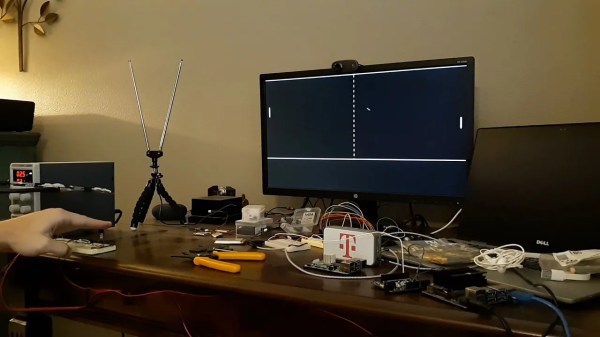
Even as technology keeps progressing, we find ourselves coming back to the classics again and again. Pong is quite possibly the classic game, and the Raspberry Pi Pico is one of the latest microcontrollers. So [Nick Bild] combined them expertly in his Pico Pong project, which includes gesture controls and a custom VGA output.

Rolling your own VGA signal is no simple feat, and this project takes full advantage of the Pico’s features to pull it off. Display data is buffered in memory, while a Programmable I/O (PIO) program reads straight from the buffer via Direct Memory Access (DMA) and writes straight to the display. This allows for nanosecond-precision while leaving the CPU free to handle inputs and run the game. Even with the display work offloaded, the ARM processor had to be massively overclocked at 258 MHz, well over its 133 MHz specs, to make things run smoothly. And still [Nick] found himself limited to a 640×350 resolution and serendipitously-retro-accurate monochrome color scheme.

Gesture controls come from a pair of IR light beams hooked up to the GPIO. IR LEDs shine up toward reflectors, and the light bounces back down to detectors. Blocking one of the beams causes your paddle to move up or down, which looks pretty responsive in the video (embedded below).

We’ve seen [Nick] play Pong before, though at that time it was handheld and based on the venerable 6502. And just recently we wrote about the Raspberry Pi Pico powering another classic game: Snake.

Continue reading “Pi Pico Project Plays Pong Perfectly”

Play Your Favorite Nokia Game On The Raspberry Pi Pico

In many people’s memories, Snake lived and breathed on Nokia handsets from the late 90s and early 2000s. However, the game has been around for much longer than that, and will continue to live on in the future. That’s at least in part thanks to people like [Hari Wiguna] keeping it alive by implementing it on new platforms.

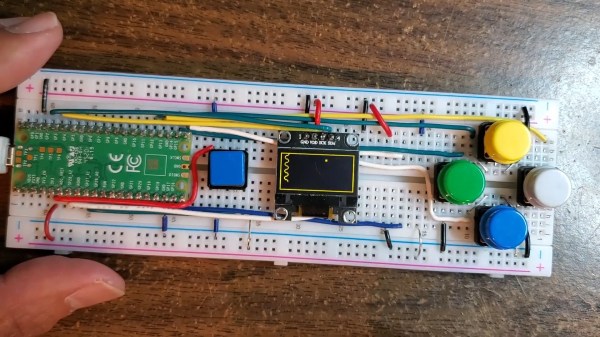
[Hari] set about writing Snake in MicroPython for the Raspberry Pi Pico. The hardware side of things is simple enough – five buttons hooked up to the Pico, along with an 128×64 I2C OLED screen to display the game on. On the software side of things, [Hari] pushed the boat out, deciding that his version of Snake had to have the player character slither like the real thing. This took a little effort to get right, particularly when navigating corners in different directions. However, perseverance paid off and [Hari] got the job done.

Code is on GitHub for those that want to tinker at home. It’s a tidy piece of work, though not the weirdest place we’ve seen the game appear – we’ve actually seen it run within PCB routing software before thanks to some nifty scripting. Video after the break. Continue reading “Play Your Favorite Nokia Game On The Raspberry Pi Pico”

Tetris For Game Boy Gets Online Multiplayer

Released in 1989, the Game Boy version of Tetris is notable for being the first game to support multiplayer via the so-called “Game Link Cable” accessory. So it’s fitting that, 32 years later, that same game is now playable with others over the Internet thanks to an open source USB adapter from [stacksmashing].

As explained in the video below, the adapter is essentially just a Raspberry Pi Pico paired with some level shifters so that it can talk to the Game Boy’s link port. That said, the custom PCB does implement some very clever edge connectors that let you plug it right into the Link Cable for the original “brick” Game Boy as well as the later Color and Advance variants. This keeps you from having to cut up a Link Cable just to get a male end, which is what [stacksmashing] had to do during the prototyping phase.

The DIY breadboard approach works as well.

Of course, the hardware is only one half of the equation. There’s also an open source software stack which includes a Python server and WebUSB frontend that handles communicating with the Game Boy and connecting players. While the original game only supported a two person head-to-head mode, the relatively simplistic nature of the multiplayer gameplay allowed [stacksmashing] to expand that to an arbitrary number of players with his code. The core rules haven’t changed, and each client Game Boy still thinks it’s in a two player match, but the web interface will show the progress of other players and who ends up on top at the end.

To be clear, this isn’t some transparent Link Cable to TCP/IP solution. While something like that could potentially be possible with the hardware, as of right now, the software [stacksmashing] has put together only works for Tetris. So if you want to battle Pokemon over the net, you’ll have to do your own reverse engineering (or at least wait for somebody else to inevitably do it).

The Link Cable port on the Game Boy, especially on the later versions of the hardware, is a surprisingly versatile interface capable of much more than just multiplayer gaming. While we’re certainly keen to see [stacksmashing] develop this project farther, we’re equally excited to see the non-gaming applications of such an easy to use computer interface for the iconic handheld.

Continue reading Tetris For Game Boy Gets Online Multiplayer”

Bridging The PC And Embedded Worlds With Pico And Python

Although protocols like I2C and SPI are great for communicating between embedded devices and their peripherals, it can be a pain to interface these low-level digital interfaces to a PC. [Alexandre] typically used an Arduino to bridge between the PC and embedded worlds, but he got tired of defining a custom serial protocol for each project. Inspired by MicroPython’s machine module, [Alexandre] has developed u2if—an implementation of some of MicroPython’s machine module for PC—using a USB-connected Raspberry Pi Pico to bridge between a PC and low-level digital interfaces.

u2if consists of two parts: the PC portion is a Python implementation of a portion of the MicroPython machine module, and the Raspberry Pi Pico receives some custom C++ firmware. Thus far, [Alexandre] has implemented functionality for the onboard ADCs, I2C, SPI, UART, and GPIO lines as well as additional support for I2S sound and the WS2812B addressable LED.

Development board for Raspberry Pi Pico.

In addition to the u2if package, [Alexandre] has designed a PCB to break out all of the Raspberry Pi Pico’s interfaces in a handy 3×3.9″ board. We especially like that multiple headers are supplied for I2C, including one with enough space to mount an SSD1306 OLED display.

We think this could be an incredibly useful tool, and what makes it even more impressive is that it uses a board many of us already have laying around. If you want a dedicated device for interfacing with low-level digital buses, you may want to check out the GreatFET.

New HackadayU Classes: Antenna Basics, Raspberry Pi Pico, And Designing Complex Geometry

Get ’em while they’re hot: a new session of HackadayU just opened with classes from three fantastic instructors and seats are filling up fast.

Introduction to Antenna Basics — Instructor Karen Rucker teaches the fundamentals of antenna design as if it were your first year on-the-job. She’ll cover the common types of antenna designs and the fundamentals of radio frequency engineering that go into them. Begins Thursday, May 6th.

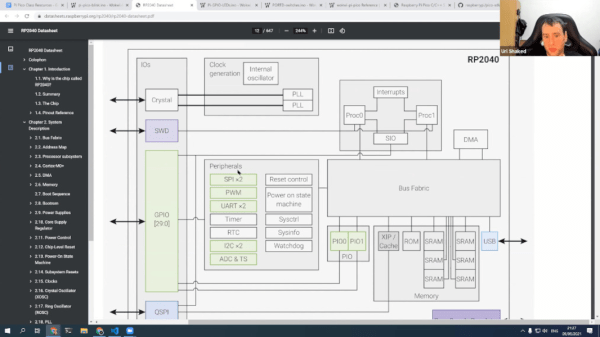
Raspberry Pi Pico and RP2040 – The Deep Dive — Instructor Uri Shaked guides the class through the internals of the RP2040 microcontroller, covering system architecture, hardware peripherals, and dipping into some ARM assembly language examples. Begins Wednesday, May 5th.

Designing with Complex Geometry — Instructor James McBennett helps you up your 3D modelling game with a course on using complex geometries in Grasshopper3D (part of Rhino3D). Dive into Non-uniform rational B-spline (NURBS) and go from simple shapes to incredibly complex objects with a bit of code. Begins Tuesday, May 4th.

Each course includes five weekly classes beginning in May. Being part of the live class via Zoom offers interactivity with the instructor and other attendees. All tickets are “pay-as-you-wish” with a $20 suggested donation; all proceeds go to socially conscious charities.

For the benefit of all, each class will be edited and published on Hackaday’s YouTube channel once this session has wrapped up. Check out our playlists for past HackadayU courses, or watch them all in one giant playlist.

You might also consider becoming an Engineering Liaison for HackadayU. These volunteers help keep the class humming along for the best experience for students and instructors alike. Liaison applications are now open.

Continue reading “New HackadayU Classes: Antenna Basics, Raspberry Pi Pico, And Designing Complex Geometry”

An RP2040 Board Designed For Machine Learning

Machine learning (ML) typically conjures up ideas of fancy code requiring oodles of storage and tons of processing power. However, there are some ML models that, once trained, can readily be run on much more spartan hardware – even a microcontroller! The RP2040, star of the Raspberry Pi Pico, is one such chip up to the task, and [Arducam] have announced a board aiming to employ it to those ends – the Pico4ML.

The board goes heavy on the hardware, equipping the RP2040 with plenty of tools useful for machine learning tasks. There’s a QVGA camera on board, as well as a tiny 0.96″ TFT display. The camera feed can even be streamed live to the screen if so desired. There’s also a microphone to capture audio and an IMU, already baked into the board. This puts object, speech, and gesture recognition well within the purview of the Pico4ML.

Running ML models on a board like the Pico4ML isn’t about robust high performance situations. Instead, it’s intended for applications where low power and portability are key. If you’ve got some ideas on what the Pico4ML could do and do well, sound off in the comments. We’d probably hook it up to a network so we could have it automatically place an order when we yell out for pizza. We’ve covered machine learning on microcontrollers before, too – with a great Remoticon talk on how to get started!