Stress Testing Robots…with Baseball Bats

robot_stress_test

When you are working on constructing the first Cyberdyne Systems Model 101 prototype a super-robust robotic arm, you’ve got to test it somehow, right?

You probably recognize the robot being abused in the video below, as we have talked about the construction of its hand once once before. The German Aerospace Center has been working on the DLR Hand Arm System for some time now, and are obviously really excited to show you how their design performs.

In case you are not familiar, the arm you see there uses 52 different motors, miniaturized control electronics, and a slew of synthetic tendons to behave like a human arm – only much better. The system’s joints not only provide for an incredible amount of articulation, they are specially designed to allow the unit to absorb and dissipate large amounts of energy without damaging the structure.

We think that any human would be hard pressed to retain their composure, let alone be able move their arm after suffering a blow from a baseball bat, yet the robot arm carries on just fine. It’s awesome technology indeed.

Continue reading “Stress Testing Robots…with Baseball Bats”

Don’t Hit That Switch!

switch_box

Hackaday reader [Danukeru] sent us a video featuring a box-based robot with an interesting personality. The box is fairly simple and from the outside seems to consist only of a switch and an LED. When the switch is flipped however, the box comes to life.

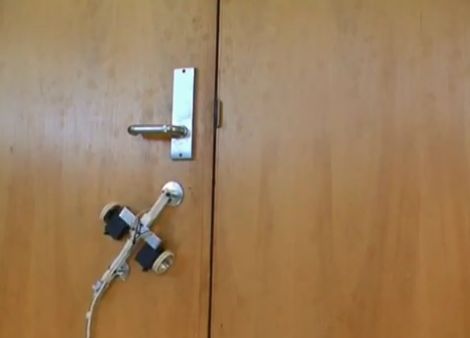
When the box is activated, the lid opens, and a small arm reaches out to turn the switch off. We’ve seen that plenty of times, but this one turns out to be a little different. In the video, this process seems to repeat a couple dozen times before the robot gets angry and flips out. At first we thought that the end portion of the video was done with a bit of digital trickery, but after reviewing the creator’s blog, it looks like it could be legit. It is very hard to see the box’s innards in the video, but it does house a remote control car chassis that allows it to move around and spin out, as seen below.

It’s a pretty neat project, and if you can handle reading the creator’s site via Google translate, there is plenty of picture documentation of the build process for your perusal.

Continue reading “Don’t Hit That Switch!”

A Friendly Spiderbot Named Chopsticks

chopsticks_the_spiderbot

After seeing his fair share of hexapod-style bots on the Internet, [Russell] decided he wanted to build one of his own. One of the downsides to building these robots is the cost. He often saw them constructed from laser cut parts and very expensive servos. Rather than blow hundreds upon hundreds of dollars on the bot, [Russell] decided he could a lightweight bot on the cheap using chopsticks and polymorph modeling plastic.

His octopod robot is aptly called “Chopsticks” and utilizes 28 different servos to control its motions. 24 servos are used for its legs, 3 more are reserved for head movements, while a single additional servo manipulates the robot’s mandibles. The robot’s legs and main structure are composed of chopsticks, while the polymorph is used for feet, servo mounts, and pretty much anywhere else chopsticks just wouldn’t do.

[Russell] even added a set of eye stalks to complete the spider theme, arming them with IR compound eyes for object tracking. The robot is quite interactive as you can see in the video below.

Keep reading to see a video of Chopsticks, or swing by his Let’s Make Robots site if you get a chance – he has a pretty detailed construction journal as well as plenty of videos showing his spider bot in action.

Continue reading “A Friendly Spiderbot Named Chopsticks”

Advanced Robotic Arm Control Using Kinect

kinect_teleoperation

[Ryan Lloyd], [Sandeep Dhull], and [Ruben D’Sa] wrote in to share a robotics project they have been keeping busy with lately. The three University of Minnesota students are using a Kinect sensor to remotely control a robotic arm, but it’s not as simple as it sounds.

Using OpenNI alongside PrimeSense, the team started out by doing some simple skeleton tracking before working with their robotic arm. The arm has five degrees of freedom, making the task of controlling it a bit tricky. The robot has quite a few joints to play with, so the trio not only tracks shoulder, elbow, and wrist movements, but they also monitor the status of the user’s hand to actuate the robot’s gripper.

When everything was said and done, the results were pretty impressive as you can see in the video below, but the team definitely sees room for improvement. Using inverse kinematics, they plan on filtering out some of the joint tracking inaccuracies that occur when the shoulders are moved in a certain way. They also plan on using a robotic arm with even more degrees of freedom to see just how well their software can perform.

Be sure to check out their site to see more details and videos.

Continue reading “Advanced Robotic Arm Control Using Kinect”

Real-time Robotic Arm Control With Blender

robotic_arm

Last year, [Justin Dailey] was coming down the home stretch of his senior year as a Computer Engineering student and needed to build a final design project. He always wanted to construct a robotic arm, and figured that there was no better way to legitimize such a project, than to claim that it was “homework”.

While he originally wanted to control the arm with a joystick, he had been messing with Blender quite a bit leading up to his final project, and thought it would be pretty cool to let Blender do the work. He started out by testing his ability to control a single servo with Blender, then slowly increased the complexity of the project. He prototyped the arm using cardboard, and satisfied with his progress thus far, began constructing the arm out of aluminum.

Once he had all six of his servos attached to the arm’s joints and wired to his Roboduino, he got busy constructing a 3D model in Blender. Using a few Python scripts, the movements inside Blender are translated to serial data in real-time, which is relayed to the Roboduino in order to control the arm.

Check out his site if you get a chance – there’s plenty of code to be had, as well as several videos of the arm in various stages of construction and testing.

Internet-controlled Robotic Arm

internet_robotic_arm

[Trav] was pondering virtual reality and decided it was no longer all that it was cracked up to be, so he created an experience in what he calls “Remote Reality”. While we have seen many installations over the years that allow people to remotely interact with objects across the globe, his Orbduino project consists of more than simply toggling lights on and off (though he’ll let you do that too).

In his house, he has set up a robotic playground of sorts that allows anyone who visits a chance to play around with the robotic arm he has installed there. The arm is situated in a pen filled with random objects which can be stacked and moved around. He also promises to show you something fun, provided you can guide the arm to pick up an object and hold it against the target positioned outside the pen.

He didn’t forget the obligatory remote light controls either. You can turn the overhead lights on and off, as well as control a multi-colored orb situated in the corner of the room. Most of the project’s interface is done with an Arduino Mega, which handles the robot arm interface, as well as messing with the light installations.

If you have some free time, swing by his site and give the robotic arm a try. It’s a fun little time waster that you will likely enjoy.  Just make sure to take it easy on his web server!

Amazing Quad Pick And Place System Tirelessly Sorts Your Legos

delta_robots

[Chris] is quite the devoted tinkerer. He recently wrote in to share what can only be described as a labor of love. His Quad Delta Robot system has been in the works for about six years now, split into periods of research, building, more research, and rebuilding until arriving at its current form.

The system is made up of four Lego NXT robots which are tasked with sorting Lego cubes by color as they come down a pair of conveyer belts. The robots were built to mimic commercially available pick and place robots which can be found on assembly lines all over the world.

Each robot operates independently, receiving signals via a light sensor which tells the robot where the next brick is located, as well as what color it is. This data is sent by the main NXT unit, which uses a lights sensor to determine brick color and position, relaying the information to the other bots via flashing LEDs. All of the robots receive the same signal, but much like NIC cards ignore frames not destined for their MAC, the bots ignore messages that are not addressed to them.

The machine is truly amazing to watch – it’s clear that all of [Chris’] research and planning has paid off. You have to check out the video embedded below to truly appreciate all of the work that went into this system. Also, be sure to swing by his site for a far more in-depth look at how the machines work, it is definitely worth the time.

Continue reading “Amazing Quad Pick And Place System Tirelessly Sorts Your Legos”