Raspberry Pi Streams Music Using Only The Default Linux Tools

Getting a  home music streaming system off the ground is typically a straightforward task. Using Apple devices with Airplay makes this task trivial, but if you’re a computing purist like [Connor] who runs a Linux machine and wants to keep it light on extra packages, the task gets complicated quickly. His goal is to bring audio streaming to all Linux platforms without the need to install a lot of extra software. This approach is friendly to light-footprint devices like the Raspberry Pi that he used in his proof of concept.

[Connor] created a set of scripts which allow streaming from any UNIX (or UNIX-like) machines, using only dependencies that a typical OS install would already have. His Raspberry Pi is the base station and streams to his laptop, but he notes that this will work between virtually any UNIX or Linux machine. The only limitation is what FFmpeg can or can’t play.

We definitely can appreciate a principled approach to software and its use, although it does seem that most people don’t have this issue at the forefront of their minds. This results in a lot of software that is bulky, making it difficult to maintain, use, or even know what it does, and also makes it harder for those of us that don’t want to use that type of software to find working solutions to other problems. It’s noble that [Connor] was able to create something without sacrificing any principles.
Easy Git Repository Summaries With Web-git-sum

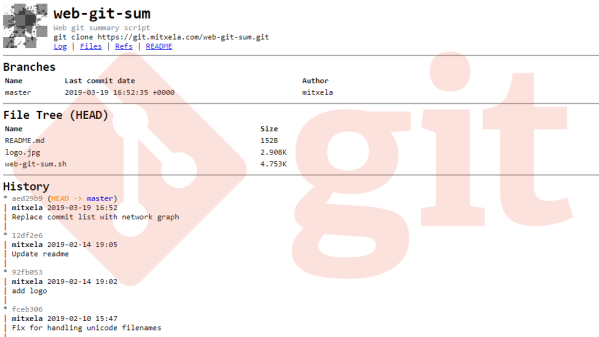
For those hosting their own git repositories there are a number of solutions for creating convenient web-accessible front ends, but [mitxela] wasn’t quite satisfied with any of them. After trying a number of alternatives and reflecting on his requirements, he realized that all he really needed was a summary page listing the latest commits, and a file tree with a list of branches and tags. To accomplish this, he created web-git-sum. It’s a bash script that runs on git’s post-receive hook and generates only two files: a summary page and an index of the repository. You can see a demo of the output at git.mitxela.com.

[mitxela]’s writeup goes into some detail on how git repositories work, how those repositories are served over HTTP, and covers a few of the different options for providing convenient and accessible web front ends. Not all repositories are alike, and what works well for one may not work or scale well for another.

Intrigued by the idea of a private git server? We covered exactly how to set one up (spoiler: it’s really easy.)

Show Your Skills With A Bootable CV

It’s a thankless task, searching for a job. You send off your CV, or resume, and it joins a thousand other destined for the round file. What on earth can you do to make your career stand out, and catch the eye of the recruiter?

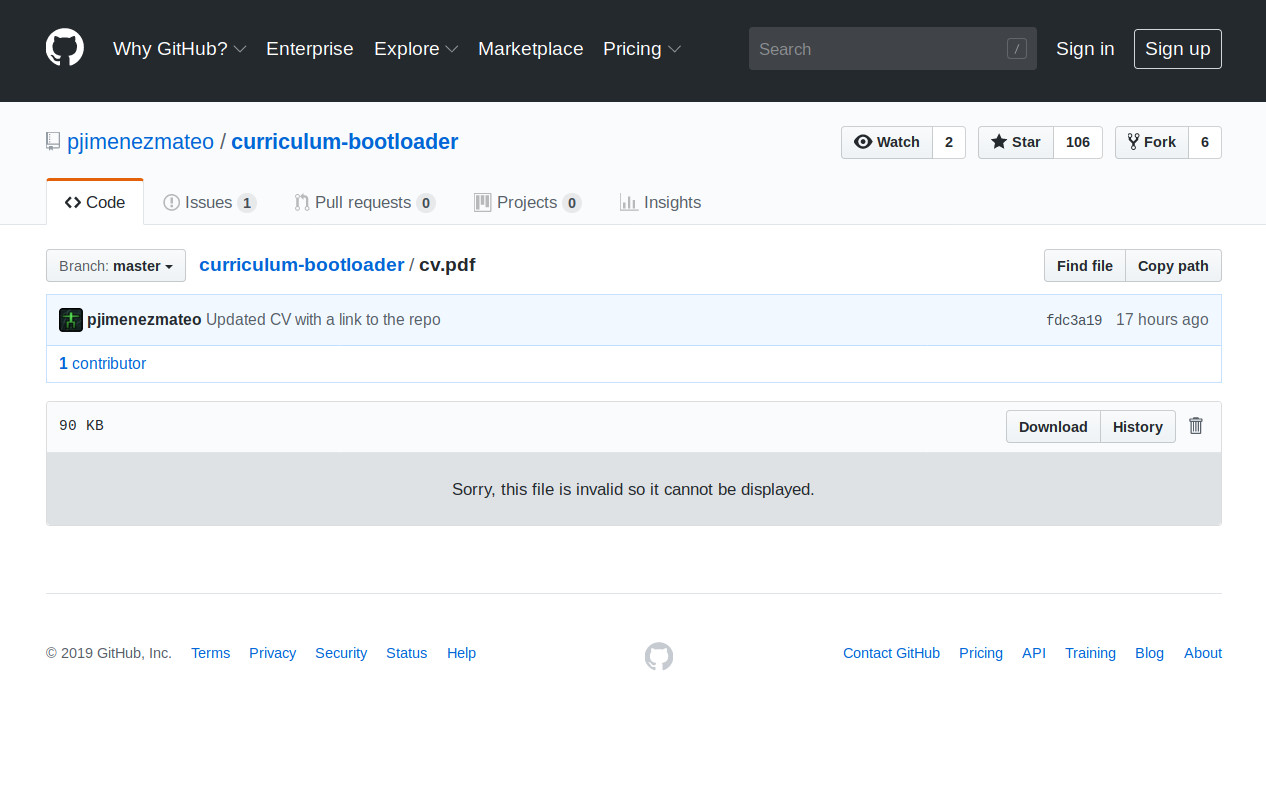
Your bootable CV isn't eye-catching if the recruiter uses GitHub to view the PDF.
Your bootable CV isn’t eye-catching if the recruiter uses GitHub to view the PDF.

If you are [Pablo Jiménez Mateo], the answer is straightforward enough. Simply combine the document as a PDF with an x86 bootloader, to make a readable document that will also boot an x86 computer system. He can do this relatively easily by prepending the bootloader file to the PDF, as long as the “%PDF” header of the CV remains within the first 1024 bytes it will remain a readable document. Which it does, though as our GitHub screenshot shows, not in all PDF readers.

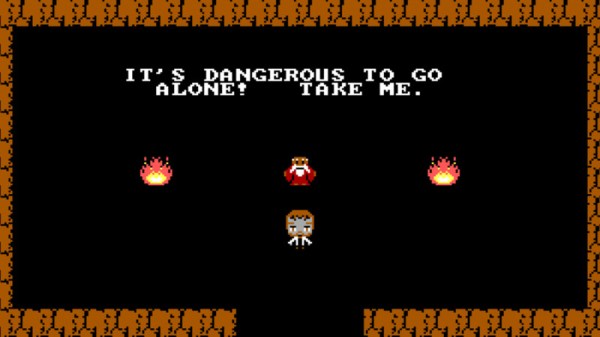
A bootable PDF is pretty cool and we have to salute his effort in getting it in front of us in the hope of  career boost, but it would be fair to admit that it’s a trick that has been done before. So it’s time to turn attention to the bootloader itself, whose code comes in the form of an extremely well-commented assembly file that loads some sprites and a border to a VGA screen that looks as though it might be the first room in a top-down adventure game. Through the code we can gain an appreciation of just how simple a bootloader can be, and that in itself makes this project worth a second look.

If writing your own bootloader interests you, that’s certainly a subject we’ve covered in the past. It’s possible to make bootable images very small indeed, even down to fitting in a Tweet.

“Good Code Documents Itself” And Other Hilarious Jokes You Shouldn’t Tell Yourself

Code documentation — is there anything more exciting than spending your time writing extensive comments? If I had to guess, your answer is probably somewhere along the lines of “uhm, yes, everything is more exciting than that”. Plus, requesting to document your code is almost like an insult to your well thought out design, this beautiful creation you implemented so carefully that it just has to be obvious what is happening. Writing about it is just redundant, the code is all you need.

As a result, no matter if it’s some open source side project or professional software development, code documentation usually comes in two flavors: absent and useless. The dislike for documenting ones code seems universal among programmers of any field or language, no matter where in the world they are. And it’s understandable, after all, you’re in it for the coding, implementing all the fun stuff. If you wanted to tell stories, you would have chosen a different path in life.

This reluctance has even formed whole new paradigms and philosophies claiming how comments are actually harmful, and anyone trying to weasel their way out of it can now happily rehash all those claims. But, to exaggerate a bit, we’re essentially villainizing information this way. While it is true that comments can be counterproductive, it’s more the fundamental attitude towards them that causes the harm here.

In the end, code documentation is a lot like error handling, we are told early on how it’s important and necessary, but we fail to understand why and instead grow to resent doing it again for that same old teacher, supervisor, or annoying teammate. But just like error handling, we are the ones who can actually benefit the most from it — if done right. But in order to do it right, we need to face some harsh truths and start admitting that there is no such thing as self-documenting code, and maybe we simply don’t understand what we’re actually doing if we can’t manage to write a few words about it.

So let’s burst some bubbles!

Continue reading ““Good Code Documents Itself” And Other Hilarious Jokes You Shouldn’t Tell Yourself” →

Tiny Ray Tracer Fits In 64 Bytes

Throughout human history, people try to make the biggest, the fastest, and — sometimes — the smallest. [Hellmood] falls into the latter category and proves it with a 64 byte interactive 3D raycasting application for MSDOS.

Why MSDOS? We suppose why not? The .COM file format is lean, and you can take over everything without a lot of work. If the program were huge, it wouldn’t be very impressive. There are 64 shades of gray which is odd looking these days, however there are versions that use various color palettes and each one fits in 64 bytes or less. There’s even mouse control and you can see the results in the video below.

Continue reading “Tiny Ray Tracer Fits In 64 Bytes” →

Doom Battle Royale Mod With 64 Players Hurts Plenty

Sixty-four players are dropped into a map, but there can be only one that emerges victorious…heard that before, right? Thanks to PC Game modder [Bambamalicious] there is yet another entrant into the rapidly growing videogame genre. The difference this time, however, is that their 64 player DooM Royale (with cheese) mod is ready to show all those other also-ran games how the granddaddy of FPS games does it.

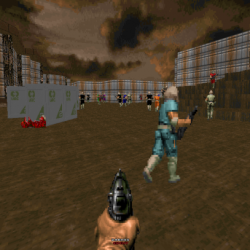
Doom Battle Royale WIth Cheese Mod Screenshot

According to the announcement post the mod is “…a 64 player Battle Royale using Doom 2 as the IWAD, and the Zandronum engine as it’s base. The speed of gameplay will be unchanged from normal Doom, and when you die, that’s not the end for you!”. There is a respawn system, but each player is given a limited number of lives. To ensure no server feels like a ghost town [Bambamalicious] included bots that will spawn in matches with low participation. Each game inevitably results in a “last man standing” face off that has the victor coming away with the coveted “Royale with cheese”. Other than the aforementioned changes, this is still the seminal classic Doom (1993).

Do note that in order to play the mod, the Zandronum engine is a required in order to take part in the fun. The engine is the backbone that allows for leaderboards as well as hopping between custom servers. Zandronum additionally supports many other multiplayer match types for instance: Team Deathmatch, Capture the Flag, Possession, and Skulltag. Up to 64 players are supported in those match types as well.

From the looks of the DooM Royale (with cheese) map, there should be frequent enemy player encounters and no respite for those seeking to just “hide in a bathtub”. The multiple levels should supply plenty of opportunity to take advantage by attacking from above. Test footage of the mod in action can be seen in the video below.

For more on the DOS game that just won’t die, check out Doom running on an ATM.

Continue reading “Doom Battle Royale Mod With 64 Players Hurts Plenty” →

One Man’s Disenchantment With The World Of Software

There is a widely derided quote attributed to [Bill Gates], that “640k should be enough for anyone”. Meaning of course that the 640 kb memory limit for the original IBM PC of the early 1980s should be plenty for the software of the day, and there was no need at the time for memory expansions or upgrades. Coupled with the man whose company then spent the next few decades dominating the software industry with ever more demanding products that required successive generations of ever more powerful PCs, it was the source of much 1990s-era dark IT humour.

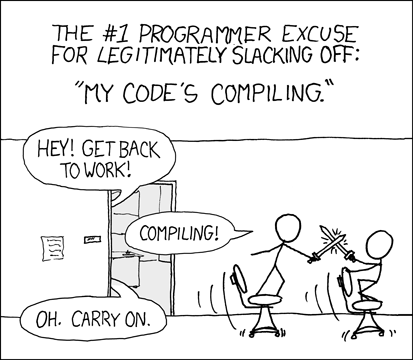
XKCD no. 303 (CC BY-NC 2.5)

In 2018 we have unimaginably powerful computers, but to a large extent most of us do surprisingly similar work with them that we did ten, twenty, or even thirty years ago. Web browsers may have morphed from hypertext layout formatting to complete virtual computing environments, but a word processor, a text editor, or an image editor would be very recognisable to our former selves. If we arrived in a time machine from 1987 though we’d be shocked at how bloated and slow those equivalent applications are on what would seem to us like supercomputers.

[Nikita Prokopov] has written an extremely pithy essay on this subject in which he asks why it is that if a DOS 286 could run a fast and nimble text editor, the 2018 text editor requires hundreds of megabytes to run and is noticeably slow. Smug vi-on-hand-rolled GNU/Linux users will be queuing up to rub their hands in glee in the comments, but though Windows may spring to mind for most examples there is no mainstream platform that is immune. Web applications come under particular scorn, with single pages having more bloat than the entirety of Windows 95, and flagship applications that routinely throw continuous Javascript errors being the norm. He ends with a manifesto, urging developers to do better, and engineers to call it out where necessary.

If you’ve ever railed at bloatware and simply at poor quality software in general, then [Nikita]’s rant is for you. We suspect he will be preaching to the converted.

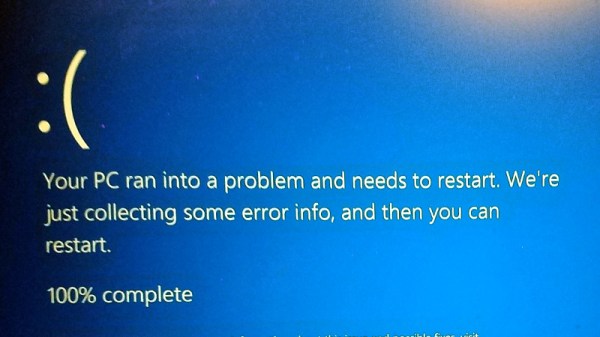
Windows error screen: Oops4321 [CC BY-SA 4.0]