Desktop Digitizer Makes Note Capture A Breeze

While it might seem quaint these days, we’ve met many makers and hackers who reach for a pen and a pad when learning something new or working their way through some technical problem. But even if you’re the type of person who thinks best when writing something out on paper, there’s still a good chance that you’ll eventually want to bring those notes and sketches into the digital realm. That’s where things can get a little tricky.

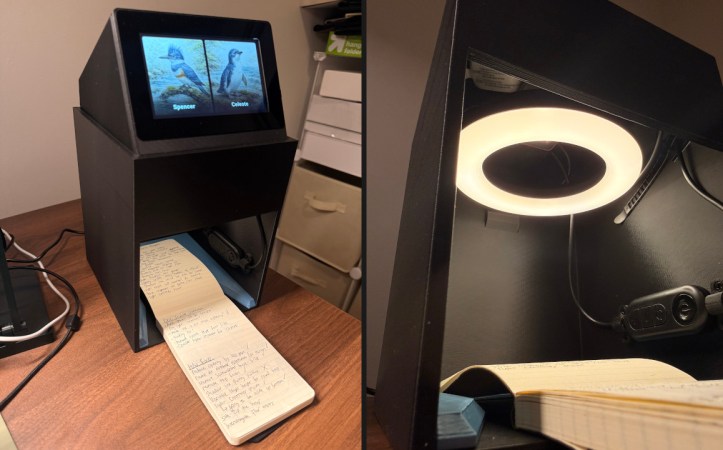
[Spencer Adams-Rand] recently wrote in with his clever solution for capturing written notes and pushing them into Notion, but the hardware design and digitization workflow is flexible enough that it could be adapted to your specific needs — especially since he was good enough to release all the files required to build your own version.
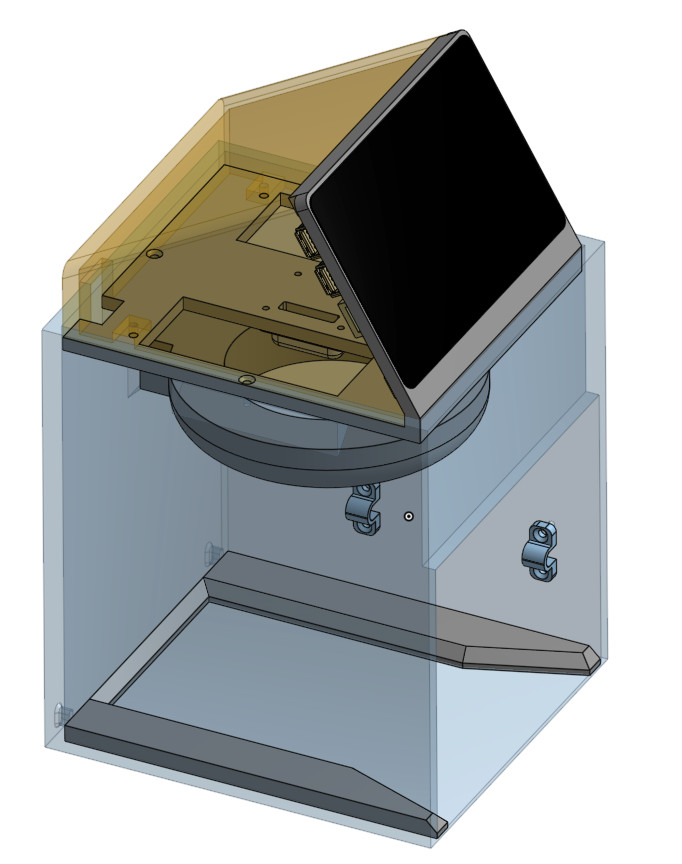
Whether they are hand-written notes, old photographs, or legal documents, digitization boils down to taking a high resolution digital photo of the object and running it through the appropriate software. But getting good and consistent photos is the key, especially when you’re working your way through a lot of pages. [Spencer] started out just snapping pictures with his phone, but quickly found the process was less than ideal.

His custom scanning station addresses that first part of the problem: getting consistent shots. The images are captured using a Raspberry Pi 5 with attached Camera Module 3, while the 3D printed structure of the device makes sure that the camera and integrated lighting system are always in the same position. All he needs to do is place his notepad inside the cavity, hit the button, and it produces a perfect shot of the page.

Using a dedicated digitizing station like this would already provide better results than trying to freehand it with your phone or camera, but [Spencer] took things quite a bit farther. The software side of the project puts a handy user interface on the 5 inch touch screen built into the top of the scanner, while also providing niceties like a REST API and integration with the OpenAI Vision API for optical character recognition (OCR).

Those with an aversion to AI could certainly swap this out for something open source like Tesseract, but [Spencer] notes that not only is OpenAI’s OCR better at reading his handwriting, it spits out structured markdown-like data that’s easier to parse. From there it goes into the Notion API, but again, this could be replaced with whatever you use to collect your digital thoughts.

A device like this would go a long way towards answering a question we posed to the community back in January about the best way to digitize your documents.
TMD-2: A Bigger, Better, More Collaborative Turing Machine

One of the things we love best about the articles we publish on Hackaday is the dynamic that can develop between the hacker and the readers. At its best, the comment section of an article can be a model of collaborative effort, with readers’ ideas and suggestions making their way into version 2.0 of a build.

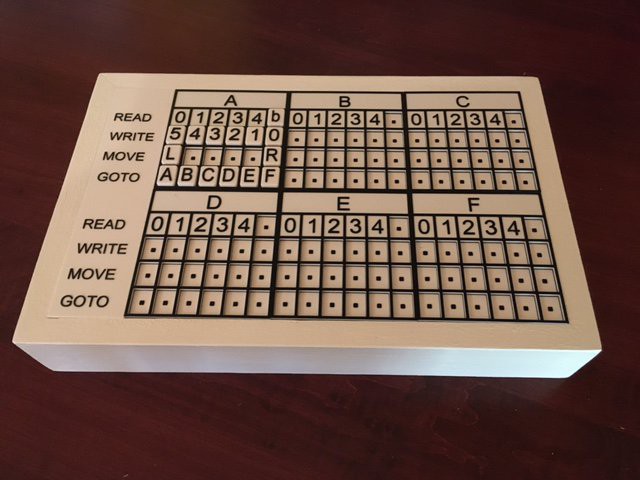
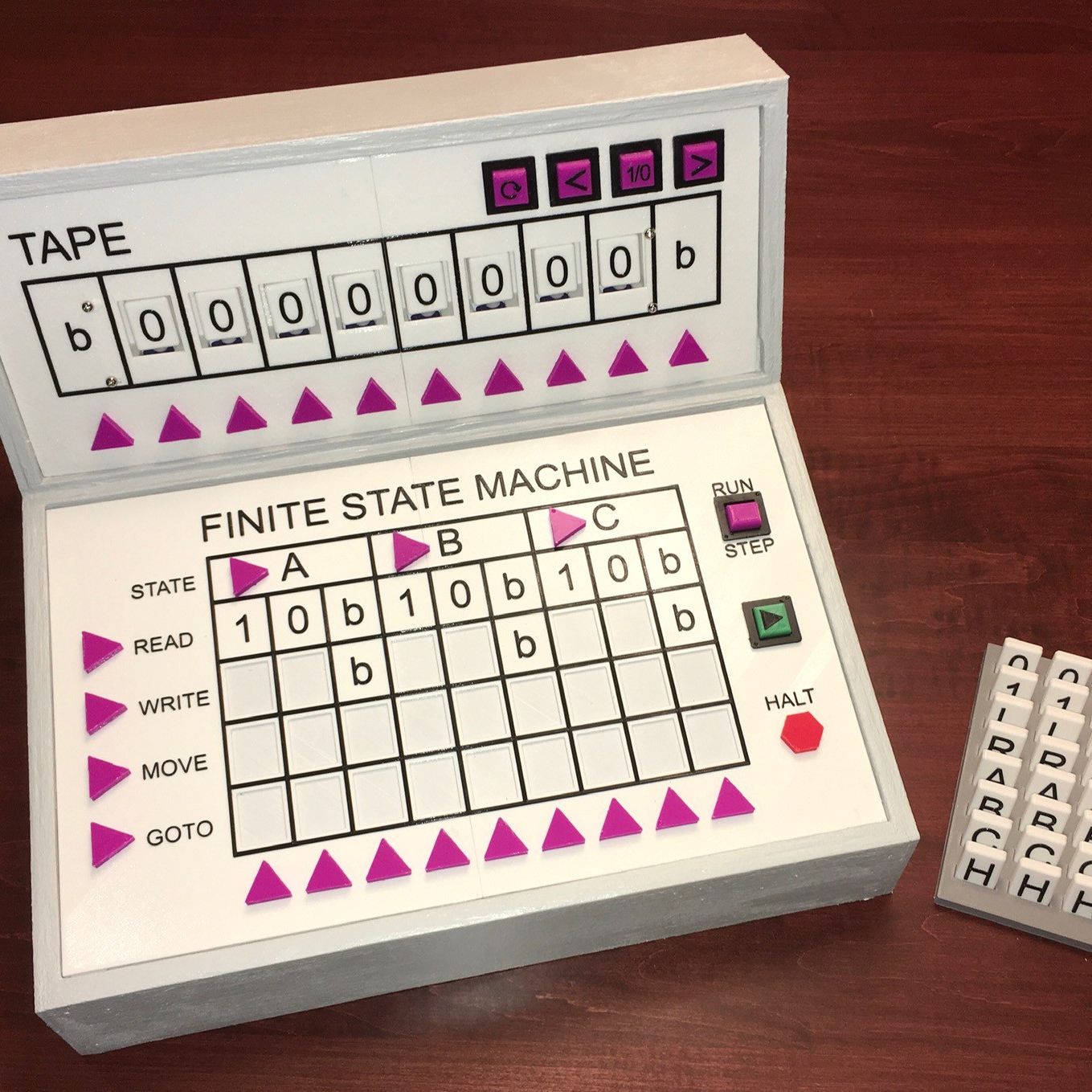
This collegial dynamic is very much on display with TMD-2, [Michael Gardi]’s latest iteration of his Turing machine demonstrator. We covered the original TMD-1 back in late summer, the idea of which was to serve as a physical embodiment of the Turing machine concept. Briefly, the TMD-1 represented the key “tape and head” concepts of the Turing machine with a console of servo-controlled flip tiles, the state of which was controlled by a three-state, three-symbol finite state machine.

TMD-1

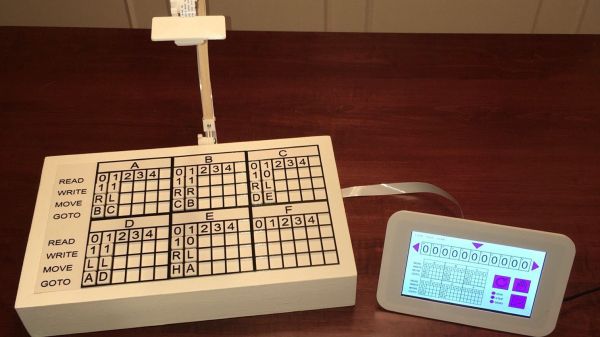
TMD-1 was capable of simple programs that really demonstrated the principles of Turing machines, and it really seemed to catch on with readers. Based on the comments of one reader, [Newspaperman5], [Mike] started thinking bigger and better for TMD-2. He expanded the finite state machine to six states and six symbols, which meant coming up with something more scalable than the Hall-effect sensors and magnetic tiles of TMD-1.

TMD-2 has a camera for computer vision of the state machine tiles

[Mike] opted for optical character recognition using a Raspberry Pi cam along with Open CV and the Tesseract OCR engine. The original servo-driven tape didn’t scale well either, so that was replaced by a virtual tape displayed on a 7″ LCD display. The best part of the original, the tile-based FSM, was expanded but kept that tactile programming experience.

Hats off to [Mike] for tackling a project with so many technologies that were previously new to him, and for pulling off another great build. And kudos to [Newspaperman5] for the great suggestions that spurred him on.

Tritium Tesseract Makes A Nifty Nightlight

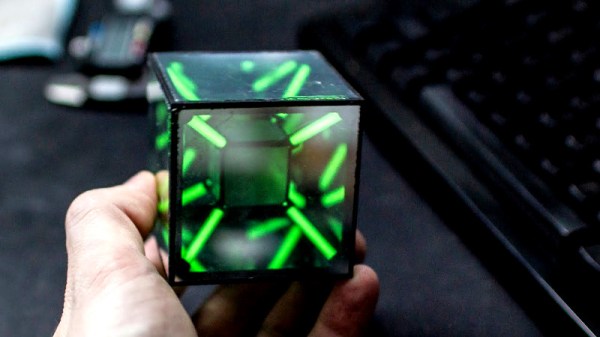
As the cube is to three dimensions, the tesseract is to four. Mortals in this universe find it difficult to contemplate four-dimensional geometry, but there are methods of making projections of such heretical shapes in our own limited world. [Sean Hodgins] was interested in the geometry, and decided to build a tesseract featuring everyone’s favourite isotope of hydrogen, tritium.

The build starts with a 3D printed inner and outer frame, sourced in this case from Shapeways in nylon. Both frames have holes which are designed as a friction fit for off-the-shelf tritium vials. These vials use the radioactive decay of tritium with a phosphor coating to create a dim glow which lasts approximately a decade. With the inner frame held inside the outer with the vials acting as structural supports, the inner and outer surfaces are then fitted with semi-transparent mirrored acrylic, creating a nice infinity effect.

It’s a fun trinket that would be perfect as a MacGuffin in any sci-fi film with a weak plot. [Sean] notes that while the tritium glow is disappointingly dim, the device does make a good nightlight. If you’ve built one and get bored with the hypercube, you can always repurpose your tritium vials into a nuclear battery. Video after the break.

Continue reading “Tritium Tesseract Makes A Nifty Nightlight”

DIY Text-to-Speech With Raspberry Pi

We can almost count on our eyesight to fail with age, maybe even past the point of correction. It’s a pretty big flaw if you ask us. So, how can a person with aging eyes hope to continue reading the printed word?

There are plenty of commercial document readers available that convert text to speech, but they’re expensive. Most require a smart phone and/or an internet connection. That might not be as big of an issue for future generations of failing eyes, but we’re not there yet. In the meantime, we have small, cheap computers and plenty of open source software to turn them into document readers.

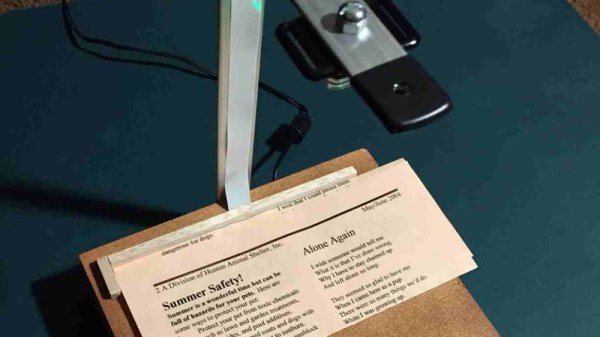
[rgrokett] built a RaspPi text reader to help an aging parent maintain their independence. In the process, he made a good soup-to-nuts guide to building one. It couldn’t be easier to use—just place the document under the camera and push the button. A Python script makes the Pi take a picture of the text. Then it uses Tesseract OCR to convert the image to plain text, and runs the text through a speech synthesis engine which reads it aloud. The reader is on as long as it’s plugged in, so it’s ready to work at the push of a button. We can probably all appreciate such a low-hassle design. Be sure to check out the demo after the break.

If you wanted to use this to read books, you’d still have to turn the pages yourself. Here’s a BrickPi reader that solves that one.

Continue reading “DIY Text-to-Speech With Raspberry Pi”

Tesseract Infinity Desk

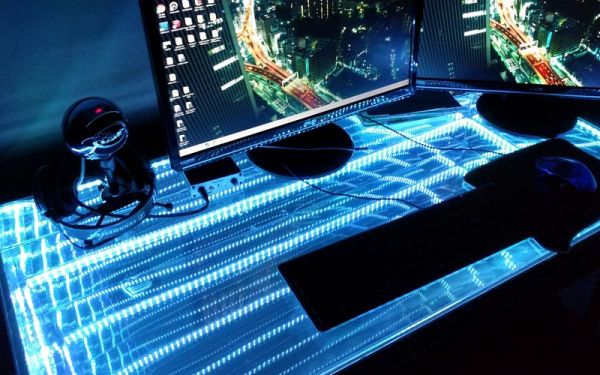
We’ve all seen infinity mirrors. Even Mr. Spock had one in the Star Trek movies. Usually, these aren’t very large and hang on the wall. [QuackMasterDan] decided (after watching another movie, Interstellar) to try making a desk using the same idea. We aren’t sure it will make you more productive, but if you want to up your office cool factor, consider building his tesseract infinity desk. In fact, we imagine it would be pretty distracting. Sure to be a conversation starter, though.

Unlike a regular two-plate infinity mirror, [Dan’s] desk has six plates. He used metal for the structural parts of the desk and the top is a sandwich of an acrylic mirror and a large piece of half-inch tempered glass (available–unsurprisingly–on Amazon). There’s also privacy film to make the glass into a one-way mirror. He also includes instructions on how to make a wood version, too. You can see the desk in a video, below.

Continue reading “Tesseract Infinity Desk”