

One amazing thing about USB-C is its high-speed capabilities. The pinout gives you four high-speed differential pairs and a few more lower-speed pairs, which let you pump giant amounts of data through a connector smaller than a cent coin. Not all devices take advantage of this capability, and they’re not required to – USB-C is designed to be accessible for every portable device under the sun. When you have a device with high-speed needs exposed through USB-C, however, it’s glorious just how much USB-C can give you, and how well it can work.
The ability to get a high-speed interface out of USB-C is called an Alternate Mode, “altmode” for short. The three altmodes you can encounter nowadays are USB3, DisplayPort and Thunderbolt, there’s a few that have faded into obscurity like HDMI and VirtualLink, and some are up and coming like USB4. Most altmodes require digital USB-C communication, using a certain kind of messages over the PD channel. That said, not all of them do – the USB3 is the simplest one. Let’s go through what makes an altmode tick. Continue reading “All About USB-C: High-Speed Interfaces”
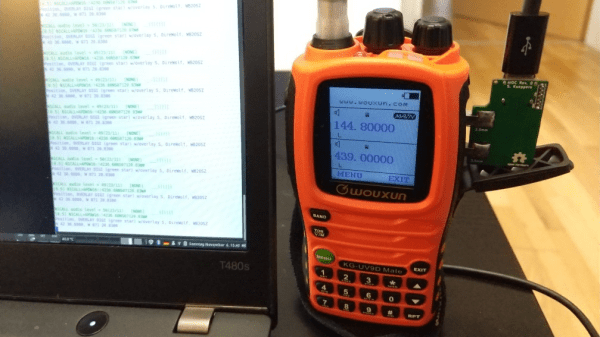
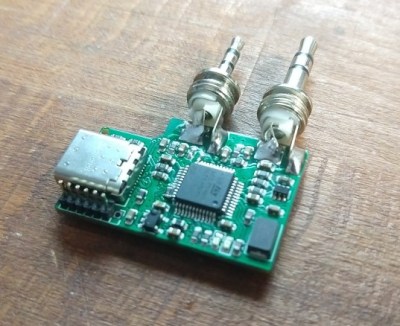 sound card as well as a virtual serial device, so interfacing to practically any host computer should be plug-and-play. Connection to the radio uses 12mm separation 3.5mm and 2.5mm TRS connectors, so is compatible with at least the Baofeng UV-5R but likely many other cheap transceivers that have the same physical setup.
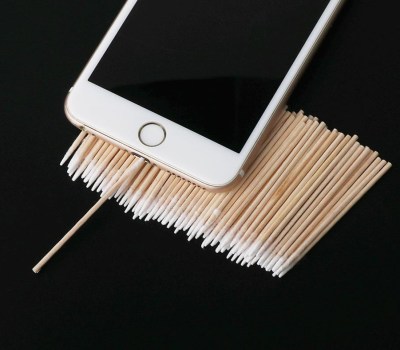 What if a socket on your phone or laptop fails? First off, it could be due to dust or debris. There’s swabs you can buy to clean a USB-C connector; perhaps adding some isopropyl alcohol or other cleaning-suitable liquids, you can get to a “good enough” state. You can also reflow pins on your connector, equipped with hot air or a sharp soldering iron tip, as well as some flux – when it comes to mechanical failures, this tends to remedy them, even for a short period of time.








