A Handy OSHW USB Cable Tester For Your Toolkit

There’s no shame in admitting you’ve been burned by a cheapo USB cable — ever since some bean counter realized there was a few cents to be saved by producing “power only” USB cables, no hardware hacker has been safe. But with this simple tester from [Álvaro Prieto] in your arsenal, you’ll never be fooled again.

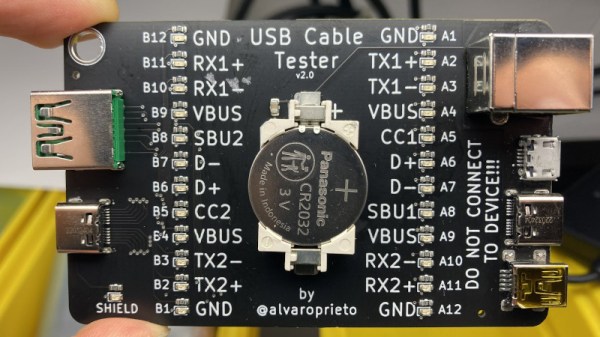
It’s about as straight-forward a design as possible, utilizing nothing more than a two dozen LEDs, their associated resistors, and a common CR2032 coin cell. Simply plugging both sides of your cable into the various flavors of USB connectors on the tester will complete the necessary circuits to light up the corresponding LEDs, instantly telling you how many intact wires are inside the cable. So whether you’re dealing with some shady cable that doesn’t have the full complement of conductors, or there’s some physical damage that’s severed a connection or two, you’ll know at a glance.

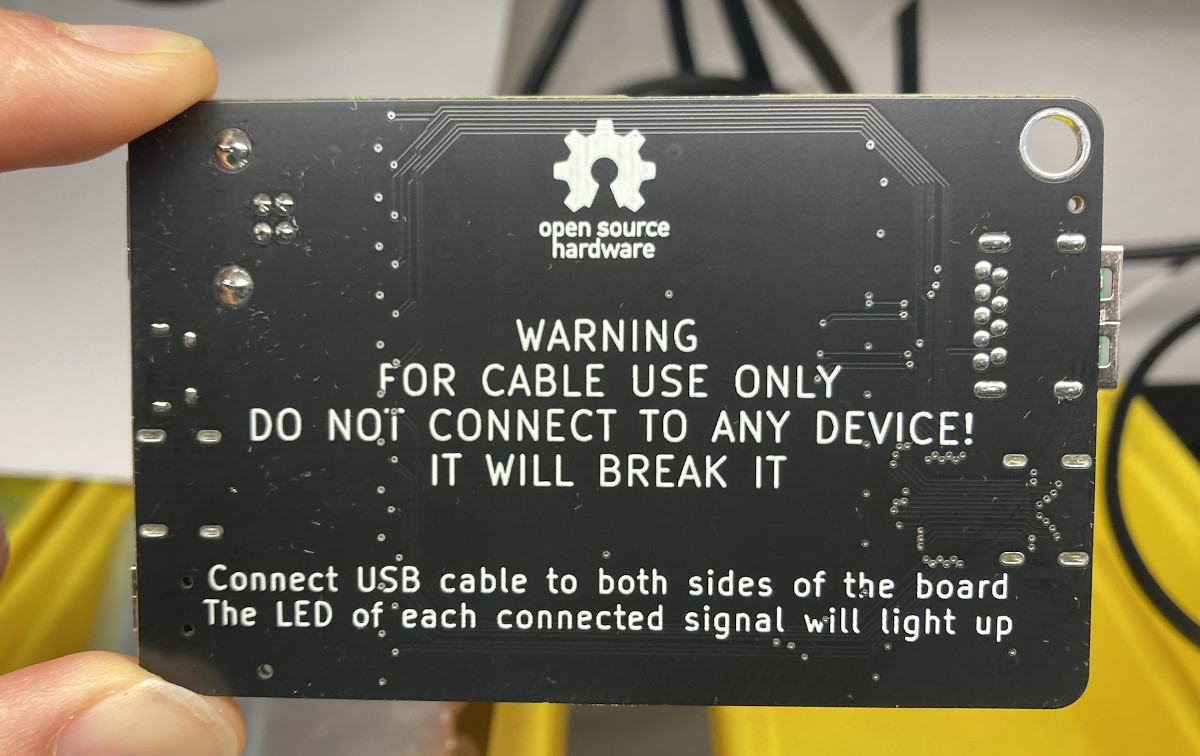
A sage warning for most of the devices we build.

Obviously the tester is designed primarily for the 24 pins you’ll find in a proper USB-C connector, but it’s completely backwards compatible with older cables and connectors. We appreciate that he even included the chunky Type B connector, which we’ve always been fond of thanks to its robustness compared to the more common Mini and Micro variants.

Keep in mind though that this tester will only show you if there’s a connection between two pins, it won’t verify how much power it can actually handle. For that, you’ll need some extra equipment.

Automate Your Desk With The Upsy Desky

It might be surprising for some, but humans actually evolved to be long-distance runners. We aren’t very fast comparatively, but no other animal can run for as long or as far as a human can. Sitting at a desk, on the other hand, is definitely not something that we’re adapted to do, so it’s important to take some measures to avoid many of the problems that arise for those that sit at a desk or computer most of the day. This build takes it to the extreme, not only implementing a standing desk but also a ton of automation for that desk as well.

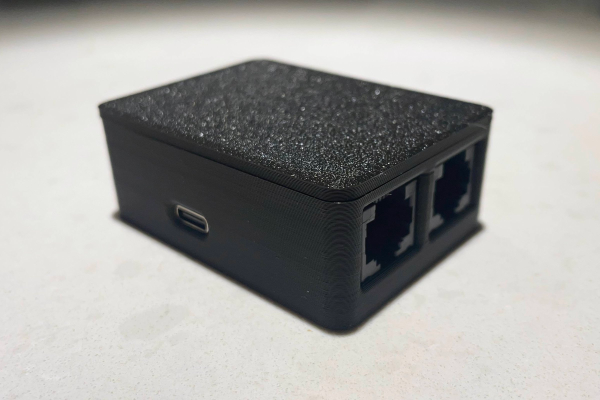
This project is an improvement on a prior build by [TJ Horner] called the WiFi Standing Desk Controller. This new version has a catchier name, and uses an ESP32 to run the show. The enclosure is 3D printed and the control board includes USB-C and a hardware UART to interface with the controller. The real perks of this device are the automation, though. The desk can automatically lift if the user has been sitting too long, and could also automatically lift if it detects no one is home (to help keep a cat off of the desk, for example). It also includes presets for different users, and can export data to other software to help analyze sitting and standing patterns.

The controller design is open source and could be adapted to work on a wide-array of powered desks. As we’ve seen in the past, with the addition of a motor, even hand-crank standing desks can be upgraded. If you haven’t gotten into the standing desk trend yet, we hope that you are at least occasionally going for a run.

USB-C Charging Mod Brings In The Juice

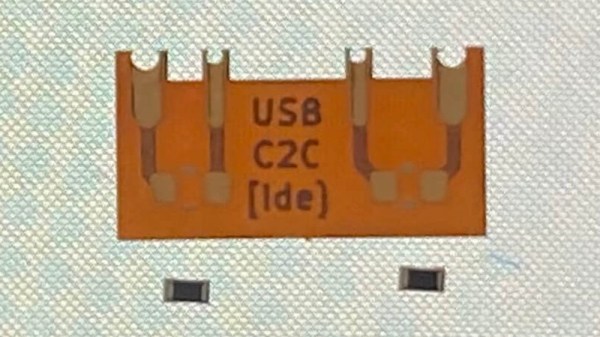
By now we’re well under way with the consolidation of low-voltage power supplies under the USB-C standard, and the small reversible connector has become the de facto way to squirt some volts into our projects. But for all this standardization there are still a few places where the harmony of a unified connector breaks down, and things don’t work quite the way they are supposed to. One such case has occupied [James Ide] — devices which will accept power from a USB-A to USB-C cable, but not from a USB-C to USB-C one. His solution? A small flexible PCB upgrade.

The problem lies with how different power supplies and peripherals identify each other, and quite likely in device manufacturers skimping on a few components here and there. A compliant USB-C power supply expects to see pull-down resistors on the data lines, and will thus refuse to serve power to devices that don’t possess them. Meanwhile the USB-A supply will quite happily serve juice without such checks, which is what the manufacturer is relying on. The solution is a tiny flexible PCB with the resistors, designed to be retrofitted behind a USB-C socket. On one hand it’s probably one of the simplest circuits we’ve ever shown you, and on the other it’s a cleverly designed solution to the issue at hand.

If the nitty-gritty of USB-C interests you, then we’ve taken a much closer look in the past.

Thanks to [Andrea] for the tip.

Now There’s USB-C On The IPhone SE

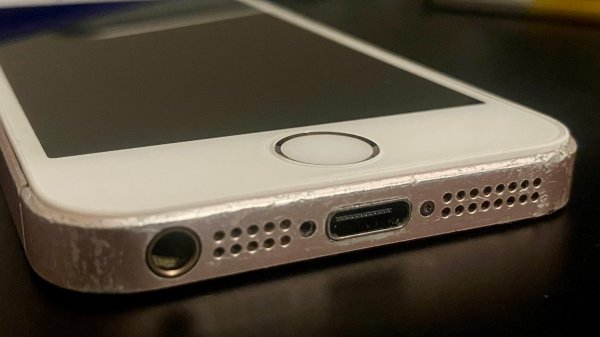
As confusing as it can be, USB-C is actually pretty good, and certainly has its fans. [David Buchanan] must be one of them, for he did a great job putting a USB-C port into his iPhone SE.

[David] didn’t want to ruin a pristine example, so set about hacking the cheapest first-gen iPhone SE he could find on eBay. His approach was simple: get a USB-C to Lightning dongle and hack it into the phone’s body.

The first step was to strip the adapter down and melt off the Lightning connector. He then de-soldered the Lightning port from the phone, and found a bunch of test pads on the motherboard corresponding to its pins. Soldering leads from the adapter to the test pads got things up and running, once he properly hooked up a connection-detect pin to ground.

With a bit more trimming, some hot glue and some enameled wire, [David] was able to cram everything inside the iPhone. Paired with a new screen and home button, and he had an iPhone SE with a working USB-C port. It works for both charging and USB data, too.

If you’re rocking an iPhone SE, you might dig this conversion as it gives you access to more chargers out in the wild. Plus, you’ve still got the regular headphone jack. Be sure to check out the iPhone 13 with a USB C port, too. It’s the hottest new hack until the new EU regulations hit Apple in coming years.

Berlin Clock Takes Inspiration From Sci-Fi Sources, Looks Incredible

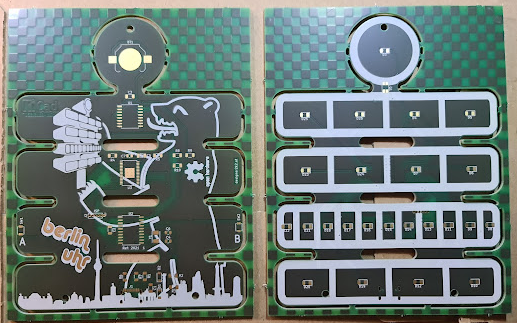
What would a HAL9000 look like if it eye were yellow and sat atop a front panel inspired by an Altair 8800? You’d have today’s feature, [Stephan]’s BerlinUhr, a gorgeous little take on a Berlin Clock.

At Hackaday, we have a soft spot for clock builds. They’ve graced our pages from early times. When we saw this ultra cool Berlin Clock, we couldn’t resist the urge to share it with all of our readers.  For those of you not familiar with a Berlin Clock, it’s a clock that consists of 24 lights, and was the first of its kind back in 1975.

[Stephan]’s build is notable because not only is it a beautiful design, but the work that went into the design and build. At several inches tall, the BerlinUhr is supported solely by a USB-C connection, although it can also be hung on a wall. The RTC is backed up by a CR1216, and an ATtiny167 provides the brains for the operation.

A neat part of the build comes with the KPS-3227 light sensor, used to adjust the LED brightness according to ambient lighting. Rather than being a straightforward part to insert into the PCB, KiCad’s footprint had some pins reversed, causing [Stephan] to learn how to correct it and contribute the fix to KiCad. Well done!

We weren’t kidding about clocks, by the way- check out the link to the Atomic Wrist Watch on this post from 2005, and this Russian VFD based clock from 2006- with video!

Do you have your own favorite clock build you’d love to see grace our pages? Be sure to submit a tip!

Adding USB-C To An IPhone 13 Is Delicate Work

USB-C seeks to rule the roost when it comes to connectors, and even has Big Europe on its side. Apple hasn’t had to abandon Lightning just yet, but [Restore Technique] has put a USB-C port into an iPhone 13 to give us all an idea what it’s going to be like in the brave new future ahead of us.

The idea came about after disassembling the iPhone 13, and the project was locked in after seeing the first iPhone with a USB-C connector sell for $86,001 on eBay. The plan had to support fast charging, cable reversibility, and data transfer, without cutting out any functionality or compromising water resistance.

The concept is simple enough: take the C94 board from a Lightning to USB-C cable, and put it inside the phone along with a USB-C port. Of course, actually achieving that is the real challenge. Techniques from melting apart Lightning connectors to carefully peeling apart 0.5 mm pitch flex cables to fit 0.6 mm pitch pads.

It’s an impressive hack, and explained so well it’s actually tempting to try it at home for the sheer challenge of the thing. If you do pull off a similar hack yourself, drop us a line! Video after the break.

Continue reading “Adding USB-C To An IPhone 13 Is Delicate Work”

Mouse Charging Mod Shows Even Simple Hacks Can End Up Complex

Hardware hacks have something in common with renovations that involve taking down a wall: until one actually gets started and opens things up, there’s no telling what kind of complications might be lurking. [voussoir] has a project that demonstrates this nicely: modifying a rechargeable mouse to use USB-C instead of micro-B turned out to have quite a few little glitches in the process. In fact, changing the actual receptacle was the simplest part!

On one hand, the mouse in question seems like a perfect candidate for easy modification. The enclosure isn’t too hard to open, there is ample space inside, and USB is used only for recharging the battery. So what was the problem? The trouble is something familiar to anyone who has worked on modifying an existing piece of hardware: existing parts are boundaries to hacking work, and some are less easily modified than others. Continue reading “Mouse Charging Mod Shows Even Simple Hacks Can End Up Complex”