True Networked KVM Without Breaking The Bank

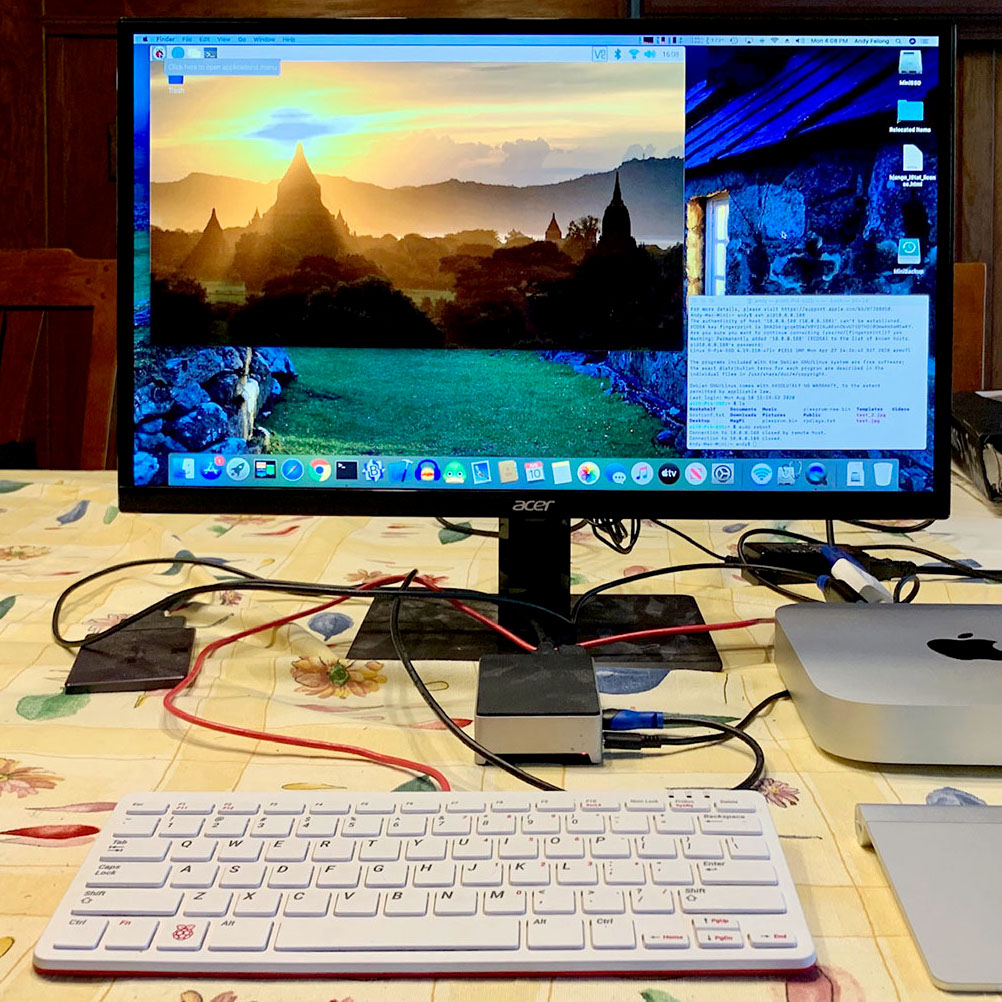
For administering many computers at once, an IP KVM is an invaluable piece of equipment that makes it possible to get the job done over the network without having to haul a keyboard, monitor, and mouse around to each computer. The only downside is that they can get pricey, unless of course you can roll one out based on the Raspberry Pi and the PiKVM image for little more than the cost of the Pi itself.

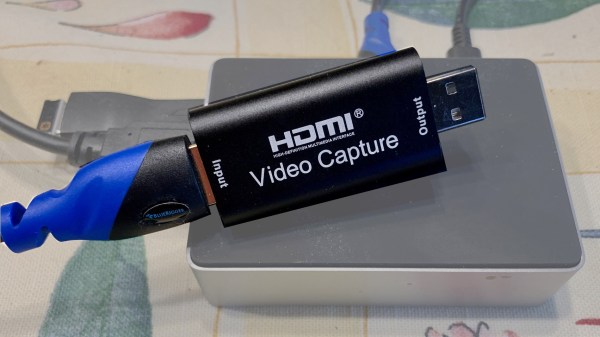
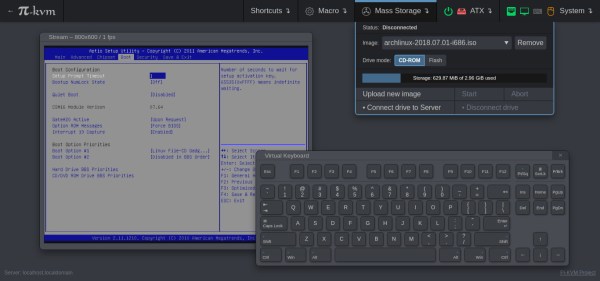
The video linked below shows how to set all of this up, which involves flashing the image and then setting up the necessary hardware. The build shows an option for using HDMI over USB, but another option using the CSI bus would allow for control over options like video resolution and color that a USB HDMI dongle doesn’t allow for. It also makes it possible to restart the computer and do things like configure BIOS or boot from removable media, which is something that would be impossible with a remote desktop solution like VNC.

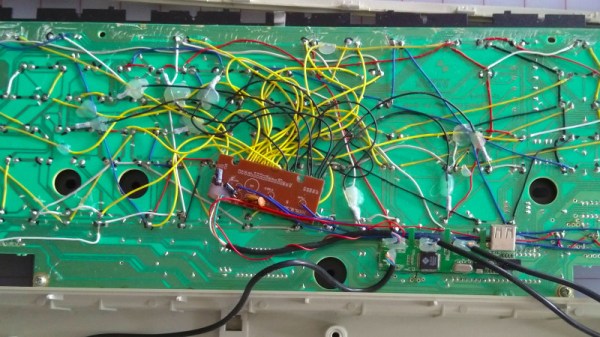
The creator of PiKVM was mentioned in a previous post about the creation of the CSI bus capture card, and a Pi hat based on this build will be available soon which would include options for ATX controls as well. Right now, though, it’s possible to build all of this on your own without the hat, and is part of what makes the Pi-KVM impressive, as well as its very low cost.

Continue reading “True Networked KVM Without Breaking The Bank”

Proprietary Lenses Are No Problem With This USB Adaptor

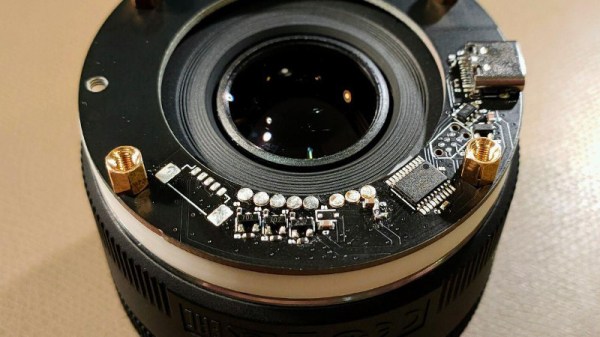
There was a time when a camera lens was simply a set of shaped pieces of glass in a tube, with a mount and an aperture. But as cameras have embraced electronics ever more, technology has found its way past the lens mount to the extent that all features of a modern lens are electronically controllable. Can they be used outside the confines of the camera they were designed for? If the user is [Jana Marie] then certainly, because she’s created a nifty USB adapter and mount for Canon lenses for use with her custom streaming camera.

The hardware is a 3D printed lens mount with a PCB that mates with the pins on the lens. An STM32 does the hard work and talks to the outside world through a USB interface, however it’s in the software that the real effort lies. The Canon lens protocol has been extended since the 1980s, and the commands for different generations of lenses can be convoluted. All the information is in a GitHub repository, so the curious hacker can roll their own.

There are a wealth of camera projects to be found for those that don’t mind tearing apart some of their more valuable possessions, and this isn’t the first we’ve seen involving the hacking of the Canon protocol.

ISASTM Runs Vintage Cards Over USB

The ISA bus is a relic of the distant past, and no longer supported by the PC mainstream. Outside of retro fanatics and likely some long-term industrial users, it’s all but forgotten. That hasn’t stopped [Manawyrm] from hacking away, however, and she’s developed a nifty adapter for the modern era.

Still in its early stages of development, the ISASTM is a ISA-over-USB adapter that allows a modern computer to work with older expansion cards. Running on an STM32H743, and using the microcontroller’s native USB1 interface, the ISASTM card is able to be slotted into a backplane in order to address multiple cards with one adapter. [Manawyrm] demonstrates the hardware by running Monkey Island 1 in the PCem emulator, with sound provided by an AdLib ISA soundcard.

There are some throughput issues, which [Manawyrm] aims to solve by switching to USB2 and making some tweaks and improvements to the code. Regardless, it’s an impressive tool that we imagine could have some use in keeping some legacy hardware alive, too. Incidentally, it’s been a long while since we’ve seen a solid ISA hack around these parts. Video after the break.

Continue reading “ISASTM Runs Vintage Cards Over USB”

USB Adaptor Isolates Multiple Serial Interfaces

You need a Swiss Army knife of serial communications? Ollie is a compact isolated USB adaptor that provides USB, CAN bus, and two UARTs at logic, RS-232, and RS-485 signaling levels, as well as an isolated power supply.  [Slimelec] has managed to squeeze all this into a package the size of a harmonica.  We like the technique of making the enclosure from PCB material, complete with clearly labeled switch, LED and connector pinout names.

So far, only the compiled firmware is available for this project, but hardware files, and presumably the source code and documentation, are coming soon.

The central themes here are  isolation and flexibility. We can’t find the isolation voltage in the project specifications, but the CANable project on which this adaptor is based provides 2.5 kV galvanic isolation.  A single isolated USB interface is also provided over a standard Type A connector. The four-wire logic-level UART signals are available on a 2 x 7 box header, and are voltage selectable.  The RS-232, RS-485, and CAN signals are on an 8-pin pluggable screw terminal block, or you can use a DB9 connector with a pluggable adaptor board.

Whether you need a troubleshooting aid for field testing, are using CAN bus on your projects, or just want to isolate your expensive computer from sketchy prototype hardware, have a look at this project.

New Controllers On Old Nintendos With USB64

The Nintendo 64 made a big splash when it launched in 1996, not least of all for its innovative controller. Featuring a never-before-or-since seen trident design, and with an analog stick smack bang in the center, it changed what gamers expected from consoles from that day forward. Of course, those controllers are now much worse for wear, and technology has moved on somewhat. The latest development from [Ryzee119] aims to rectify this somewhat.

The result of that work is USB64, a tool designed to allow the use of USB controllers on the Nintendo 64. Using a Teensy 4.1, it builds upon earlier work to get the Xbox 360 controller working on the platform. However, the feature set has been greatly expanded, covering almost any use case imaginable. Mempacks are now efficiently emulated, and save files can be backed up to a PC via SD card. Additionally, the GameBoy Transferpak is emulated, meaning data can be transferred between GameBoy ROMs on an SD card and games on the N64. Even the N64 mouse is supported, and can be emulated with a regular USB mouse. Capable of doing all this for all four players, work is ongoing to increase the number of compatible aftermarket controllers for the utmost flexibility. [Ryzee119] also coded up a useful test ROM for the N64, which is invaluable when debugging controller hardware.

Console controllers take a lot of punishment, particularly from serious gamers, so we’re always eager to see projects that allow modern replacements to be used with old hardware. We’ve featured other great projects in this area before, too!

USB Bell Rings In Custom Terminal

Old TeleTypes and even typewriters had bells. Real bells. So that ASCII BEL character is supposed to make an honest to goodness ringing sound. While some modern terminals make a beep from the computer speakers, it isn’t the same. [Tenderlove] must agree, because the turned a Microchip USB to I2C bridge chip into a HID-controlled bell.

The only problem we see is that you have to have a patch to your terminal to ring the bell. We’d love to see some filter for TCP or serial that would catch BEL characters, but on the plus side, it is easy to ring the bell from any sort of application since it responds to normal HID commands.

Continue reading “USB Bell Rings In Custom Terminal”

The USB Null Modem Cable Is Now A Thing

The classic serial null-modem cable was, among other things, used to connect two computers together for communications and file transfer. Largely eliminated in daily use by the advent of home networking, there are still fringe applications where such a thing can come in handy. [Nick Sayer] needed just such a tool, but one that would work in a modern USB environment. Enter the isolated USB null-modem.

The device consists of two USB Communication Device Class, or CDC chips, creating a USB serial port for each attached computer. The TX and RX lines are cross-connected to allow communication between the two sides. Rather than directly connect the lines, however, they pass through an opto-isolator. This is important, as it allows two computers at different ground potentials to be safely connected to each other without damage.

[Nick] originally created the device to solve a specific problem at his day job, but community response was large enough that he was kind enough to share the project online. Expect to see devices available on Tindie in future for those that need a hookup. While it’s not something everyone will need, for those that do, it should come in handy. If you’re looking for other useful applications for USB-serial devices, there’s plenty – you can even try your hand at software-defined radio!